
Sarrera
The Xiaomi Smart Camera C500 is an advanced indoor surveillance camera designed to provide comprehensive monitoring for your home. Featuring a dual-lens system, 4-megapixel resolution, and dual-band Wi-Fi 6 connectivity, it offers enhanced security features such as human tracking, crying detection, and pet tracking. This manual provides detailed instructions for setting up, operating, and maintaining your camera to ensure optimal performance.
Segurtasun Informazioa
- Ensure the camera is installed in a stable location to prevent it from falling.
- Erabili gailuarekin batera emandako jatorrizko korronte-egokitzailea soilik.
- Ez jarri kamera tenperatura altuen, hezetasun handien edo eguzki-argiaren eraginpean.
- Keep the camera away from water or other liquids. This product is not water-resistant.
- Do not attempt to disassemble or repair the camera yourself. Contact authorized service personnel for assistance.
- Mantendu haurren eskura.
Paketearen edukia
Egiaztatu elementu guztiak zure paketean daudela:
- 1 × Xiaomi Smart Camera C500 4MP Dual Lens with Wi-Fi 6 Dual-Band
- Elikatze-moldagailua
- Mounting Accessories (if applicable for ceiling/wall mount)
- Erabiltzailearen eskuliburua
Produktua amaituview
The Xiaomi Smart Camera C500 features a compact dome design with dual lenses for extended coverage. It includes a power port, status indicator light, and a microSD card slot for local storage.
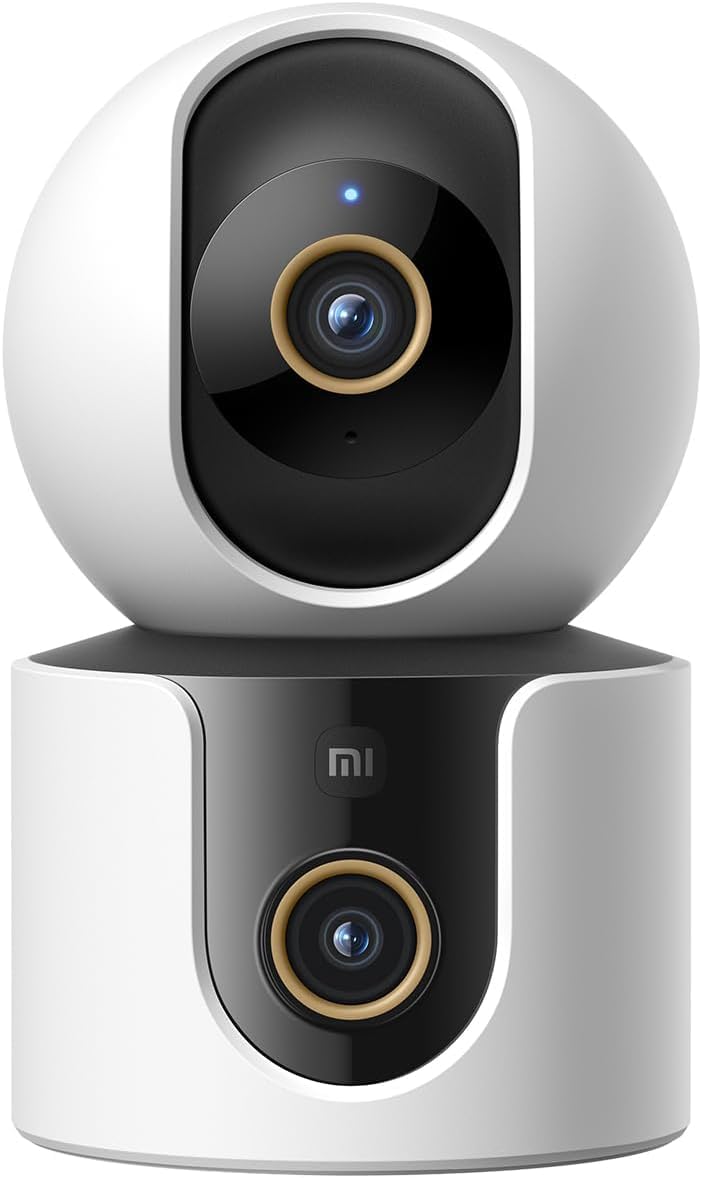
1. irudia: Aurrealdea view of the Xiaomi Smart Camera C500, showing its dual-lens design and white and black casing.

2. irudia: Goitik behera view of the Xiaomi Smart Camera C500, highlighting its spherical upper section and ventilation holes.

3. irudia: Aldea view of the Xiaomi Smart Camera C500, showing the power input and other ports on the base.
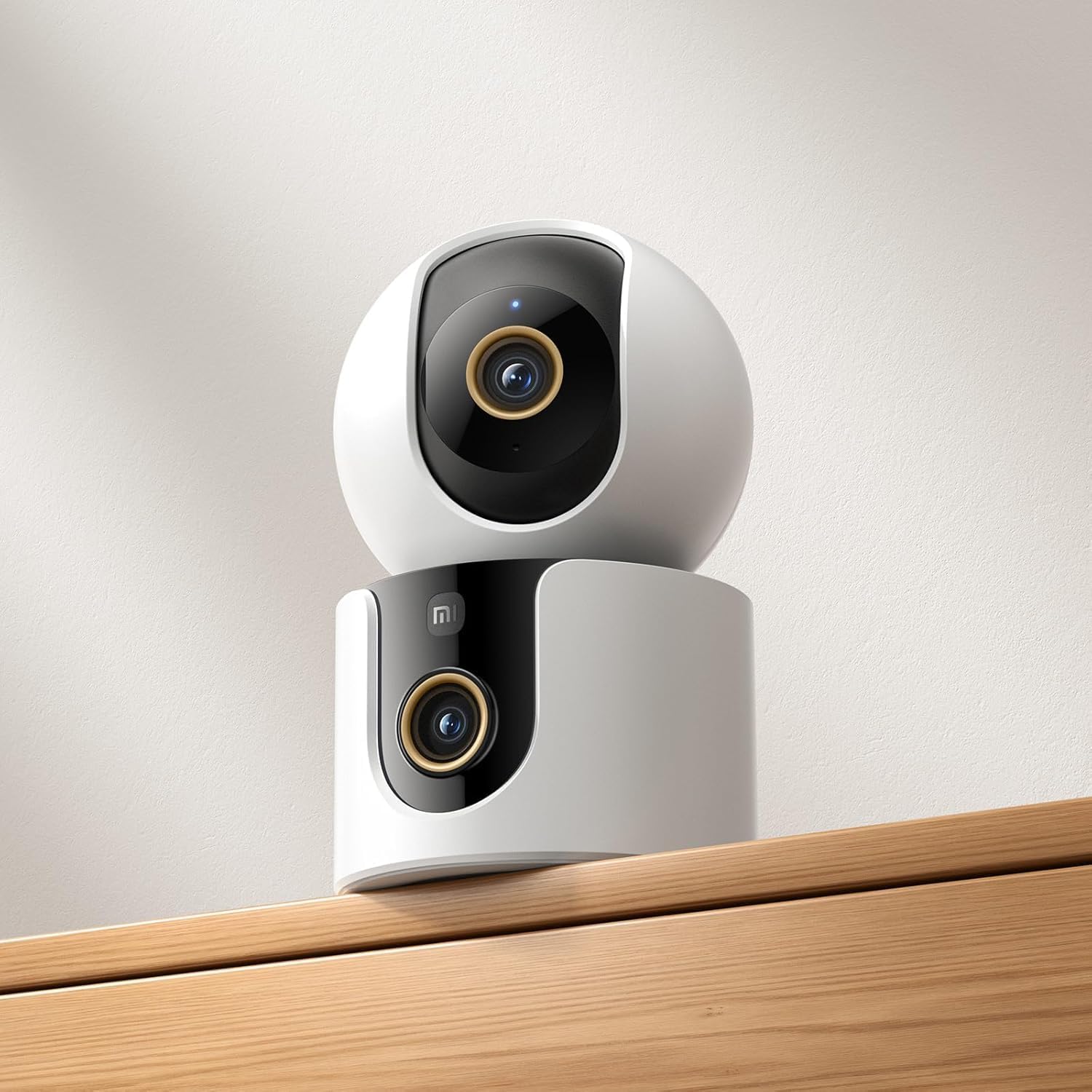
Figure 4: The Xiaomi Smart Camera C500 positioned on a wooden shelf, demonstrating its compact size and discreet placement.
Konfigurazioa
1. Piztea
- Konektatu korronte-egokitzailea kameraren sarrera-atakara.
- Entxufatu korronte-egokigailua hormako entxufe batera.
- The camera will automatically power on, and the indicator light will begin to flash, indicating it is ready for connection.
2. Aplikazioaren instalazioa
- Deskargatu Xiaomi Etxea aplikazioa zure telefonoaren aplikazio dendatik (Google Play Store Android-erako edo Apple App Store iOS-erako).
- Ireki aplikazioa eta sortu Xiaomi kontu bat edo hasi saioa dagoeneko baduzu.
3. Aplikazioarekin parekatzea
- In the Xiaomi Home app, tap the "+" icon in the top right corner to add a new device.
- Select the Xiaomi Smart Camera C500 from the list of available devices.
- Follow the on-screen instructions to connect the camera to your Wi-Fi network. Ensure your phone is connected to a 2.4GHz or 5GHz Wi-Fi network (the camera supports dual-band Wi-Fi 6).
- Scan the QR code displayed on your phone screen using the camera lens. You will hear a voice prompt confirming successful scanning.
- Behin konektatuta, kamerari izena eman eta gela zehatz bati esleitu diezaiokezu.
4. Kamera muntatzea
The camera supports tabletop placement or ceiling/wall mounting.
- Mahai gaineko muntaia: Place the camera on a flat, stable surface.
- Ceiling/Wall Mount: Use the provided mounting base and screws to secure the camera to a desired location. Ensure the camera is securely attached and has a clear field of view.
Funtzionamendu-argibideak
1. Bizi View
Open the Xiaomi Home app and select your camera to view the live feed. You can pan and tilt the camera remotely using the controls in the app to achieve 360-degree coverage.
2. Grabaketa eta Erreprodukzioa
- Tokiko biltegiratzea: Insert a microSD card (up to 256GB) into the camera's slot for continuous or event-triggered recording.
- Hodeiko biltegiratzea: Optional cloud storage services may be available through the Xiaomi Home app for secure backup of recordings.
- Erreprodukzioa: Sartu grabatutako footage through the app's playback feature, navigating by date and time.
3. Bi norabideko audioa
Use the microphone and speaker icon in the live view interface to enable two-way communication. This allows you to speak through the camera and hear audio from its location.
4. Motion Detection and Human Tracking
The camera can detect motion and intelligently track human figures. Enable these features in the app settings to receive alerts and automatically record when activity is detected.
5. Crying Detection
For parents, the crying detection feature can be enabled to send instant notifications to your phone when a baby's cry is detected, allowing for quick response.
6. Pet Tracking
The camera can also track pets, providing alerts and recording their movements. This feature is useful for monitoring your furry companions throughout the day.
7. Gaueko Ikusmena
The camera automatically switches to ultra-low light color mode or infrared night vision in dim conditions, ensuring clear visibility up to 15 meters even in complete darkness.
Mantentzea
- Garbiketa: Garbitu kameraren lentea eta gorputza oihal leun eta lehor batekin. Ez erabili produktu kimiko gogorrik edo garbitzaile urratzailerik.
- Firmware eguneraketak: Regularly check for and install firmware updates through the Xiaomi Home app to ensure optimal performance and access to new features.
- MicroSD txartela: If using a microSD card, periodically check its status and format it if necessary to maintain recording quality and prevent data corruption.
Arazoak konpontzea
| Gaia | Irtenbide posiblea |
|---|---|
| Kamerak ez du Wi-Fira konektatzen | Ensure your Wi-Fi network is 2.4GHz or 5GHz. Check Wi-Fi password. Move camera closer to router. Reset camera and try pairing again. |
| Zuzenekorik ez view edo grabaketa | Check power connection. Ensure Wi-Fi is stable. Verify microSD card is inserted correctly and not full. Check app permissions. |
| Bideoaren kalitate eskasa | Clean the camera lens. Ensure adequate lighting. Check Wi-Fi signal strength. Adjust video resolution settings in the app. |
| Jakinarazpenak ez dira jaso | Check app notification settings on your phone. Ensure motion/crying detection is enabled in the camera settings. Verify app has necessary permissions. |
| Bi norabideko audioa ez da funtzionatzen | Check microphone and speaker settings in the app. Ensure phone volume is up. Avoid placing camera in noisy environments. |
Zehaztapenak
| Ezaugarri | Xehetasuna |
|---|---|
| Marka Izena | Xiaomi |
| Ereduaren izena | Zaintza Kamera |
| Modelo zenbakia | C500 Dual |
| Produkturako gomendatutako erabilerak | Barruko Segurtasuna |
| Konektibitate Teknologia | Haririk gabekoa |
| Ezaugarri bereziak | Definizio handikoa |
| Barruan/Kanpoan erabilera | Barruan |
| Gailu bateragarriak | Smartphone |
| Energia iturria | Kable elektrikoa |
| Komunikazio Protokoloa | Wi-Fi sarea |
| Kontrolagailu mota | Amazon Alexa |
| Muntatze Mota | Tabletop Mount, Freestanding |
| Kolorea | Zuria |
| Forma-faktorea | Kupula |
| Materiala | Akrilonitrilo Butadieno Estirenoa (ABS) |
| Uraren Erresistentzia Maila | Ez Urarekiko Erresistentea |
| Elementuaren forma | Kupula |
| Alerta mota | Audioa eta Mugimendua |
| Gela Mota | Bulegoa |
| Argi iturria | Infragorriak |
| Irudi-sentsorearen bereizmena | 4 megapixelekoa |
| Kontrol-metodoa | Aplikazioaren bidez |
| liburukiatage | 5.0 |
| Wattage | 10.0 |
| Pilak behar dira? | Ez |
| Kanal kopurua | 2 |
| Bideo-kodeketa | H.265 |
| Bideo Harrapaketa formatua | MPEG-4 |
| Gaueko Ikusmenaren barrutia | 15 metro |
| Gaueko Ikusmena | Gau Kolorea |
| Number of Infrared LED Lights | 10 |
| Flash memoria mota | Mikro SD |
| Maximum Supported Flash Memory Size | 256 GB |
| Elementu kopurua | 1 |
| Produktuaren erabilera espezifikoak | 360 graduko estaldura, zaintza |
| Fabrikatzailea | Xiaomi |
| Haririk gabeko Komunikazio Teknologia | Wi-Fi |
| Bideo Harrapaketa Ebazpena | 1080p |
| Fotograma-tasa | 25 fotograma segundoko |
| Viewangelua | 360 gradu |
| Foku mota | Foku automatikoa |
| Irudi-sentsoreen teknologia | CMOS |
| Elementuaren neurriak | 7.8 x 7.8 x 11.5 cm |
| Elementuaren pisua | 327 gramo |
| Unitate kopurua | 1.0 zenbaketa |
Bermea eta Laguntza
Bermeari buruzko informazioa lortzeko, kontsultatu zure produktuaren ontzian dagoen berme-txartela edo bisitatu Xiaomi-ren webgune ofiziala. website. For technical support, troubleshooting assistance, or to report issues, please contact Xiaomi customer service through their official channels or the Xiaomi Home app.
You can find additional resources and FAQs on the Xiaomi official support page.