
Sarrera
The TOOBUR IDW20 Smartwatch is designed to enhance your daily life with its advanced features, including communication, fitness tracking, and health monitoring. This manual provides essential information for the proper setup, operation, and maintenance of your device to ensure optimal performance and longevity.
Konfigurazioa
1. Erloju adimenduna kargatzea
Before initial use, fully charge your TOOBUR IDW20 Smartwatch. A full charge typically takes 2.5 hours. Once charged, the smartwatch offers approximately 7 days of typical use and up to 30 days of standby time.
2. Aplikazioaren instalazioa eta parekatzea
To utilize all features, download the Oso Fit app on your smartphone. The smartwatch is compatible with iOS 9.0 and Android 6.0 or higher. Ensure Bluetooth is enabled on your phone, then open the VeryFit app to pair your device. Follow the on-screen instructions within the app to complete the pairing process.
Funtzionamendu-argibideak
1. Call Function and Notifications
The TOOBUR IDW20 allows you to answer and make calls directly from your wrist. Stay informed with notifications for messages, emails, and social media. Please note that direct replies to messages are not supported on the watch.

Image: TOOBUR Smartwatch displaying call, notification, and Alexa voice assistant features.
2. Integrated Alexa Voice Assistant
Utilize the built-in Alexa to control smart home devices, set alarms, check the weather, and more, all with voice commands.
Video: Demonstration of Alexa and stable Bluetooth calling on the smartwatch.
3. Fitnessaren jarraipena
Elevate your fitness journey by tracking daily steps, distance, and calories burned. The smartwatch supports over 100 sports modes, including running, cycling, basketball, and Pilates. Detailed exercise reports are generated to help you train more scientifically.
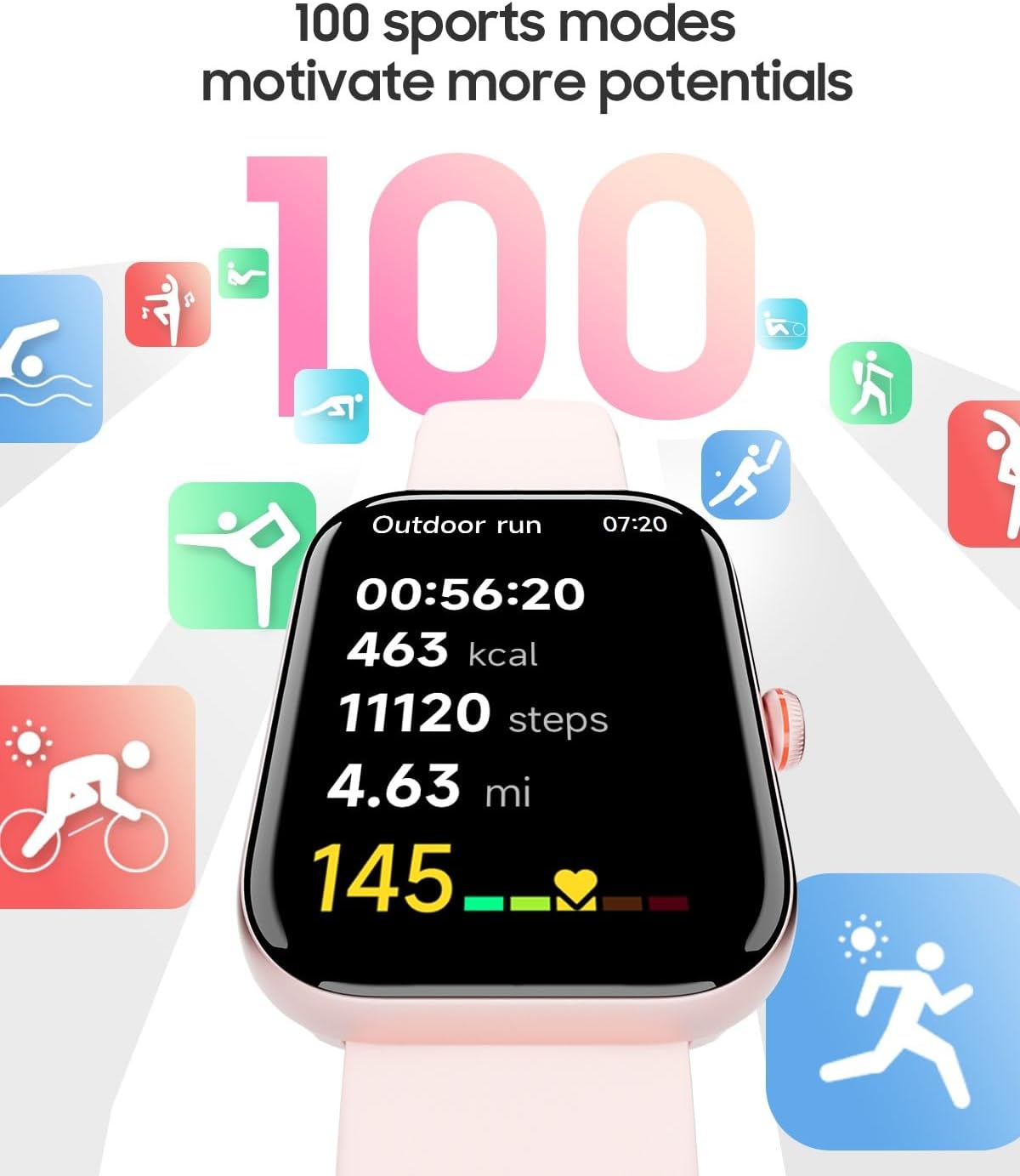
Image: TOOBUR Smartwatch displaying various sports mode icons and exercise data.
4. 24 orduko osasun-monitorizazioa
Prioritize your health with continuous monitoring of heart rate, stress levels, and sleep quality (including awake, REM, light, and deep sleep stages). All health data seamlessly syncs with the VeryFit app for analysis. The device also includes a menstrual cycle tracker for women.

Image: TOOBUR Smartwatch displaying heart rate, blood oxygen, and menstrual cycle tracking data.

Image: TOOBUR Smartwatch displaying sleep monitoring data, including light, deep, REM, and awake times.
5. Display and Customization
Experience vivid visuals on the 1.91-inch HD display. Personalize your smartwatch by choosing from over 100 watch faces available in the VeryFit app, or upload your own images to create a unique look.

Image: TOOBUR Smartwatch showing its 1.91-inch HD screen, weight, and thickness.
Mantentzea
1. Urarekiko erresistentzia
The TOOBUR IDW20 Smartwatch has an IP68 waterproof rating, making it suitable for swimming (up to 5 meters deep). However, it is not recommended for diving, saunas, exposure to seawater, or hot water, as these conditions may compromise its water resistance.

Image: TOOBUR Smartwatch being splashed with water, illustrating its IP68 waterproof rating.
2. Strap Replacement and Adjustment
To replace or adjust the watch strap, follow the instructions provided in the video below. Ensure the strap is securely attached after any adjustments.
Video: Instructions on how to replace and adjust watch straps.
Arazoak konpontzea
If you encounter issues with your TOOBUR IDW20 Smartwatch, consider the following:
- Gailua ez da pizten: Ensure the smartwatch is fully charged. Connect it to the charging cable and allow it to charge for at least 30 minutes before attempting to power it on again.
- Konexio-arazoak: If the smartwatch is not connecting to your phone, restart both devices. Then, open the VeryFit app and attempt to re-pair the smartwatch. Ensure Bluetooth is active on your phone.
- Datu zehaztugabeak: For health and fitness tracking, ensure the smartwatch is worn snugly on your wrist. Keep the sensors clean and free from debris.
- Ez dira agertzen jakinarazpenak: Check your phone's notification settings for the VeryFit app to ensure all necessary permissions are granted. Also, verify that notifications are enabled within the VeryFit app for the specific applications you wish to receive alerts from.
For persistent issues not resolved by these steps, please refer to the official TOOBUR support resources.
Zehaztapenak
| Modelo zenbakia | IDW20 |
| Sistema eragilea | Jabedun sistema eragilea |
| Bistaratzeko tamaina | 1.91 hazbete |
| Bistaratzeko mota | OLEDa |
| Ebazpena | 320 x 320 |
| Konektibitate Teknologia | Bluetootha |
| Haririk gabeko komunikazio estandarra | Bluetootha |
| Bateriaren konposizioa | Litio ioia |
| Kargatzeko Denbora | 2.5 ordu |
| Uraren Erresistentzia Maila | IP68 (up to 1.5 meters depth) |
| GPSa | GPS via smartphone |
| Sensors/Trackers | Calories burned, Sleep duration, Heart rate, Blood oxygen (SpO2), Step count |
| Ezaugarri bereziak | Phone call, Notifications, Activity tracker, Multi-sport tracker, Cycle tracking, Amazon Alexa |
| Gailu bateragarriak | Android Smartphones, iOS Smartphones |
| Neurriak | 26 x 3.5 x 1 zentimetro |
| Uhalaren materiala | Silikona |
| UPC | 850066865231 |
Bermea eta Laguntza
For detailed warranty information, product registration, or technical assistance, please visit the official TOOBUR webwebgunera edo jarri harremanetan bezeroarentzako arreta-zerbitzuarekin zuzenean. Gorde erosketa-agiria berme-erreklamazioetarako.