
ETOE A1222
ETOE Starfish 720P Projector User Manual (Model A1222)
Zure konfigurazio, funtzionamendu eta mantentze-lanetarako gida
1. Sarrera
Welcome to the ETOE Starfish 720P Projector user manual. This guide provides essential information for setting up, operating, and maintaining your projector. The ETOE Starfish projector offers a native 720P resolution with 300 ANSI lumens, a built-in Google Android system for streaming, and features like 140-degree rotation, auto keystone correction, and dual-band Wi-Fi connectivity. Please read this manual thoroughly before using your device to ensure optimal performance and longevity.
2. Zer dago kutxan
Carefully unpack your ETOE Starfish projector and ensure all items are present:
- Proiektorea
- Egokitzailea
- Erabiltzailearen eskuliburua
- Urruneko Kontrola
- Elikatze kablea
3. Produktua amaitu daview
Familiarize yourself with the main components and features of your ETOE Starfish projector.

Irudia: Aurrealdea view of the ETOE Starfish Projector, showcasinbere diseinu trinkoa eta modernoa dela eta.
3.1. Portuak eta konexioak
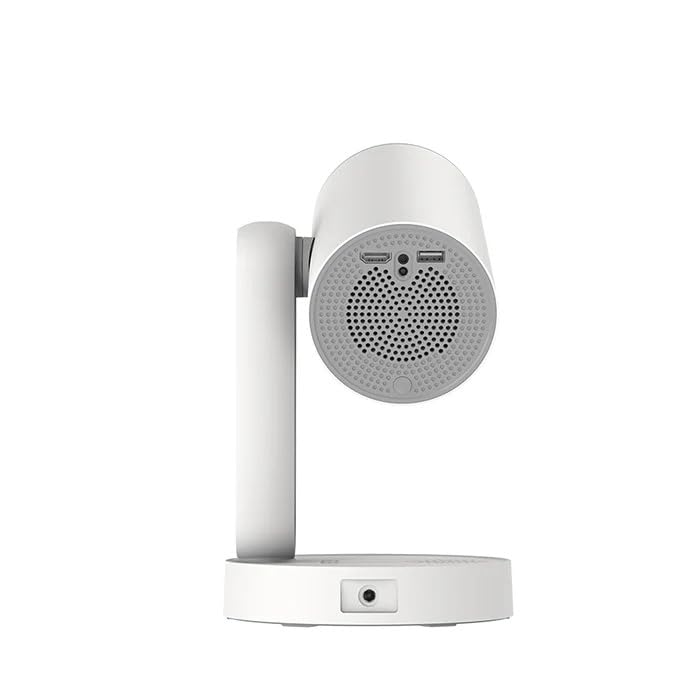
Irudia: Albokoa view of the ETOE Starfish Projector, highlighting its connectivity ports including USB and HDMI.
The projector includes various ports for connectivity:
- HDMI ataka: Kanpoko gailuak konektatzeko, hala nola joko-kontsolak, Blu-ray erreproduzitzaileak edo ordenagailu eramangarriak.
- USB ataka: USB biltegiratze gailuak konektatzeko multimedia erreproduzitzeko files.
- Potentzia sarrera: Korronte-egokigailua konektatzeko.
3.2. Ezaugarri nagusiak
- 140°ko biraketa: The projector head can be rotated up to 140 degrees for flexible projection angles, including ceiling projection.
- Touch-controlled Ambient Light: A customizable seven-color night light feature with adjustable brightness and color temperature.
- Built-in Google Android System: Access popular streaming services like Netflix, YouTube, and Prime Video directly.
- Auto Keystone Zuzenketa: Automatically adjusts the image for a perfectly rectangular display.
- Banda bikoitzeko Wi-Fi: Supports 2.4G and 5G Wi-Fi for stable wireless connectivity.
- Zarata gutxiko funtzionamendua: Designed for quiet performance, operating at approximately 24.5 dB.
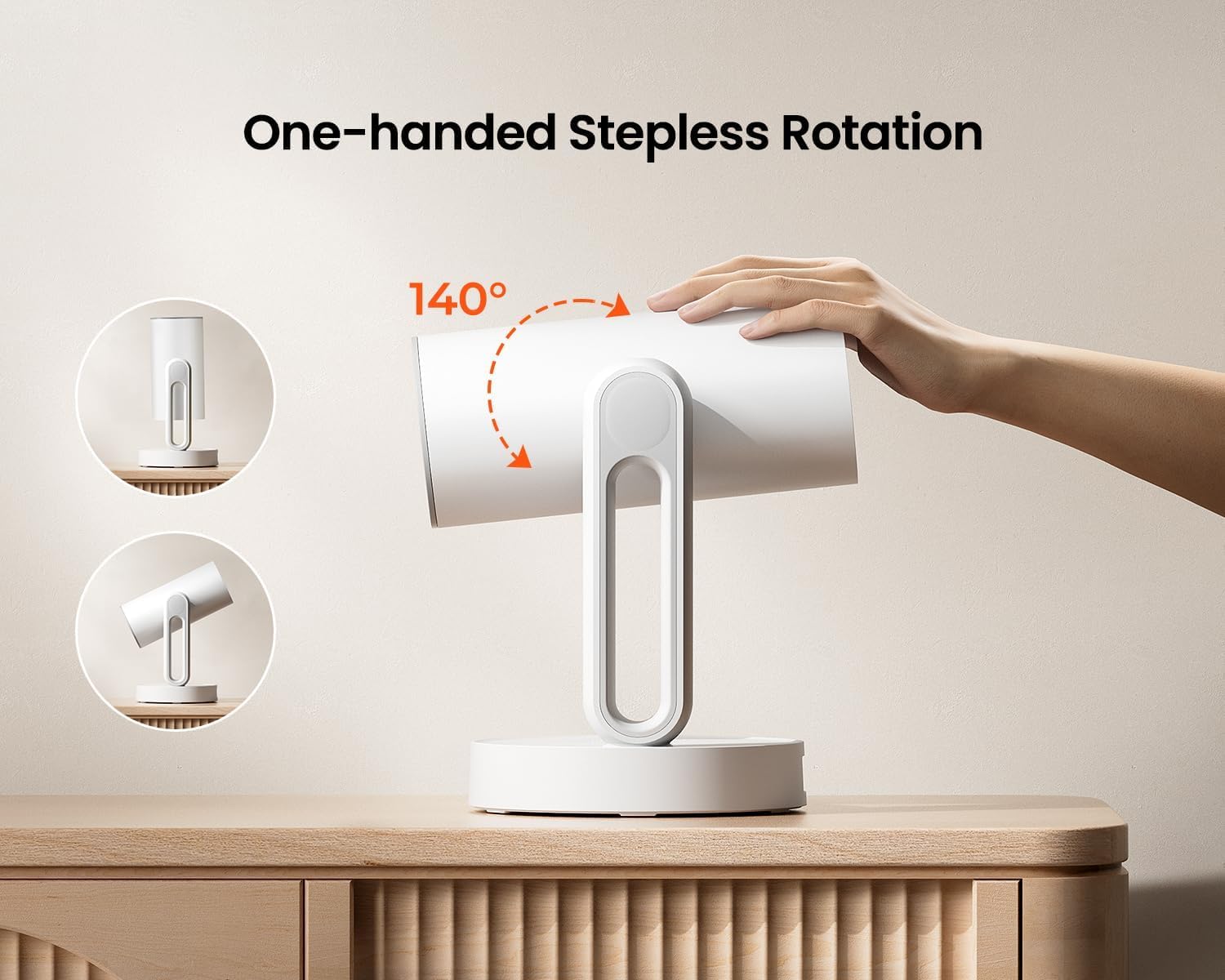
Image: The ETOE Starfish Projector shown rotating 140 degrees, illustrating its flexible projection capabilities.

Image: The ETOE Starfish Projector displaying its touch-controlled ambient light feature with various color options.
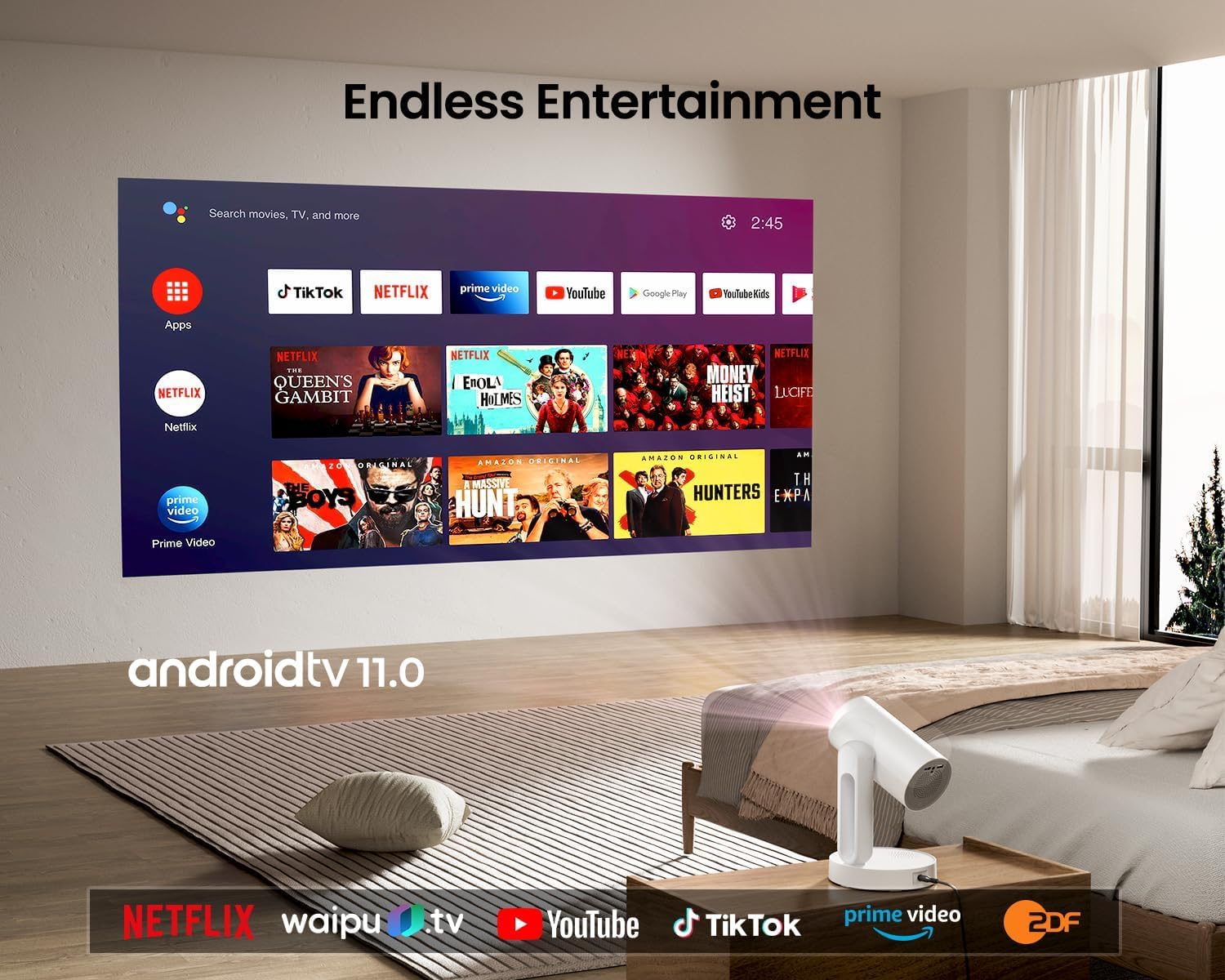
Image: The ETOE Starfish Projector displaying the Android TV interface, showing various streaming applications like Netflix, YouTube, and Prime Video.

Image: The ETOE Starfish Projector automatically correcting a distorted image to a perfect rectangle.

Image: Illustration comparing the low noise level of the ETOE Starfish Projector (24.5 dB) to common sounds.
4. Konfigurazioa
4.1. Energia-konexioa
- Connect the power cord to the adaptor.
- Plug the adaptor into the projector's power input port.
- Entxufatu korronte-kablearen beste muturra hormako entxufe batera.
4.2. Hasierako kokapena
Jarri proiektorea gainazal egonkor eta lau batean. Optimizazio optimoa lortzeko viewing, ensure the projection surface (wall or screen) is clean and smooth. The 140° rotation feature allows for flexible positioning, including ceiling projection.
4.3. Urruneko kontrolaren konfigurazioa
Insert two AAA batteries (not included) into the remote control, observing the correct polarity.
4.4. First Boot and Network Connection
- Sakatu proiektorearen edo urrutiko agintearen pizteko botoia pizteko.
- Follow the on-screen instructions for the initial Google Android system setup. This will include language selection and connecting to a Wi-Fi network.
- Select your preferred 2.4G or 5G Wi-Fi network and enter the password.
5. Funtzionamendu-argibideak
5.1. Oinarrizko Funtzionamendua
- Piztu/Itzali: Sakatu urrutiko agintearen edo proiektorearen pizteko botoia.
- Nabigazioa: Use the directional buttons on the remote to navigate the Android interface.
- Bolumen kontrola: Erabili urrutiko agintearen bolumen-botoiak.
5.2. Irudiaren Doikuntza
- Foku digitala: Adjust the image clarity using the focus controls on the remote or through the settings menu.
- Auto Keystone Zuzenketa: The projector automatically corrects trapezoidal distortion. If manual adjustment is needed, access it via the settings.
- Zoom digitala: Adjust the image size from 50% to 100% without moving the projector, accessible in the settings menu.
- 140°ko biraketa: Physically rotate the projector head to project onto different surfaces, including ceilings. The auto keystone will adjust the image accordingly.

Image: The ETOE Starfish Projector projecting content onto a ceiling, demonstrating its versatility for different viewing angles, with a smartphone mirroring content.
5.3. Smart System Features
- Streaming aplikazioak: Access pre-installed apps like Netflix, YouTube, and Prime Video. Ensure you are logged into your respective accounts.
- Google Laguntzailea: Use voice commands via the remote control for navigation, content search, and system control.
- Chromecast integratua: Cast content directly from compatible Android, iOS, and PC devices to the projector. Ensure both devices are on the same Wi-Fi network.
5.4. Ambient Light Function
The projector features a touch-controlled ambient light. Touch the designated area on the projector to cycle through seven colors, adjust brightness, and change color temperature to create your desired atmosphere.
6. Mantentzea
Mantentze egokiak zure proiektorearen iraupena eta errendimendu optimoa bermatzen ditu.
- Lenteen garbiketa: Erabili lente optikoetarako bereziki diseinatutako zapi leun eta lint-gabea proiektorearen lentea astiro-astiro garbitzeko. Saihestu material urratzaileak edo produktu kimiko gogorrak.
- Hautsaren babesa: The ETOE Starfish features a fully sealed optical engine designed to protect against dust ingress, minimizing the need for internal cleaning.
- Garbiketa orokorra: Garbitu proiektorearen kanpoaldea oihal leun eta lehor batekin. Ez erabili garbitzaile likidorik zuzenean gailuan.
- Biltegiratzea: Proiektorea denbora luzez erabiltzen ez baduzu, gorde leku fresko eta lehor batean, eguzki-argitik eta muturreko tenperaturetatik urrun.
7. Arazoak
Proiektorearekin arazoak badituzu, jo ezazu honako arazo eta irtenbide ohikoenei:
| Arazoa | Kausa posiblea | Irtenbidea |
|---|---|---|
| Projector does not power on. | Power cord not connected properly; power outlet issue. | Ensure power cord is securely connected to both projector and outlet. Test outlet with another device. |
| Ez da irudirik bistaratzen. | Input source incorrect; external device not connected; projector in standby. | Check input source settings. Ensure HDMI/USB devices are connected and powered on. Wake projector from standby. |
| Irudia lausoa da. | Fokua ez dago doituta; proiektorea pantailatik gertuegi/urrunegi dago. | Adjust digital focus using the remote. Ensure optimal projection distance. |
| Image is distorted (not rectangular). | Giltzarri zuzenketa beharrezkoa. | The projector has auto keystone. If manual adjustment is required, access it in the settings menu. |
| Soinurik ez. | Volume too low; external audio device issue; mute enabled. | Increase volume. Check external audio connections. Disable mute. |
| Wi-Fi konexio arazoak. | Pasahitz okerra; bideratzailea urrunegi; sareko interferentziak. | Re-enter Wi-Fi password. Move projector closer to router. Restart router. |
| Urruneko kontrola ez dabil. | Batteries low/dead; line of sight blocked. | Replace batteries. Ensure no obstructions between remote and projector. |
8. Zehaztapenak
Detailed technical specifications for the ETOE Starfish 720P Projector (Model A1222).
| Marka | ETOE |
| Eredua | A1222 |
| Fabrikatzailea | JVDN International |
| Produktuaren neurriak | 61 x 48 x 43 cm |
| Elementuaren pisua | 3 kg |
| Bistaratzeko mota | LCDa |
| Irudiaren distira | 300 ANSI Lumen |
| Irudien kontraste-ratioa | 3000:1 |
| Aspektu-erlazioa | 16:9 |
| Berezko Ebazpena | 1280 x 720 |
| liburukiatage | 240 Volt |
| Wattage | 5 Watt |
| Freskatze tasa | 60 Hz |
| Konektibitate Teknologia | Wi-Fi (2.4G & 5G) |
| Hardware interfazea | HDMI, USB |
| Gailu bateragarriak | Smartphones (Android & iOS), Gaming Consoles, Blu-ray Players, Media Players |
| Ezaugarri bereziak | Digital Focus, Portable, Wireless, Auto Keystone, 140° Rotation, Built-in Android System, Ambient Light |
| Muntatze Mota | Mahai gaineko muntaia |
9. Bermea eta Laguntza
9.1. Bermearen informazioa
The ETOE Starfish Projector is manufactured by JVDN International. For specific warranty terms and conditions, please refer to the warranty card included with your product or contact the manufacturer directly. Keep your purchase receipt as proof of purchase for warranty claims.
9.2. Bezeroarentzako arreta
For technical assistance, troubleshooting not covered in this manual, or warranty inquiries, please contact JVDN International customer support:
- Harremanetarako Pertsona: JAYESH KUMAR JAGETIYA
- Telefonoa: +91 91361 87951
- Posta elektronikoa: jayesh@jvdninternational.com
- Helbidea: B-1122 Sun Westbank, Ashram Road, Ahmedabad, Gujarat, India, 380009
Ask a question about this manual
Ask about setup, troubleshooting, compatibility, parts, safety, or missing instructions. Manuals+ will review the question and use this page’s manual context to help answer it.