
1. Segurtasun informazioa
Always follow the assembly instructions carefully to avoid injury. Do not exceed the maximum weight capacity of 176 pounds to maintain stability and prevent damage.
2. Zer dago kutxan
The FLEXISPOT EN1 Standing Desk is shipped in two packages: one for the desktop and one for the desk frame. All necessary assembly tools and detailed instructions are included in the package.

This image shows the overall dimensions of the desk and clarifies that the product is delivered in two separate packages for the desktop and the frame.
3. Konfiguratzeko argibideak
The FLEXISPOT EN1 desk is designed for quick and easy assembly. Follow the detailed instructions provided in the user manual included in your package. A detailed sit-stand desk installation video is also available for reference.
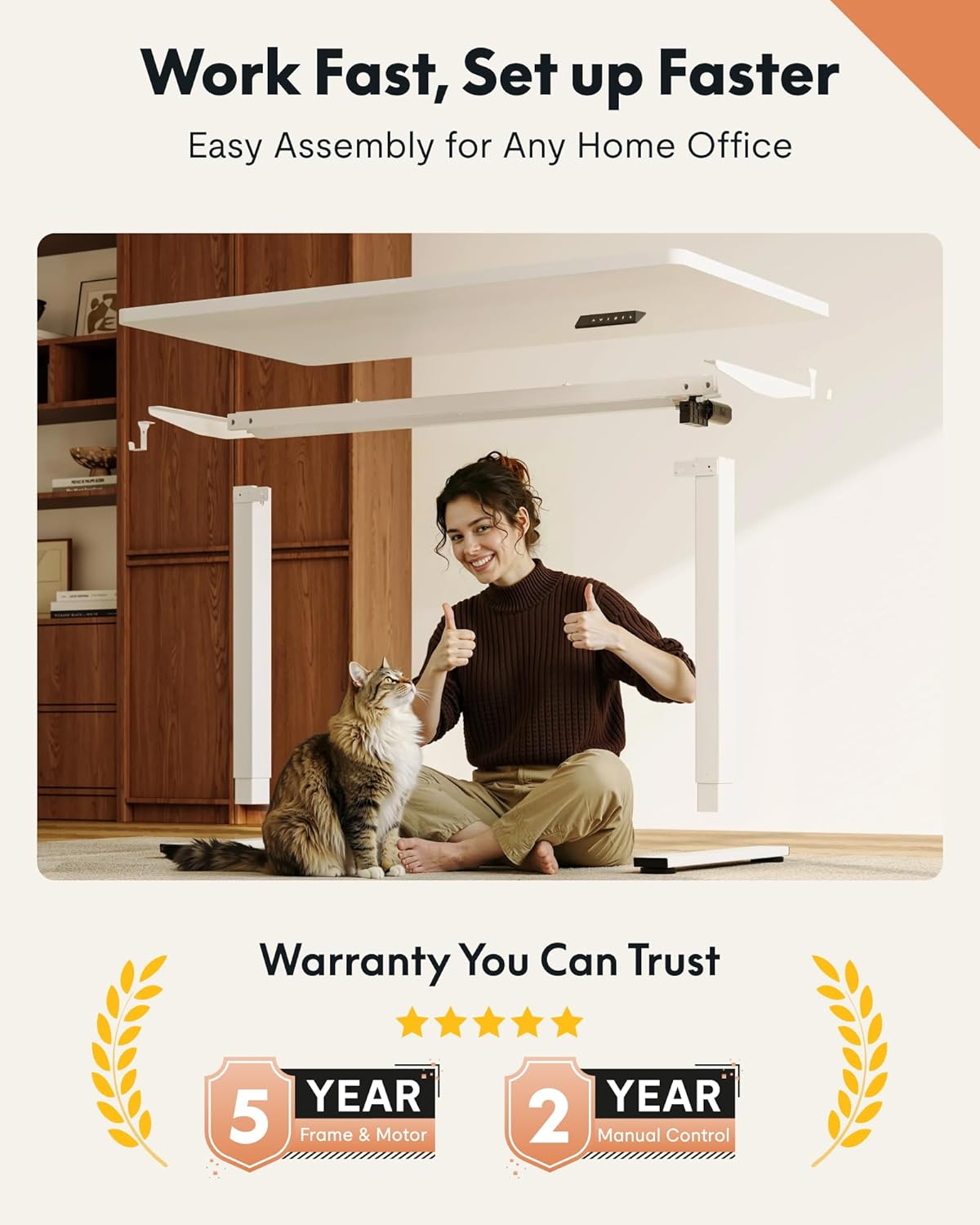
This image highlights the simplified assembly process of the FlexiSpot desk, designed for quick and hassle-free setup in any home office environment.
This video provides an inside look at the advanced manufacturing facilities of FLEXISPOT, demonstrating the precision and quality control involved in producing their products.
4. Funtzionamendu-argibideak
The FLEXISPOT EN1 desk features smooth electric height adjustment and programmable memory presets for convenience.
- Altuera doitzea: Use the up and down buttons on the control panel to adjust the desk height between 28.1 inches and 45.7 inches.
- Memoria aurrezarpenak: The desk includes 4 memory presets. To save a preferred height, adjust the desk to the desired level, then press and hold one of the numbered memory buttons (1-4) until the display confirms the setting. To recall a saved height, simply press the corresponding memory button.
- Talkaren aurkako sistema: The desk is equipped with an anti-collision system that automatically stops and slightly reverses the desk's movement if it encounters an obstacle during adjustment, ensuring safety.

The control panel features an LED display for precise height adjustments, up and down controls, and four programmable memory presets for quick transitions between preferred sitting and standing heights.
5. Mantentzea
Zure FLEXISPOT EN1 mahaiaren iraupena eta errendimendu optimoa bermatzeko, jarraitu mantentze-jarraibide hauek:
- Garbiketa: Garbitu mahaigaina eta markoa zapi leun batekinamp oihal. Saihestu garbitzaile urratzaileak edo akabera kaltetu dezaketen produktu kimiko gogorrak.
- Kableen kudeaketa: Regularly check and organize cables to prevent tangling and ensure smooth operation of the height adjustment mechanism.
- Ikuskapena: Aldian-aldian ikuskatu torloju eta konexio guztiak ondo lotuta daudela ziurtatzeko. Beharrezkoa bada, estutu.
6. Arazoak
If you encounter any issues with your FLEXISPOT EN1 desk, refer to the following common troubleshooting tips:
- Mahaia ez da mugitzen: Check if the power cord is securely plugged into both the desk and the wall outlet. Ensure no objects are obstructing the desk's movement.
- Error Code Displayed: If an error code appears on the control panel, try unplugging the desk from the power source for 10-15 seconds, then plug it back in. This often resets the system.
- Mugimendu irregularra: Ensure the desk is placed on a level surface. If the issue persists, consult the detailed manual for calibration instructions.
- Funtzionatzean zarata: A slight motor sound is normal. If the noise is excessive or unusual, ensure all components are securely fastened.
Laguntza gehiago behar baduzu, jarri harremanetan bezeroarentzako arreta-zerbitzuarekin.
7. Zehaztapenak
| Ezaugarri | Xehetasuna |
|---|---|
| Marka | FLEXISPOT |
| Ereduaren izena | EN1 |
| Produktuaren neurriak | 28" L x 55" W x 28" H |
| Kolorea | White+white |
| Estiloa | Modernoa |
| Oinarrizko materiala | Altzairu aleazioa |
| Goiko material mota | Egurra |
| Akabera mota | Hauts estalita |
| Ezaugarri Berezia | 55x28" One-Piece Desktop |
| Gutxieneko Altuera | 28 hazbete |
| Gehienezko Altuera | 46.7 hazbete |
| Elementuaren pisua | 80 kilo |
| Gehienezko pisuaren gomendioa | 176 kilo |
| Altuera-posizio kopurua | 4 (Memory Presets) |
| Altxatzeko Mekanismoa | Elektrikoa |
| Beharrezko muntaia | Bai |
| Muntaketa tresna guztiak biltzen ditu | Bai |
8. Bermearen informazioa
The FLEXISPOT EN1 Standing Desk comes with a Limited Warranty, which includes a comprehensive warranty for parts and labor. Please refer to the warranty card included in your package for specific terms and conditions.
9. Bezeroarentzako arreta
For any questions, technical assistance, or warranty claims, please contact FLEXISPOT customer support. Contact information can be found in your product manual or on the official FLEXISPOT webgunea.