
Vivitar VXXBR10
Vivitar 4K Digital Camera User Manual
Model: VXXBR10
Sarrera
Discover the versatility and power of this 4K digital camera, designed to meet the needs of photographers, vloggers, and filmmakers. Equipped with a 64 MP sensor, this photography camera delivers breathtaking detail in every shot. Whether you're capturing nature scenes, portraits, or action shots, the camera’s high-resolution sensor ensures crisp and clear images, perfect for professionals and hobbyists alike. The built-in 10x optical zoom and 4x digital zoom multiplier allow you to get closer to your subject without losing image quality.
This video camera offers multiple resolution options, from 720p to stunning 4K Ultra HD, providing exceptional clarity for both videos and photos. The HDMI output lets you easily playback your recordings on any compatible screen, making it perfect for reviewing footage after a day of shooting. Whether you're filming for a vlog or creating a professional film, this camera for vlogging offers the flexibility and quality you need.
Featuring a 3.0" LCD display, this digital camera makes it simple to frame and review your shots. The auto and manual focus modes ensure you have full control over every shot, while the macro mode allows for sharp close-up photography. Additional features like time-lapse photography, face detection, and auto color balance make this vlog camera a powerful tool for creative expression in various lighting conditions.
Designed with convenience in mind, the camera includes a Li-ion battery and a Type-C charging port for fast and easy recharging. With memory included, you’ll have all the storage you need to capture your moments, whether you're on the go or at home. This professional camera for photography offers the perfect blend of advanced features and ease of use, making it the ideal tool for creators of all levels.
Konfigurazioa
Kutxan dagoena
- Kameraren gorputza
- Accessories (including Li-ion battery, Type-C charging cable, and camera case)
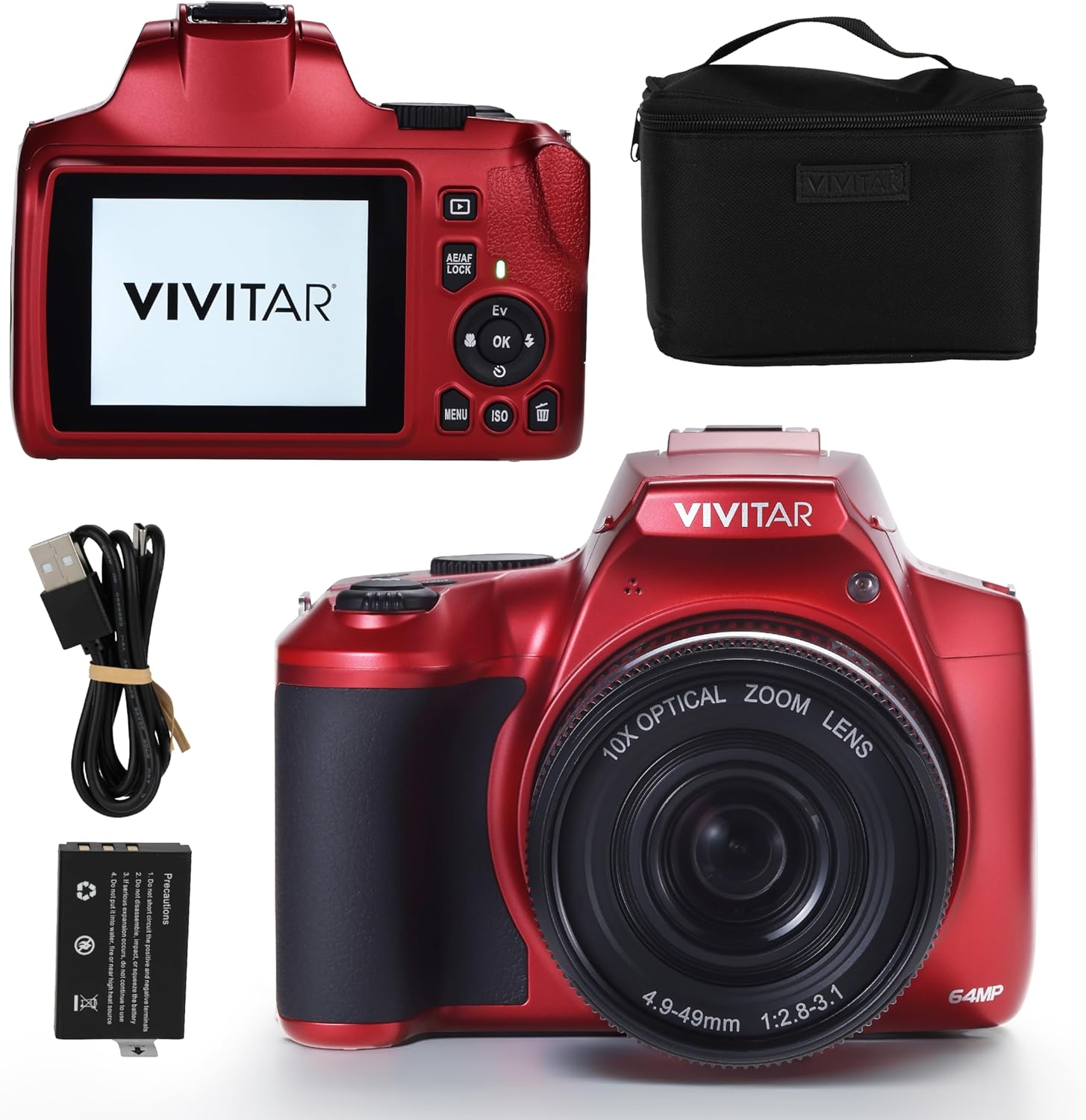
Figure 1: Vivitar 4K Digital Camera and its included accessories, such as the camera body, rechargeable Li-ion battery, USB-C charging cable, and a protective carrying case.
Bateria kargatzen
The camera is powered by a rechargeable Li-ion battery. Before first use, ensure the battery is fully charged. Connect the camera to a power source using the provided Type-C charging cable. The charging indicator light will show the charging status.
Inserting Memory
The camera comes with memory included. To insert or replace the memory card, locate the memory card slot, typically on the side or bottom of the camera. Insert the memory card gently until it clicks into place. Ensure the card is inserted in the correct orientation to avoid damage.
Kameraren funtzionamendua
Oinarrizko Funtzionamendua
The Vivitar 4K Digital Camera features a user-friendly interface with a 3.0" LCD display for easy navigation and preview. Power on the camera using the designated power button. Use the directional pad and 'OK' button to navigate through menus and confirm selections.

2 Irudia: Gainetikview of the Vivitar 4K Digital Camera highlighting key features such as Wi-Fi connectivity, 4x digital zoom, a 3.0-inch preview screen, capability for 64 MP still photos, and the inclusion of a camera case.
Argazki Moduak
The camera supports various photography modes to suit different shooting conditions:
- Fokatze automatikoa: Irudi zorrotzak lortzeko fokua automatikoki doitzen du.
- Eskuzko fokua: Fokuaren eskuzko doikuntza zehatza ahalbidetzen du.
- Makro modua: Ideal for close-up photography, capturing fine details of small subjects.
- Time-lapse Argazkia: Capture sequences of images over time to create time-lapse videos.
- Aurpegien detekzioa: Optimizes settings for portraits by detecting faces in the frame.
- Auto Color Balance: Automatically adjusts color settings for accurate representation.
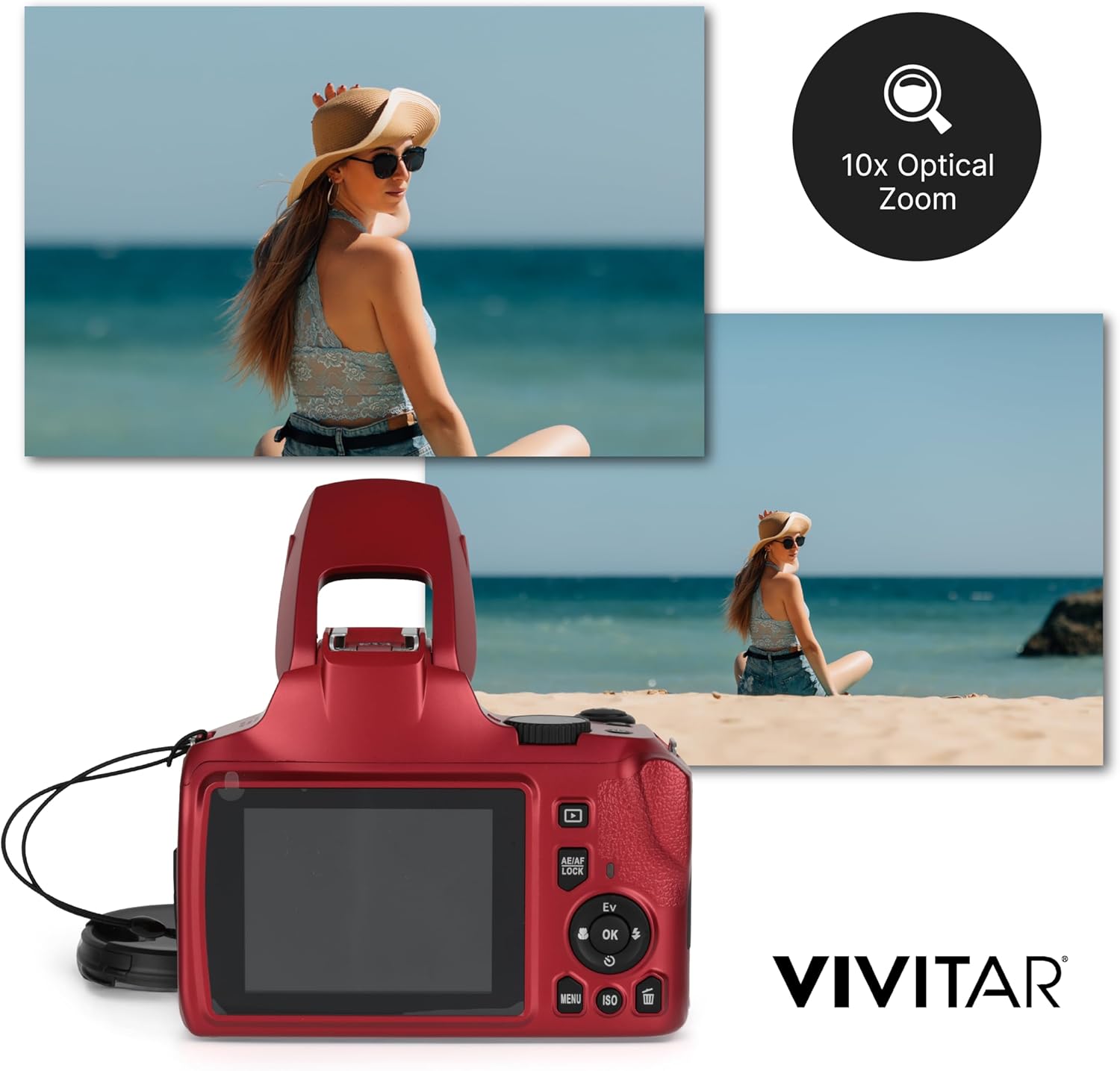
Figure 3: Demonstration of the camera's 10x optical zoom capability, illustrating the difference between a wide-angle shot and a significantly zoomed-in image of a subject.
Bideo Grabaketa
Record high-quality videos in multiple resolutions, including 4K Ultra HD, 2.7K, 1080p, and 720p. To start recording, switch to video mode and press the record button. The HDMI output allows for direct playback on compatible screens.
Flash and Connectivity
The camera features a built-in LED flash for low-light conditions. It also includes a Type-C charging port for power and data transfer, and an HDMI port for video output.

4. irudia: Xehetasuna view of the Vivitar 4K Digital Camera, highlighting its pop-up flash mechanism, the lens cap for protection, and the conveniently located USB port for charging and data transfer.
Erabiltzen ari den produktua

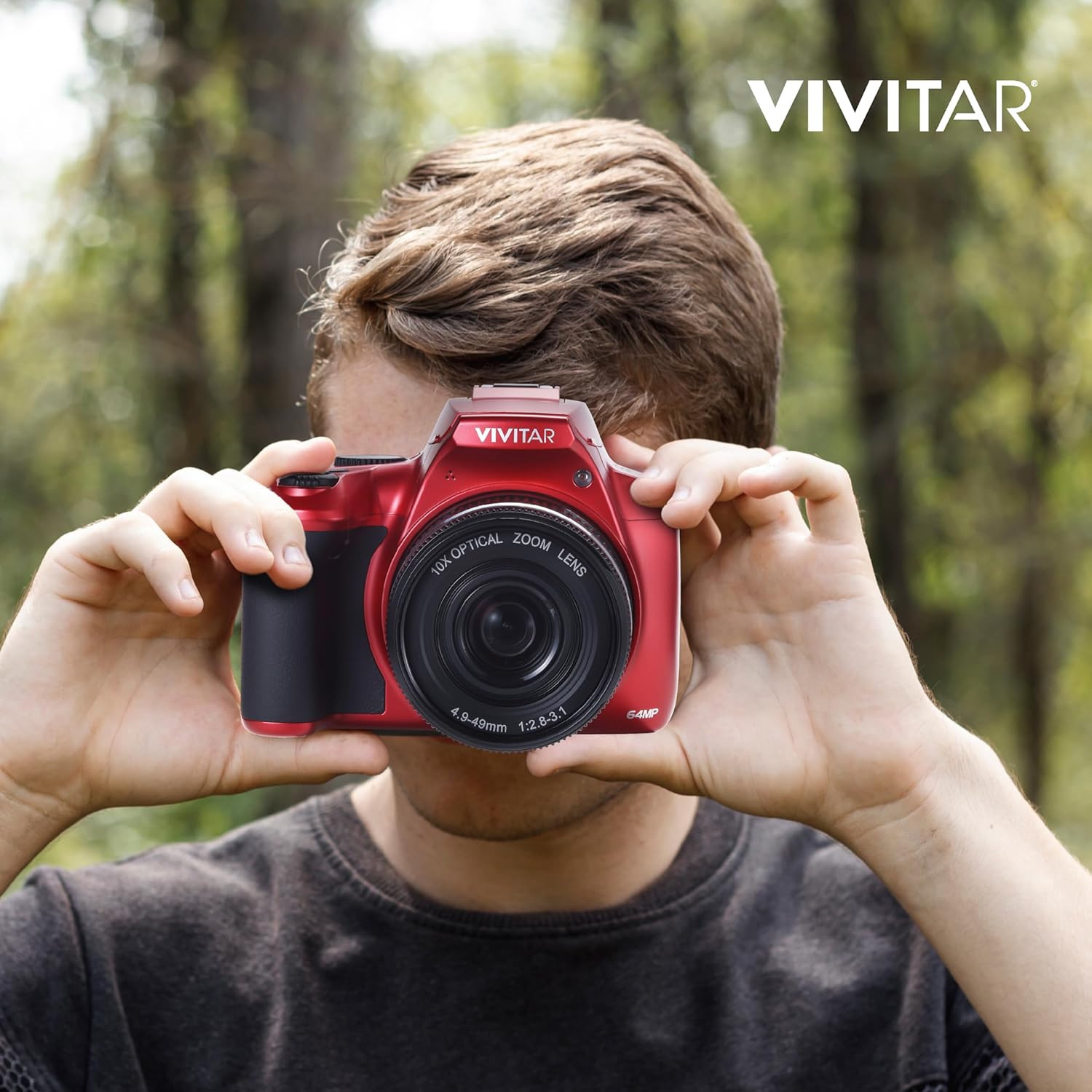
Figure 5: A user actively operating the Vivitar 4K Digital Camera, demonstrating its ergonomic design and ease of handling during photography.
6. Irudia: Atzealdea view of the Vivitar 4K Digital Camera in use, showcasing the LCD screen and control buttons as a user frames a shot.
Produktu Ofizialaren Bideoak
There are no official product videos provided by the seller for this model. Customer-uploaded videos are available on the product page for additional insights.
Mantentzea
To ensure the longevity and optimal performance of your Vivitar 4K Digital Camera, follow these maintenance guidelines:
- Garbiketa: Erabili zapi leun eta lehor bat kameraren gorputza garbitzeko. Lentearentzat, erabili lenteak garbitzeko zapi eta disoluzio espezializatu bat. Saihestu material urratzaileak edo produktu kimiko gogorrak.
- Biltegiratzea: Store the camera in a cool, dry place away from direct sunlight, extreme temperatures, and high humidity. Use the provided camera case for protection during storage and transport.
- Bateria zaintzea: Remove the battery if the camera will not be used for an extended period. Store the battery in a cool, dry place.
- Firmware eguneraketak: Periodically check the Vivitar official website for any available firmware updates to ensure your camera has the latest features and performance improvements.

Figure 7: The included camera case, designed to protect your Vivitar 4K Digital Camera from dust, scratches, and minor impacts during storage and travel.
Arazoak konpontzea
If you encounter issues with your Vivitar 4K Digital Camera, refer to the following common troubleshooting steps:
| Arazoa | Kausa posiblea | Irtenbidea |
|---|---|---|
| Kamera ez da pizten. | Bateria agortuta dago edo ez da behar bezala sartu. | Charge the battery fully. Ensure the battery is inserted with the correct polarity. |
| Irudiak lausoak dira. | Foku okerra, kameraren dardaraka edo lente zikina. | Ensure auto-focus is engaged or adjust manual focus. Hold the camera steady or use a tripod. Clean the lens. |
| Memoria txartelaren errorea. | Memoria txartela beteta, hondatuta edo bateraezina da. | Ezabatu behar ez den files or use a new card. Format the card (this will erase all data). Ensure the card type is supported. |
| Video playback issues via HDMI. | Incorrect cable connection or TV input. | Verify HDMI cable is securely connected to both camera and TV. Select the correct HDMI input on your TV. |
For further assistance, please contact Vivitar customer support.
Zehaztapenak
| Ezaugarri | Xehetasuna |
|---|---|
| Marka | Vivitar |
| Ereduaren izena | 10x Bridge Camera |
| Modelo zenbakia | VXXBR10 |
| Argazki sentsorearen bereizmena | 64 MP |
| Zoom optikoa | 10x |
| Digital Zoom Multiplier | 4x (total 40x zoom) |
| Bideo Ebazpena | 4K Ultra HD, 2.7K, 1080p, 720p |
| Pantailaren tamaina | 3.0 hazbeteko LCDa |
| Focus Ezaugarriak | Autofocus, Manual Focus, Macro Mode |
| Ezaugarri bereziak | Time-lapse, Face Detection, Auto Color Balance |
| Bateria mota | Li-ioi kargagarria |
| Kargatzeko ataka | C motakoa |
| Konektibitatea | HDMI, USB |
| Irudi Egonkortzea | Digitala |
| Onartua File Formatua | JPEG |
| UPC | 681066112519 |
Bermea eta Laguntza
For warranty information and customer support, please refer to the documentation included with your product or visit the official Vivitar webgunea.
Era berean, bisitatu dezakezu Vivitar Store on Amazon produktuari buruzko informazio gehiago eta laguntza-baliabideak lortzeko.
Ask a question about this manual
Ask about setup, troubleshooting, compatibility, parts, safety, or missing instructions. Manuals+ will review the question and use this page’s manual context to help answer it.