
1. Sarrera
The Geekworm G469 GPIO Terminal Block Breakout Board provides a convenient and reliable solution for accessing the General Purpose Input/Output (GPIO) pins of your Raspberry Pi. This board simplifies wiring by converting the standard 40-pin GPIO header into screw terminals, making it ideal for prototyping, educational projects, and industrial applications.
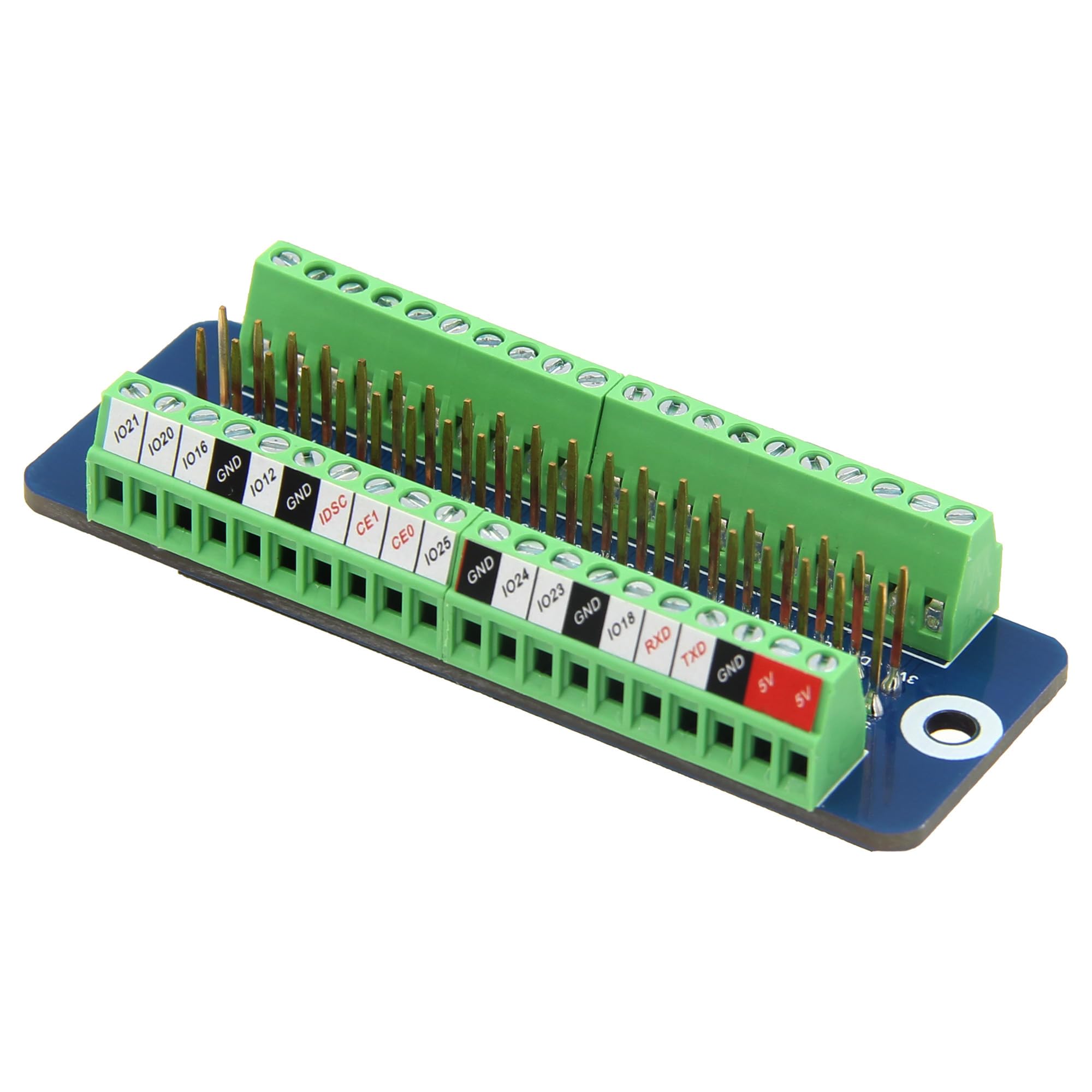
1.1. irudia: Orokorra view of the Geekworm G469 GPIO Terminal Block Breakout Board.
2. Produktua amaitu daview
The G469 breakout board is designed for ease of use and durability. It features clearly labeled pins and high-quality screw terminals to ensure secure connections. The compact design allows for integration into various projects without occupying excessive space.
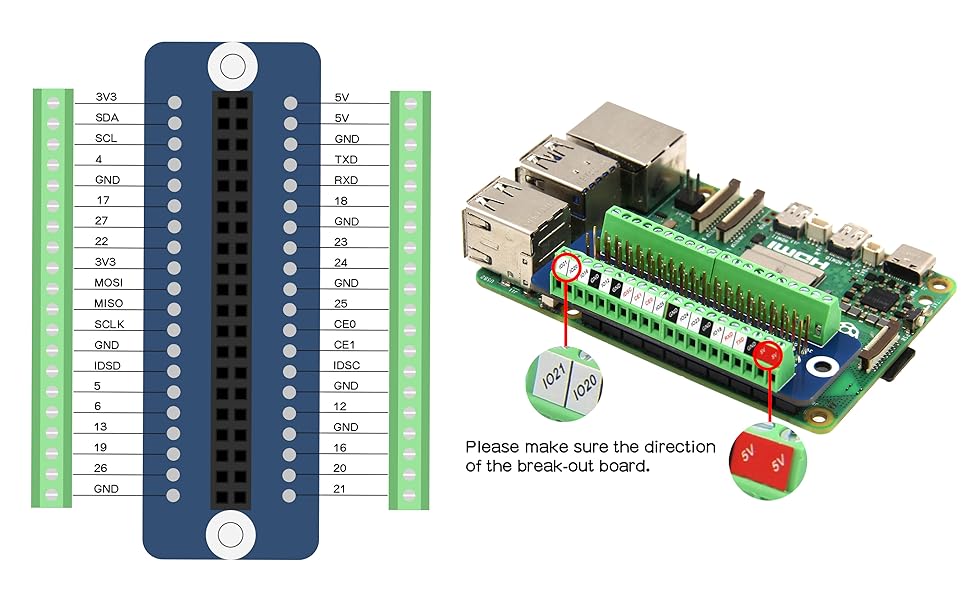
Figure 2.1: Detailed close-up of the G469 board, showing the screw terminals and pin headers.
3. Ezaugarriak
- Mini GPIO Screw Terminal Block Breakout Board: Provides convenient access to Raspberry Pi GPIO pins.
- Easy and Clear Identification: Includes a pin definition sticker and silkscreen labels for each pin's function, simplifying wiring.
- Industrial Terminal Design: Equipped with high-quality industrial terminals for stable and reliable connections.
4. Bateragarritasuna
The Geekworm G469 GPIO Terminal Block Breakout Board is compatible with a wide range of Raspberry Pi models, including:
- Raspberry Pi 4B
- Raspberry Pi 3B+
- Raspberry Pi 3B
- Raspberry Pi 2B
- Raspberry Pi Zero 2W
- Other Raspberry Pi models with a standard 40-pin GPIO header.
5. Paketearen edukia
Paketeak honako elementua dauka:
- 1 x Geekworm G469 GPIO Terminal Block Breakout Board
6. Konfiguratzeko argibideak
Follow these steps to set up your G469 GPIO Terminal Block Breakout Board:
- Identify Raspberry Pi GPIO Header: Locate the 40-pin GPIO header on your Raspberry Pi board.
- Align the Breakout Board: Carefully align the female header of the G469 breakout board with the GPIO pins on your Raspberry Pi. Ensure the orientation is correct, matching the 5V and GND pins as indicated on the breakout board's silkscreen.
- Konektatu taula: Gently press the breakout board onto the Raspberry Pi's GPIO header until it is securely seated.
- Hari-konexioak: Use small screwdrivers to connect your external components or wires to the corresponding screw terminals on the breakout board. Refer to the pinout diagram for correct pin assignments.

6.1. irudia: Goikoa view of the G469 board showing clear pin labels for easy identification.
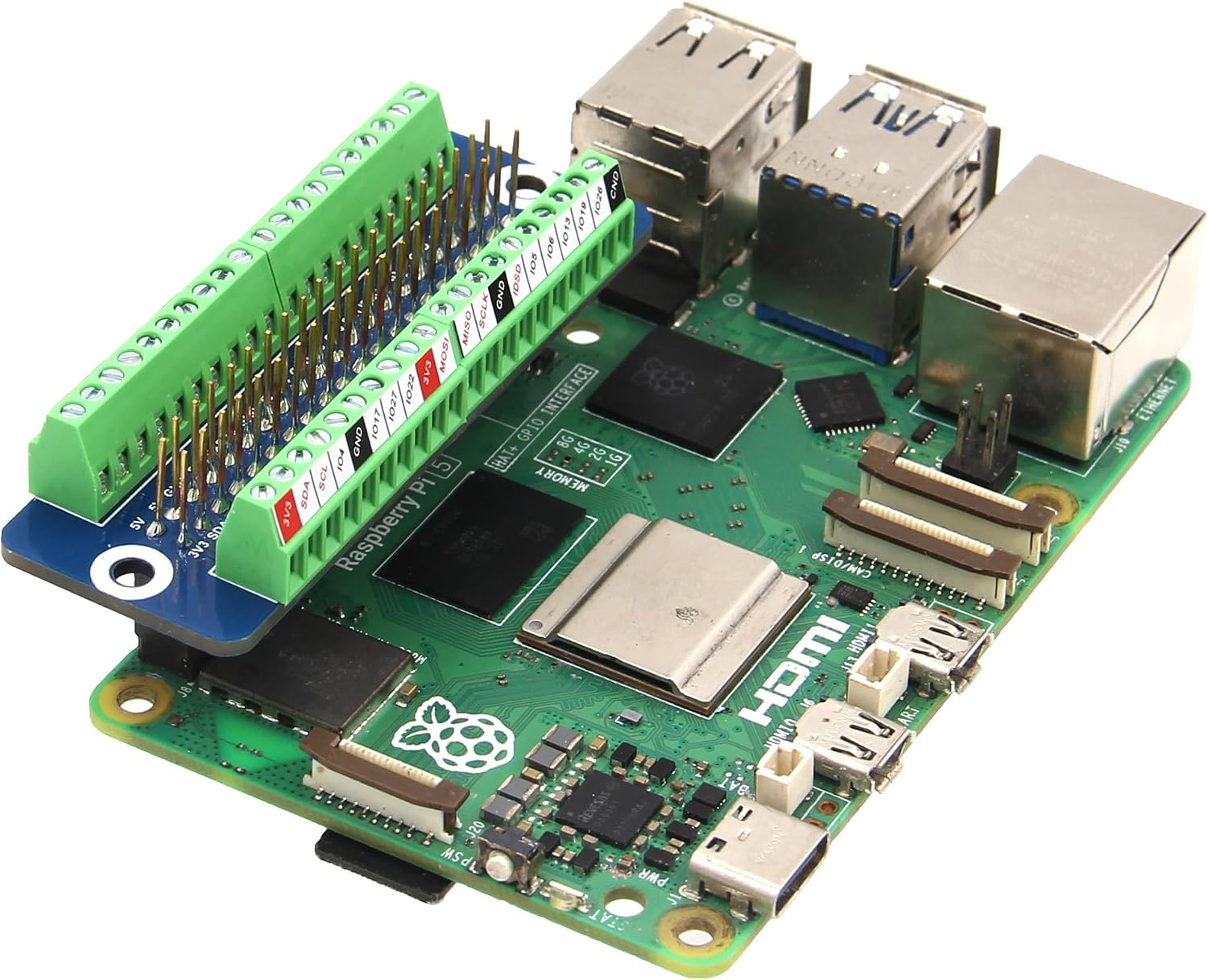
Figure 6.2: The G469 breakout board installed on a Raspberry Pi 5.

Figure 6.3: The G469 breakout board installed on a Raspberry Pi Zero.
7. Funtzionamendu-argibideak
Once the G469 breakout board is physically connected to your Raspberry Pi and external components are wired, you can begin operating your project. The board acts as a direct extension of the Raspberry Pi's GPIO pins, allowing you to interact with them using standard Raspberry Pi programming libraries (e.g., RPi.GPIO in Python).
7.1. Pinout diagrama
The following diagram illustrates the pin assignments for the G469 board, corresponding to the Raspberry Pi's 40-pin GPIO header:

Figure 7.1: Pinout diagram of the G469 board, showing the mapping of Raspberry Pi GPIO pins to the screw terminals.
Always double-check the pin labels on the board and the diagram before making connections to prevent damage to your Raspberry Pi or connected devices.
7.2. Wiring Best Practices
- Ensure all power to the Raspberry Pi and connected components is off before making or changing any wiring connections.
- Use appropriate wire gauges for your application.
- Tighten screw terminals sufficiently to ensure a good electrical connection, but do not overtighten.
- Verify all connections against the pinout diagram before applying power.
8. Mantentzea
The Geekworm G469 GPIO Terminal Block Breakout Board requires minimal maintenance. To ensure optimal performance and longevity:
- Mantendu taula garbi eta hautsik eta hondakinik gabe. Erabili eskuila leun eta lehor bat edo aire konprimatua garbitzeko.
- Avoid exposing the board to extreme temperatures, humidity, or corrosive environments.
- Periodically check screw terminal connections to ensure they remain tight and secure.
- Handle the board by its edges to avoid touching components, especially when powered.
9. Arazoak
If you encounter issues with your G469 GPIO Terminal Block Breakout Board, consider the following troubleshooting steps:
- Konexiorik ez/Konexio etengabea:
- Ensure the breakout board is fully seated on the Raspberry Pi's GPIO header.
- Check that all wires are securely fastened in the screw terminals. Loose connections can cause intermittent behavior.
- Verify the correct pin assignments according to the pinout diagram (Figure 7.1).
- Incorrect Pin Functionality:
- Double-check your wiring against the pinout diagram. A common error is connecting to an adjacent pin.
- Ensure your software code correctly references the GPIO pin numbers you are using.
- Board Not Powering On (if applicable):
- The G469 is a passive breakout board and does not require external power. If your Raspberry Pi is not powering on, the issue is likely with the Raspberry Pi's power supply or the Pi itself, not the breakout board.
- Kalte fisikoa:
- Inspect the board for any visible damage, such as bent pins, cracked solder joints, or burnt components. If damage is found, discontinue use.
If these steps do not resolve your issue, please contact Geekworm customer support for further assistance.
10. Zehaztapenak
| Zehaztapena | Balioa |
|---|---|
| Modelo zenbakia | G469 |
| Marka | Geekworm |
| Produktuaren neurriak | 6.5 x 2.5 x 2.5 cm |
| Elementuaren pisua | 23 g |
| Jatorrizko Herrialdea | Txina |
| Produktuaren erabilera espezifikoa | For Raspberry Pi DIY |
| Dakarten osagaiak | GPIO Terminal Block Breakout Board |
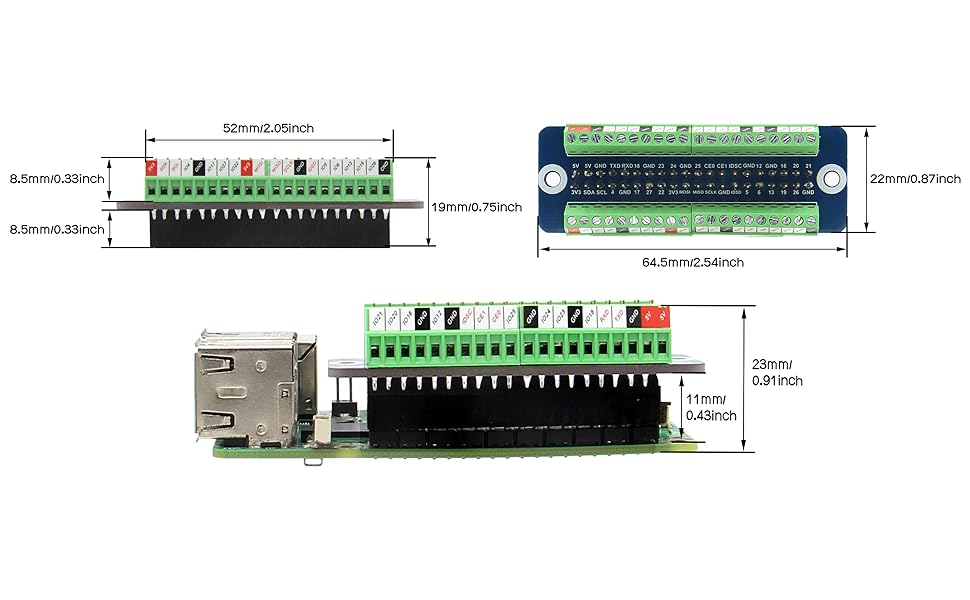
10.1. irudia: Xehetasuna views of the G469 board, including dimensions and component layout.
11. Bermea eta Laguntza
Geekworm products are designed for quality and reliability. For information regarding warranty coverage, technical support, or returns, please refer to the official Geekworm webwebgunearekin edo jarri harremanetan zure saltzailearekin. Gorde erosketa-agiria berme-erreklamazioetarako.
For direct support, you may visit the Geekworm store on Amazon: Geekworm Store
