
Loocam LC8P8B-6W42S-186D
Loocam 5MP PoE Security Camera System User Manual
Model: LC8P8B-6W42S-186D
Marka: Loocam
1. Sarrera
This manual provides detailed instructions for the installation, operation, and maintenance of your Loocam 5MP PoE Security Camera System. This system is designed for reliable 24/7 surveillance with advanced features such as full-color night vision, AI human and vehicle detection, and two-way audio communication.
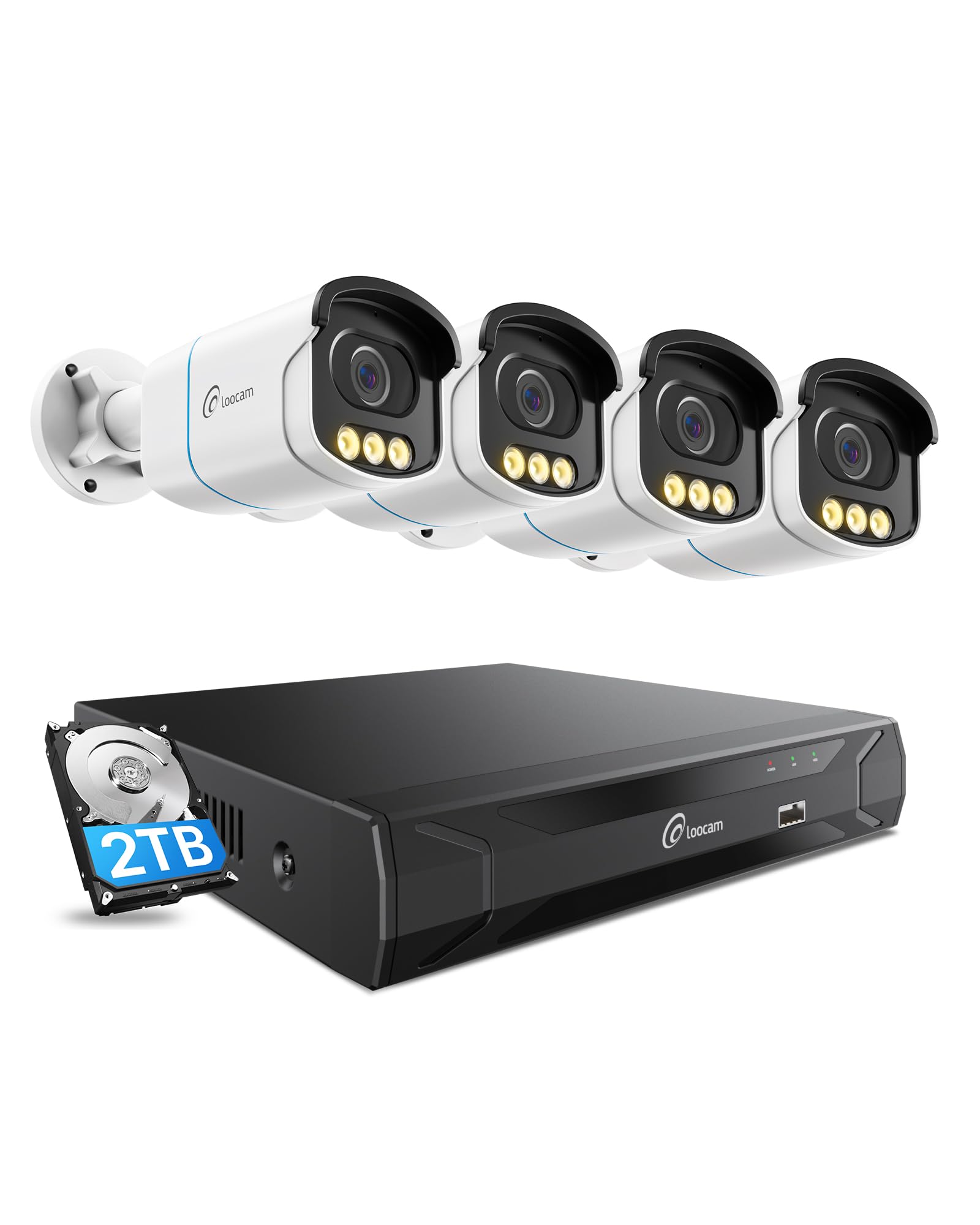
Figure 1: Loocam 5MP PoE Security Camera System components.
2. Paketearen edukia
Egiaztatu behean zerrendatutako elementu guztiak zure paketean sartuta daudela:
- 1x 8-Channel 8MP NVR with 2TB Hard Drive Pre-installed
- 4x 5MP PoE IP Cameras
- 4x 60ft Ethernet Cables
- 1x 1m Ethernet Cable
- 1x NVR Power Supply
- 1x USB sagua
- 1x HDMI kablea
- 4x Muntatzeko Torlojuak
- 4x Muntatzeko Txantiloiak
- 1x Abiadura Gida Gida
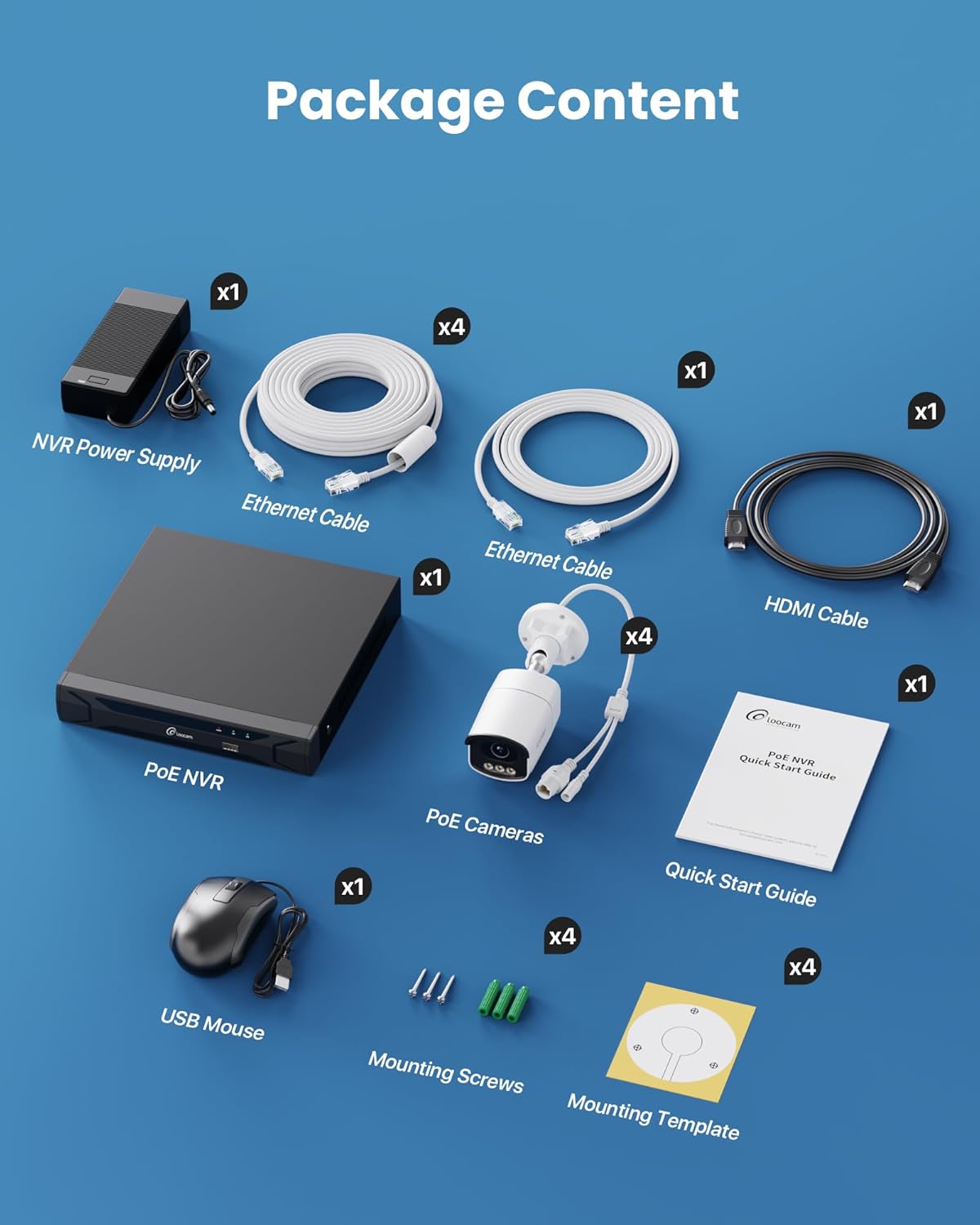
Figure 2: Contents included in the Loocam 5MP PoE Security Camera System package.
3. Sistemaren konfigurazioa
Follow these steps to set up your Loocam PoE Security Camera System:
- Prestatu ekipamendua: Ensure you have a monitor, a router with network connection, and a power strip available.
- Konektatu NVRra: Connect the NVR to your monitor using the HDMI cable. Connect the USB mouse to the NVR. Connect the NVR to your router using an Ethernet cable. Finally, connect the NVR power supply and turn on the NVR.
- Konektatu kamerak: Connect each 5MP PoE IP camera to an available PoE port on the NVR using the provided Ethernet cables. The NVR will power the cameras and transmit video data.
- Hasierako abiarazpena: Wait for the NVR to boot up and display video feeds from the connected cameras on your monitor.
Video 1: Unboxing and Installation Guide for Loocam PoE Security Camera System. This video demonstrates the physical setup process.
4. Funtzionamendu-argibideak
4.1 Bideoaren kalitatea eta gaueko ikusmena
The system provides sharp 5MP HD video (2880x1620 resolution) for clear monitoring. It features advanced full-color night vision, ensuring vivid and detailed images even in low-light conditions, providing 24/7 surveillance.

Figure 3: Visual comparison illustrating the enhanced detail of 5MP HD resolution over 1080p.

Figure 4: Demonstration of true full-color night vision providing clearer, more vibrant images at night compared to standard night vision.
Video 2: Loocam 5MP PoE Camera System showcasing True Full Color Night Vision capabilities.
4.2 Smart AI Detection and Alerts
The system utilizes AI to accurately identify people and vehicles, reducing false alarms. When an event is detected, you will receive instant app notifications.
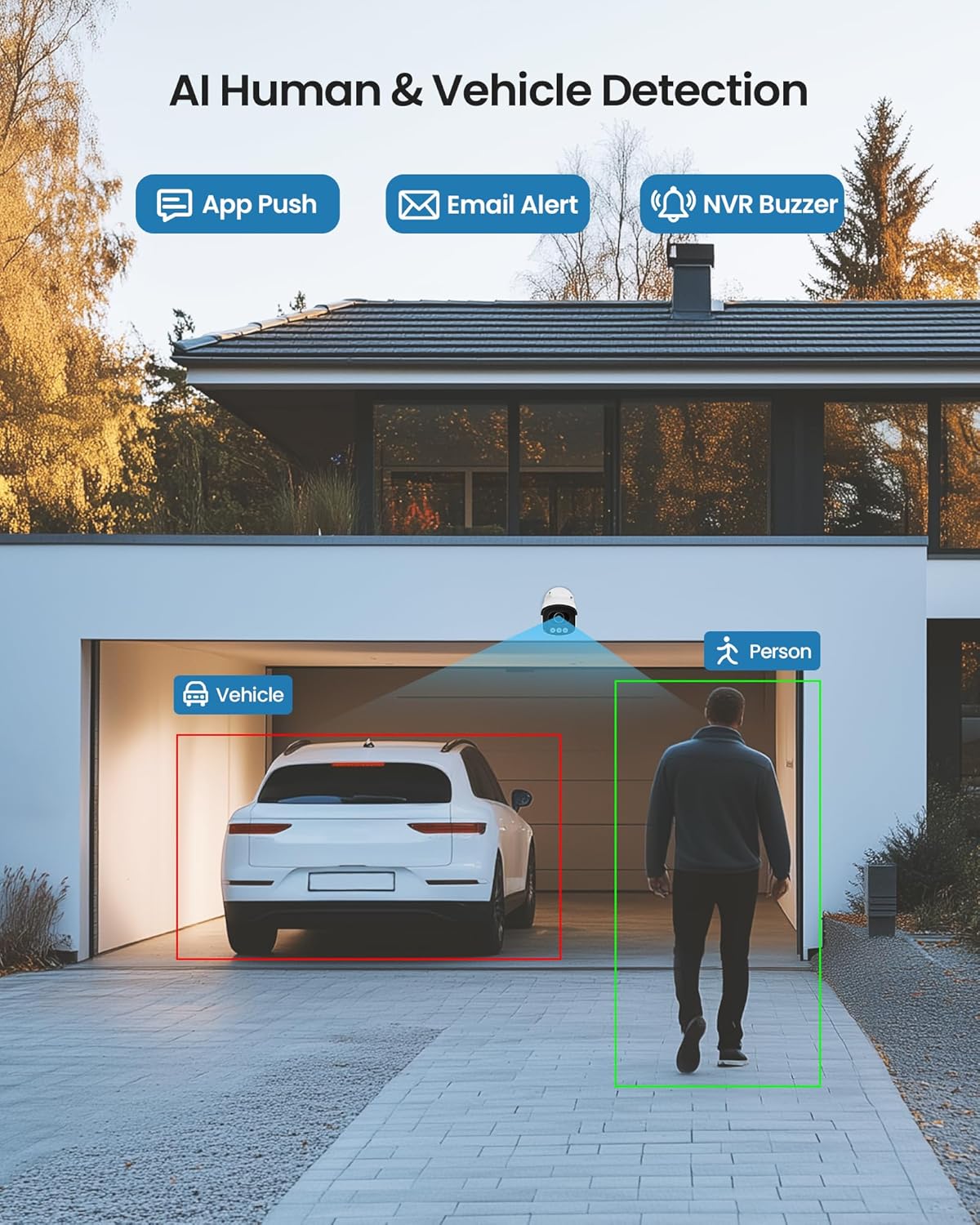
Figure 5: Illustrates the AI system detecting and outlining a person and a vehicle.
4.3 Spotlight and Siren Alarm
The cameras are equipped with a spotlight and siren alarm feature. These can be activated automatically upon detection or manually to deter intruders.
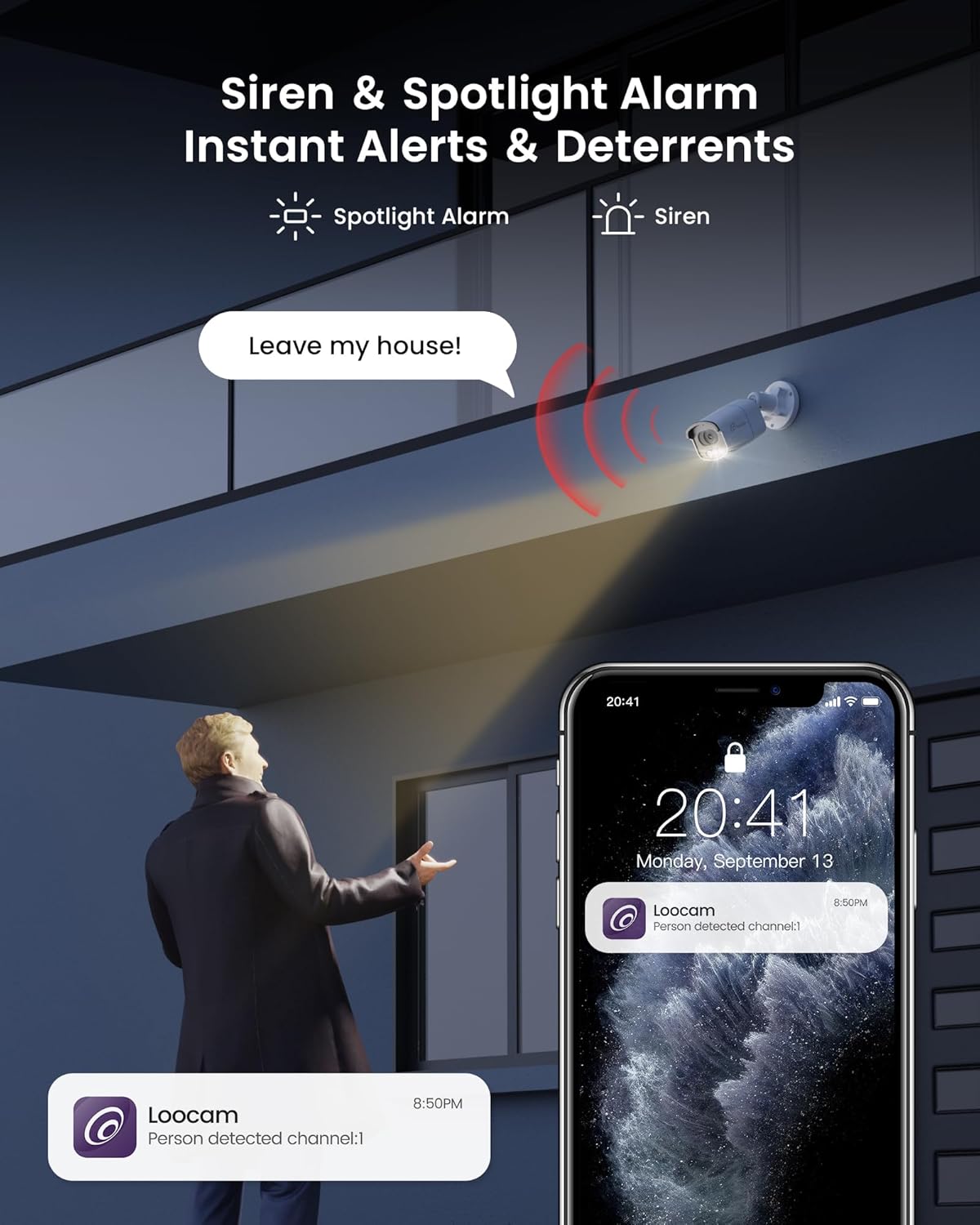
Figure 6: A security camera activating its spotlight and siren, with a corresponding notification on a smartphone.
4.4 Bi norabideko audioa
Communicate directly through the camera using the built-in two-way audio feature. This allows you to speak to visitors or warn off unwanted individuals from your smartphone.

Figure 7: A user interacting via two-way audio through the Loocam app on a smartphone.
4.5 urrunekoa Viewerreprodukzioa eta erreprodukzioa
Access live feeds and recorded video anytime, anywhere, using the Loocam app on your smartphone, tablet, or computer. The system supports 24/7 recording to the pre-installed 2TB HDD, which is expandable up to 8TB.

Figure 8: The Loocam app interface displaying continuous recording and smart playback options.
Video 3: Instructions on how to view your Loocam PoE Security Camera System via the mobile application.
4.6 Commercial Features: Zone Monitoring & Traffic Analysis
For business applications, the system offers advanced features such as setting up virtual boundaries for zone alerts and utilizing people counting functionality to analyze foot traffic patterns.

9. irudia: Adibample of AI-driven passenger flow statistics, including a graph of statistical data.
5. Mantentzea
- Ohiko garbiketa: Garbitu kameraren lenteak aldian-aldian zapi leun eta lehor batekinamp oihal bat erabili irudiaren kalitate garbia bermatzeko. Saihestu garbitzaile urratzaileak.
- Firmware eguneraketak: Check the Loocam official webwebgune edo aplikazioan eskuragarri dauden firmware eguneratzeak ikusteko, errendimendu eta segurtasun optimoa bermatzeko.
- Kableen ikuskapena: Regularly inspect all cables for any signs of wear or damage, especially for outdoor installations.
- Disko gogorraren kudeaketa: 2 TB-ko HDD-ak eskaintzen du ample storage. The system supports automatic overwrite when the disk is full. Consider backing up important footage aldiro.
6. Arazoak
- Bideo-pantailarik ez:
- Ensure the NVR is powered on and connected to the monitor.
- Egiaztatu HDMI/VGA kablearen konexioak.
- Verify cameras are properly connected to PoE ports and NVR is powered.
- Sareko konexio arazoak:
- Confirm the NVR is connected to the router via Ethernet.
- Check router status and internet connectivity.
- Restart the NVR and router.
- Urrunekoa ViewEz du funtzionatzen:
- Ensure the NVR has an active internet connection.
- Verify the Loocam app is updated to the latest version.
- Check app settings for correct device addition and network configuration.
- Alarma faltsuak:
- Adjust AI detection sensitivity settings in the NVR or app.
- Definitu detekzio-eremu espezifikoak garrantzirik gabeko eremuak baztertzeko.
7. Zehaztapenak
| Ezaugarri | Xehetasuna |
|---|---|
| Marka | Loocam |
| Modelo zenbakia | LC8P8B-6W42S-186D |
| Konektibitate Teknologia | Kable bidezkoa (PoE) |
| Bideo Harrapaketa Ebazpena | 5 MP (1944p) |
| Ezaugarri bereziak | App Control, Full-Color Night Vision, Siren Alarm, Two-Way Audio, Weatherproof (IP66), AI Human/Vehicle Detection |
| Kanal kopurua | 8 |
| Memoria Biltegiratzeko Ahalmena | 2 TB HDD (Pre-installed), Expandable up to 8 TB |
| Kolorea | Zuria |
| Energia iturria | Kable elektrikoa |
| Elementuaren neurriak (L x W x H) | 17.2 x 12 x 7.8 hazbete |
| Gomendatutako Erabilerak | Outdoor, Indoor, Home, Business, Human Detection, Automatic Overwrite, Audio Recording, IP66 Weatherproof, Smart Playback, Video Recording |
| Gailu bateragarriak | Ordenagailu eramangarriak, ordenagailu pertsonalak, telefono adimendunak, telebistak, tabletak |
| Fotograma-tasa | 15, 24, 30 FPS |
| Grabaketa modua | Ekitaldia, Ordutegia |
| Hardware interfazea | Ethernet |
| Lente mota | Finkoa |
| Bideo Sarrera | BNC, RJ45 |
| Etxe adimendunen bateragarritasuna | Smart Home Compatible |
8. Bermea eta Laguntza
Loocam products come with a standard manufacturer's warranty. For detailed warranty information, technical support, or service inquiries, please refer to the contact information provided in your Quick Start Guide or visit the official Loocam webgunea. Gorde erosketa-agiria berme-erreklamazioetarako.
Ask a question about this manual
Ask about setup, troubleshooting, compatibility, parts, safety, or missing instructions. Manuals+ will review the question and use this page’s manual context to help answer it.