
Sarrera
Welcome to the Fastrack Discovery Smart Watch user manual. This guide provides essential information for setting up, operating, maintaining, and troubleshooting your new smartwatch. The Fastrack Discovery Smart Watch features a vibrant AMOLED display, built-in GPS, Bluetooth calling, and comprehensive health tracking capabilities designed to support your active lifestyle.
Paketearen edukia
Ziurtatu elementu guztiak paketean daudela:
- Fastrack Discovery Smart Watch
- Kargatzeko kable magnetikoa
- Hasierako gida azkarra
- Berme Txartela
Konfigurazioa
1. Gailua kargatzea
Before first use, fully charge your Fastrack Discovery Smart Watch. Connect the magnetic charging cable to the charging pins on the back of the watch and plug the USB end into a power adapter (not included) or a computer's USB port. A full charge takes approximately 50 minutes and provides up to 7 days of battery life, depending on usage.
2. Piztu/Itzaltzea
- Pizteko: Press and hold the side button until the Fastrack logo appears.
- Itzaltzeko: Sakatu eta eutsi alboko botoiari, eta ondoren hautatu 'Itzali' pantailan.
3. Zure telefonoarekin parekatzea
To unlock all features, pair your watch with the Fastrack Reflex World app (available on Android and iOS). Follow these steps:
- Download and install the Fastrack Reflex World app from your smartphone's app store.
- Ireki aplikazioa eta sortu kontu bat edo hasi saioa.
- Ziurtatu Bluetootha gaituta dagoela zure telefonoan.
- In the app, follow the on-screen instructions to 'Add Device' and select your Fastrack Discovery Smart Watch from the list of nearby devices.
- Berretsi parekatze eskaera zure erlojuan eta telefonoan.
4. Hasierako Konfigurazioa
After successful pairing, the app will guide you through setting up personal information such as age, gender, height, and weight for accurate health and fitness tracking. You can also customize watch faces and notification preferences.
Erloju Adimenduna Erabiltzea
1. Nabigazioa
- Ukipen-pantaila: Swipe left, right, up, or down to navigate through menus and widgets. Tap to select an option.
- Alboko botoia: Press to return to the home screen or wake the display. Long press for power options or to access the AI Voice Assistant.
2. Pantailaren ezaugarriak
The 4.9 CM (1.95-inch) AMOLED display offers vibrant visuals with 410x502 resolution. It supports Always-On Display (AOD) and 'Raise to Wake' functionality for convenience.
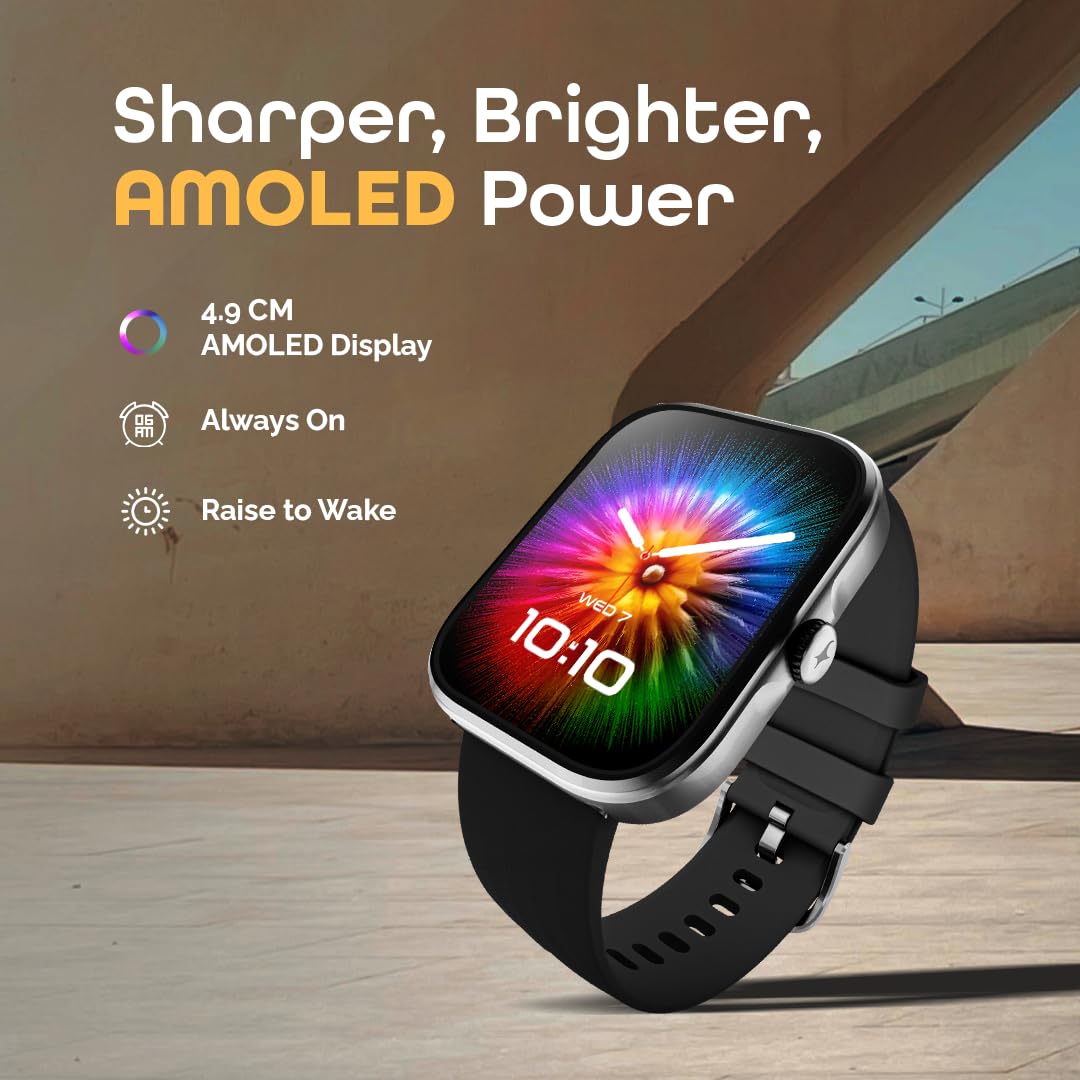
Image: The Fastrack Discovery Smart Watch displaying its vibrant AMOLED screen with time and date. The image highlights the 'Sharper, Brighter, AMOLED Power' features, including 4.9 CM AMOLED Display, Always On, and Raise to Wake.
3. Bluetooth Calling (SingleSync)
With SingleSync Bluetooth Calling, you can answer and manage calls directly from your wrist. Ensure your watch is connected to your smartphone via Bluetooth 5.3. You can also access recent calls and control music playback.
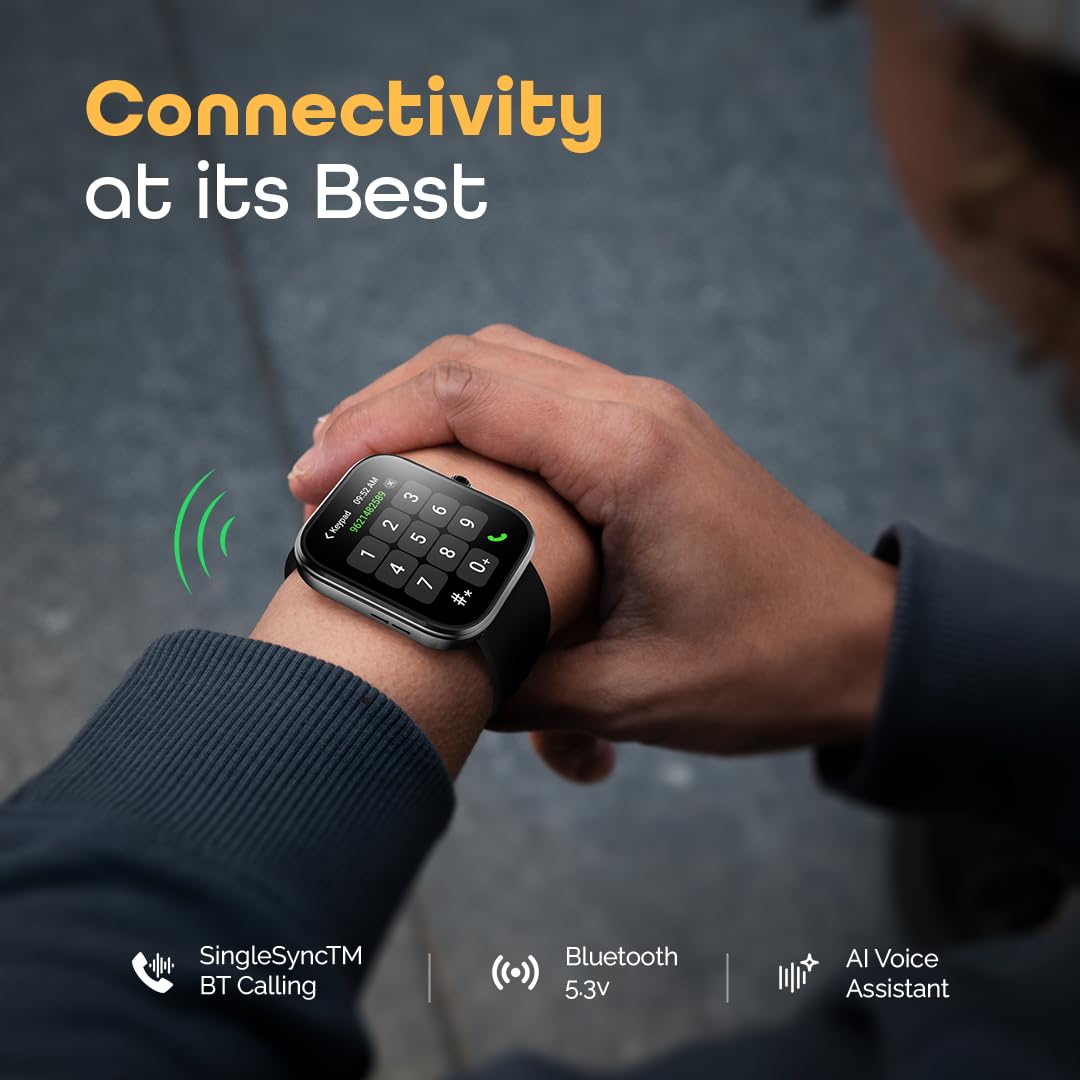
Image: A person wearing the Fastrack Discovery Smart Watch, which displays a phone dial pad, illustrating the Bluetooth calling feature. The image emphasizes 'Connectivity at its Best' with SingleSync BT Calling, Bluetooth 5.3, and AI Voice Assistant.
4. Built-in GPS Tracking
The integrated GPS (with GLONASS support) provides precise tracking of your outdoor activities, including route, pace, and distance, without needing your phone. This is ideal for running, cycling, and walking.
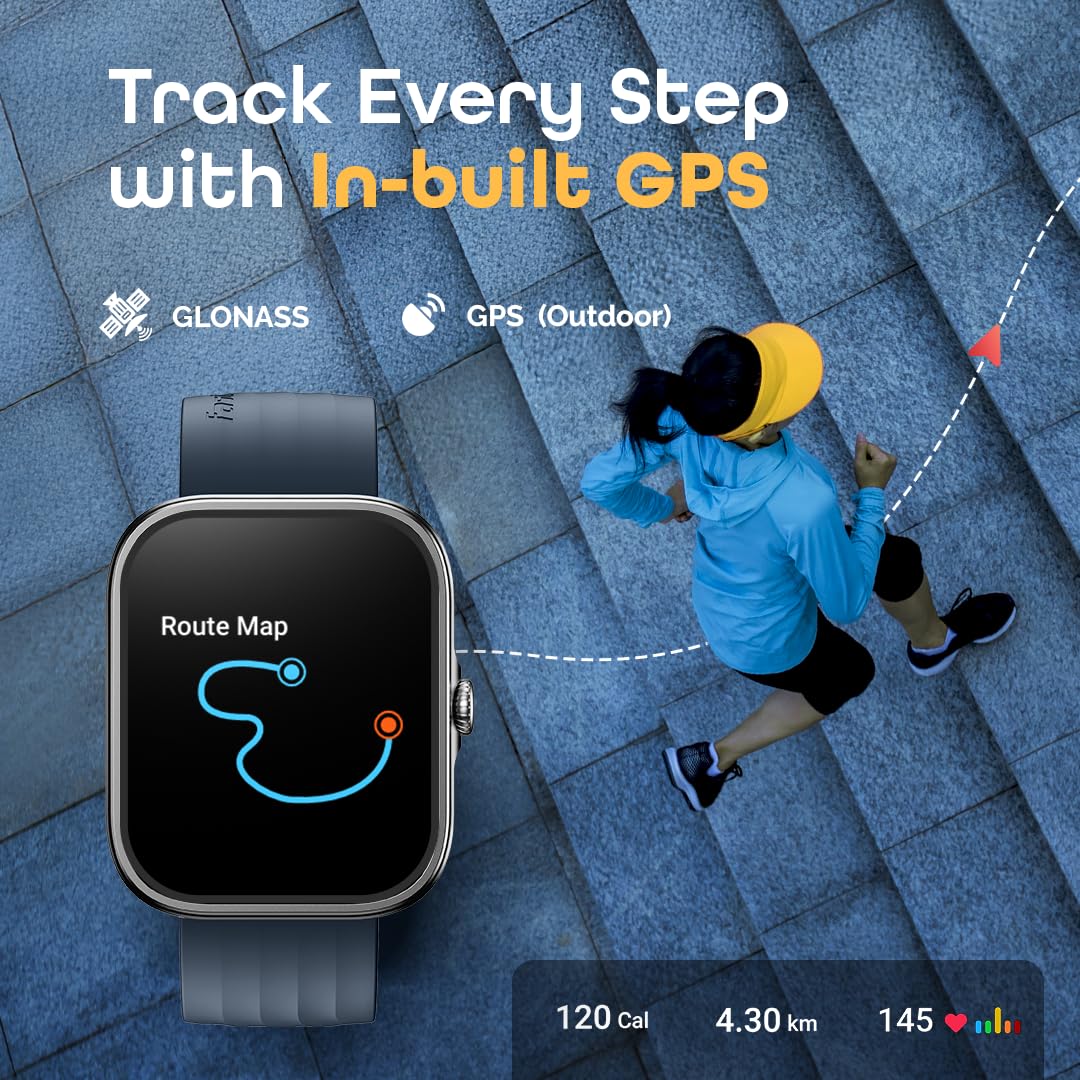
Image: A person running outdoors with the Fastrack Discovery Smart Watch on their wrist, which shows a route map. The image highlights the 'Track Every Step with In-built GPS' feature, including GLONASS and GPS (Outdoor) capabilities, along with calorie, distance, and heart rate data.
5. Osasunaren eta egoera fisikoaren jarraipena
The watch offers comprehensive 24/7 health monitoring:
- Bihotz-taupadak: Egun osoan zehar zure bihotz-maiztasuna kontrolatzen du.
- SpO2 monitore: Odoleko oxigeno mailak neurtzen ditu.
- Estresaren jarraipena: Monitors stress levels and provides guided breathing exercises.
- Loaren jarraipena: Loaren ereduak eta kalitatea aztertzen ditu.
- VO2 Max: Estimates your cardiovascular fitness level.
- One-Click Measurement: Quickly checks multiple health metrics.
- Jardueren jarraipena: Counts steps, distance, and calories burned.
- Oroigarriak: Includes hydration alerts and sedentary reminders.

Image: The Fastrack Discovery Smart Watch displaying various health metrics like Heart Rate, SpO2, Stress, VO2 Max, Sports Records, Sleep Tracking, and Breathing Exercise. The image highlights the 'Health & Fitness Tracking' capabilities.
6. Multisport Modes and Running Coach
Choose from over 100 multisport modes, with auto-recognition for common activities. The watch also features built-in running courses and training plans, such as 'Couch to 3K' and 'Couch to 5K', to help you achieve your fitness goals.
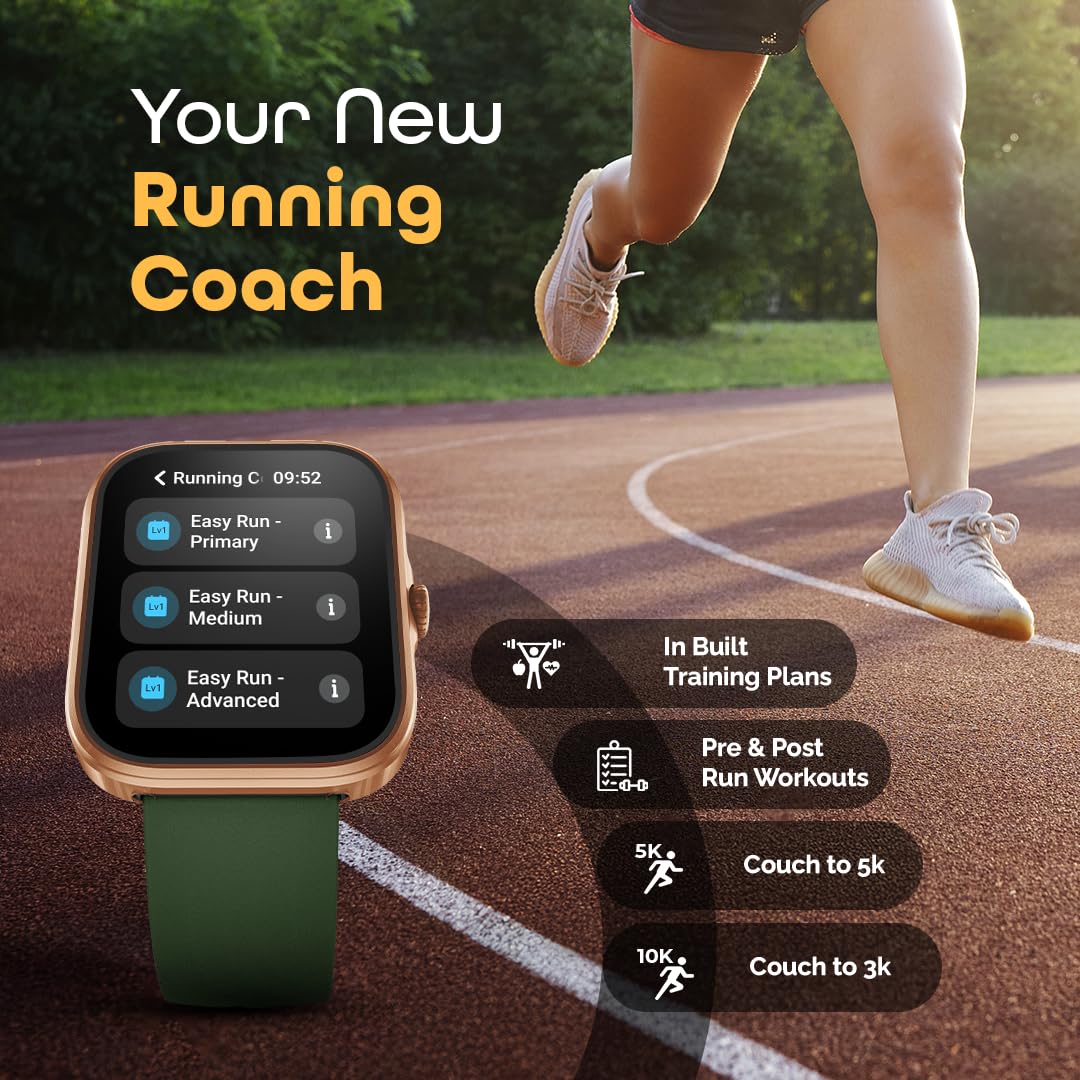
Image: The Fastrack Discovery Smart Watch displaying a 'Running C' menu with options like 'Easy Run - Primary', 'Easy Run - Medium', and 'Easy Run - Advanced'. The image emphasizes 'Your New Running Coach' with features like In-built Training Plans, Pre & Post Run Workouts, 5K, and Couch to 3K.
7. Ezaugarri adimendunak
The Fastrack Discovery Smart Watch includes several smart functionalities:
- AI Ahots Laguntzailea: Control your watch or phone with voice commands.
- Kamera eta musika kontrola: Remotely control your smartphone's camera and music playback.
- DND modua: Isilarazi jakinarazpenak ordu zehatzetan.
- Aurkitu telefonoa: Bilatu parekatutako telefonoa.
- Eguraldiaren bistaratzea: Lortu eguraldiaren eguneraketak denbora errealean.
- Alarma, kronometroa, tenporizadorea: Essential utility functions.
- Ikusi aurpegiak: Customize your watch with over 100 available watch faces.
Mantentzea
1. Erlojua garbitzea
Regularly clean your watch and strap to prevent skin irritation and maintain functionality. Use a soft, damp oihal bat erabili erlojuaren gorputza eta uhala garbitzeko. Saihestu produktu kimiko gogorrak edo material urratzaileak.
2. Urarekiko erresistentzia
The Fastrack Discovery Smart Watch is IP68 water-resistant, allowing it to withstand immersion in water up to 1.5 meters. It is suitable for daily use, hand washing, and light rain. Avoid prolonged exposure to hot water, steam, or high-velocity water, as this may compromise the water resistance.
3. Bateria zaintzea
Bateriaren iraupena luzatzeko, saihestu erlojua maiz erabat deskargatzea. Kargatu bateriaren maila baxua denean. Gorde erlojua leku fresko eta lehor batean denbora luzez erabiltzen ez bada.
4. Software eguneraketak
Periodically check the Fastrack Reflex World app for available software updates. Updates often include performance improvements, new features, and bug fixes. Ensure your watch is sufficiently charged before starting an update.
Arazoak konpontzea
If you encounter issues with your Fastrack Discovery Smart Watch, refer to the following common solutions:
- Erlojua ez da pizten: Ensure the watch is fully charged. Connect it to the magnetic charging cable and a power source.
- Parekatzeko arazoak: Make sure Bluetooth is enabled on your phone and the watch is within range. Restart both the watch and your phone, then try pairing again through the Fastrack Reflex World app.
- Osasun-datu okerrak: Ensure the watch is worn snugly on your wrist, about one finger's width above the wrist bone. Clean the sensor area regularly.
- Jaso ez diren jakinarazpenak: Check notification settings in the Fastrack Reflex World app and your phone's system settings to ensure permissions are granted.
- Bateriaren iraupen laburra: Reduce screen brightness, disable Always-On Display, limit frequent heart rate monitoring, and turn off unnecessary notifications.
Gailua berrezarri
If problems persist, you may need to perform a factory reset. This will erase all data on the watch and restore it to its original settings. Navigate to 'Settings' on your watch, then find the 'System' or 'Reset' option and confirm the factory reset.
Zehaztapenak
| Ereduaren izena | Fastrack Discovery |
| Modelo zenbakia | 38146AP02 |
| Bistaratzea | 1.95-inch AMOLED, 410x502 Resolution |
| Konektibitatea | Bluetooth 5.3, Built-in GPS (GLONASS) |
| Bateriaren iraupena | Gehienez 7 egun (ohiko erabilera) |
| Kargatzeko Denbora | Gutxi gorabehera. 50 Minutu |
| Uraren Erresistentzia | IP68, 1.5 metro arte |
| Kasu Materiala | Aluminioa |
| Banda Materiala | Silikona |
| Neurriak (L x W x H) | 11D x 49Z x 40A milimetro |
| Pisua | 45 gramo |
| Gailu bateragarriak | Android, iOS Smartphones |
Bermearen informazioa
Your Fastrack Discovery Smart Watch comes with a 1 urteko fabrikatzailearen bermea from the date of purchase. This warranty covers manufacturing defects. Please retain your purchase receipt and the warranty card for any warranty claims. The warranty does not cover damage caused by misuse, accidents, unauthorized repairs, or normal wear and tear.
Bezeroarentzako Arreta
For further assistance, technical support, or warranty claims, please contact Fastrack customer care:
- Bezeroarentzako Arreta Zenbakia: 1800-266-0123
- Posta elektronikoa: customercare@titan.co.in
- Fabrikatzailea / Inportatzailea: Titan Company Limited, 3 Sipcot Industries complex, Hosur- 635126