Sarrera
This manual provides detailed instructions for the proper use and maintenance of your ACEFAST H2 Wireless Headset. Designed with advanced Active Noise Cancelling (ANC) technology and Bluetooth 5.3 connectivity, these headphones offer a high-quality audio experience. Please read this manual thoroughly before using the product to ensure optimal performance and longevity.
Paketearen edukia
- ACEFAST H2 Wireless Headset
- USB-C kargatzeko kablea
- 3.5 mm-ko kable auxiliarra
- Erabiltzailearen eskuliburua (dokumentu hau)
Produktua amaituview
Familiarize yourself with the components and controls of your ACEFAST H2 headset.
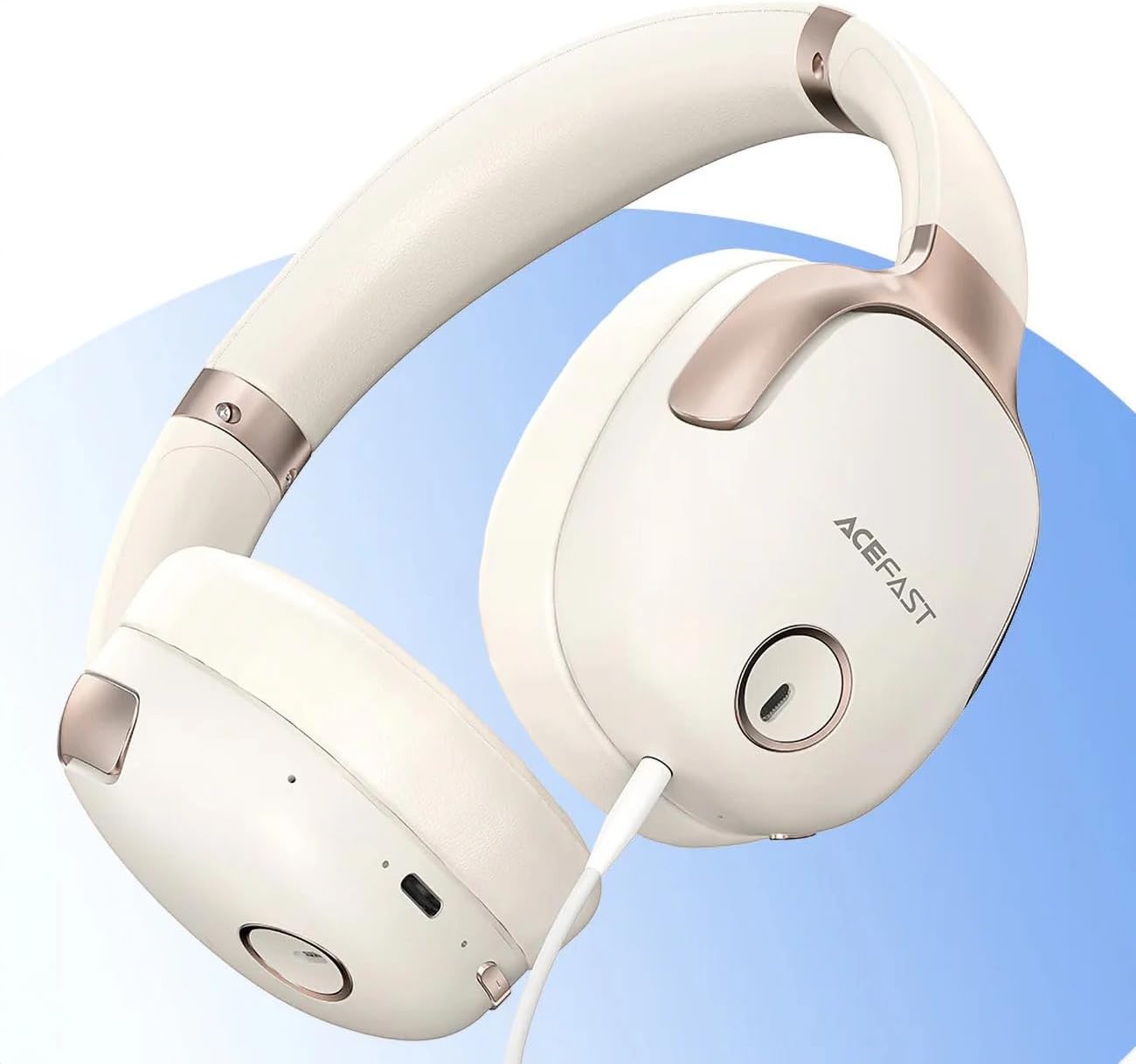
1. irudia: ACEFAST H2 Headset showing USB-C charging port, 3.5mm audio jack, and control buttons.
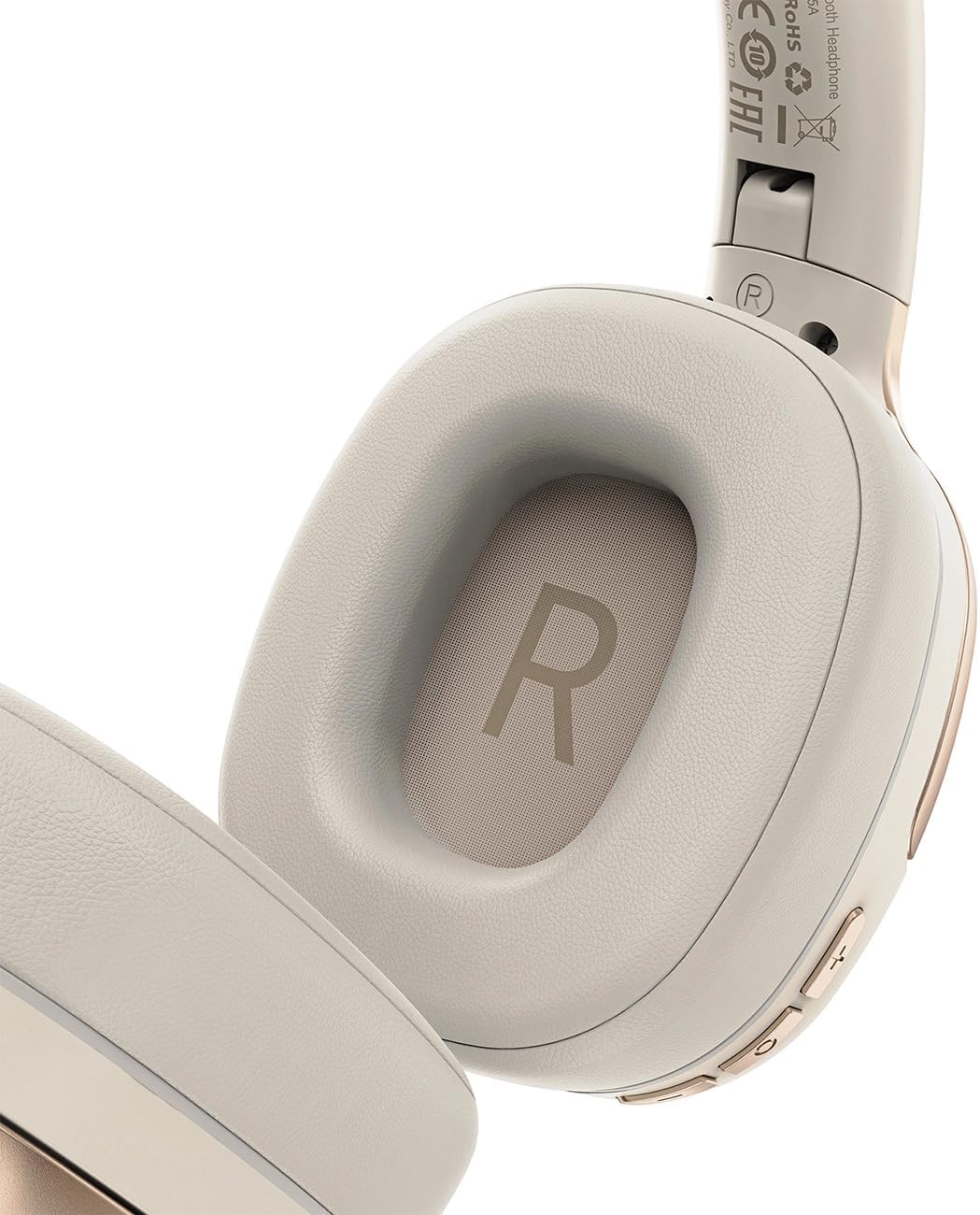
2. irudia: Interior of the right earcup, indicating proper orientation for wearing.

3. irudia: Headband adjustment mechanism and ear cup swivel for comfortable fit.

4. irudia: The foldable design of the headset for easy storage and transport.
Funtsezko osagaiak:
- Pizteko/Funtzio anitzeko botoia: Pizteko/itzaltzeko, erreproduzitzeko/pausatzeko, deiak erantzuteko/amaitu ahal izateko erabiltzen da.
- Bolumena igotzeko/hurrengo abestiaren botoia: Sakatu bolumena igotzeko, eduki sakatuta hurrengo pistarako.
- Bolumena jaisteko/aurreko abestiaren botoia: Sakatu bolumena jaisteko, eduki sakatuta aurreko pistarako.
- ANC botoia: Zarata aktiboaren ezeztapena aktibatzen edo desaktibatzen du.
- USB-C kargatzeko ataka: Entzungailua kargatzeko.
- 3.5 mm-ko audio-konexioa: For wired connection using the Aux cable.
- Mikrofonoa: Deietarako integratuta.
- LED adierazlea: Pizte-egoera, kargatze-egoera eta parekatze-egoera erakusten ditu.
Konfigurazioa
1. Entzungailua kargatzea
- Connect the provided USB-C charging cable to the headset's USB-C port.
- Konektatu kablearen beste muturra USB elikatze-egokitzaile batera (ez dago barne) edo ordenagailuaren USB atakara.
- LED adierazleak kargatze-egoera erakutsiko du (adibidez, gorria kargatzen ari den bitartean, urdina guztiz kargatuta dagoenean).
- A full charge takes approximately 2 hours and provides up to 80 hours of music playback.
2. Piztu/Itzaltzea
- Pizteko: Press and hold the Power/Multi-function button for approximately 3 seconds until the LED indicator flashes.
- Itzaltzeko: Press and hold the Power/Multi-function button for approximately 5 seconds until the LED indicator turns off.
3. Bluetooth parekatzea
- Ziurtatu entzungailua itzalita dagoela.
- Press and hold the Power/Multi-function button for about 5-7 seconds until the LED indicator flashes red and blue alternately, indicating pairing mode.
- Zure gailuan (telefono adimenduna, tableta, ordenagailua), gaitu Bluetooth eta bilatu eskuragarri dauden gailuak.
- Select "ACEFAST H2" from the list of found devices.
- Behin parekatuta, LED adierazlea urdinez keinuka hasiko da poliki.
- The headset will automatically connect to the last paired device when powered on, if within range.
4. Kable bidezko konexioa (Aux Mode)
- Connect one end of the 3.5mm Aux cable to the headset's 3.5mm audio jack.
- Konektatu beste muturra zure audio iturriaren 3.5 mm-ko audio irteerara.
- In wired mode, the headset functions passively, and Bluetooth features are disabled. ANC may still be active if powered on.
Funtzionamendu-argibideak
Musika erreproduzitzea
- Erreproduzitu/Pausatu: Sakatu labur pizteko/funtzio anitzeko botoia.
- Bolumena igo: Sakatu labur bolumena igotzeko botoia.
- Bolumena jaitsi: Sakatu labur Bolumena Jaisteko botoia.
- Hurrengo ibilbidea: Sakatu luze bolumena igotzeko botoia.
- Aurreko pista: Sakatu luze Bolumena Jaisteko botoia.
Telefono-deiak
- Deia erantzun/amaitu: Sakatu labur pizteko/funtzio anitzeko botoia.
- Deia baztertu: Sakatu luze pizteko/funtzio anitzeko botoia.
- Ahots laguntzailea: Double-press the Power/Multi-function button (if supported by your device).
Zarata aktiboaren baliogabetzea (ANC)
- Aktibatu/Desaktibatu ANC: Press the dedicated ANC button. The LED indicator will change to confirm status.
- ANC reduces ambient noise up to -40dB, providing a quieter listening environment.
Mantentzea
- Garbiketa: Erabili zapi leun eta lehor bat entzungailuak garbitzeko. Ez erabili garbitzaile edo disolbatzaile urratzailerik.
- Biltegiratzea: Store the headset in a cool, dry place away from direct sunlight and extreme temperatures. When not in use, it is recommended to fold the headset for compact storage.
- Uraren erresistentzia: The headset is IPX4 water-resistant, meaning it is protected against splashing water from any direction. It is not designed for submersion or exposure to heavy rain. Avoid exposing the charging port and audio jack to moisture.
- Bateria zaintzea: To preserve battery life, charge the headset fully before long periods of storage and recharge it at least once every three months.
Arazoak konpontzea
| Arazoa | Kausa posiblea | Irtenbidea |
|---|---|---|
| Aurikularrak ez dira pizten. | Bateria baxua. | Kargatu entzungailuak guztiz. |
| Ezin da gailuarekin parekatu. | Aurikularrak ez daude parekatze moduan; gailuaren Bluetooth-a itzalita; gailutik urrunegi. | Ensure headset is in pairing mode (flashing red/blue). Turn on device Bluetooth. Move headset closer to device (within 10 meters). |
| Soinurik ez edo audio kalitate eskasa. | Volume too low; headset not connected; interference; incorrect audio output selected. | Adjust volume on headset and device. Re-pair headset. Move away from sources of interference. Check device's audio output settings. |
| ANCk ez du eraginkortasunez funtzionatzen. | ANC ez dago aktibatuta; egokitzapen desegokia. | Press the ANC button to activate. Adjust headset for a snug fit over your ears. |
Zehaztapenak
| Ereduaren izena | H2 |
| Konektibitate Teknologia | Wireless (Bluetooth 5.3) / Wired (3.5mm Aux) |
| Bluetooth barrutia | Gehienez 10 metro |
| Zarata Kontrola | Active Noise Cancellation (ANC) up to -40dB, Environmental Noise Cancelling (ENC) for microphone |
| Bateriaren iraupena | Gehienez 80 ordu (musika erreprodukzioa) |
| Kargatzeko Denbora | Gutxi gorabehera 2 ordu (USB-C bidez) |
| Uraren Erresistentzia | IPX4 (zipriztin erresistentea) |
| Belarrien Kokatzea | Belarrian |
| Materiala | Akrilonitrilo Butadieno Estirenoa (ABS) |
| Kolorea | Beixa |

5. irudia: Illustration of the dynamic HiFi audio driver components.
Bermearen informazioa
The ACEFAST H2 Wireless Headset comes with a 6 hilabeteko fabrikatzailearen bermea erosketa-datatik aurrera. Berme honek fabrikazio-akatsak eta eskulanaren funtzionamendua estaltzen ditu erabilera normalaren pean. Ez ditu estaltzen erabilera okerrak, istripuek, baimenik gabeko aldaketek edo higadura normalak eragindako kalteak. Gorde erosketaren egiaztagiria berme-erreklamazioetarako.
Laguntza
For further assistance, technical support, or warranty inquiries, please refer to the contact information provided by your retailer or visit the official ACEFAST website. Ensure you have your product model number (H2) and proof of purchase ready when contacting support.


