
CHUWI CHUWI Hi10 X1
CHUWI Hi10 X1 Windows 11 Tablet User Manual
Model: CHUWI Hi10 X1 | Brand: CHUWI
Sarrera
This manual provides essential information for the operation, maintenance, and troubleshooting of your CHUWI Hi10 X1 Windows 11 Tablet. Please read this manual thoroughly before using the device to ensure proper functionality and longevity.

Irudia: Aurrealdea view of the CHUWI Hi10 X1 tablet displaying the Windows 11 desktop, highlighting its Intel N100 processor, 8GB RAM, and 256GB SSD.
Kutxan dagoena
Upon opening the product packaging, verify that all listed items are present:
- Hi10 X1 Tablet (N100)
- Kargagailu multzoa
- Multi-language manual
- Adostasun-ziurtagiria
Konfigurazioa
- Hasierako karga: Before first use, connect the tablet to the charger using the provided charger set. Ensure the tablet is fully charged for optimal battery performance.
- Piztu: Press and hold the power button located on the top edge of the tablet until the CHUWI logo appears.
- Windows 11 konfigurazioa: Follow the on-screen prompts to complete the initial Windows 11 setup, including language selection, network connection, and user account creation.
- Optional Keyboard Attachment: If using a detachable magnetic keyboard (sold separately), align the keyboard connector with the port on the bottom edge of the tablet until it securely attaches.
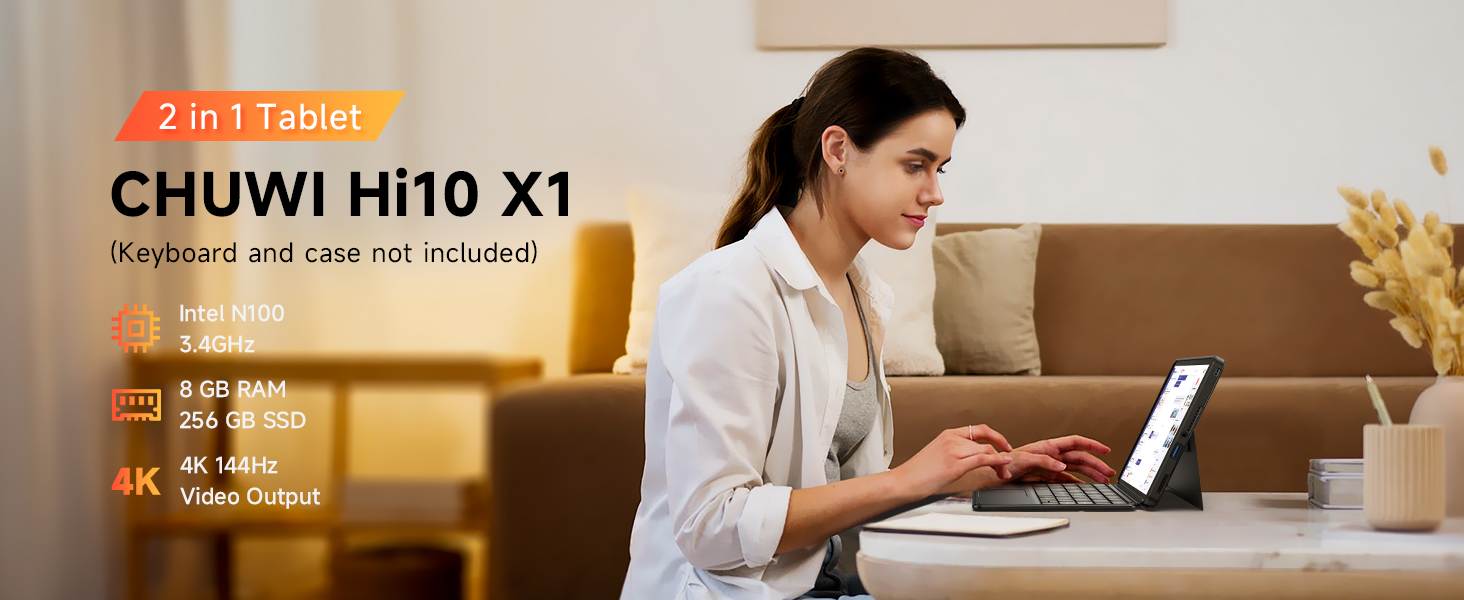
Image: The CHUWI Hi10 X1 tablet configured in 2-in-1 mode with an attached keyboard, demonstrating its versatility for work and entertainment.
Tableta funtzionatzea
Errendimendua eta biltegiratzea
The CHUWI Hi10 X1 is powered by an Intel N100 processor, designed for efficient performance across various tasks. With 8GB of LPDDR5 RAM and a 256GB SSD, the tablet offers quick boot times, rapid application launches, and smooth multitasking capabilities.

Image: A detailed diagram illustrating the specifications of the Intel Alder Lake N100 Processor, including its core count, thread count, turbo frequency, and TDP.
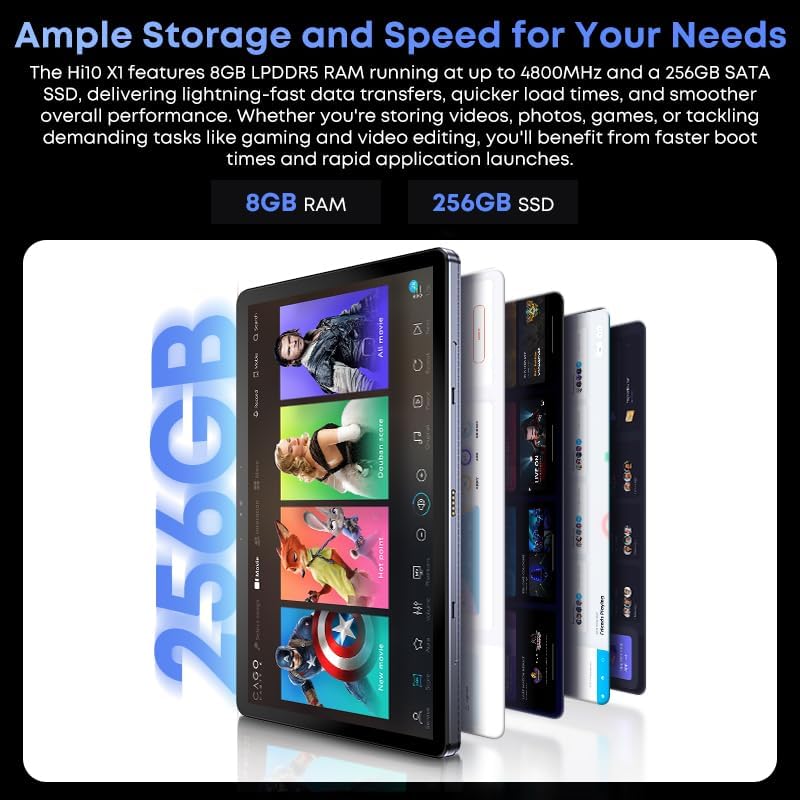
Image: A graphic highlighting the tablet's ample storage and speed, featuring 8GB LPDDR5 RAM and 256GB SSD.
Pantaila eta audioa
The tablet features a 10.1-inch In-Cell HD display with a resolution of 1280x800 pixels and a 16:10 aspect ratio, providing clear and vibrant visuals. Integrated speakers deliver audio for multimedia consumption.

Irudia: Gertutik view of the tablet's 10.1-inch HD display, showcasing its visual quality and aspect ratio for an immersive viewesperientzia.
Kamerak
Equipped with an 8MP rear camera with autofocus for capturing photos and videos, and a 5MP front camera suitable for video calls and selfies.

Image: A visual representation highlighting the tablet's 8MP rear camera and 5MP front camera, designed for clear image and video capture.
Konektibitatea eta Portuak
The tablet supports Wi-Fi 6 for faster and more stable wireless connections and Bluetooth 5.2 for connecting peripherals. It includes a Micro HDMI port and a full-featured USB-C port, both supporting 4K 60Hz external display output. Additionally, it features a USB 3.2 port and a 3.5mm headphone jack.

Image: An annotated diagram detailing the placement and type of various ports on the CHUWI Hi10 X1 tablet, including USB-C, Micro HDMI, USB-A 3.2, and the 3.5mm audio jack.

Image: The CHUWI Hi10 X1 tablet connected to an external monitor, showcasing its ability to support 4K UHD dual display output for extended workspaces or presentations.
Diseinu Fisikoa
The tablet features a 10.1mm ultra-thin full metal chassis, weighing approximately 1.34lb, making it portable and durable. It includes a cooling fan for efficient heat dissipation.

Image: A person holding the CHUWI Hi10 X1 tablet, emphasizing its stylish, thin, and portable design, weighing 1.34lb and measuring 0.39in thin.
Erabilera polifazetikoa
The CHUWI Hi10 X1 is suitable for a variety of applications, including daily office work, online classes, and light gaming, providing a versatile computing experience.
Video: This video demonstrates the CHUWI Hi10 X1 tablet's versatility, showcasing its use for daily office tasks, online learning, and light gaming, highlighting its adaptability for various user needs.
Mantentzea
- Garbiketa: Erabili zapi leun eta lihorik gabeko bat tabletaren pantaila eta gorputza garbitzeko. Orban egoskorrak izanez gero, garbitu apur batampGarbitu zapia urarekin edo pantailarentzat segurua den garbiketa-soluzio batekin. Saihestu produktu kimiko gogorrak edo material urratzaileak.
- Biltegiratzea: Store the tablet in a cool, dry place away from direct sunlight and extreme temperatures. When not in use for extended periods, ensure the battery is charged to about 50% to preserve its lifespan.
- Software eguneraketak: Egiaztatu eta instalatu aldizka Windows eguneraketak, zure sistemak azken segurtasun-adabakiak eta errendimendu-hobekuntzak dituela ziurtatzeko.
- Babes fisikoa: Consider using a protective case or screen protector to guard against scratches, drops, and impacts.
Arazoak konpontzea
| Gaia | Kausa posiblea | Irtenbidea |
|---|---|---|
| Tableta ez da pizten. | Bateria gutxi; pizteko botoia ez da behar bezala sakatu. | Charge the tablet for at least 30 minutes. Press and hold the power button for 10-15 seconds. |
| Pantailak ez du erantzuten. | Aldi baterako software akatsa; pantaila-babeslearen interferentzia. | Restart the tablet. Ensure screen protector is properly applied or remove it to test. |
| Wi-Fi konexio arazoak. | Router problem; incorrect Wi-Fi password; outdated drivers. | Restart your Wi-Fi router. Re-enter Wi-Fi password. Update Wi-Fi drivers via Device Manager. |
| Errendimendu motela. | Too many applications running; low storage space; outdated software. | Close unnecessary applications. Free up storage space. Install Windows updates. |
| External display not detected. | Incorrect cable; display settings; driver issue. | Ensure correct HDMI/USB-C cable is used. Check display settings in Windows. Update graphics drivers. |
Zehaztapenak
| Ezaugarri | Xehetasuna |
|---|---|
| Marka | TXUWI |
| Ereduaren izena | CHUWI Hi10 X1 |
| Sistema eragilea | Windows 11 Home |
| Pantailaren tamaina | 10.1 hazbete |
| Pantailaren bereizmena | 1280 x 800 pixel |
| Prozesadorea | Intel N100 (Up to 3.4 GHz) |
| RAM | 8 GB LPDDR5 |
| Biltegiratzea | 256 GB SSDa |
| Atzeko kamera | 8MP AF |
| Aurrealdeko kamera | 5MP |
| Haririk gabeko mota | Wi-Fi 6 (802.11ax) |
| Bluetootha | Bluetooth 5.2 |
| Portuak | Micro HDMI, Full-featured USB-C, USB 3.2, 3.5mm Headphone Jack |
| Elementuaren pisua | 1.34 kilo |
| Produktuaren neurriak | 9.6 x 0.4 x 6.4 hazbete |
| Pilak | 9V-ko bateria (barne) |
Bermea eta Laguntza
CHUWI provides a 1-year guarantee for the Hi10 X1 tablet, effective immediately after purchase. Lifetime technical support is also available to assist with any product-related inquiries or issues.
- Zerbitzuaren Epea: 1 Year (Tablet)
- Laguntza profesionala: Lifetime factory professional support.
- Lineako laguntza: 24 hours of online support.
- For further assistance, please visit the official CHUWI webwebgunean edo jarri harremanetan bere bezeroarentzako zerbitzuarekin.

Image: The official CHUWI brand logo, representing the manufacturer of the tablet.
Ask a question about this manual
Ask about setup, troubleshooting, compatibility, parts, safety, or missing instructions. Manuals+ will review the question and use this page’s manual context to help answer it.