
1. Sarrera
This manual provides detailed instructions for the setup, operation, and maintenance of your TUINYO WH-819 Wireless Over-Ear Bluetooth Headphones. Please read this manual thoroughly before using the product to ensure proper function and longevity.
2. Produktua amaitu daview
The TUINYO WH-819 headphones offer high-fidelity stereo sound, comfortable over-ear design, and versatile connectivity options. They are designed for extended listening periods, featuring a long-lasting battery and a foldable structure for portability.
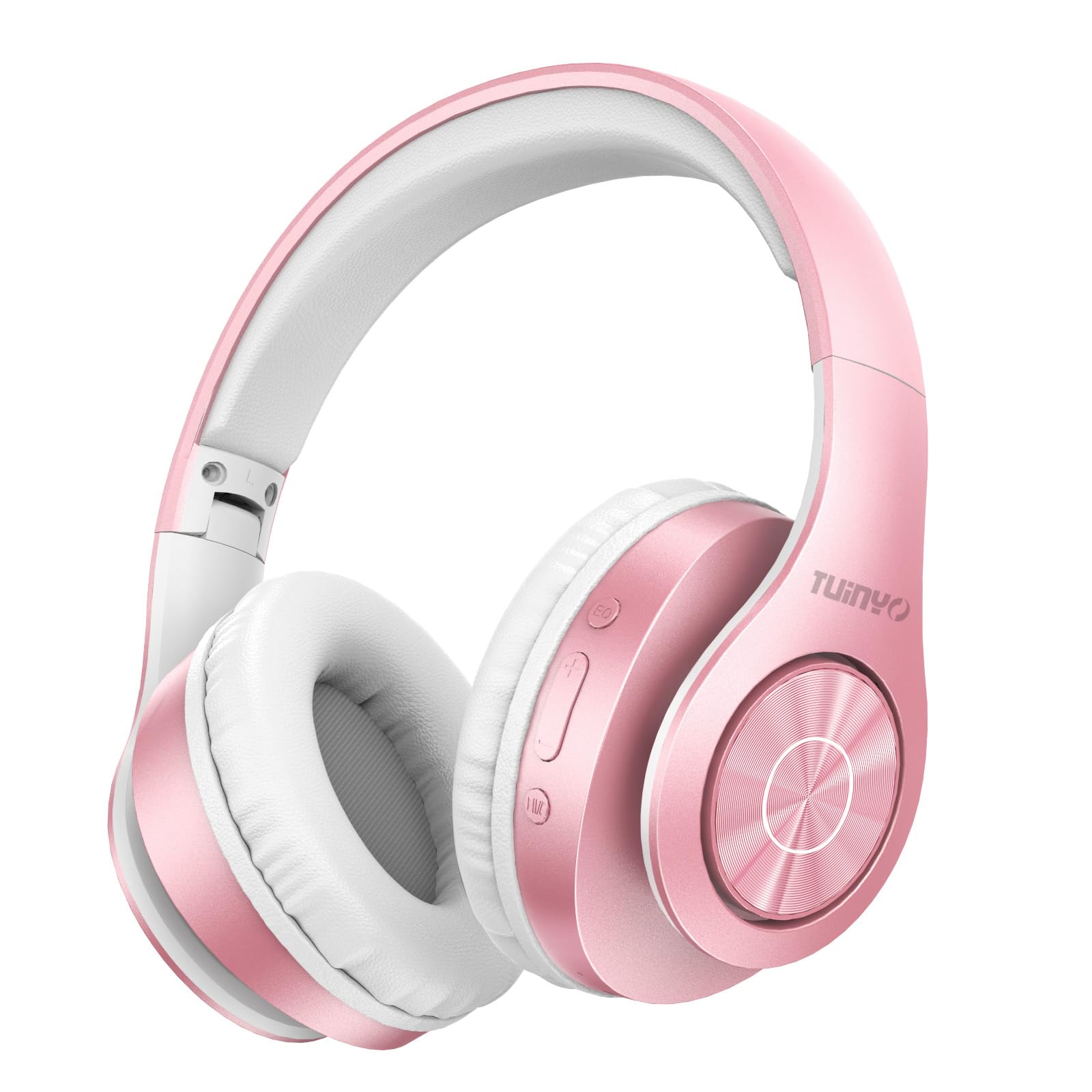
Figure 2.1: TUINYO WH-819 Rose Gold Wireless Over-Ear Bluetooth Headphones.
2.1. bideoa: Over batview of the TUINYO wireless Bluetooth headphones, highlighting their design and features.
3. Paketearen edukia
Ziurtatu elementu guztiak paketean daudela:
- TUINYO WH-819 Wireless Over-Ear Bluetooth Headphones
- USB kargatzeko kablea
- 3.5 mm-ko audio kablea
- Babes-zorro premium
- Erabiltzailearen eskuliburua

Figure 3.1: Included accessories with the TUINYO WH-819 headphones.
4. Kontrolak eta atakak
Ezagutu entzungailuen kontrolak eta atakak:
- Pizteko botoia: Long press to power on/off. Short press to play/pause music or answer/end calls.
- Bolumena igotzeko/hurrengo abestiaren botoia: Sakatu labur bolumena igotzeko. Sakatu luze hurrengo abestia ikusteko.
- Bolumena jaisteko/aurreko abestiaren botoia: Sakatu labur bolumena jaisteko. Sakatu luze aurreko abestira joateko.
- EQ botoia: Press to cycle through different equalizer modes (Normal, Rock, Pop, Classic, Jazz, Country).
- 3.5 mm-ko audio-konexioa: Kable bidezko konexiorako.
- USB kargatzeko ataka: Entzungailuak kargatzeko.
- MicroSD txartelaren zirrikitua: For direct music playback from a MicroSD card.

4.1. irudia: Xehetasuna view of headphone controls and features.
Video 4.1: A demonstration of the TUINYO headphones' folding mechanism and button controls.
5. Konfigurazioa
5.1 Entzungailuak kargatzea
- Connect the USB charging cable to the headphone's charging port.
- Connect the other end of the USB cable to a compatible USB power source (e.g., computer, wall adapter).
- LED adierazleak kargatze-egoera erakutsiko du (adibidez, gorria kargatzen ari bada, urdina guztiz kargatuta dagoenean).
- Karga osoak 2-2.5 ordu behar izaten ditu normalean.
5.2 Bluetooth parekatzea
- Ziurtatu entzungailuak guztiz kargatuta daudela.
- Long press the Power button until the LED indicator flashes blue and red, indicating pairing mode.
- Zure gailuan (smartphone-a, tableta, ordenagailu eramangarria), gaitu Bluetooth-a eta bilatu eskuragarri dauden gailuak.
- Hautatu "WH-819" gailuen zerrendatik.
- Once connected, the LED indicator will flash blue slowly, and a voice prompt will confirm successful pairing.
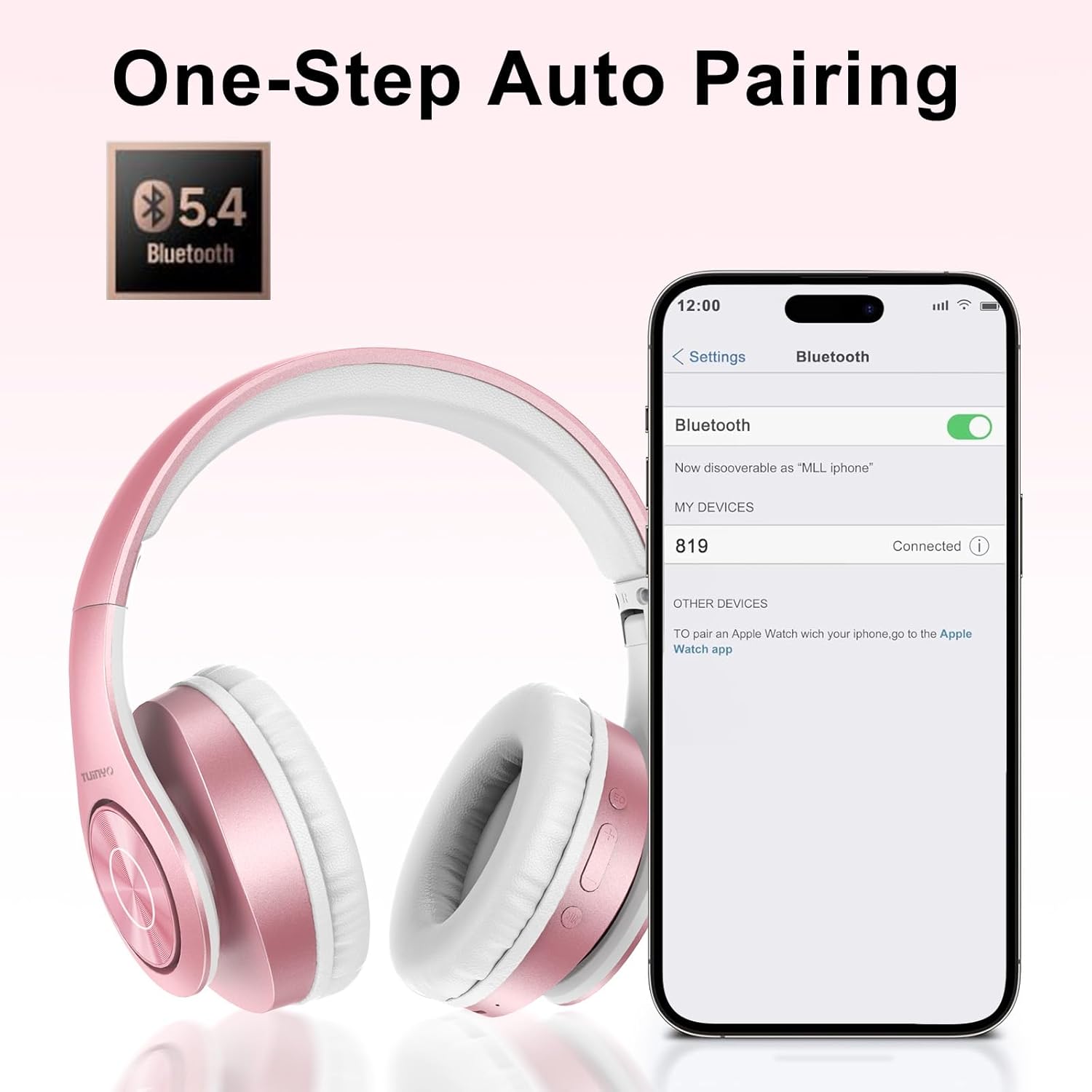
Figure 5.1: Bluetooth pairing process on a smartphone.
6. Funtzionamendu-argibideak
6.1 Piztu/Itzali
- Piztu: Long press the Power button until the LED indicator lights up blue.
- Itzali: Long press the Power button until the LED indicator turns off.
6.2 Musika erreproduzitzea
- Erreproduzitu/Pausatu: Sakatu labur pizteko botoia.
- Hurrengo ibilbidea: Sakatu luze bolumena igotzeko botoia.
- Aurreko pista: Sakatu luze Bolumena Jaisteko botoia.
- Bolumenaren doikuntza: Short press the Volume Up or Volume Down buttons.
6.3 Deien kudeaketa
- Deia erantzun/amaitu: Sakatu labur pizteko botoia.
- Deia baztertu: Sakatu luze pizteko botoia.
6.4 EQ Mode
- Press the EQ button to switch between different sound equalizer modes (Normal, Rock, Pop, Classic, Jazz, Country) to optimize your listening experience.
6.5 Kable bidezko modua
- Insert the 3.5mm audio cable into the headphone's audio jack and the other end into your audio device.
- The headphones will automatically switch to wired mode, and Bluetooth functionality will be disabled.
6.6 MicroSD txartelaren erreprodukzioa
- Insert a MicroSD card with MP3 audio fileMicroSD txartelaren zirrikituan sartu.
- Entzungailuek automatikoki detektatuko dute txartela eta musika erreproduzitzen hasiko dira.
- Use the music playback controls (Play/Pause, Next/Previous Track, Volume) to manage your audio.
7. Mantentzea
- Garbitu entzungailuak aldizka zapi leun eta lehor batekin.
- Saihestu garbitzaile edo disolbatzaile urratzaileak erabiltzea.
- Erabiltzen ez dituzunean, gorde entzungailuak babes-zorroan, kalteak saihesteko.
- Mantendu muturreko tenperatura eta hezetasunetik urrun.
8. Arazoak
| Arazoa | Irtenbidea |
|---|---|
| Entzungailuak ez dira pizten. | Ziurtatu entzungailuak kargatuta daudela. Konektatu energia-iturri batera eta saiatu berriro. |
| Ezin da Bluetooth bidez parekatu. | Ensure headphones are in pairing mode (LED flashing blue/red). Turn off and on Bluetooth on your device. Move closer to the device. |
| Ez dago soinurik Bluetooth moduan. | Check volume levels on both headphones and connected device. Ensure headphones are successfully paired. |
| Ez dago soinurik kable bidezko moduan. | Ensure the 3.5mm audio cable is fully inserted into both the headphones and the audio device. Check the audio source. |
| MicroSD txartela ez da erreproduzitzen. | Ensure the MicroSD card is inserted correctly and contains compatible MP3 audio files. |
9. Zehaztapenak
| Ezaugarri | Xehetasuna |
|---|---|
| Ereduaren izena | WH-819 |
| Konektibitate Teknologia | Haririk gabekoa (Bluetooth), Kable bidezkoa (3.5 mm-ko jacka) |
| Haririk gabeko Komunikazio Teknologia | Bluetooth 4.0 |
| Audio kontrolatzaile mota | Dynamic Driver (40mm neodymium) |
| Bateriaren iraupena | Up to 40 hours of music time (800mAh battery) |
| Kargatzeko Denbora | 2-2.5 ordu |
| Entzungailuaren forma | Belarri gainekoa |
| Materiala | Plastic, Memory-Protein Earmuffs |
| Pisua | 13.4 ontza |
| Neurriak | 8.5 x 6.22 x 4.25 hazbete (Paketea) |
| Gailu bateragarriak | Tablets, Laptops, Desktops, Smartphones, Bluetooth-enabled devices |
| Uraren Erresistentzia Maila | Ez Urarekiko Erresistentea |
10. Bermea eta Laguntza
Your TUINYO WH-819 headphones are covered by a 30-day warranty from the date of purchase. For any product inquiries, technical support, or warranty claims, please refer to the contact information provided with your purchase or visit the official TUINYO webgunea.