
1. Sarrera
This manual provides detailed instructions for the proper use and maintenance of your INFURTURE Wearable Bluetooth Speaker BH127AG. Please read this manual thoroughly before using the product to ensure optimal performance and longevity. Keep this manual for future reference.
2. Produktua amaitu daview
2.1 Paketearen edukia
- INFURTURE Wearable Bluetooth Speaker BH127AG
- Elikatze-kablea (USB-C)
- Erabiltzailearen eskuliburua
2.2 Speaker Components and Controls
Familiarize yourself with the speaker's layout and controls as shown below:

Irudia: Aurrealdea view of the INFURTURE Wearable Bluetooth Speaker BH127AG, highlighting the speaker grille, main control buttons, and integrated flashlight.

Image: Detailed diagram illustrating the function of each button: Volume Down/Previous Track (-), Multi-Function Button (MFB) for Power/Play/Pause/Call, Volume Up/Next Track (+), USB-C charging port, and Flashlight control button.
- (-) Botoia: Bolumena jaitsi / Aurreko pista
- MFB (funtzio anitzeko botoia): Power On/Off, Play/Pause, Answer/End Call, Activate Voice Assistant
- (+) Botoia: Bolumena igo / Hurrengo pista
- Linterna botoia: Control Flashlight modes
- USB-C ataka: Bozgorailua kargatzeko
- Clip: For attaching the speaker to clothing or gear
3. Konfigurazioa
3.1 Bozgorailua kargatzea
Before first use, fully charge the speaker. Use the provided USB-C cable to connect the speaker to a compatible USB power source (e.g., computer USB port, wall adapter).
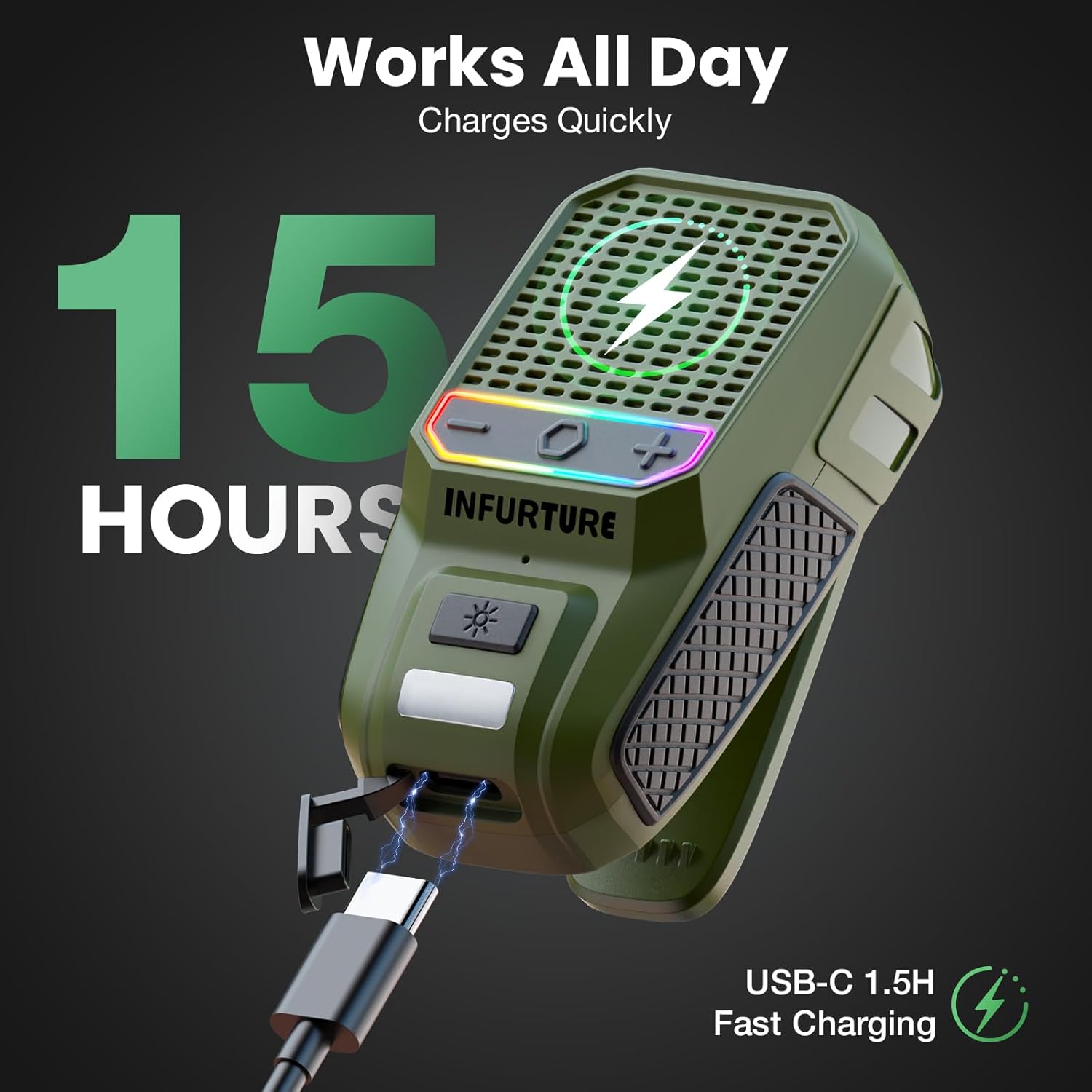
Image: The INFURTURE speaker connected to a USB-C charging cable, illustrating the charging process. A full charge provides approximately 15 hours of playtime.
- Karga osoak 1.5 ordu behar ditu gutxi gorabehera.
- The speaker provides over 15 hours of playtime (up to 18 hours at 80% volume).
- The LED indicator will show charging status (e.g., red for charging, off for fully charged).
3.2 Bluetooth parekatzea
- Piztu: Press and hold the MFB button for 2-3 seconds until you hear an audible prompt and the LED indicator flashes, indicating it's in pairing mode.
- Aktibatu Bluetootha: Zure gailuan (telefono adimenduna, tableta, ordenagailu eramangarria), gaitu Bluetooth-a.
- Hautatu hizlaria: In your device's Bluetooth settings, search for available devices and select "INFURTURE BH127AG" (or similar name).
- Berretsi konexioa: Once paired, the speaker will provide an audible confirmation, and the LED indicator will change (e.g., solid blue).
- Berriro konektatu: Bozgorailuak automatikoki saiatuko da azken parekatutako gailura berriro konektatzen pizten denean.
4. Funtzionamendu-argibideak
4.1 Piztu/Itzali
- Piztu: Press and hold the MFB button for 2-3 seconds.
- Itzali: Press and hold the MFB button for 2-3 seconds.
4.2 Musika erreproduzitzea
- Erreproduzitu/Pausatu: Sakatu labur MFB botoia.
- Bolumena igo: Sakatu labur (+) botoia.
- Bolumena jaitsi: Sakatu labur (-) botoia.
- Hurrengo ibilbidea: Long press the (+) button.
- Aurreko pista: Long press the (-) button.
4.3 Deien kudeaketa
The speaker features a built-in noise-canceling microphone for clear hands-free calls.
- Erantzun deia: Short press the MFB button when a call comes in.
- Amaitu deia: Short press the MFB button during a call.
- Deia baztertu: Long press the MFB button when a call comes in.
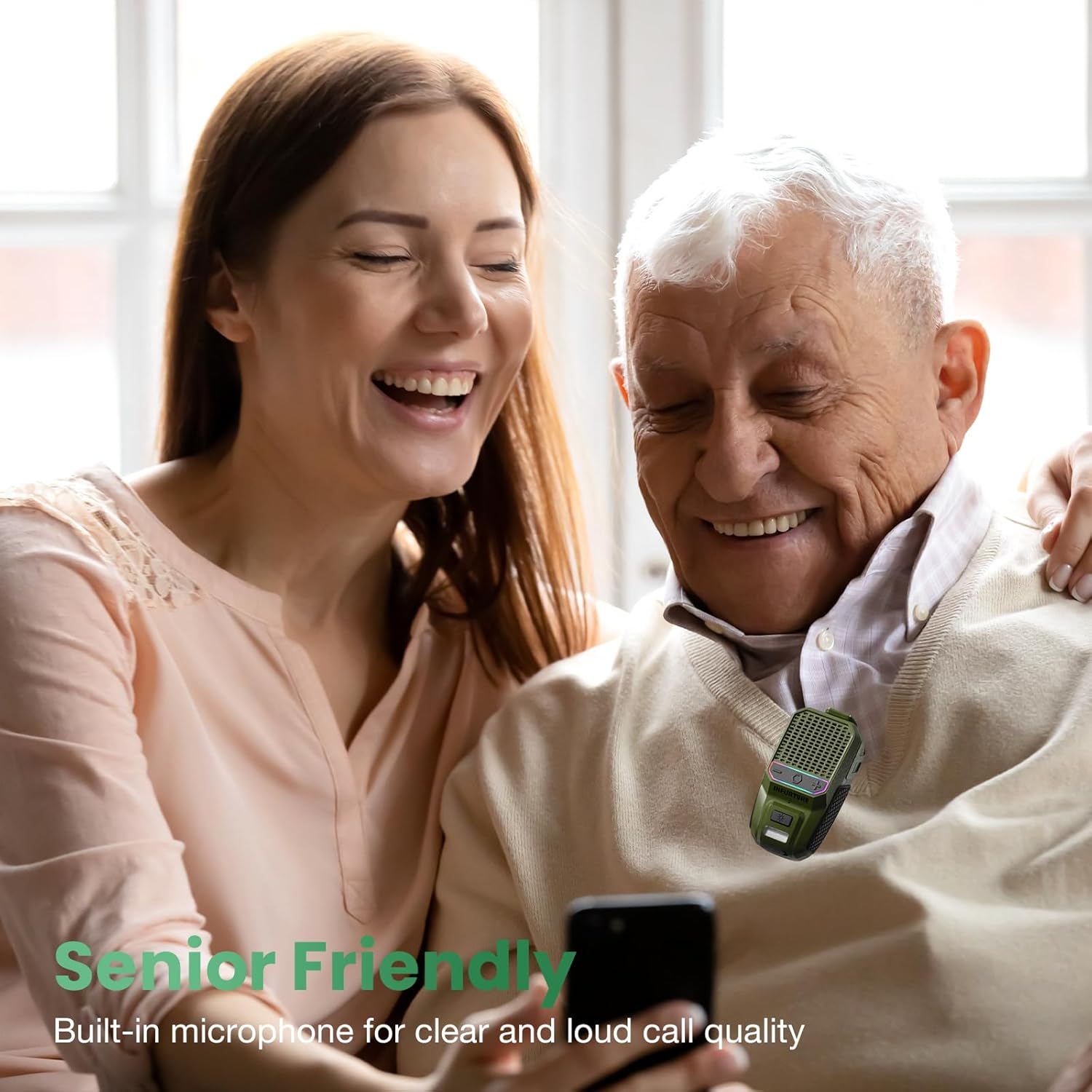
Image: A man and woman enjoying audio from the speaker, demonstrating its use for clear calls and audio playback in social settings.
4.4 Ahots-laguntzailearen aktibazioa
Activate your device's voice assistant (Siri, Google Assistant, Alexa) directly from the speaker.
- Aktibatu Ahots Laguntzailea: Double-tap the MFB button.

Image: A person using the speaker while working, illustrating the convenience of activating a voice assistant for hands-free control of music or calls.
4.5 Linternaren funtzionamendua
The speaker includes a 2-level LED flashlight for illumination.
- Turn On/Off Flashlight: Short press the Flashlight button.
- Aldatu distira maila: Short press the Flashlight button again to cycle through brightness levels.
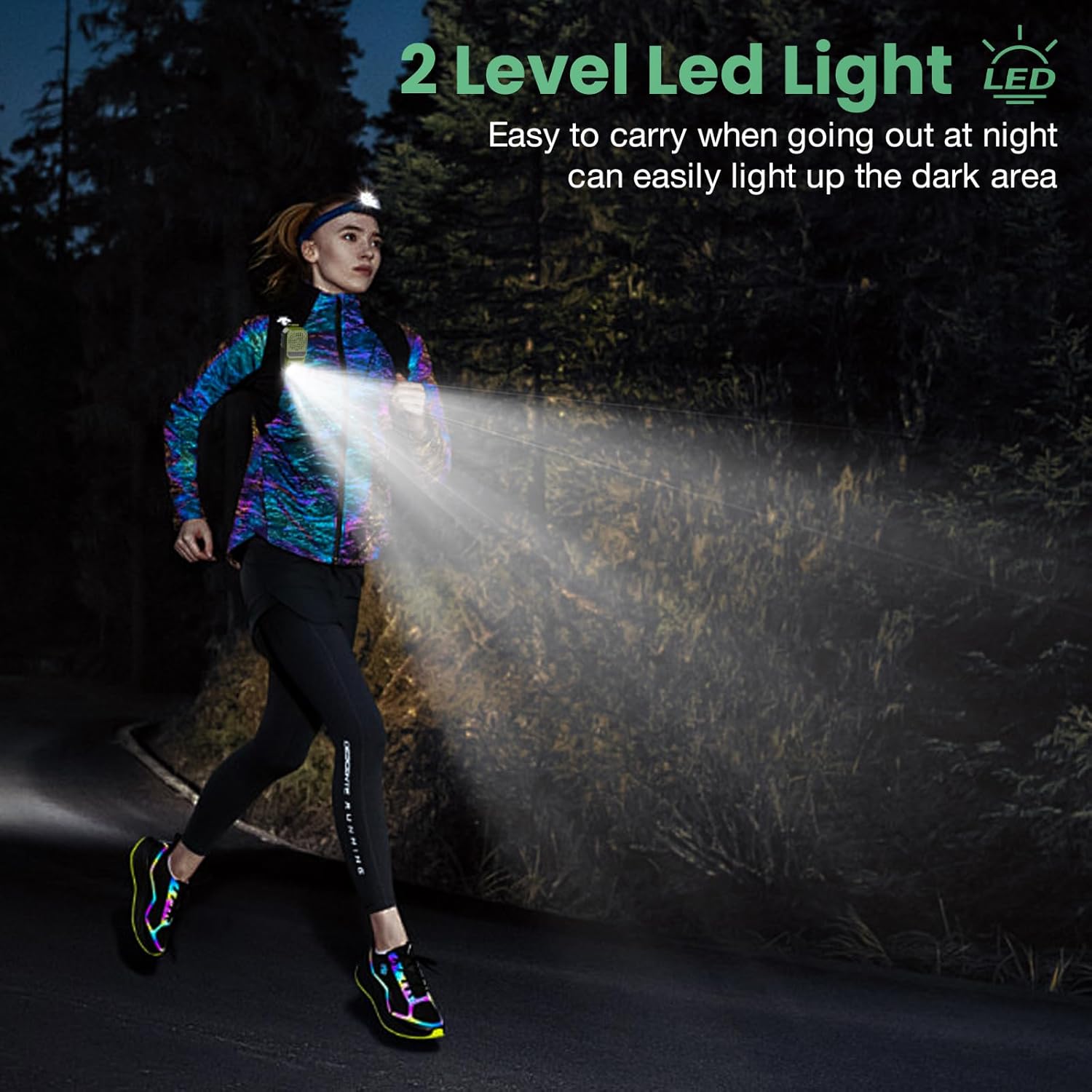
Image: A person running outdoors at night, demonstrating the speaker's integrated flashlight providing illumination for safety and visibility.

Irudia: Xehetasun zehatza view of the speaker's 80-lumen LED work light, highlighting its capability to provide reliable lighting for various tasks. The flashlight offers 6-10 hours of battery life when in use.
4.6 RGB argi-modu
The speaker features a 2-mode RGB light for visual enhancement.
- Aldatu RGB moduak: Long press the Flashlight button for 2-3 seconds to cycle between the two RGB light modes.

Image: Two INFURTURE speakers showcasing their multi-color RGB light feature, which can be adjusted to enhance the listening experience.
4.7 Wearing the Speaker
The speaker is designed with a reinforced anti-slip clip for secure attachment.
- Attach the clip to shirts, backpacks, belts, or other gear for hands-free audio.
- Ensure the speaker is securely fastened to prevent accidental drops.
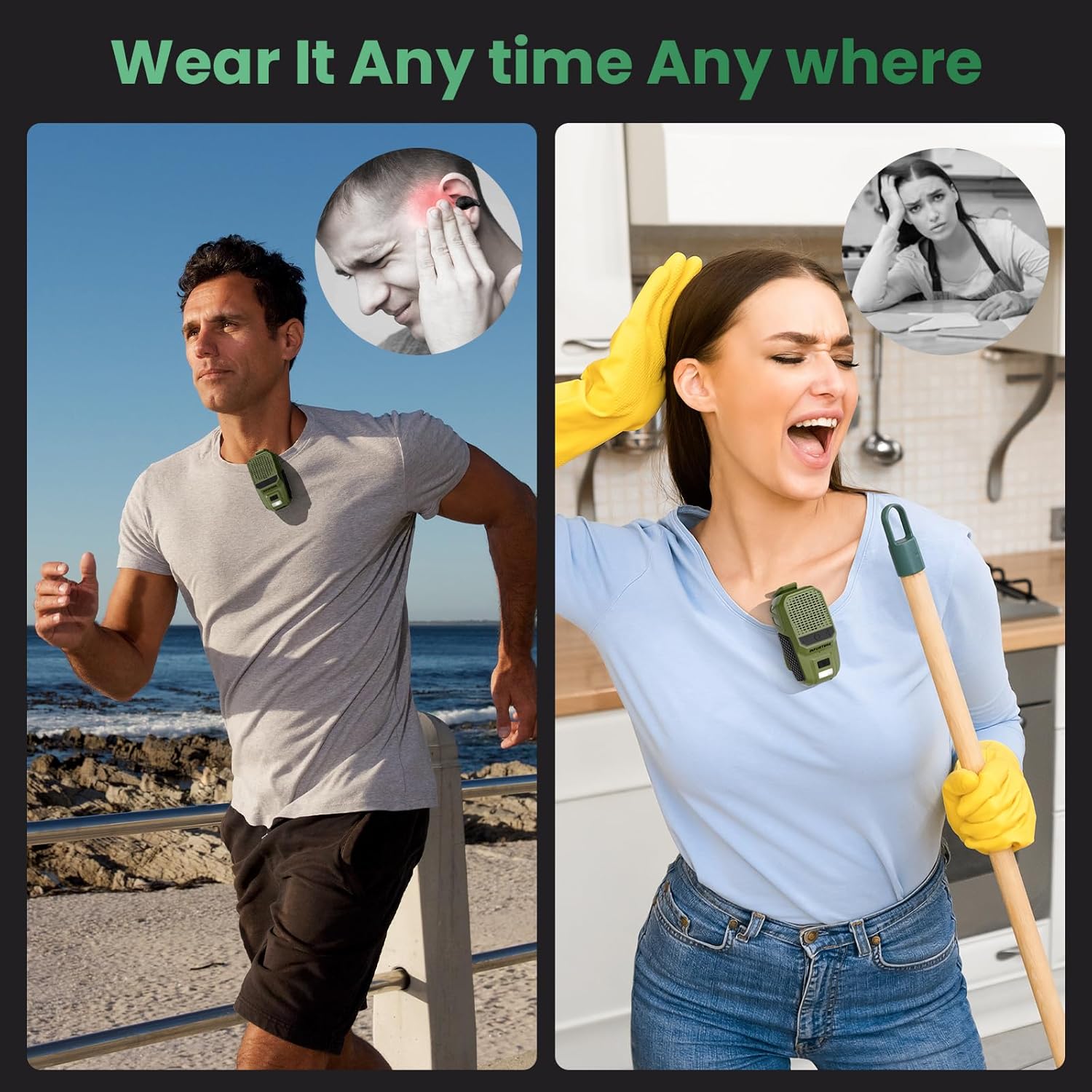
Irudia: Adibamples of the speaker being worn by individuals engaged in various activities, demonstrating its versatility and secure clip-on design for hands-free use.
5. Mantentzea
Zure bozgorailuen iraupena eta errendimendu optimoa bermatzeko, jarraitu mantentze-jarraibide hauek:
- Garbiketa: Garbitu bozgorailua zapi leun eta lehor batekin. Ez erabili garbitzaile edo disolbatzaile urratzailerik.
- Uraren erresistentzia: The speaker is IPX6 waterproof and dustproof, meaning it can withstand strong jets of water and dust ingress. However, it is not designed for submersion. Ensure the USB-C port cover is securely closed when exposed to water or dust.

Image: The INFURTURE speaker being splashed with water, visually representing its IPX6 waterproof and dustproof capabilities, suitable for outdoor use.
6. Arazoak
Bozgorailuarekin arazoak badituzu, jo ezazu honako arazo eta irtenbide ohikoenei:
- Bozgorailuak ez du pizten:
- Ziurtatu bozgorailua kargatuta dagoela. Konektatu energia-iturri batera USB-C kablea erabiliz.
- Press and hold the MFB button for 2-3 seconds to power on.
- Ezin da gailuarekin parekatu:
- Ensure the speaker is in pairing mode (LED flashing).
- Ziurtatu Bluetooth gaituta dagoela zure gailuan eta irismen-eremuan dagoela (10 metrora arte).
- Forget the speaker from your device's Bluetooth list and attempt to pair again.
- Berrabiarazi bozgorailua eta gailua.
- Soinurik ez edo bolumen baxua:
- Igo bolumena bai bozgorailuan bai konektatutako gailuan.
- Ensure the speaker is properly paired and connected to your device.
- Check if the audio source is playing correctly.
- Linterna ez dabil:
- Ziurtatu bozgorailuak bateria nahikoa duela.
- Short press the Flashlight button to activate.
7. Zehaztapenak
| Ezaugarri | Zehaztapena |
|---|---|
| Ereduaren izena | BH127AG |
| Marka | IZURRIA |
| Konektibitate Teknologia | Bluetooth 5.4 |
| Haririk gabeko komunikazio barrutia | Gehienez 10 metro (33 oin) |
| Hizlari mota | Eraikitakoa |
| Bozgorailuaren irteera-potentzia maximoa | 10 Watt |
| Audio irteera modua | Estereoa |
| Maiztasun Erantzuna | 20 KHz |
| Ezaugarri bereziak | Built-in Microphone, Dustproof, LED Light, Portable, Waterproof (IPX6), RGB Light |
| Gailu bateragarriak | Ordenagailu eramangarria, MP3 erreproduzitzailea, telefono adimenduna, tableta |
| Energia iturria | Bateriaren bidez |
| Bateriaren iraupena (erreprodukzio-denbora) | 15+ hours (18H at 80% volume) |
| Kargatzeko Denbora | Gutxi gorabehera 1.5 ordu (USB-C) |
| Flashlight Output | 80 lumen |
| Elementuaren pisua | 0.09 kilogramo (3.2 ontza) |
| Produktuaren neurriak | 1.97" L x 1.18" W x 3" H |
| Kontrol-metodoa | Ahotsa, botoia |
8. Bermea eta Laguntza
8.1 Berme mugatua
The INFURTURE Wearable Bluetooth Speaker BH127AG comes with a limited warranty. Please refer to the warranty card included in your package or contact INFURTURE customer support for details regarding warranty coverage and terms.
8.2 Bezeroarentzako laguntza
For any questions, technical assistance, or warranty claims, please contact INFURTURE customer support through the retailer where you purchased the product or visit the official INFURTURE webharremanetarako informazioa lortzeko gunea.