
1. Sarrera
This manual provides detailed instructions for the setup, operation, and maintenance of your Sootingot Smart Watch for Kids P70. This device is designed to offer a range of features including health monitoring, activity tracking, entertainment, and communication tools for children aged 3-12 years. Please read this manual thoroughly to ensure proper use and to maximize the watch's functionality.

Figure 1: Sootingot Smart Watch for Kids P70
2. Zer dago kutxan
Paketea irekitzean, egiaztatu honako elementu guztiak daudela:
- Erloju adimenduna
- Kargatzeko kablea
- Erabiltzailearen eskuliburua (dokumentu hau)
- Watch Band
3. Konfigurazioa
3.1. Gailua kargatzea
Before initial use, fully charge the smartwatch. Connect the provided charging cable to the watch's charging port and a compatible USB power adapter (not included). A full charge typically takes less than 2 hours. The watch has a standby time of over 25 days and approximately 7 days of normal use.
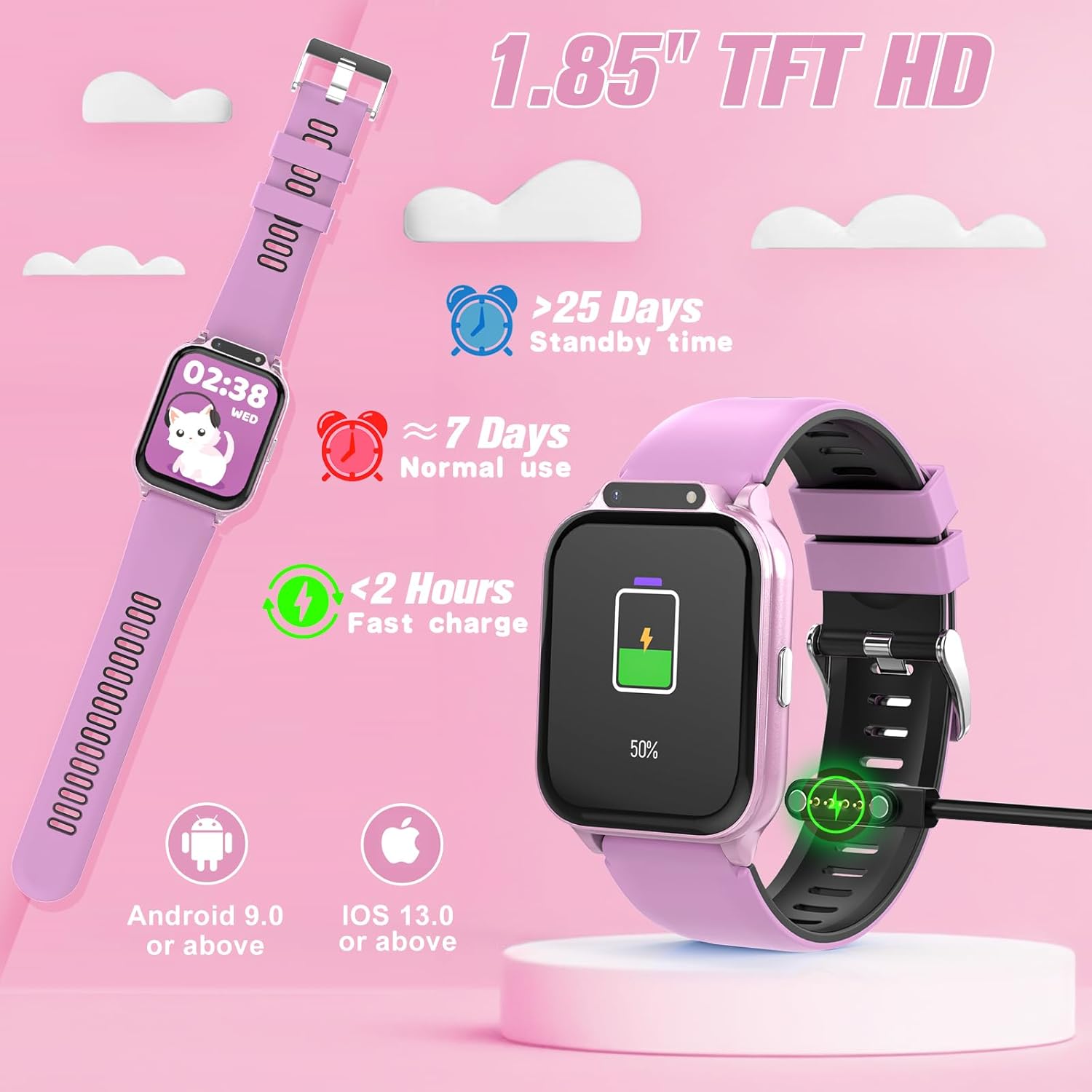
Figure 2: Charging and Battery Information
3.2. Piztu/Itzaltzea
To power on the watch, press and hold the side button until the screen illuminates. To power off, navigate to the settings menu on the watch, select 'Power Off', and confirm.
3.3. Aplikazioaren konexioa (aukerakoa)
The Sootingot Smart Watch can be used directly without a smartphone application. However, connecting to the companion app (HanFit) on a compatible smartphone (Android 9.0+ or iOS 13.0+) unlocks additional features such as more sports modes, customizable watch faces, and message reminders. The watch does not support a SIM card.

Figure 3: App Connectivity Overview
4. Funtzionamendu-argibideak
4.1. Nabigazioa
The watch features a 1.85-inch HD touch screen. Swipe left, right, up, or down to navigate through menus and functions. Tap to select an option.
4.2. Osasunaren jarraipena
The watch includes features to monitor heart rate, blood oxygen levels, and stress. These can be set for 24/7 detection. The sleep monitor provides insights into sleep stages (deep sleep, light sleep, awake) and offers tips for improving sleep quality.
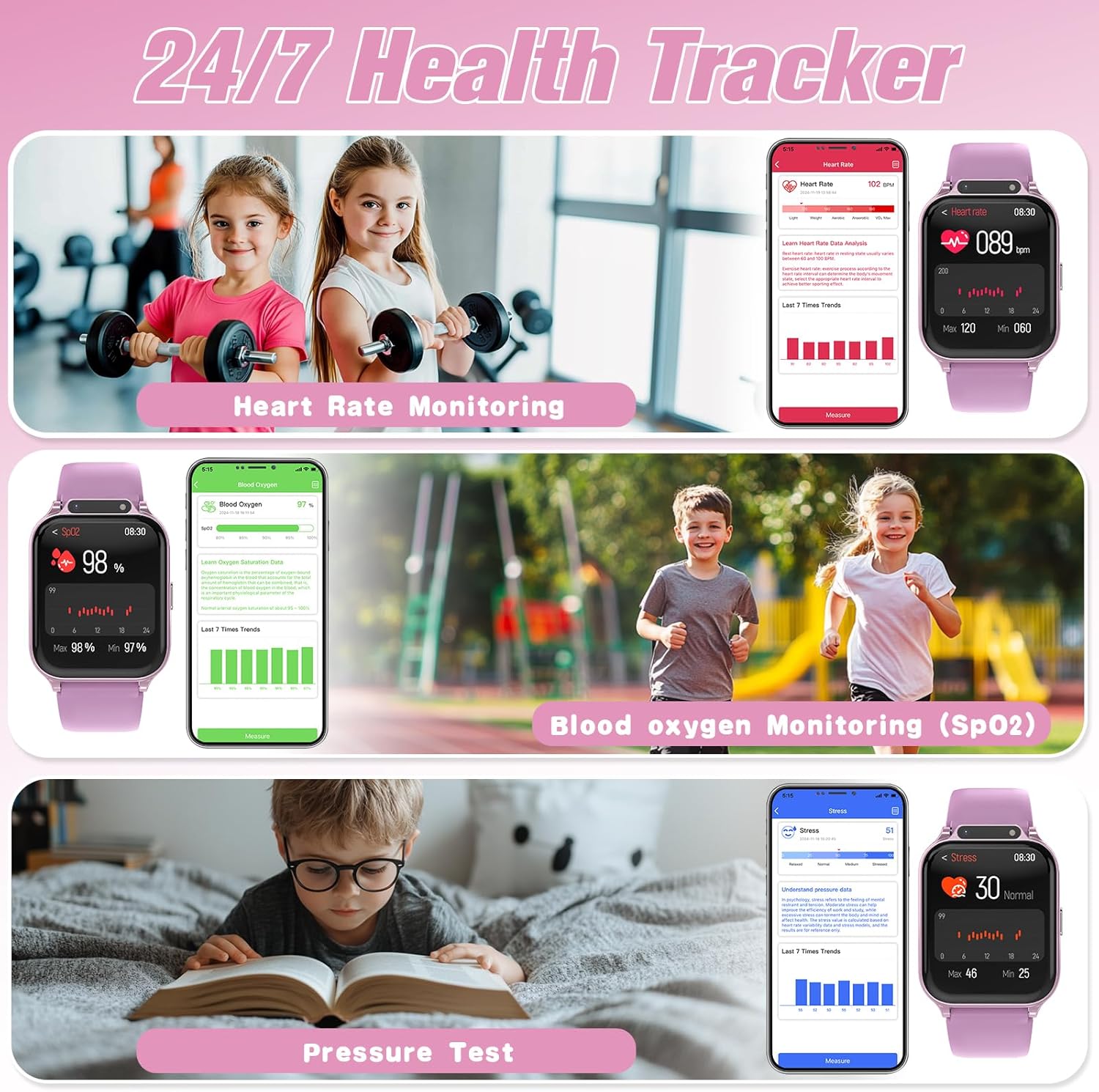
Figure 4: Health Tracking Features

Figure 5: Auto Sleep Mode
4.3. Sport Modes & Activity Tracking
The watch offers 22 built-in sport modes (over 100 with the app) to track various physical activities. It also functions as a step counter, recording steps, distance, and calories burned.
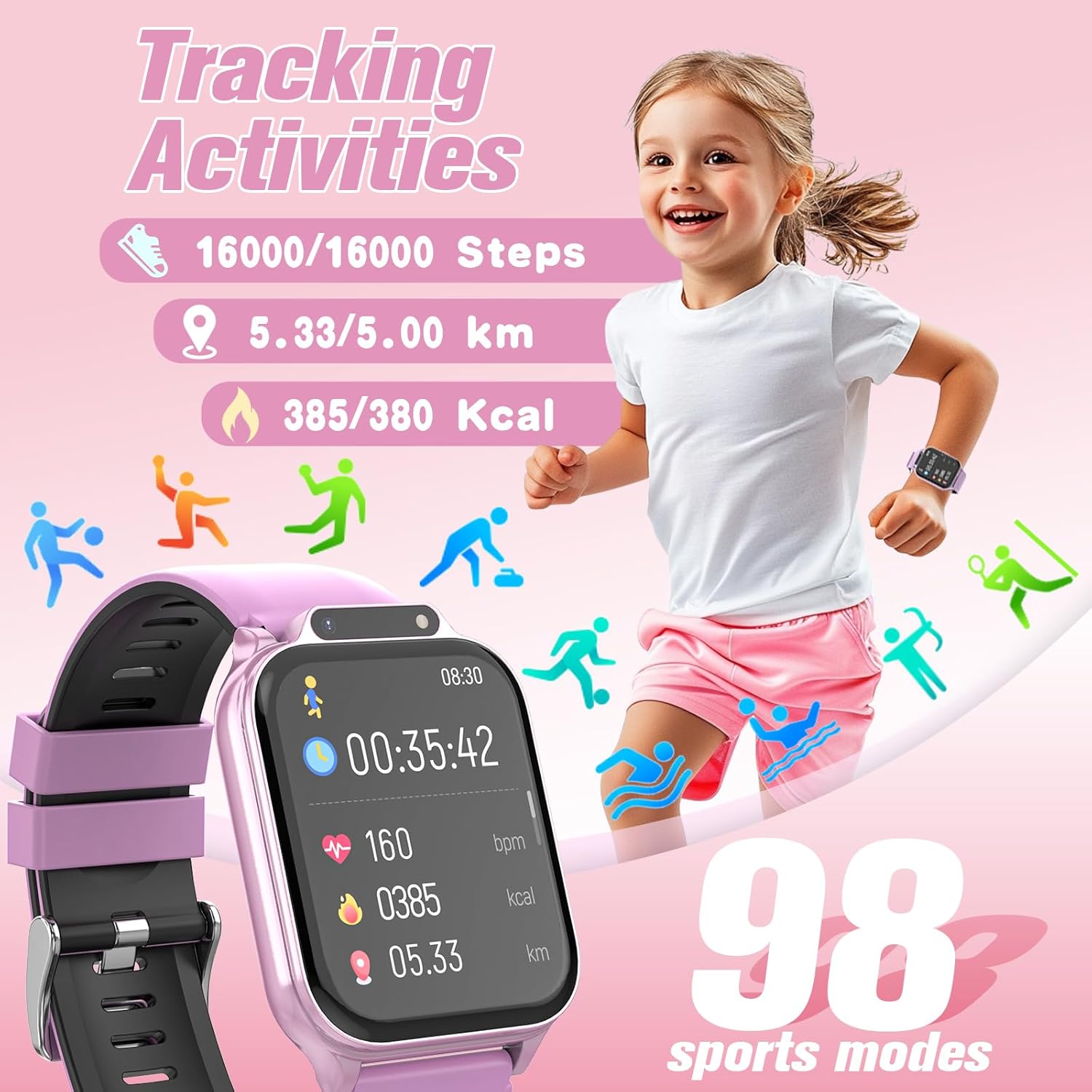
Figure 6: Activity Tracking
4.4. Customizable Dials
Personalize the watch face with over 140 pre-designed dials. When connected to the app, users can also customize their own dials using favorite pictures.

7. irudia: Erloju-markagailu pertsonalizagarriak
4.5. Class Mode & SOS Function
Klase Modua: Set specific times via the app to disable watch functions, helping children focus during school or other activities. During this mode, the SOS function remains active.
SOS funtzioa: In an emergency, press and hold the side button for 3 seconds to activate an alarm, attracting attention from those nearby.
4.6. Kamera
The watch includes a built-in camera for taking photos and recording short videos. Access the camera function from the main menu.
4.7. Entertainment & Learning
The watch features pre-loaded games, a storybook, audiobooks, and learning cards to engage and educate children.

Figure 8: Audiobooks and Learning Cards
4.8. Reward System
Parents can set tasks and rewards through the app. Children earn virtual gold coins upon completing customized tasks or workout goals, which can then be redeemed for rewards set by parents.

Figure 9: Reward System Interface
5. Mantentzea
5.1. IP68 Waterproofing
The Sootingot Smart Watch is IP68 extreme waterproof, meaning it is resistant to dust and can withstand immersion in water up to 1.5 meters for 30 minutes. It is suitable for daily activities such as hand washing, showering, and swimming. However, it is not recommended for deep diving or prolonged exposure to hot water/steam.
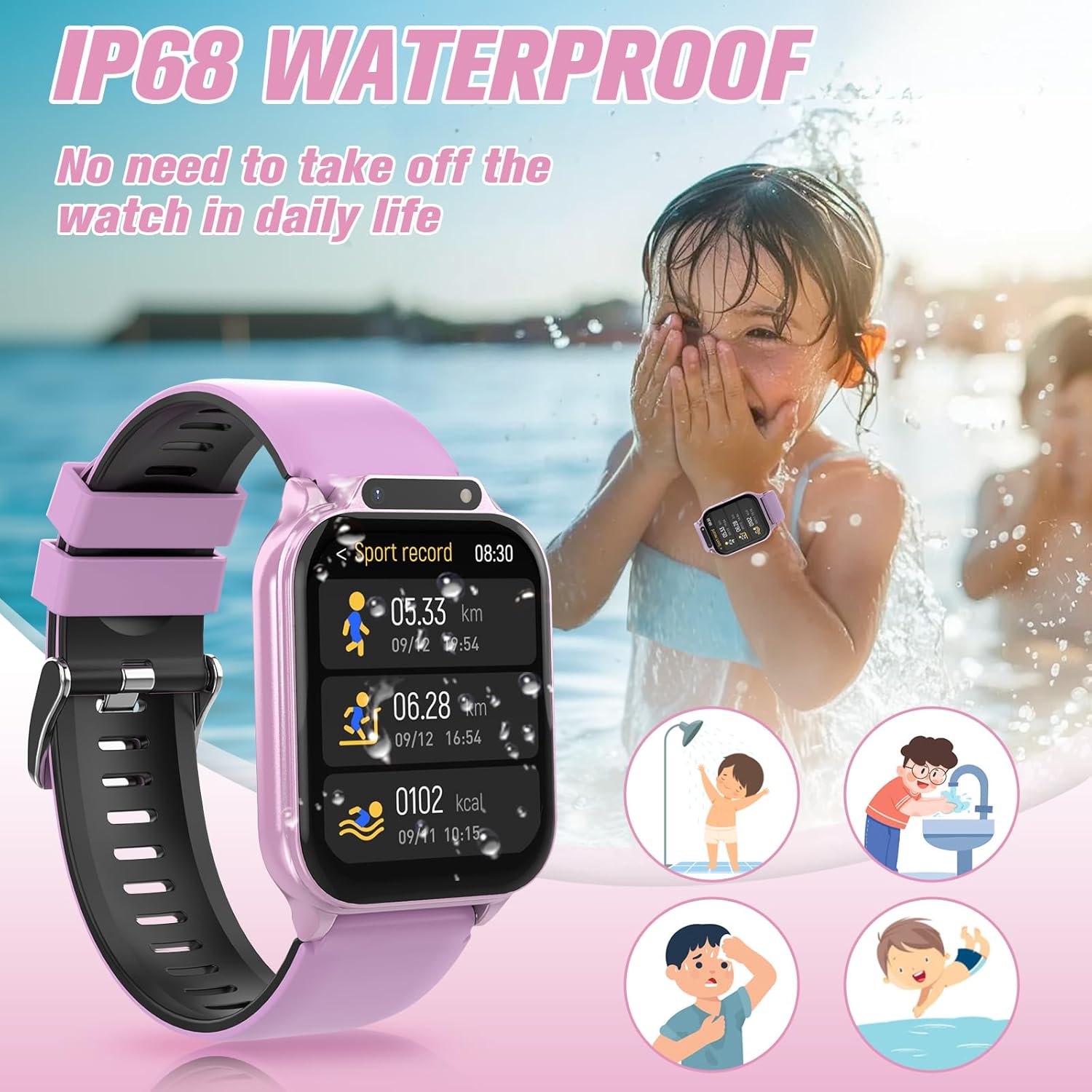
Figure 10: IP68 Waterproof Capabilities
5.2. Garbiketa
To clean the watch, wipe it with a soft, damp cloth. Avoid using harsh chemicals or abrasive materials, as these can damage the screen or casing.
6. Arazoak
If you encounter issues with your Sootingot Smart Watch, please refer to the following common solutions:
- Erlojua ez da pizten: Ziurtatu erlojua guztiz kargatuta dagoela. Konektatu kargagailura gutxienez 30 minutuz.
- Pantailak ez du erantzuten: Try restarting the watch by holding the side button for an extended period (approx. 10-15 seconds) until it powers off and then on again.
- Osasun-datu okerrak: Ziurtatu erlojua eskumuturrean ondo estututa dagoela, ez gehiegi estututa ez gehiegi solte. Garbitu erlojuaren atzealdeko sentsorea.
- Aplikazioen konexio arazoak: Ensure Bluetooth is enabled on your smartphone and the watch is within range. Update the HanFit app to the latest version.
- Bateriaren iraupen laburra: Reduce screen brightness, disable unnecessary notifications, and limit continuous health monitoring if not required.
Arazoak jarraitzen badute, jarri harremanetan bezeroarentzako arreta-zerbitzuarekin.
7. Zehaztapenak
| Ezaugarri | Zehaztapena |
|---|---|
| Modelo zenbakia | P70 |
| Pantailaren tamaina | 1.85 hazbete |
| Bistaratzeko mota | TFT HD Touch Screen |
| Uraren Erresistentzia | IP68 |
| Bateria Edukiera | 350 mAh |
| Konektibitatea | Bluetootha |
| Sistema eragileen bateragarritasuna | Android 9.0+, iOS 13.0+ |
| Memoria Biltegiratzeko Ahalmena | 512 MB |
| Elementuaren pisua | 3.2 ontza |
8. Bermea eta Laguntza
For warranty information or technical support, please refer to the contact details provided with your purchase or visit the official Sootingot webgunea. Gorde erosketa-agiria erosketaren frogagiri gisa, berme-erreklamazioetarako.