
Sarrera
Eskerrik asko erosketagatik.asing the Andoer Digital Camera H12. This manual provides detailed instructions for the proper use and maintenance of your camera. Please read this manual thoroughly before using the camera to ensure optimal performance and longevity.
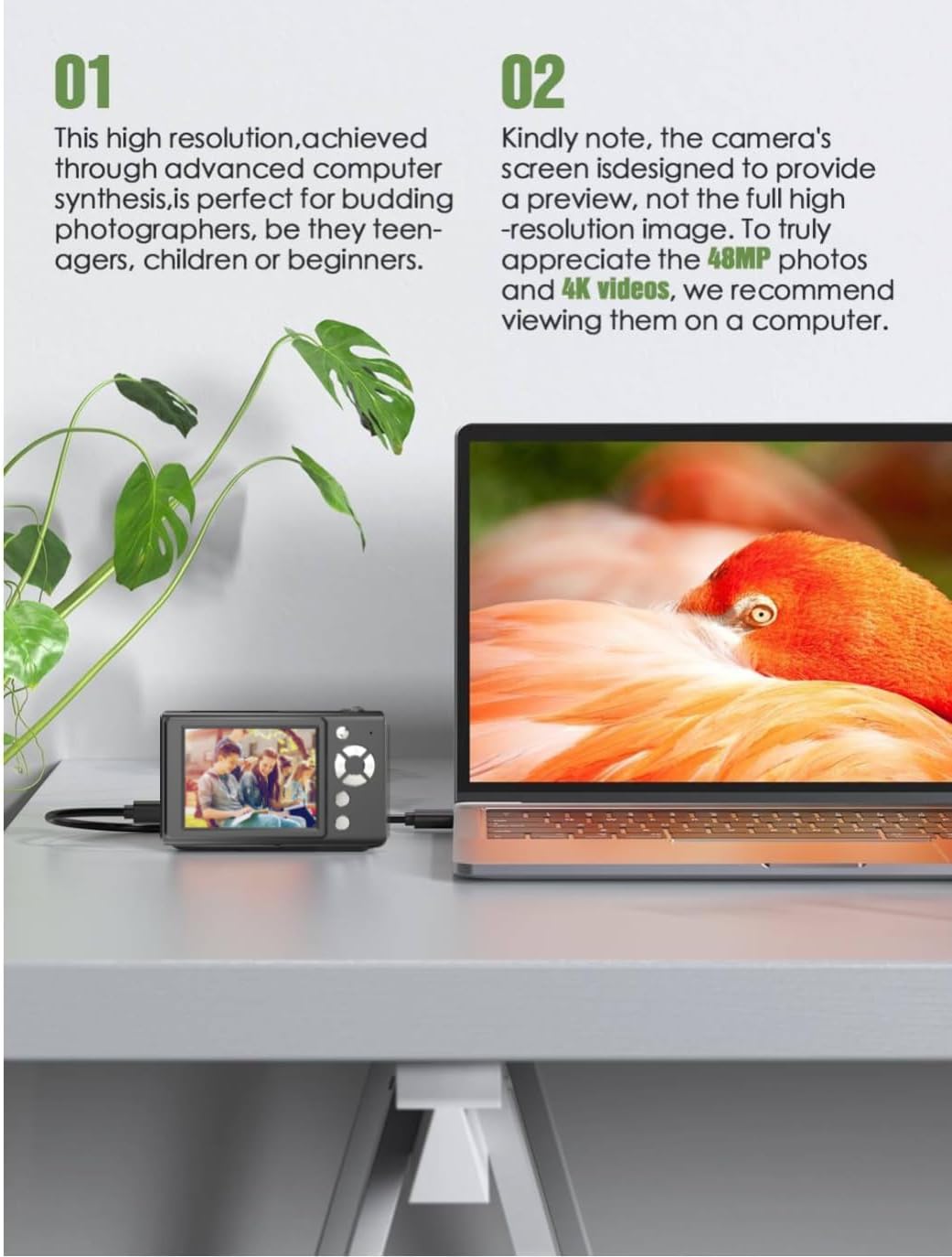
The Andoer H12 is a compact digital point-and-shoot camera featuring 1080P video recording, 48MP photo resolution, 16x digital zoom, autofocus, and an anti-shake function. It is designed for ease of use, making it suitable for various users.
Paketearen edukia
Mesedez, egiaztatu paketearen edukia kutxa irekitzean, elementu guztiak bertan daudela ziurtatzeko:
- 1 x Andoer Digital Camera H12
- 1 x USB kablea (C motakoa)
- 1 x eskumuturreko uhala
- 1 x 32 GB Memoria Txartela
- 1 x Txartel irakurgailua
- 1 x Erabiltzailearen eskuliburua
Konfigurazioa
1. Bateria kargatzea
The camera is equipped with a built-in 3.7V 700mAh lithium battery. Before first use, fully charge the battery.
- Connect the included Type-C USB cable to the camera's USB port.
- Konektatu USB kablearen beste muturra USB elikatze-egokitzaile batera (ez dago barne) edo ordenagailuaren USB ataka batera.
- The charging indicator light will illuminate. Once charging is complete, the indicator light will change or turn off.
Oharra: A full charge typically takes approximately 2-3 hours. Do not use the camera while it is charging.
2. Memoria txartela sartzea
The camera supports TF (MicroSD) cards up to 128GB. A 32GB memory card is included in the package.
- Bilatu memoria txartelaren zirrikitua kameraren alboan.
- Gently insert the TF card into the slot with the metal contacts facing the front of the camera until it clicks into place.
- To remove the card, gently push it in again until it springs out.

3. Eskumuturreko uhala lotzea
Attach the included wrist strap to the camera for added security and to prevent accidental drops.
- Thread the thin loop of the wrist strap through the strap eyelet on the camera body.
- Pass the larger end of the strap through the thin loop and pull tight to secure it.
Funtzionamendu-argibideak
1. Piztu/Itzali
- To power on, press and hold the power button until the screen illuminates.
- Itzaltzeko, sakatu eta eutsi berriro pizteko botoia pantaila itzali arte.
- The camera features an auto power-off function (off/3 mins/5 mins) which can be configured in the settings.
2. Argazkiak ateratzea
- Turn on the camera. The camera will typically start in photo mode.
- Markatu zure argazkia 2.8 hazbeteko IPS pantaila erabiliz.
- Press the shutter button halfway down to activate autofocus. The camera will recognize and track subjects.
- Once focus is achieved (indicated by a green frame), press the shutter button fully to take the picture.

3. Bideoak grabatzea
- Switch to video mode (refer to the camera's on-screen interface for the mode switch button).
- Press the shutter button to start recording. A red indicator or timer will appear on the screen.
- Sakatu obturadorearen botoia berriro grabaketa gelditzeko.
The camera supports 1080P and 720P video resolutions in AVI format. Loop recording can be set for 3, 5, or 10 minutes.
4. Zoom funtzioa
Use the zoom buttons (usually marked 'W' for Wide and 'T' for Telephoto) to adjust the 16x digital zoom. This allows you to magnify distant subjects.

5. LED Fill Light
The camera features a built-in ring LED fill light with three lighting modes to assist in low-light conditions.
- Argi zuria: Bright, even, and soft illumination.
- Argi zuri epela: Pure natural light, soft and comfortable.
- Argi horia: Warm color adjustment for a warm atmosphere.
Access and cycle through these modes via the camera's menu or a dedicated button (refer to the on-screen interface).

6. Beste funtzio batzuk
- Selfie tenporizadorea: Options for off, 2s, 5s, or 10s delay before taking a photo.
- Etengabeko filmaketa: Capture a series of photos rapidly.
- Astinduen aurkakoa: Helps reduce blur caused by camera movement.
- Iragazki-efektuak: Various built-in filters to enhance your photos.
- Jolasak: Includes 4 simple games for entertainment.
- MP3 erreprodukzioa: Download MP3 music to the memory card and play it through the camera.

Mantentzea
- Kameraren gorputza garbitzea: Erabili zapi leun eta lehor bat kameraren gorputza garbitzeko. Zikinkeria egoskorra bada, garbitu pixka batampen the cloth with water and then wipe dry. Avoid using chemical cleaners.
- Lentea eta pantaila garbitzea: Use a specialized lens cleaning cloth or brush to gently remove dust and smudges. Do not use abrasive materials or excessive force.
- Biltegiratzea: When not in use for extended periods, store the camera in a cool, dry place away from direct sunlight and extreme temperatures. Remove the memory card if not in use.
- Bateria zaintzea: Avoid fully discharging the battery frequently. Charge the battery regularly, even if the camera is not in use, to maintain battery health.
- Uraren erresistentzia: Kamera hau da ez da urarekiko erresistentea. Avoid exposure to water, rain, or high humidity.
Arazoak konpontzea
| Arazoa | Kausa posiblea | Irtenbidea |
|---|---|---|
| Kamera ez da pizten. | Bateria agortuta dago edo ez dago kargatuta. | Charge the camera battery fully using the provided USB cable. |
| Ezin dira argazkiak atera/bideoak grabatu. | Memory card is full, not inserted correctly, or corrupted. | Check if the memory card is inserted correctly. Delete unnecessary files or replace the memory card. Format the card if necessary (this will erase all data). |
| Irudiak lausoak dira. | Autofocus failed, camera shake, or dirty lens. | Ensure autofocus is engaged. Hold the camera steady or use the anti-shake function. Clean the lens with a soft cloth. |
| Pantaila hutsik edo izoztuta dago. | System error or temporary malfunction. | Press and hold the power button for 10 seconds to force a shutdown, then restart the camera. If the issue persists, contact customer support. |
| Ezin da transferitu files ordenagailura. | Incorrect cable connection or driver issue. | Ensure the USB cable is securely connected. Try a different USB port or computer. Use the included card reader to transfer files zuzenean memoria-txarteletik. |
Zehaztapenak
| Ezaugarri | Xehetasuna |
|---|---|
| Ereduaren izena | H12 |
| Bistaratzea | 2.8 hazbeteko IPS LCD |
| Argazki Ebazpena | Up to 48MP (48M, 40M, 24M, 20M, 18M, 16M, 12M, 10M, 8M, 5M, 3M, 2M, 1M) |
| Argazki formatua | JPG |
| Bideo Ebazpena | 1080P, 720P |
| Bideo formatua | AVI |
| Zoom digitala | 16X |
| Foku automatikoa | Yes (Contrast Detection, 9 points) |
| Irudi Egonkortzea | Optikoa |
| Sentsore mota | CMOS (1/4-inch) |
| Biltegiratzea | TF card, max. 128GB (32GB included) |
| Bateria | Built-in Lithium Battery (3.7V 700mAh) |
| Kargatzeko Interfazea | USB C motakoa |
| Selfie tenporizadorea | Off/ 2s/ 5s/ 10s |
| Itzali automatikoa | Off/ 3 mins/ 5 mins |
| Loop Grabaketa | 3 mins/ 5 mins/ 10 mins |
| Eraikitako Ezaugarriak | LED Fill Light (3 modes), Filter Effects, 4 Games, MP3 Playback |
| Produktuaren Tamaina | 103 x 31 x 65 mm |
| Produktuaren pisua | 149g (camera body) / 260g (item weight including packaging/accessories) |
| Uraren Erresistentzia Maila | Ez Urarekiko Erresistentea |
Bermearen informazioa
The Andoer Digital Camera H12 comes with a 1 urteko bermea from the date of purchase. This warranty covers manufacturing defects and malfunctions under normal use. It does not cover damage caused by misuse, accidents, unauthorized repairs, or natural disasters.
Mesedez, gorde zure erosketa-froga berme-erreklamazioetarako.
Bezeroarentzako Arreta
If you encounter any issues or have questions not covered in this manual, please contact Andoer customer support. You can typically find support contact information on the official Andoer webgunea edo zure dendariaren bidez.
Laguntza gehiago behar baduzu, bisitatu Andoer Store on Amazon.