
FLEXISPOT E6
FLEXISPOT E6 Electric Height Adjustable Standing Desk Instruction Manual
Model: E6 (White Frame + 55"x24" Solid Wood Desktop)
Sarrera
This manual provides detailed instructions for the assembly, operation, and maintenance of your FLEXISPOT E6 Electric Height Adjustable Standing Desk. Please read this manual thoroughly before assembly and use to ensure proper function and safety. Keep this manual for future reference.

Image: The FLEXISPOT E6 standing desk in a home office setting.
Segurtasun Informazioa
Mahaiari lesioak edo kalteak saihesteko, jarraitu segurtasun-jarraibide hauek:
- Erabili aurretik, ziurtatu beti mahaia behar bezala muntatuta eta egonkor dagoela.
- Ez gainditu 220 lb (100 kg) gehienezko pisuaren muga.
- Keep the work area clear of obstacles to prevent accidents during height adjustment.
- Always use both hands when adjusting the desk height to maintain stability.
- Never leave children unattended near the desk.
- Ensure all cables are properly managed to avoid entanglement during movement.
- Saihestu likidoak zuzenean kontrol-panelean edo osagai elektrikoen ondoan jartzea.

Image: Anti-collision system diagram.
Konfigurazioa eta Muntaketa
Follow these steps to assemble your FLEXISPOT E6 standing desk. It is recommended to have assistance for certain steps due to the weight of components.
1. Osagaiak deskonprimitu
Carefully unpack all components and verify against the parts list provided in your packaging. Ensure all parts are present and undamaged.
2. Muntatu markoa
Begin by assembling the crossbeams and pedestals. Ensure screws are aligned with square holes in the cross member and pressed tightly. Pre-tighten all screws for installing the cross beams, then tighten them simultaneously.
Video: FLEXISPOT E6 Essential Standing Desk Installation Guide. This video demonstrates the step-by-step assembly process for the desk frame and desktop attachment.
3. Attach the Desktop
Carefully place the desktop upside down on a soft, clean surface. Position the assembled frame onto the desktop, ensuring proper alignment. The distance between the supporting bracket and the edge of the tabletop should not exceed 200mm. Secure the frame to the desktop using the provided screws. Use a drill for efficiency, but ensure not to overtighten.

Image: The assembled desk with a light wood top and white frame.
4. Install Keypad and Cable Management
Attach the intelligent keypad to the underside of the desktop. Ensure the keypad is on the same side as the adapter bracket and its curved edge is flush with the edge of the table top. Connect all necessary cables (AC power cable, power adaptor, extension cord) to the control box and motors. Utilize the cable clips for organized cable management.
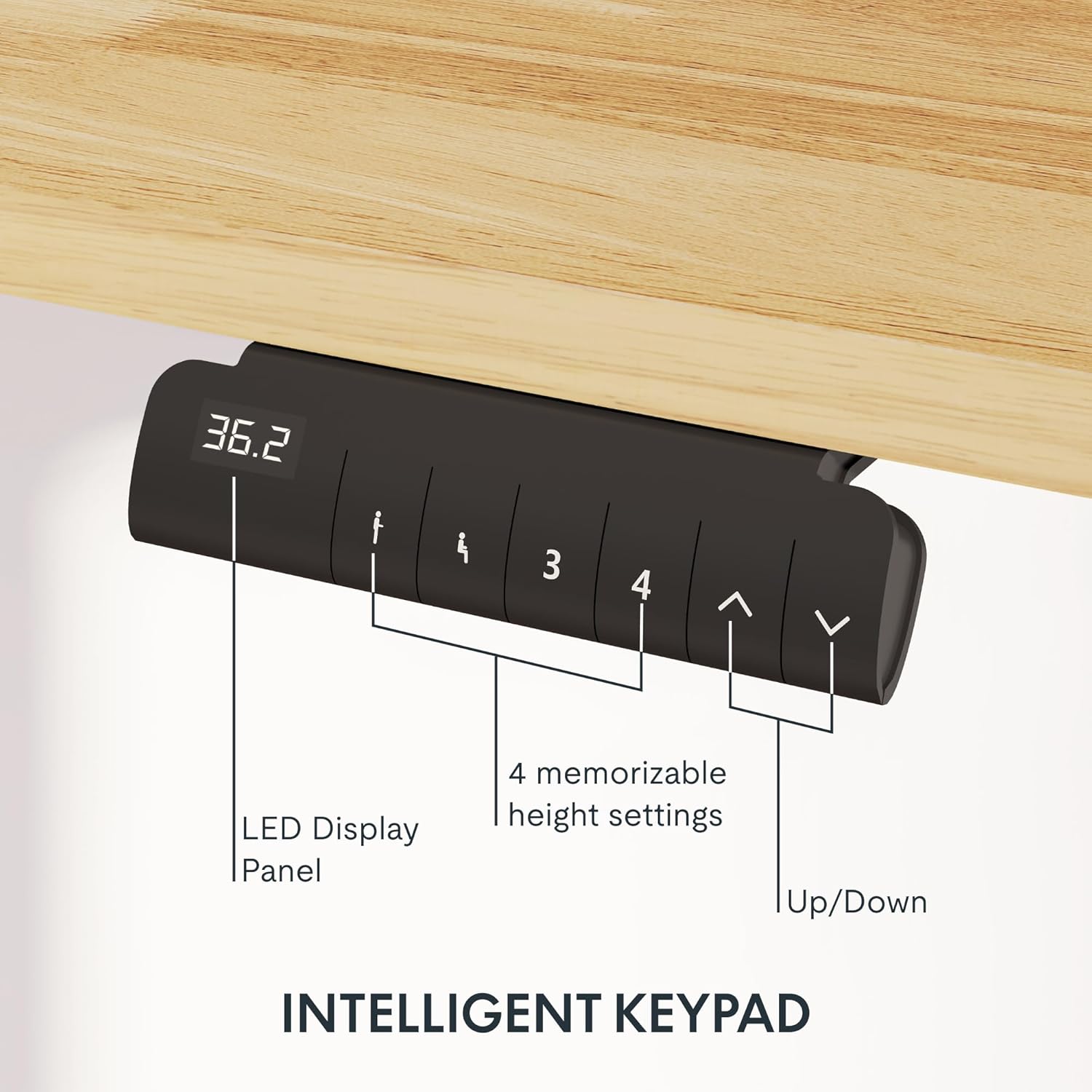
Image: Close-up of the intelligent keypad for height adjustment.
Funtzionamendu-argibideak
Your FLEXISPOT E6 desk features a dual-motor system for smooth and quiet height adjustments.
Altuera doitzea
- Erabili Up eta Behera arrows on the keypad to manually adjust the desk height.
- The LED display panel will show the current height.
Memoria aurrezarpenak
The keypad includes four memorizable height settings for convenience:
- Egokitu mahaia nahi duzun altuerara Gora/Behera geziak erabiliz.
- Sakatu M button (or similar memory set button) followed by a number button (1, 2, 3, or 4) to save the current height to that preset.
- Gordetako altuera berreskuratzeko, sakatu dagokion zenbaki-botoia.

Image: Illustration of the desk's height adjustment range.
Mantentzea
Mantentze-lan erregularrak zure zutikako mahaiaren iraupena eta errendimendu optimoa bermatzen ditu.
- Garbiketa: Garbitu mahaigaina eta markoa zapi leun batekinamp oihal. Saihestu garbitzaile urratzaileak edo akabera kaltetu dezaketen produktu kimiko gogorrak.
- Kableen kudeaketa: Periodically check and reorganize cables to prevent tangling or damage, especially after moving the desk.
- Torlojuen estutasuna: Occasionally check all screws and bolts to ensure they are securely tightened. Retighten if necessary.
- Pisuaren banaketa: Distribute weight evenly across the desktop to prevent strain on the motors and frame.
Arazoak konpontzea
If you encounter issues with your FLEXISPOT E6 desk, refer to the following common solutions:
- Mahaia ez da mugitzen: Check all power connections. Ensure the power adapter is securely plugged into both the wall outlet and the control box.
- Mugimendu irregularra: Perform a reset procedure (refer to the specific reset instructions in your packaged manual, as procedures can vary). Ensure no obstacles are impeding movement.
- Errore-kodeak: If an error code appears on the LED display, consult the full product manual for specific code meanings and solutions.
- Funtzionatzean zarata: A slight hum is normal for dual motors. Excessive or unusual noise may indicate loose components; check all connections and screws.
For persistent issues, please contact FLEXISPOT customer support.
Zehaztapenak
Key specifications for the FLEXISPOT E6 Electric Height Adjustable Standing Desk:
| Ezaugarri | Xehetasuna |
|---|---|
| Marka | FLEXISPOT |
| Modelo zenbakia | E6 |
| Mahaigaineko materiala | Rubber Solid Wood (FSC-Certified) |
| Markoaren materiala | Metala |
| Produktuaren neurriak (L x W x H) | 55.1" x 23.6" x 23.6" (at minimum height) |
| Mahaigainaren Tamaina | 55"x24" (Whole-piece) |
| Gutxieneko Altuera | 23.6 hazbetekoa |
| Gehienezko Altuera | 48.8 hazbetekoa |
| Gehienezko pisu-gaitasuna | 220 kilo |
| Motor Mota | Motor Dualak |
| Zarata Maila | 45 dB baino gutxiago |
| Kontrol panela | Intelligent Keypad with LED Display and 4 Memory Presets |
| Ezaugarri bereziak | Anti-collision system, Finger Joint Design |
| Muntaia Beharrezkoa | Bai |
| Muntatzeko gomendatutako tresnak | Bihurkin |
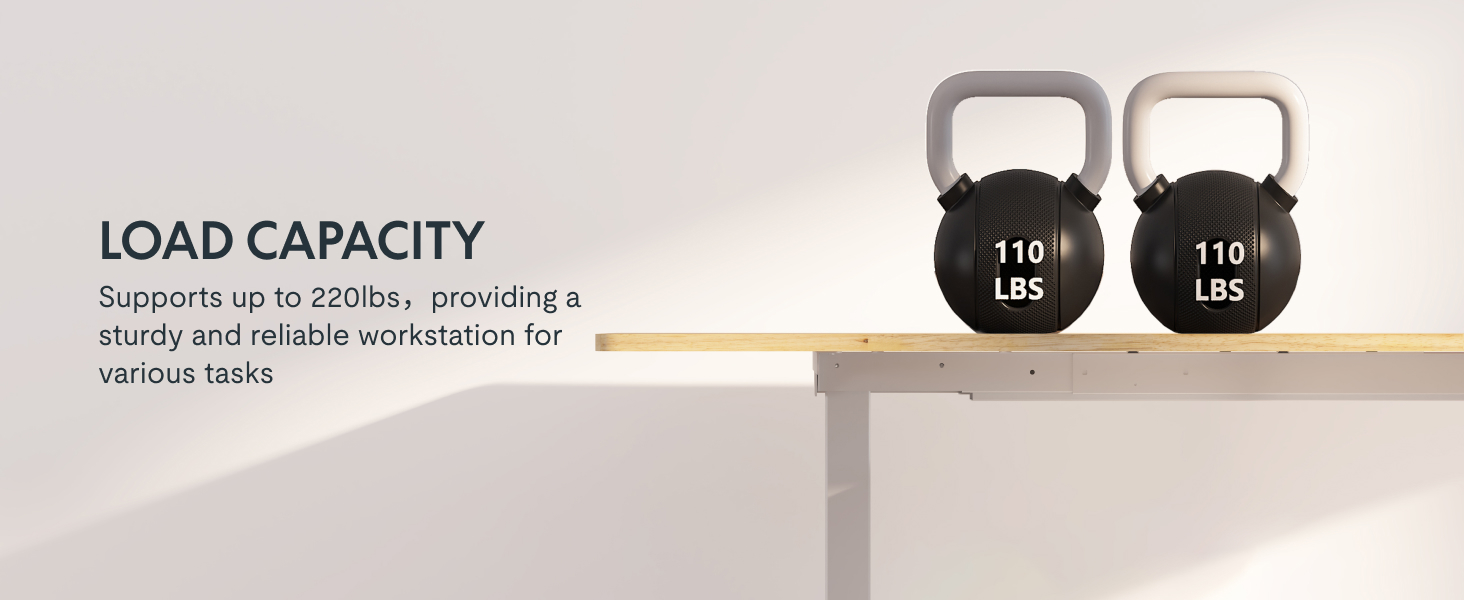
Image: Desk illustrating its 220 lbs maximum load capacity.
Bermea eta Laguntza
FLEXISPOTek berme-estaldura osoa eskaintzen du zure lasaitasunerako:
- 5 Urteko Estaldura: Mahaiaren egiturari eta motorrei aplikatzen zaie.
- 2 Urteko Estaldura: Kontrol-panelean eta elektronikan aplikatzen da.
For any assistance, warranty claims, or product inquiries, please contact FLEXISPOT customer support. You can find contact information on the official FLEXISPOT webgunea edo zure erosketa plataformaren bidez.
Returnable until January 31, 2026.
Ask a question about this manual
Ask about setup, troubleshooting, compatibility, parts, safety, or missing instructions. Manuals+ will review the question and use this page’s manual context to help answer it.