
1. Sarrera
The TRIGKEY Key-N150 Mini PC is a compact and efficient computer designed for various tasks, from office work to media entertainment. It features an Intel Twin Lake N150 processor, 16GB DDR4 RAM, and a 500GB M.2 PCIeX4 SSD, offering reliable performance in a small form factor. This manual provides essential information for setting up, operating, and maintaining your Mini PC.

1.1. irudia: Aurrealdea view of the TRIGKEY Key-N150 Mini PC.
2. Paketearen edukia
Mesedez, egiaztatu paketea elementu hauek dituen:
- TRIGKEY Key-N150 Mini PC
- Erabiltzailearen eskuliburua
- HDMI kablea (1 m)
- AC Power Cable (Optional: US/EU/UK/JP/AU)
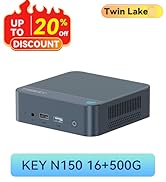
Image 2.1: TRIGKEY Key-N150 Mini PC and included accessories.
3. Produktua amaitu daview
The Key-N150 Mini PC is equipped with a variety of ports and internal components to support its functionality.
3.1 Front and Rear Panel Interfaces

Image 3.1: Front panel of the Mini PC, showing USB ports and audio jack.

Image 3.2: Rear panel of the Mini PC, showing AC power, USB, LAN, and HDMI ports.
The Mini PC features:
- Aurrealdea: 3.5mm Audio Jack, USB 2.0, USB 3.2 (10Gbps), Power Button, Power Indicator Light.
- Atzekoa: AC Power Input, USB 3.2 (10Gbps) x2, LAN (1000M) x2, HDMI x2.
3.2 Barne osagaiak
3.3. irudia: Lehertua view showing the internal components of the Mini PC, including the CPU, fan, RAM, and SSD slots.
Key internal features include:
- Prozesadorea: Intel Twin Lake N150 (4 Cores/4 Threads, up to 3.60GHz).
- Grafikoak: Intel UHD Graphics (24EUs, 1000MHz).
- Memoria: 16GB DDR4 3200MHz SO-DIMM (single channel, expandable).
- Biltegiratzea: 500GB M.2 PCIeX4 SSD (supports dual M.2 2280 SSDs, up to 2TB expansion).
- Haririk gabeko konektagarritasuna: WiFi 5 eta Bluetooth 5.0.
- Elikatze-iturria: Built-in 45W PSU.

Image 3.4: Details of the Intel Twin Lake N150 processor, highlighting its 3.6 GHz max turbo frequency, 4 cores, and 4 threads.

Image 3.5: Illustration of the 16GB DDR4 SO-DIMM RAM and the dual M.2 2280 SSD slots for storage expansion.
4. Konfiguratzeko argibideak
Follow these steps to set up your TRIGKEY Key-N150 Mini PC:
- Pantaila batera konektatu: Use an HDMI cable to connect the Mini PC to your monitor or TV. The device supports dual HDMI output for multiple displays.
- Konektatu periferikoak: Konektatu zure USB teklatua eta sagua eskuragarri dauden USB ataketan.
- Konektatu sarera: For a wired connection, connect an Ethernet cable to one of the two LAN ports. For wireless, ensure your WiFi network is available during initial setup.
- Piztu: Connect the AC power cable to the Mini PC and then to a power outlet. Press the power button on the front panel.
- Hasierako abiarazpena: The Mini PC will boot up. Follow the on-screen instructions to complete the operating system setup (if not pre-configured).
4.1. bideoa: Over batview of the TRIGKEY Key-N150 Mini PC, demonstrating its features and connectivity options. This video provides a visual guide to the product's design and capabilities.
5. Funtzionamendu-argibideak
5.1 Oinarrizko funtzionamendua
Once set up, your Mini PC functions like a standard desktop computer. You can perform tasks such as web browsing, media playback, and office applications.

Image 5.1: The Mini PC supports various applications including web browsing, media entertainment, office work, and 4K video playback.
5.2 Dual Display Setup
The Mini PC supports connecting two monitors via its dual HDMI ports. To configure dual displays:
- Connect both monitors to the HDMI ports on the rear of the Mini PC.
- Power on the Mini PC and both monitors.
- The operating system should automatically detect both displays. You can adjust display settings (extend, duplicate, primary display) through your OS display settings.
5.3 Intel Unison App
The Intel Unison App allows seamless connection between your Mini PC and mobile devices. This enables features such as:
- Viewing photo galleries from your PC.
- Extending your PC screen with a tablet.
- Making and receiving phone calls from your PC.
- Transferitzea files between phone/tablet and PC.
- Sending and receiving text messages from your PC.
- Managing device notifications from a single source.

Image 5.2: The Intel Unison App facilitates seamless connectivity and data transfer between your Mini PC and mobile devices.
6. Mantentzea
To ensure the longevity and optimal performance of your Mini PC, consider the following maintenance tips:
- Mantendu garbi: Regularly clean the exterior of the Mini PC with a soft, dry cloth. Ensure ventilation holes are free from dust and obstructions to maintain efficient cooling.
- Software eguneraketak: Keep your operating system and drivers updated to the latest versions for security and performance improvements.
- Itzaltze egokia: Itzali beti Mini PCa behar bezala sistema eragilearen bidez, datuak hondatzea saihesteko.
- Ingurumen-baldintzak: Operate the Mini PC in a well-ventilated area, away from direct sunlight, excessive heat, and moisture.

Image 6.1: The Mini PC features an efficient cooling system to ensure stable operation and heat dissipation.
7. Arazoak
If you encounter issues with your Mini PC, refer to the following common solutions:
- Potentziarik gabe: Ensure the AC power cable is securely connected to both the Mini PC and the power outlet. Try a different power outlet.
- Ez dago pantailarik: Check that the HDMI cable is firmly connected to both the Mini PC and the monitor. Verify the monitor is powered on and set to the correct input source. Try a different HDMI cable or monitor if possible.
- Ez dago Interneteko konexiorik: For wired connections, check the Ethernet cable and router status. For wireless, ensure Wi-Fi is enabled in the operating system and you are connected to the correct network with the correct password.
- Periferikoak ez dute funtzionatzen: Ensure USB devices are properly plugged into the USB ports. Try different USB ports or restart the Mini PC.
- Sistemaren moteltzea: Itxi beharrezkoak ez diren aplikazioak. Egiaztatu baliabide asko kontsumitzen dituzten atzeko planoan dauden prozesuak. Ziurtatu biltegiratze leku nahikoa libre.
- Ustekabeko itzalaldiak: Ensure the Mini PC is in a well-ventilated area and not overheating. Check for any recent software or driver installations that might be causing instability.
If problems persist, consult the TRIGKEY support resources mentioned in the Warranty and Support section.
8. Zehaztapenak
| Ezaugarri | Xehetasuna |
|---|---|
| Marka | TRIGKEY |
| Modelo zenbakia | KEY N150 |
| CPU eredua | Intel Twin Lake N150 (Celeron) |
| CPU Abiadura | Gehienez 3.6 GHz |
| Prozesadore kopurua | 4 |
| Koprozesadore grafikoa | Intel UHD grafikoak |
| RAM memoria instalatuta | 16 GB DDR4 SDRAM |
| Memoria Abiadura | 3200 MHz |
| Memoria zirrikituak eskuragarri | 1 |
| Memoria Biltegiratzeko Ahalmena | 500 GB |
| Disko gogorraren deskribapena | 500GB M.2 PCIeX4 SSD |
| Sistema eragilea | OS (Pre-installed) |
| Konektibitate Teknologia | Bluetooth, Ethernet, HDMI, Wi-Fi |
| Haririk gabeko bateragarritasuna | 802.11ac (Wi-Fi 5), Bluetooth 5.0 |
| USB portuak guztira | 3 (USB 3.2 x2, USB 2.0 x1) |
| Total Number of HDMI Ports | 2 |
| Bistaratzeko Gehienezko bereizmena | 3840x2160 (4K) |
| Hozteko metodoa | Passive (with fan for efficient heat dissipation) |
| Entxufe mota | Type A - 2 pin (North American) |
| Kolorea | Grisa |
9. Bermea eta Laguntza
TRIGKEY is committed to providing excellent customer service and support for your Mini PC.
- Erantzun azkarra: Support inquiries receive a reply within 24 hours.
- Itzultzeko politika: 30 eguneko itzulketa politika.
- Ordezkoa: Ordezkoa erosketa egin eta 12 hilabeteko epean eskuragarri.
- Bizi osorako laguntza: Bizitza osorako salmenta osteko zerbitzua eta laguntza teknikoa.

Image 9.1: TRIGKEY's commitment to customer service, including response times, return policy, replacement period, and lifetime technical support.
Jarri gurekin harremanetan
For further assistance, technical support, or warranty claims, please use the following channels:
- Posta elektronikoa: Refer to your product packaging or the official TRIGKEY website for email contact information.
- Webgunea: Visit the official TRIGKEY webMaiz egiten diren galderen, gidarien eta laguntza-baliabideen gunea.
- Online Consultation: Check the TRIGKEY store page for online chat or consultation options.

Image 9.2: Various contact methods for TRIGKEY customer service and technical support.