
1. Sarrera
The TELE System TS4020 PRO is an advanced and versatile digital decoder designed for receiving both terrestrial and satellite television broadcasts. It features dual DVB-T/T2 and DVB-S/S2 tuners, supporting HEVC HD, HDR10, and HLG for high-quality video. This device allows access to a wide range of free-to-air TV and radio channels without a subscription. Additionally, its USB port enables media playback of music, photos, and videos, transforming the decoder into a home entertainment hub.
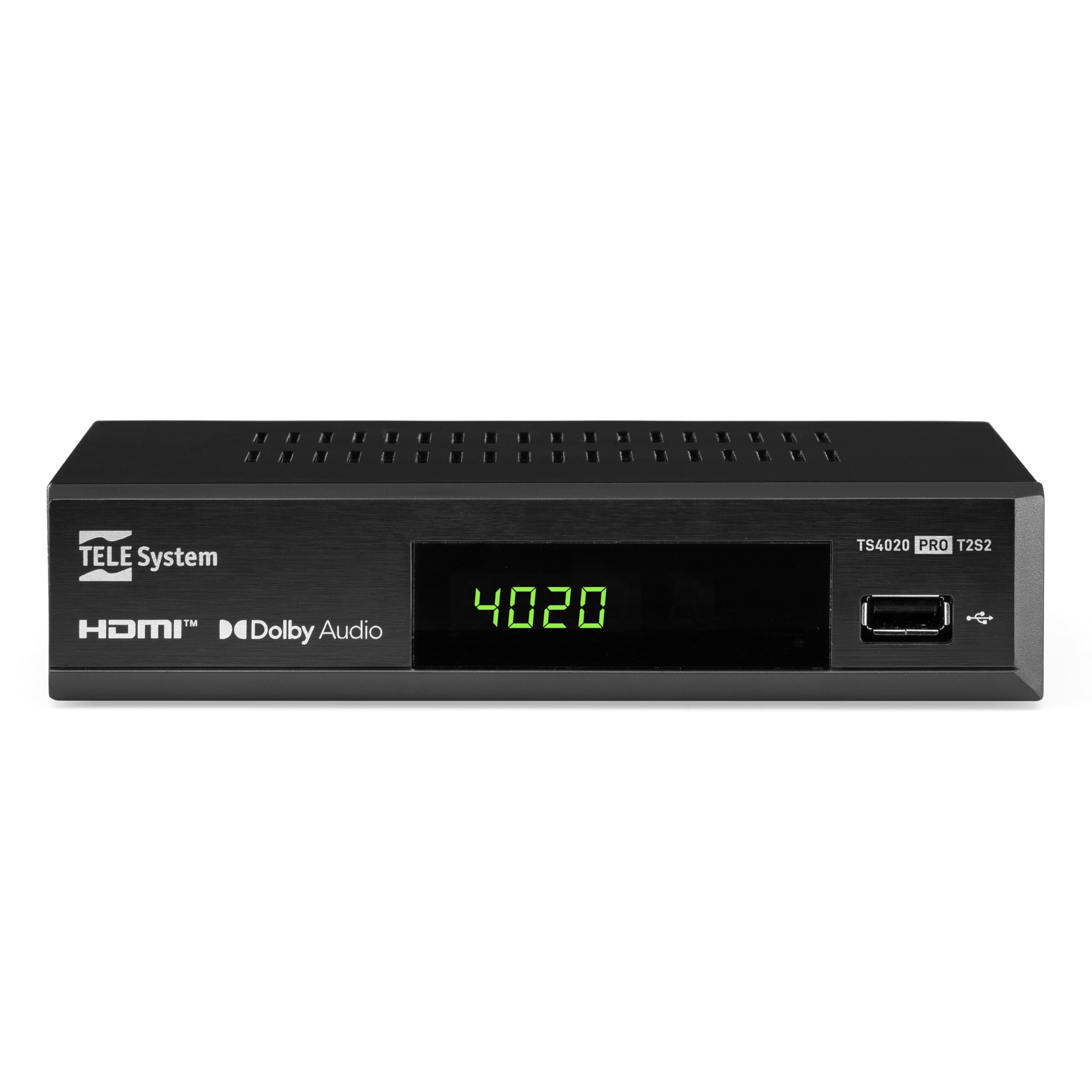
Figure 1: Tele System TS4020 PRO Decoder and included remote control.
2. Konfigurazioa
2.1 Desontziratzea eta osagaiak
Kontu handiz atera elementu guztiak kutxatik. Ziurtatu osagai hauek daudela:
- Tele System TS4020 PRO Decoder
- Urruneko Kontrola
- Kanpoko korronte egokitzailea
- Erabiltzailearen eskuliburua (dokumentu hau)
2.2 Connecting the Decoder
Follow these steps to connect your decoder to your television and antenna/satellite dish.
- Potentzia-konexioa: Connect the external power adapter to the DC 12V input on the back of the decoder, then plug it into a power outlet.
- HDMI konexioa: Use an HDMI cable to connect the HDMI OUT port on the decoder to an available HDMI input on your television.
- Antenna Connection (for DVB-T/T2): Connect your terrestrial antenna cable to the RF IN port on the back of the decoder.
- Satellite Connection (for DVB-S/S2): Connect your satellite dish cable to the ESERITU port on the back of the decoder.
- Aukerako konexioak:
- SCART: For older televisions, connect a SCART cable from the TV SCART port on the decoder to your TV. Note that 4K resolution is not supported via SCART.
- Audio koaxiala: For digital audio output, connect a coaxial audio cable from the COAXIAL port to your audio receiver.
- USBa: For media playback, insert a USB drive into the USB port on the front or back of the decoder.

Figure 2: Rear panel connections of the TS4020 PRO decoder, including SAT IN, RF IN, Coaxial, HDMI, and TV SCART ports.
2.3 Initial Setup and Channel Scan
After connecting the decoder, turn on your television and select the correct HDMI input. The decoder should power on automatically or can be turned on using the remote control.
- Jarraitu pantailako argibideei hasierako konfiguraziorako.
- Aukeratu nahi duzun hizkuntza eta eskualdea.
- The decoder features an AUTOESKANEA function for quick and easy automatic channel searching and sorting for both terrestrial and satellite channels. Initiate the scan when prompted.
- Once the scan is complete, your decoder is ready for use.
3. Funtzionamendu-argibideak
3.1 Urruneko kontrolaren funtzioak
The TELE System TS4020 PRO comes with a unique remote control designed to manage both the decoder and your television. It features programmable keys for added convenience.

Figure 3: Layout of the TS4020 PRO remote control.
- Pizteko botoia: Turns the decoder on/off.
- AV/TV: Switches TV input source.
- VOL+/VOL-: Bolumena doitzen du.
- PROG+/PROG-: Kanalak aldatzen ditu.
- DTT/SAT: Switches between terrestrial and satellite modes.
- MENUA: Menu nagusira sartzen da.
- ADOS: Hautaketak berresten ditu.
- Gezi-teklak: Navigates menus and EPG.
- INFORMAZIOA: Programaren informazioa erakusten du.
- EPG: Programaren Gida Elektronikoa.
- Multimedia erreproduzitzailearen kontrolak: Erreproduzitu, Pausatu, Gelditu, Aurreratu, Atzeratu.
- Programmable TV Control Keys: These keys (usually at the top) can be programmed to control basic TV functions like power, volume, and input. Refer to the remote control section in the full manual for programming instructions.
3.2 Kanala Viewing and Selection
Erabili PROG+ eta PROG- buttons to navigate through channels. Press OK to view the channel list and select a channel directly. Use the DTT/SAT button to switch between terrestrial (DVB-T/T2) and satellite (DVB-S/S2) channel lists.
3.3 Multimedia erreprodukzioa USB bidez
The decoder supports media playback from a USB storage device.
- Insert a USB flash drive or external hard drive into the USB port.
- Access the Media Player function from the main menu.
- Nabigatu zure bidez files to play music, view photos, or watch videos.
3.4 HDR Quality
The TS4020 PRO is compatible with HDR10 and HLG standards, providing enhanced image quality with improved color rendering and visual depth, especially for content with high dynamic range. Ensure your television also supports HDR10 or HLG for the best viewesperientzia.
4. Mantentzea
- Garbiketa: Use a soft, dry cloth to clean the decoder's exterior. Do not use liquid cleaners or abrasive materials.
- Aireztapena: Ensure the decoder has adequate ventilation. Do not block the ventilation openings.
- Software eguneraketak: Periodically check for available software updates through the decoder's menu (if supported). Software updates can improve performance and add new features. Information regarding guaranteed software updates is not available.
- Biltegiratzea: Gailua denbora luzez gordetzen baduzu, deskonektatu korrontetik eta gorde leku fresko eta lehor batean.
5. Arazoak
If you encounter issues with your Tele System TS4020 PRO, refer to the following common problems and solutions:
| Arazoa | Kausa posiblea | Irtenbidea |
|---|---|---|
| Botererik ez | Korronte-egokitzailea ez dago konektatuta edo entxufea akastuna da. | Ensure the power adapter is securely connected to the decoder and a working power outlet. |
| Ez dago irudirik/soinurik telebistan | Incorrect TV input selected, loose HDMI/SCART cable. | Select the correct HDMI/AV input on your TV. Check that the HDMI or SCART cable is securely connected at both ends. |
| No channels found or poor signal | Antenna/satellite dish not connected, misaligned, or damaged. | Check antenna/satellite cable connections. Ensure your antenna/dish is properly aligned. Perform an AUTOSCAN again. |
| Urruneko kontrola ez dabil | Dead batteries, obstruction, or remote out of range. | Replace batteries. Ensure no obstructions between the remote and the decoder. Point the remote directly at the decoder. |
| HDMI output not compatible with TV | Specific TV model incompatibility. | If available, try using the SCART connection for video output. Note that 4K resolution is not supported via SCART. |
| Date resets to 1970 after reset | Internal clock issue or software bug. | Check for available software updates. If the issue persists, contact customer support. |
6. Zehaztapenak
| Modelo zenbakia | 21005355 |
| Marka | TELE Sistema |
| Konektibitate Teknologia | USB, Power, HDMI, SCART, RF IN, SAT IN, Coaxial |
| Audio irteera modua | Inguratu |
| HDMI portuak guztira | 1 |
| Gailu bateragarriak | Telebista |
| Onartutako audio formatuak | Dolby Digitala, DTS, AAC, MP3, PCM |
| liburukiatage | 12 voltio (DC) |
| Bideoaren irteeraren bereizmena | 1080p |
| Onartutako estandarrak | DVB-T2, DVB-S2, H.265, HDR10, HLG, MP3, AAC |
| Aspektu-erlazioa | 16:9 |
| Kolorea | Beltza |
| Jatorrizko Herrialdea | Txina |
7. Bermearen informazioa
The Tele System TS4020 PRO decoder comes with a 2 urteko fabrikatzailearen bermea. Please retain your proof of purchase for warranty claims. For specific terms and conditions, refer to the warranty card included with your product or contact Tele System customer support.
8. Bezeroarentzako arreta
For further assistance, technical support, or inquiries regarding your Tele System TS4020 PRO decoder, please visit the official Tele System webwebgunean edo jarri harremanetan bere bezeroarentzako arreta zerbitzuarekin.
Oharra: Produktu honen ordezko piezen erabilgarritasunari buruzko informazioa ez dago eskuragarri une honetan.


