
1. Segurtasun informazio garrantzitsua
- Ez desmuntatu edo aldatu entzungailuak edo kargatzeko zorroa.
- Mantendu gailua muturreko tenperaturetatik, hezetasunetik eta likidoetatik urrun.
- Saihestu bolumen-maila handietara esposizio luzea, entzumenaren kalteak saihesteko.
- Erabili emandako edo ziurtatutako kargatzeko kableak soilik.
- Bota ezazu produktua arduraz tokiko araudiaren arabera.
2. Paketearen edukia
Irekitzean, egiaztatu paketearen edukia:
- Haririk gabeko entzungailuak (2)
- Kargatzeko kaxa (1)
- C motako kargatzeko kablea (1)
- Erabiltzailearen eskuliburua (1)

Image: Contents of the Jxrev J51 Wireless Earbuds package.
3. Produktua amaitu daview
The Jxrev J51 Wireless Earbuds offer a high-quality audio experience with advanced features. They are designed for comfort and convenience, suitable for various activities.
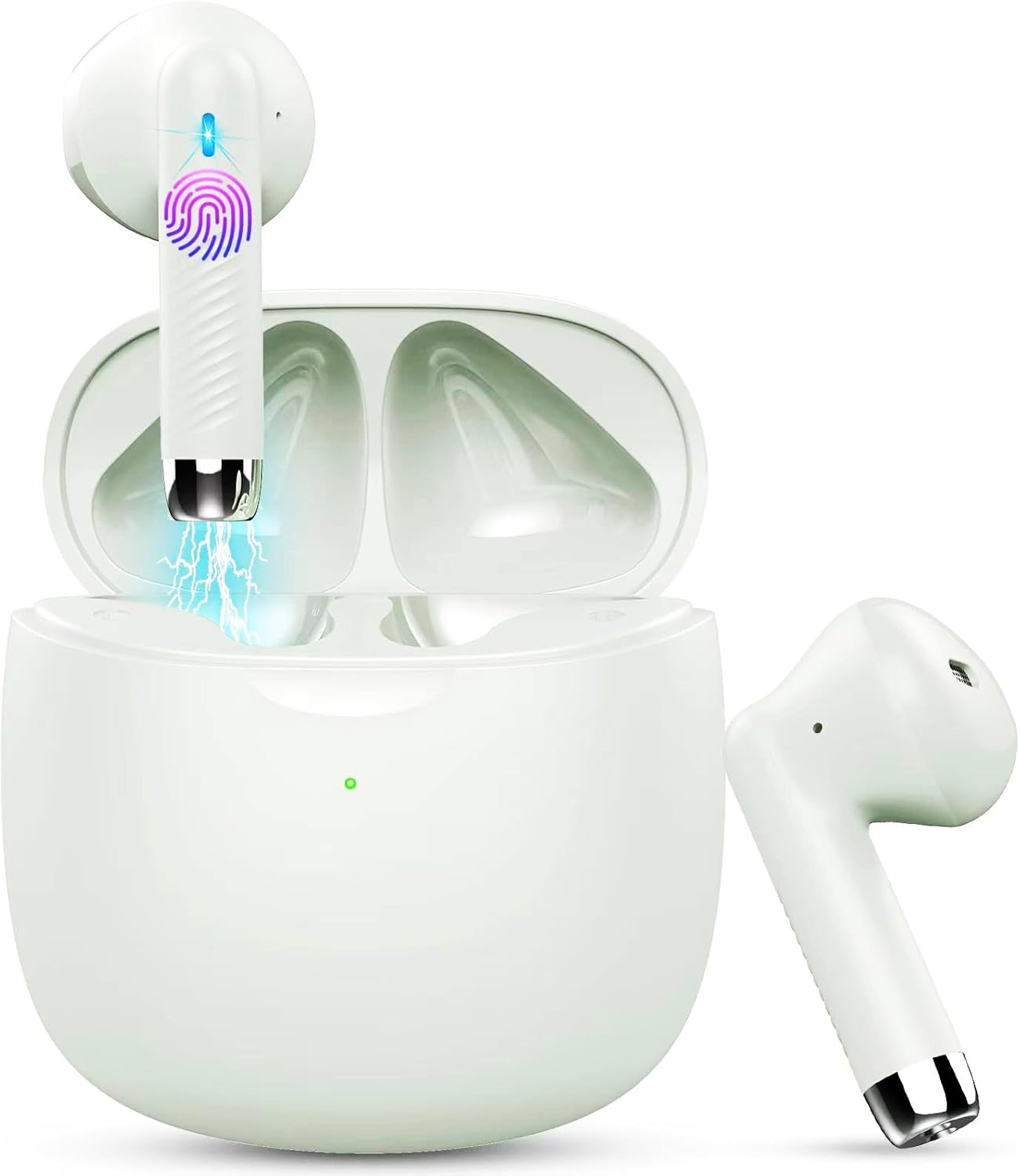
Image: Jxrev J51 Wireless Earbuds and their charging case.
Ezaugarri nagusiak:
- Bluetooth 5.4 teknologia: Provides a stable and fast wireless connection.
- 13 mm-ko kontrolatzaile dinamikoak: Delivers clear audio with enhanced bass.
- IP7 Iragazgaitzaren balorazioa: Resistant to sweat and splashes, ideal for sports.
- Ukipen-kontrola: Intuitive control for music, calls, and voice assistant.
- Diseinu arina: Each earbud weighs approximately 3g for comfortable wear.

Image: Illustration of the 13mm dynamic driver for audio quality.

Irudia: Barnekoa view of an earbud showcasing the Bluetooth chip for stable connectivity.
4. Konfigurazioa eta lehen erabilera
4.1 Kaxa eta entzungailuak kargatzea
- Hasierako karga: Lehenengo aldiz erabili aurretik, kargatu kargatzeko zorroa eta entzungailuak guztiz.
- Konektatu kablea: Insert the Type-C charging cable into the charging port on the case and connect the other end to a USB power source.
- Kargatzeko adierazlea: The indicator light on the charging case will show the charging status. A full charge typically takes about 1 hour for the case.
- Entzungailuen karga: Jarri entzungailuak kargatzeko zorroan. Automatikoki hasiko dira kargatzen.

Image: Charging case with earbuds, illustrating USB-C charging and battery capacity.
4.2 Zure gailuarekin parekatzea
Entzungailuek urrats bakarreko parekatze-aukera dute erosotasunerako.
- Piztu: Ireki kargatzeko zorroa. Aurikularrak automatikoki piztuko dira eta parekatze moduan sartuko dira.
- Aktibatu Bluetootha: Zure telefonoan edo beste Bluetooth gaitutako gailu batean, joan Bluetooth ezarpenetara eta aktibatu Bluetooth.
- Hautatu gailua: Look for 'J51' in the list of available devices and select it to connect.
- Berrespena: Behin konektatuta, audio-abisu bat entzungo duzu, eta entzungailuak erabiltzeko prest egongo dira.
- Birkonexio automatikoa: Hasierako parekatzearen ondoren, entzungailuak automatikoki konektatuko dira azken parekatutako gailura zorrotik ateratzean.

Image: Visual guide for one-step Bluetooth pairing with a smartphone.
5. Funtzionamendu-argibideak
5.1 Entzungailuak janztea
The J51 earbuds are designed for an ergonomic and secure fit.
- Identify Left/Right: Locate the 'L' and 'R' markings on each earbud.
- Txertatu: Sartu astiro-astiro aurikularra belarriko kanalean.
- Egokitu: Rotate the earbud slightly until it feels comfortable and secure. The lightweight design ensures minimal pressure.

Image: Demonstrating the lightweight and ergonomic fit of the earbuds.
5.2 Ukitu Kontrolak
The earbuds feature touch-sensitive areas for easy control of various functions.

Image: Comprehensive guide to earbud touch controls.
| Ekintza | Ezkerreko aurikularra (L) | Eskuineko aurikularra (R) |
|---|---|---|
| Erreproduzitu/Pausatu | Egin klik bikoitza | Egin klik bikoitza |
| Hurrengo Abestia | N/A | Eutsi 2 segundo |
| Aurreko Abestia | Eutsi 2 segundo | N/A |
| Bolumena jaitsi | Klik bakarrarekin | N/A |
| Bolumena igo | N/A | Klik bakarrarekin |
| Erantzun/Amaitu deia | Egin klik bikoitza | Egin klik bikoitza |
| Deia baztertu | Eutsi 2 segundo | Eutsi 2 segundo |
| Aktibatu Ahots Laguntzailea | Egin klik hirukoitza | Egin klik hirukoitza |
5.3 Mono Mode (Single Earbud Use)
You can use either the left or right earbud independently. Simply take one earbud out of the charging case, and it will automatically connect to your device. The other earbud can remain in the case or be used by another person in 'Sharing mode' if desired.
5.4 Binaural Mode (Both Earbuds Use)
For stereo sound, use both earbuds. They will automatically pair with each other and your device when removed from the charging case.

Image: Depiction of Mono and Twin (Binaural) usage modes.
5.5 Ahots laguntzailea
Triple-click either earbud to activate your device's voice assistant (e.g., Siri, Google Assistant).

Image: Activating the voice assistant feature.
6. Mantentzea eta Zainketa
6.1 Garbiketa
- Garbitu aldizka entzungailuak eta kargatzeko zorroa oihal leun, lehor eta lihorik gabeko batekin.
- Ez erabili garbitzaile urratzailerik, alkoholik edo disolbatzaile kimikorik.
- Kargatze optimoa lortzeko, ziurtatu entzungailuen eta zorroaren kargatzeko kontaktuak garbi eta lehor daudela.
6.2 Urarekiko erresistentzia (IP7)
The Jxrev J51 earbuds are IP7 waterproof, meaning they are protected against temporary immersion in water. This makes them suitable for workouts and use in light rain.
- Ez sartu entzungailuak nahita uretan denbora luzez.
- Kargatzeko zorroa ez da iragazgaitza. Mantendu lehor.
- Ziurtatu entzungailuak guztiz lehor daudela kargatzeko zorroan berriro sartu aurretik, kalteak ekiditeko.

Image: Earbuds demonstrating IP7 waterproof capability.
6.3 Biltegiratzea
Erabiltzen ez dituzunean, gorde entzungailuak kargatzeko zorroan babesteko eta kargatuta mantentzeko.
7. Arazoak
Arazoren bat izanez gero, jo ezazu honako ohiko irtenbide hauetara:
- Aurikularrak ez dira elkarren artean parekatzen: Place both earbuds back into the charging case, close the lid for a few seconds, then open it again. They should automatically re-sync.
- Aurikularrak ez dira gailura konektatzen:
- Ziurtatu Bluetootha gaituta dagoela zure gailuan.
- Delete 'J51' from your device's Bluetooth history and try pairing again.
- Ziurtatu entzungailuak kargatuta daudela.
- Ez dago soinurik entzungailu batetik: Place both earbuds back in the case, close the lid, then open it again. Check if both are connected.
- Kargatzeko arazoak:
- Egiaztatu kargatzeko kablea eta egokitzailea.
- Ziurtatu entzungailuen eta zorroaren kargatzeko kontaktuak garbi eta hondakinik gabe daudela.
- Ukipen-kontrolak ez dute erantzuten: Ziurtatu hatzak garbi eta lehor daudela. Saiatu entzungailuak berriro pizten zorroan sartuz eta berriro ateraz.
8. Zehaztapenak
| Ereduaren izena | J51 |
| Konektibitate Teknologia | Haririk gabeko (Bluetooth) |
| Bluetooth bertsioa | 5.4 |
| Bluetooth barrutia | Gehienez 15 metro |
| Audio kontrolatzailearen tamaina | 13 milimetro |
| Maiztasun barrutia | 20 Hz - 20,000 Hz |
| Inpedantzia | 40 Ohm |
| Uraren Erresistentzia Maila | IP7 Iragazgaitza |
| Earbud pisua | Approx. 3 Grams (each) |
| Kargatzeko kasua bateriaren iraupena | Gehienez 32 ordu (zorroarekin) |
| Jolas-denbora bakarra | 6-8 ordu |
| Kargatzeko denbora (kasua) | Approx. 1 Hour (USB-C) |
| Kontrol mota | Ukitu Kontrola |
| Gailu bateragarriak | Cellphones, PCs, Tablets, Laptops, TVs |
9. Bermea eta Laguntza
Jxrev products are designed for reliability and performance. For specific warranty details, please refer to the warranty card included in your product packaging or contact Jxrev customer support.
Bezeroarentzako laguntza:
If you have any questions, concerns, or require technical assistance, please contact Jxrev customer support through the official webgunea edo zure produktuaren dokumentazioan emandako harremanetarako informazioa.