
1. Produktua amaitu daview
The Rosewill Helium NAS Black ATX Mid Tower Computer Case is engineered for optimal performance and extensive storage capabilities, making it suitable for DIY NAS, media servers, and small business applications. Its design prioritizes airflow, efficient cooling, and versatile component compatibility.
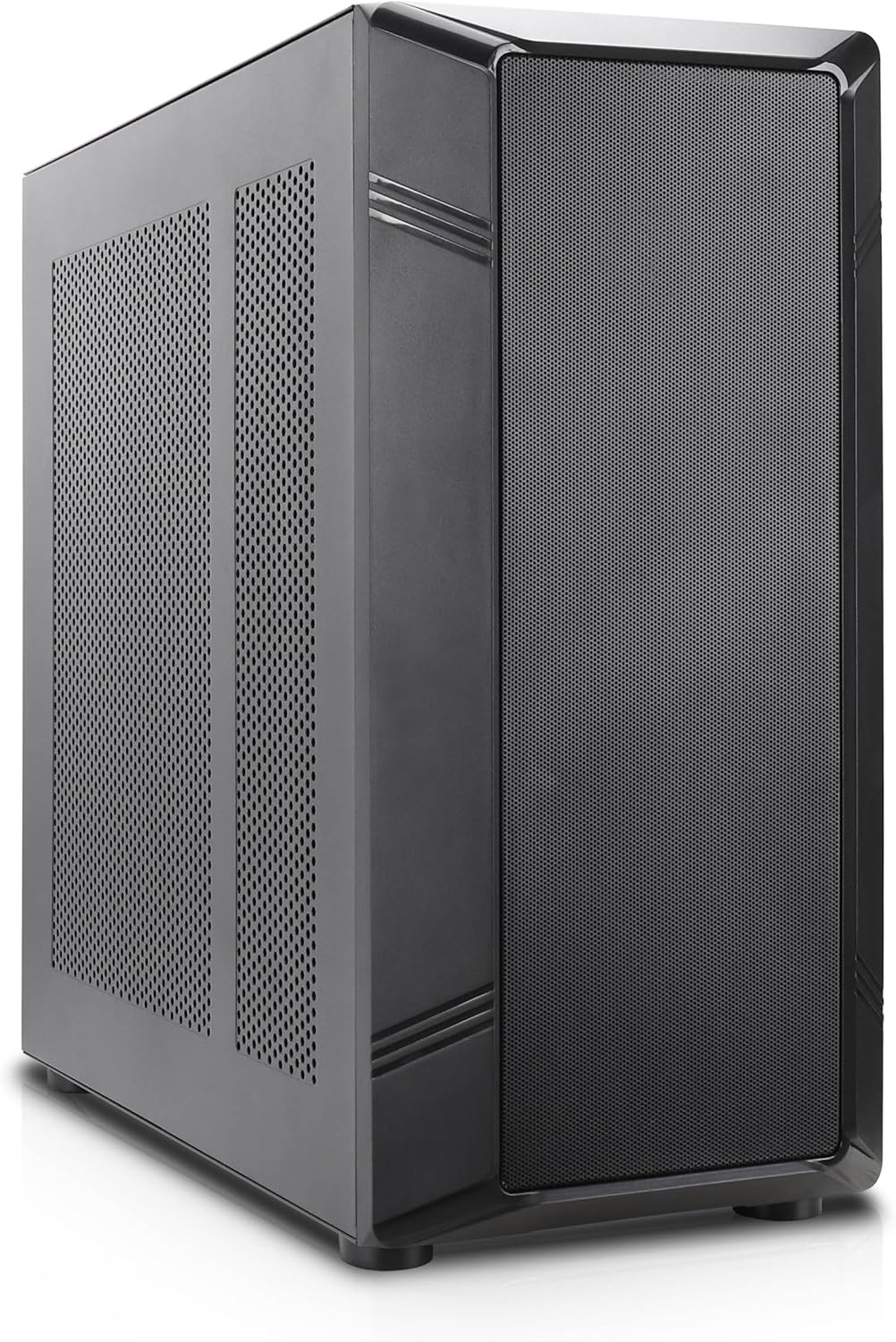
1 irudia: Aurrealde angeluatua view of the Rosewill Helium NAS Black ATX Mid Tower Computer Case.
Ezaugarri nagusiak:
- Maximized Airflow: All-mesh side panels ensure unrestricted airflow for optimal cooling and prevention of thermal throttling.
- Quiet, Efficient Cooling: Four pre-installed 140mm PWM fans provide silent and efficient cooling, maintaining system stability under heavy workloads.
- Biltegiratze Ahalmen Masiboa: Supports up to 10 x 3.5" HDDs and 3 x 2.5" SSDs, ideal for large media libraries, virtual machines, and data-intensive applications.
- Bateragarritasun polifazetikoa: Supports ATX motherboards and 360 AIO Radiators, offering flexibility for various system configurations and high-performance cooling solutions.
2. Konfigurazioa eta instalazioa
Follow these steps for proper installation of your computer components.
2.1 Kasua prestatzea
- Jarri zorroa gainazal egonkor eta lau batean.
- Remove the side panels by unscrewing the thumbscrews at the rear and sliding the panels off.

Figure 2: Interior layout of the Rosewill Helium NAS case, showing component mounting areas.
2.2 Plaka amaierako instalazioa
- Install the I/O shield into the motherboard tray opening.
- Align your ATX motherboard with the standoffs inside the case.
- Lotu plaka nagusia emandako torlojuekin.
2.3 Biltegiratze unitatearen instalazioa
The case supports up to 10 x 3.5" HDDs and 3 x 2.5" SSDs. Utilize the dedicated drive cages for secure mounting.
Video 1: Demonstration of hard drive cage installation and cabling. This video illustrates the process of securing and connecting multiple hard drives within a PC case, which is applicable to the Rosewill Helium NAS case's storage capabilities.
- For 3.5" HDDs, slide the drives into the designated bays within the drive cages and secure them with screws.
- For 2.5" SSDs, mount them in the dedicated SSD trays, typically located behind the motherboard tray or on top of the HDD cages, and secure with screws.
- Connect SATA power and data cables to each installed drive.
2.4 Energia-iturriaren instalazioa
- Mount the power supply unit (PSU) in the bottom rear compartment of the case.
- Lotu PSUa kaxaren atzealdeko torlojuekin.
- Route the necessary power cables to your motherboard and other components.
2.5 Graphics Card and Expansion Card Installation
- Kendu beharrezko PCIe zirrikituen estalkiak kaxaren atzealdetik.
- Sartu zure grafiko-txartela edo beste hedapen-txartelak plaka baseko PCIe zirrikitu egokietan.
- Txartelak torlojuekin finkatu.
2.6 Kableen kudeaketa
Utilize the cable routing cutouts and tie-down points behind the motherboard tray to organize cables. This improves airflow and aesthetics. Zip ties are included for assistance.
3. Funtzionamendu-argibideak
3.1 Aurrealdeko paneleko I/O

Figure 3: Front panel I/O ports located on the top of the case.
- Pizteko botoia: Press to power on/off the system.
- Berrezarri botoia: Sakatu sistema berrabiarazteko.
- USB 3.1 C motako ataka: Abiadura handiko datuak transferitzeko.
- USB 3.0 portuak: USB 3.0 bateragarriak diren gailuak konektatzeko.
- USB 2.0 portuak: USB 2.0 bateragarriak diren gailuak konektatzeko.
- HD audio-konektoreak: For connecting headphones and microphones.
3.2 Hasierako piztea
- Ensure all components are securely installed and cables are properly connected.
- Konektatu elikatze-kablea PSUra eta hormako entxufe batera.
- Press the power button on the front panel to start your system.
4. Mantentzea
Mantentze-lan erregularrak zure ordenagailuaren kaxaren eta osagaien errendimendu optimoa eta iraupena bermatzen ditu.
4.1 Hauts-iragazkiak garbitzea
The Rosewill Helium NAS case features removable dust filters on the top and bottom for easy cleaning.
- Gently pull out the bottom dust filter.
- The top mesh panel is magnetic and can be easily lifted off.
- Clean the filters using compressed air or a soft brush to remove accumulated dust.
- Reinstall the filters once clean.
4.2 Garbiketa orokorra
- Use a soft, dry cloth to wipe down the exterior surfaces of the case.
- For interior cleaning, use compressed air to remove dust from fans and components. Ensure the system is powered off and unplugged before cleaning.
5. Arazoak
Atal honek aurki ditzakezun arazo ohikoenen irtenbideak eskaintzen ditu.
- Sistemak ez du pizten:
- Check all power connections, including the PSU, motherboard, and front panel power switch cables.
- Ziurtatu PSU etengailua 'ON' posizioan dagoela.
- Overheating Components:
- Verify all case fans are spinning correctly.
- Clean dust filters and internal components to improve airflow.
- Ziurtatu CPU hozkailua eta GPU haizagailuak funtzionatzen dutela.
- Haizagailuaren zarata gehiegi:
- Check for loose cables or obstructions hitting fan blades.
- Ensure fans are securely mounted.
- Adjust fan speeds through motherboard BIOS or software if supported.
- Aurreko paneleko sarrera/irteera ez dabil:
- Verify that all front panel cables (USB, Audio, Power, Reset) are correctly connected to the motherboard headers.
6. Zehaztapenak
| Ezaugarri | Zehaztapena |
|---|---|
| Marka | Rosewill |
| Seriea | Helium NAS |
| Ereduaren izena | Helium NAS |
| Elementuaren eredu-zenbakia | B0DP3PQFKW |
| Kasu mota | Mid dorrea |
| Plaka amaren bateragarritasuna | ATX |
| Kolorea | Beltza |
| Materiala | Aluminioa, altzairu herdoilgaitza |
| Elementuaren pisua | 19.71 kilo |
| Produktuaren neurriak (LxWxH) | 25 x 24.41 x 12.68 hazbete |
| 3.5" HDD Support | 10 arte |
| 2.5" SSD Support | 3 arte |
| Aurrez instalatutako zaleak | 4 x 140 mm-ko PWM haizagailuak |
| Hozteko metodoa | Air, Water (360 AIO Radiator Support) |
| Front Panel USB 2.0 Ports | 2 |
| Front Panel USB 3.0 Ports | 2 |
| Gomendatutako Erabilerak | AI Server, Media Server, NAS, Workstation |
7. Bermea eta Laguntza
For warranty information, technical support, or further assistance, please refer to the official Rosewill webwebgunera edo jarri harremanetan bezeroarentzako arreta-zerbitzuarekin. Gorde erosketa-agiria berme-erreklamazioetarako.