
Sarrera
Welcome to the GUHUAVMI GT4 Pro Smartwatch user manual. This guide provides detailed instructions on how to set up, operate, and maintain your new smartwatch. The GT4 Pro combines advanced health monitoring, comprehensive fitness tracking, and smart connectivity features in a durable, stylish design. Please read this manual carefully to ensure optimal performance and longevity of your device.
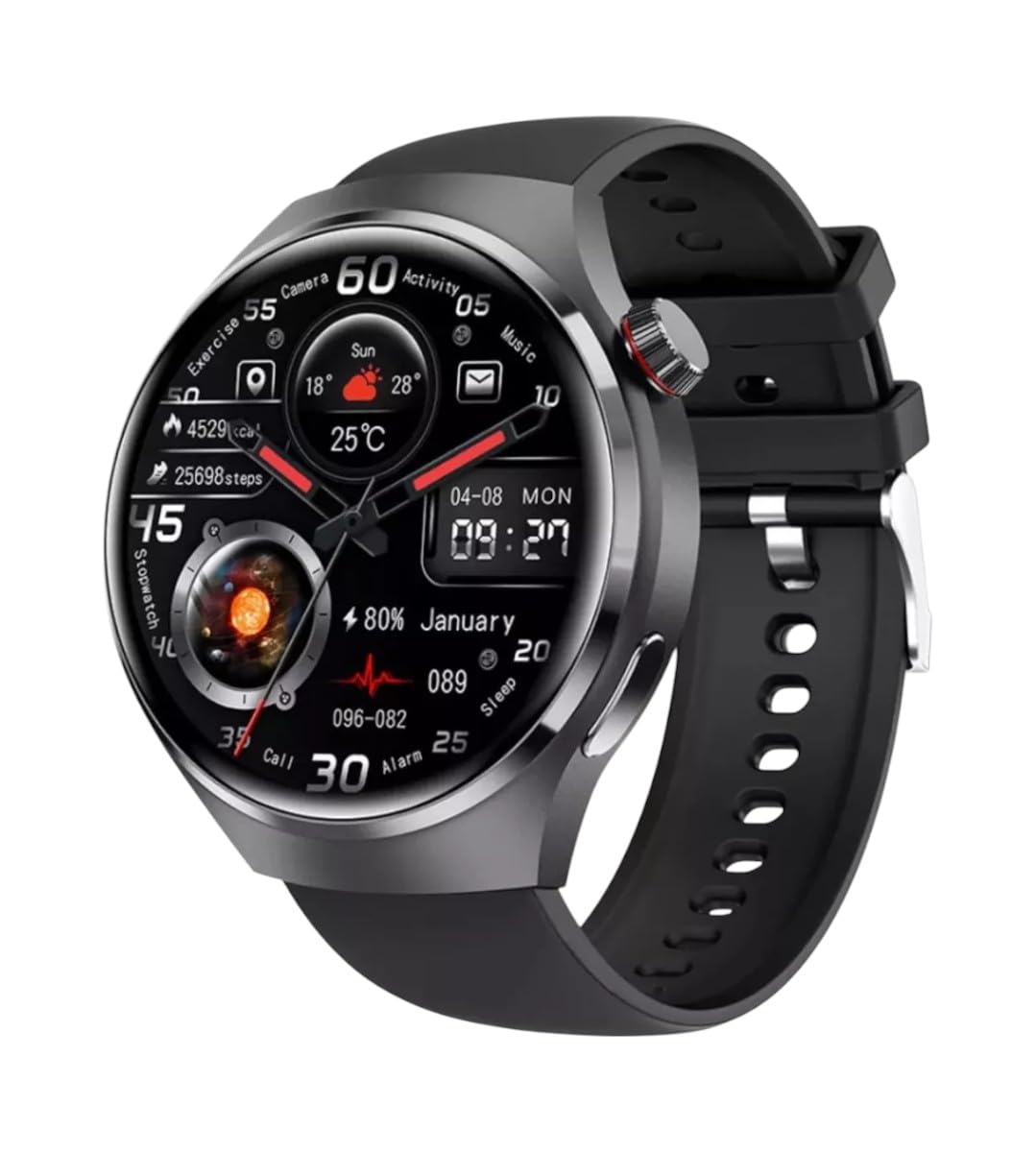
Irudia: Aurrealdea view of the GUHUAVMI GT4 Pro Smartwatch, showcasinbere diseinu dotorea eta pantaila g.
Konfigurazioa
1. Kutxatik ateratzea eta osagaiak
Hasi aurretik, ziurtatu osagai guztiak paketean daudela:
- GUHUAVMI GT4 Pro Smartwatch
- Haririk gabeko kargagailua
- Erabiltzailearen eskuliburua (dokumentu hau)
2. Erloju adimenduna kargatzea
For first-time use, fully charge your GT4 Pro Smartwatch. Connect the wireless charger to a USB power adapter (not included) and place the smartwatch onto the magnetic charging base. The watch will indicate charging status on its screen.
- Kargatzeko denbora: Gutxi gorabehera 3 ordu karga osoa lortzeko.
- Bateriaren iraupena: Typical usage provides 5-7 days of battery life.

Image: The GUHUAVMI GT4 Pro Smartwatch placed on its magnetic wireless charger, displaying battery life and charging time information.
3. Piztu/Itzali
- Piztu: Sakatu eta eutsi alboko botoiari pantaila piztu arte.
- Itzali: Sakatu eta eutsi alboko botoiari, eta ondoren hautatu pantailan 'Itzali' aukera.
4. Aplikazioaren deskarga eta parekatzea
To unlock the full potential of your GT4 Pro, download the companion app on your smartphone. Scan the QR code provided in the watch's initial setup screen or search for the app name (usually indicated on the watch or packaging) in your phone's app store.
- Gaitu Bluetootha zure telefonoan.
- Open the companion app and follow the on-screen instructions to create an account or log in.
- In the app, select 'Add Device' or 'Pair Device' and choose 'GT4 Pro' from the list of available devices.
- Berretsi parekatze eskaera zure telefonoan eta erloju adimendunean.
Funtzionamendu-argibideak
1. Oinarrizko nabigazioa
The GT4 Pro features a 1.6-inch HD AMOLED touchscreen and a side crown button for navigation.
- Irristatu gora/behera: Joan menuetan eta jakinarazpenetan zehar.
- Irristatu ezkerrera/eskuinera: Sartu widget azkarretara edo erloju-esfera desberdinetara.
- Sakatu: Hautatu elementu bat edo ireki aplikazio bat.
- Sakatu alboko botoia: Itzuli hasierako pantailara edo sartu aplikazioen zerrendara.
2. IA Ahots Laguntzailea
Your GT4 Pro is equipped with an integrated AI voice assistant for hands-free operation.
- Aktibazioa: Tap the voice assistant icon on the watch face or use a designated gesture/button press (refer to watch settings).
- Aginduak: Speak clearly to ask questions, set reminders, make calls, or control music.
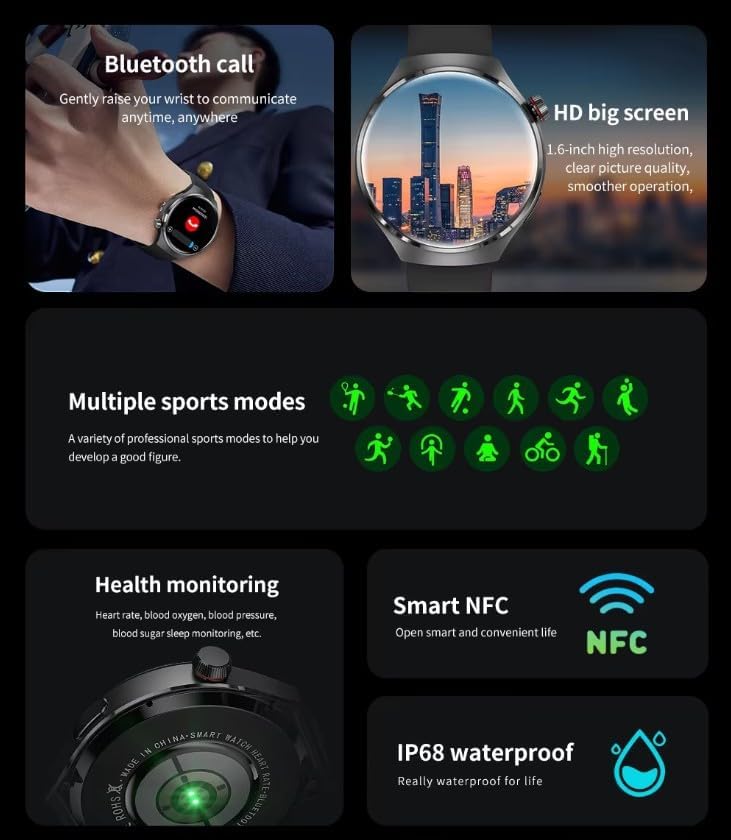
Image: The GUHUAVMI GT4 Pro Smartwatch displaying the AI voice assistant interface, showing exampahots-komando gutxiago.
3. Bluetooth bidezko deiak
Behin zure telefonoarekin parekatuta, deiak egin eta jaso ditzakezu zuzenean zure erloju adimendunetik.
- Deiak egitea: Access the dialer or contacts list on your watch.
- Deiak jasotzea: Answer or reject incoming calls directly from the watch screen.
4. Osasunaren jarraipena
The GT4 Pro provides real-time health data to help you monitor your well-being.
- Bihotz-taupadak: Jarraipen jarraitua egun osoan zehar.
- Odoleko oxigenoa (SpO2): Neurtu zure odoleko oxigeno saturazio mailak.
- Blood Sugar: Provides estimated blood sugar readings.
- Loaren jarraipena: Loaren monitorizazioatagak eta kalitatea.
View detailed health reports in the companion app.
5. Fitnessaren jarraipena
Track your workouts and daily activity with precision.
- Hainbat kirol modu: Select from various activities like running, cycling, swimming, and more for accurate data.
- GPS integratua: Records your route, distance, and pace during outdoor activities.
- Iparrorratza: Provides directional guidance for outdoor adventures.

Image: The GUHUAVMI GT4 Pro Smartwatch showcasing icons for NFC, GPS, compass, heart rate, and Bluetooth call, highlighting its comprehensive features.
6. NFC Features
The GT4 Pro supports NFC for convenient interactions.
- Sarbide-kontrola: Use your watch for compatible access systems.
- Find My iPhone: Utilize NFC to locate your paired iPhone.
7. Dynamic Island Function
Experience enhanced interactive displays for notifications, music, and charging status.
- Interactive Displays: Smart displays adapt to show relevant information dynamically.
- OTA eguneratzeak: New functional interactive displays may be added through future over-the-air updates.
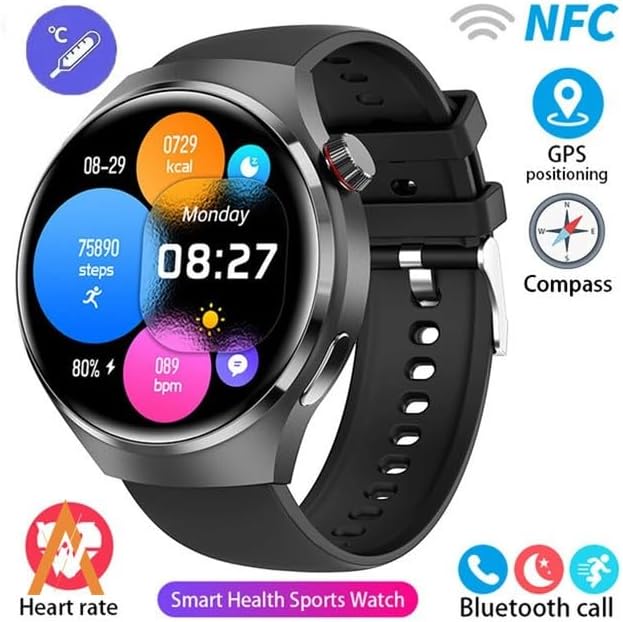
Image: The GUHUAVMI GT4 Pro Smartwatch screen demonstrating the Dynamic Island function, showing notifications and active processes.
8. Other Utility Features
The smartwatch includes several convenient tools:
- Urruneko kamera: Kontrolatu zure telefonoaren kamera urrunetik.
- Iratzargailua: Ezarri alarmak zuzenean eskumuturretik.
- Kronometroa eta tenporizadorea: For precise timekeeping.
- Tenperaturaren neurketa: Monitor ambient temperature.
- Multi-Time Zone Settings: Keep track of different time zones.
- Musika erreproduzitzeko kontrola: Manage music on your paired smartphone.
Mantentzea
1. Urarekiko erresistentzia (IP68)
The GT4 Pro has an IP68 waterproof rating, meaning it is resistant to dust and can withstand immersion in water up to 1.5 meters for 30 minutes. It is suitable for swimming and use in rainy conditions.
- Do not use in hot water, saunas, or steam rooms.
- Avoid exposure to high-velocity water.
- After exposure to water, wipe the watch dry with a soft cloth.
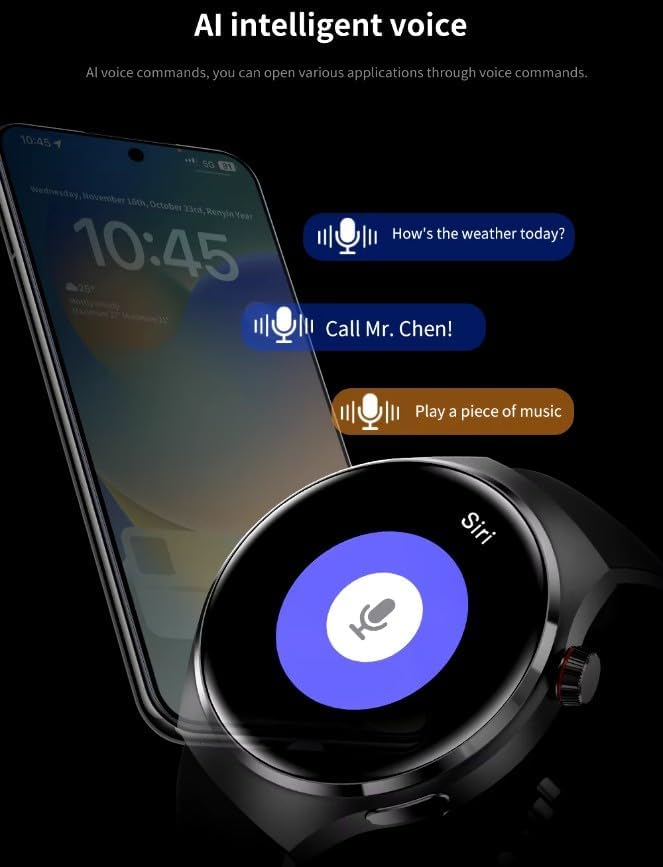
Image: Two GUHUAVMI GT4 Pro Smartwatches shown with water droplets, illustrating their IP68 waterproof capability.
2. Garbiketa
Regularly clean your smartwatch to maintain its appearance and sensor accuracy.
- Garbitu pantaila eta gorputza zapi leun batekin,amp, litxarrik gabeko oihala.
- Clean the charging contacts and heart rate sensor on the back of the watch to ensure proper function.
- Saihestu produktu kimiko gogorrak edo material urratzaileak erabiltzea.
3. Software eguneraketak
Periodically check for software updates through the companion app. Updates can provide new features, performance improvements, and bug fixes.
Arazoak konpontzea
- Erlojua ez da pizten: Ziurtatu erlojua guztiz kargatuta dagoela. Konektatu kargagailura gutxienez 30 minutuz.
- Ezin da telefonoarekin parekatu:
- Ziurtatu Bluetooth gaituta dagoela telefonoan eta erlojuan.
- Ziurtatu erlojua telefonoaren irismen-eremuan dagoela.
- Berrabiarazi erlojua eta telefonoa.
- Egiaztatu laguntzaile aplikazioa azken bertsiora eguneratuta dagoen.
- Osasun-datu okerrak:
- Ziurtatu erlojua eskumuturrean ondo eramaten duzula, ez gehiegi estutzen ez gehiegi soltetzen.
- Garbitu erlojuaren atzealdeko sentsoreak.
- Saihestu mugimendu gehiegi neurketak egiten diren bitartean.
- Bateriaren iraupen laburra:
- Murriztu pantailaren distira.
- Disable unnecessary notifications or features.
- Mugatu bihotz-maiztasunaren etengabeko monitorizazioa beharrezkoa ez bada.
Zehaztapenak
| Ezaugarri | Deskribapena |
|---|---|
| Modelo zenbakia | GT4 Pro |
| Bistaratzea | 1.6-inch HD AMOLED, 360x360 resolution |
| Konektibitatea | Bluetooth 5.0 |
| Iragazgaitzaren balorazioa | IP68 |
| Osasunaren Jarraipena | Heart Rate, Blood Oxygen, Blood Sugar, Sleep Tracking |
| Fitness Jarraipena | Built-in GPS, Compass, Multiple Sports Modes |
| Ahots Laguntzailea | AI Voice Assistant Integrated |
| NFC | Supported (e.g., Find My iPhone, Access Control) |
| Kargatzeko mota | Haririk gabeko karga magnetikoa |
| Bateriaren bizitza ohikoa | 5-7 egun |
| Kargatzeko Denbora | Gutxi gorabehera. 3 ordu |
| Dakarten osagaiak | Smartwatch, User Manual, Wireless Charger |
Bermea eta Laguntza
Bermearen informazioa
The GUHUAVMI GT4 Pro Smartwatch comes with a 6 hilabeteko bermea erosketa-datatik aurrera. Berme honek erabilera normalaren ondoriozko fabrikazio-akatsak estaltzen ditu. Ez ditu estaltzen erabilera okerrak, istripuek, baimenik gabeko aldaketek edo higadura normalak eragindako kalteak.
Bezeroarentzako Arreta
If you encounter any issues or have questions regarding your GUHUAVMI GT4 Pro Smartwatch, please refer to the troubleshooting section of this manual. For further assistance, contact your retailer or the manufacturer's customer support channel. Please have your purchase receipt and product model number (GT4 Pro) ready when contacting support.