
NIMO Nimo N153
NIMO 15.6" FHD IPS Business Gaming Laptop User Manual
Model: Nimo N153
Sarrera
This manual provides essential information for the setup, operation, and maintenance of your NIMO 15.6" FHD IPS Business Gaming Laptop. Designed for both productivity and light gaming, this laptop features an AMD Ryzen 5 6600H processor, 32GB DDR5 RAM, and a 1TB PCIe SSD, ensuring fast performance and ample storage. Please read this manual thoroughly to ensure proper use and longevity of your device.
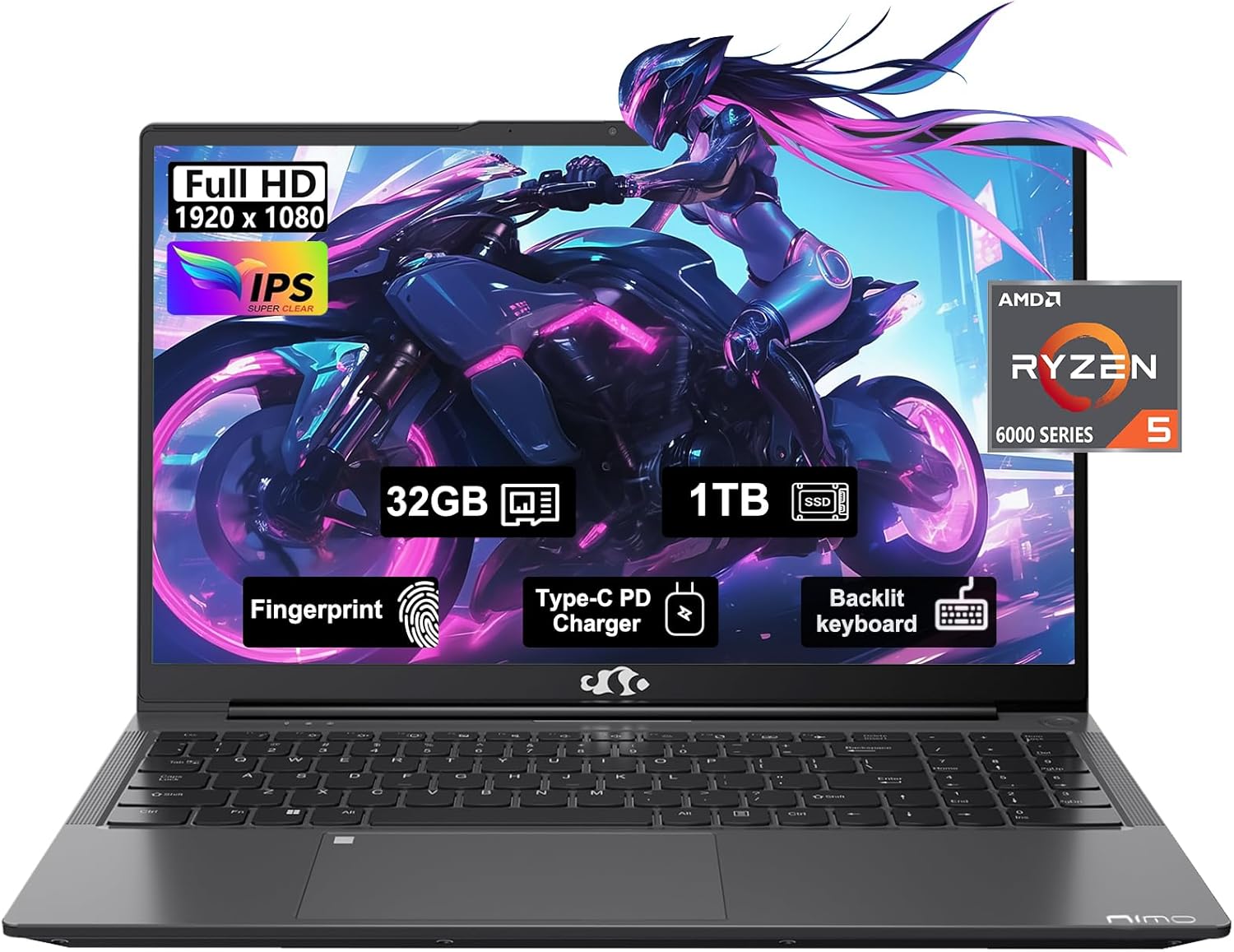
Figure 1: NIMO 15.6" FHD IPS Business Gaming Laptop overview.
Konfigurazioa
1. Unboxing eta Hasierako Ikuskapena
Kontu handiz atera osagai guztiak paketetik. Kutxak honako hauek izan behar ditu:
- 1 x Nimo N153 Laptop
- 1 x Type-C 100W PD Fast Charger
- 1 x Erabiltzailearen eskuliburua
Inspect the laptop and accessories for any signs of damage. If any components are missing or damaged, contact customer support immediately.
2. Hasierako piztea eta kargatzea
Lehenengo aldiz erabili aurretik, ordenagailu eramangarria guztiz kargatzea gomendatzen da.
- Connect the Type-C 100W PD Fast Charger to the laptop's Type-C port (Multifunction) and to a power outlet.
- The charge LED indicator will illuminate. Allow the laptop to charge until the LED indicates a full charge.
- Sakatu pizteko botoia ordenagailu eramangarria pizteko.

Figure 2: Connecting the Type-C 100W PD Fast Charger.
3. Operating System Setup (Windows 11)
Follow the on-screen prompts to complete the initial setup of Windows 11. This typically includes:
- Zure eskualdea eta teklatuaren diseinua hautatzea.
- Wi-Fi sare batera konektatzen.
- Microsoft kontu batekin saioa hastea edo bat sortzea.
- PIN edo pasahitz bat konfiguratzea.
- Configuring privacy settings.
Zure ordenagailu eramangarria erabiltzea
1. Teklatua eta ukipen-panela
The NIMO laptop features a full-size backlit keyboard and a large touchpad for comfortable and efficient input.
- Atzeko argiztatutako teklatua: Use the function keys (Fn + F-key combination, typically F3 or F4) to adjust keyboard backlight brightness.
- Ukipen-panela: Nabigaziorako ukipen anitzeko keinuak onartzen ditu. Ikusi Windows ezarpenak pertsonalizaziorako.
- Hatz-marken irakurgailua: Located on the touchpad, allows for secure login via Windows Hello.

Figure 3: Laptop keyboard layout with backlit keys and integrated fingerprint reader.
2. Portuak eta Konektibitatea
Your NIMO laptop is equipped with various ports for versatile connectivity:
- USB 2.0 portuak: 1 port for connecting peripherals.
- USB 3.0 portuak: 2 ports for high-speed data transfer.
- Type-C Ports (Multifunction): 2 ports supporting power delivery (PD) and data.
- HDMI ataka: Kanpoko pantailetara konektatzeko.
- Aurikularrak Jack: Audio irteerarako.
- Mikro SD txartelaren zirrikitua: For expanding storage or transferring data from memory cards.
- Kensington blokeoaren zirrikitua: Segurtasun fisikoagatik.
- Haririk gabeko konektagarritasuna: Supports Wi-Fi 802.11a/b/g/n/ac and Bluetooth 5.2.

4 Irudia: Gainetikview of laptop ports for various connections.
3. Pantaila
The laptop features a 15.6" FHD IPS (1920x1080) Anti-Glare Display with an 85% screen-to-body ratio. This display is designed to provide clear visuals and reduce eye strain during extended use.

Figure 5: The 15.6-inch Full HD IPS display.
4. Errendimendua
Powered by an AMD Ryzen 5 6600H processor (6 Cores, 12 Threads, up to 4.5 GHz) and 32GB DDR5 RAM, the laptop delivers robust performance for business tasks, content creation, and light gaming. The integrated AMD Radeon 660M GPU handles graphics processing efficiently.

Figure 6: AMD Ryzen 5 6600H processor, central to the laptop's performance.
The 1TB PCIe SSD provides fast boot times and rapid data access, enhancing overall system responsiveness.
Mantentzea
1. Ordenagailu eramangarria garbitzea
- Erabili lipurrik gabeko zapi leun bat dampPantaila garbitzeko, urarekin edo pantaila-garbitzaile batekin garbitu.
- Teklatuarentzat eta xasisarentzat, erabili oihal leun bat. Saihestu produktu kimiko gogorrak edo material urratzaileak.
- Erabili aire konprimatua aldian-aldian hautsa aireztapen-hodietatik eta ataketatik kentzeko.
2. Software eguneraketak
Egiaztatu eta instalatu aldizka Windows eguneraketak eta kontrolatzaileen eguneraketak errendimendu eta segurtasun optimoak bermatzeko.
- Joan zaitez Ezarpenak > Windows eguneratzea to check for OS updates.
- Visit the NIMO support webgidarien azken eguneratzeen gunea.
3. Biltegiratze kudeaketa
To maintain performance, regularly manage your 1TB SSD storage:
- Ezabatu behar ez den files eta aplikazioak.
- Erabili hodeiko biltegiratzea handietarako files.
- Aldian-aldian exekutatu Diskoaren garbiketa (Windows-en barneko tresna).
4. Bateria zaintzea
Bateriaren iraupena maximizatzeko:
- Saihestu muturreko tenperaturak.
- Ez utzi ordenagailu eramangarria %100eko kargarekin konektatuta denbora luzez erabiltzen ez baduzu.
- Calibrate the battery occasionally by fully discharging and recharging it.
5. Memory and Storage Upgrades
The NIMO laptop supports dual-channel memory upgrades (up to 2 x 16GB DDR5 RAM) and features an upgradable PCIe SSD. Consult a qualified technician for hardware upgrades to avoid voiding your warranty.
Arazoak konpontzea
Atal honek aurki ditzakezun arazo ohikoenei heltzen die.
Ordenagailu eramangarria ez da pizten
- Ziurtatu kargagailua ordenagailu eramangarrira eta funtzionatzen duen entxufe batera ondo konektatuta dagoela.
- Egiaztatu entxufea funtzionatzen duela beste gailu bat konektatuz.
- Saiatu pizteko botoia 15-20 segundoz sakatuta berrezarpen gogorra egiteko.
- Bateria guztiz agortuta badago, utzi gutxienez 30 minutuz kargatzen pizten saiatu aurretik.
Screen Remains Blank
- Check if the laptop is powered on (listen for fan noise or look for indicator lights).
- Connect an external monitor via the HDMI port to check if the display output works.
- Berrabiarazi ordenagailu eramangarria.
Errendimendu motela
- Itxi atzeko planoan exekutatzen ari diren beharrezkoak ez diren aplikazioak.
- Begiratu eta instalatu zain dauden Windows eguneratzeak.
- Ensure there is sufficient free space on your SSD.
- Birusen eskaneatzea egin.
Wi-Fi konexio arazoak
- Ziurtatu Wi-Fi gaituta dagoela Windows ezarpenetan.
- Berrabiarazi zure bideratzailea eta modema.
- Eguneratu haririk gabeko sare-egokitzailearen kontrolatzaileak.
- Ahaztu sarea eta konektatu berriro.
Hemen azaltzen ez diren arazoetarako, jo ezazu Bermea eta Laguntza atalera harremanetarako informazioa lortzeko.
Zehaztapenak
| Ezaugarri | Xehetasuna |
|---|---|
| Marka | NIMO |
| Ereduaren izena | Nimo N153G |
| Pantailaren tamaina | 15.6 hazbete |
| Pantailaren bereizmena | 1920 x 1080 pixels (FHD IPS Anti-Glare) |
| Prozesadorea | AMD Ryzen 5 6600H (6 Cores, 12 Threads, up to 4.5 GHz) |
| RAM | 32GB DDR5 (Dual-channel, upgradable to 2x16GB) |
| Disko gogorra | 1TB PCIe SSD |
| Koprozesadore grafikoa | AMD Integrated graphics (Radeon 660M GPU) |
| Sistema eragilea | Windows 11 |
| Haririk gabeko mota | 802.11a/b/g/n/ac (Wi-Fi 5), Bluetooth 5.2 |
| Portuak | 1x USB 2.0, 2x USB 3.0, 2x Type-C (Multifunction), 1x HDMI, 1x Headphone Jack, 1x Micro SD Slot |
| Ezaugarri bereziak | Fingerprint Reader, HD Audio, Backlit Keyboard, Numeric Keypad |
| Energia iturria | Battery Powered, Type-C 100W PD Fast Charger |
| Bateriaren batez besteko iraupena | 5 ordu |
| Elementuaren pisua | 6 kilo |
| Produktuaren neurriak | 14.07 x 8.98 x 0.76 hazbete |
| Kolorea | Espazio Grisa |
Bermea eta Laguntza
Fabrikatzailearen bermea
Your NIMO laptop is covered by a comprehensive 2 urteko fabrikatzailearen bermea offered by Nimo Direct Inc. This warranty covers defects in materials and workmanship under normal use.
Additionally, Nimo Direct Inc. offers 90-Day Hassle-Free Returns. If you encounter any concerns or issues with your product within this period, please contact customer support for assistance with resolution or replacement.
Jarri harremanetan laguntzarekin
For technical assistance, warranty claims, or return inquiries, please contact NIMO customer support. Refer to the contact information provided on the official NIMO webgunea edo zure produktuarekin batera datorren dokumentazioa.
Please have your product model number (Nimo N153) and purchase details ready when contacting support.
Ask a question about this manual
Ask about setup, troubleshooting, compatibility, parts, safety, or missing instructions. Manuals+ will review the question and use this page’s manual context to help answer it.