For Dreame D10 Plus Gen 2 (RLD32GD) Robot Vacuum Cleaner
Sarrera
This manual provides instructions for the installation, maintenance, and replacement of the HUIZHEN 21-piece accessory set for the Dreame D10 Plus Gen 2 (RLD32GD) Robot Vacuum Cleaner. Regular replacement of these parts ensures optimal performance and extends the lifespan of your robot vacuum.
Paketearen edukia
The HUIZHEN 21-piece replacement parts set includes the following items:
1 x eskuila nagusia
6 x Alboko eskuilak
4 x HEPA iragazki
4 x Fregona-zapiak
6 x 4.0L Dust Bags
Bateragarritasuna
This accessory set is specifically designed for and compatible with the Dreame D10 Plus Gen 2 Robot Vacuum Cleaner (Model RLD32GD).
Irudia: Gainetikview of replacement parts installed on the Dreame D10 Plus Gen 2 robot vacuum. This image shows the main brush, HEPA filter, side brush, and dust bag in relation to the vacuum cleaner.
Instalazio-argibideak
Always power off your robot vacuum cleaner and disconnect it from the charging dock before performing any installation or maintenance.
1. Eskuila nagusiaren instalazioa
Turn the robot vacuum cleaner over.
Locate the main brush cover, usually secured by two tabs or latches. Press the tabs or lift the latches to remove the cover.
Remove the old main brush from its compartment.
Insert the new HUIZHEN main brush, ensuring the ends align with the slots in the vacuum. The V-shaped design should fit closely to the floor for effective cleaning.
Replace the main brush cover and press firmly until it clicks into place.
Image: V-Shaped Roller Brush designed for effective pickup on hardwood, carpet, and tile floors.
Image: Close-up of the V-shaped brush design and a quick-release cap for simplified hair removal and maintenance.
2. Alboko eskuilaren instalazioa
Turn the robot vacuum cleaner over.
Locate the side brush. It is usually held by a screw or simply snaps into place.
If secured by a screw, use a screwdriver to remove it. Gently pull the old side brush upwards to detach it.
Align the new HUIZHEN side brush with the post on the vacuum. Press it down firmly until it snaps into place or re-secure it with the screw. Ensure a tight connection.
Image: Illustration of the 3-arm side brush, highlighting its perfect fit, sturdy connection, and gentle bristles for floor protection.
3. HEPA Filter Installation
Open the dustbin cover on your robot vacuum cleaner.
Kendu hauts-ontzia xurgagailutik.
Locate the filter compartment within the dustbin. Remove the old HEPA filter.
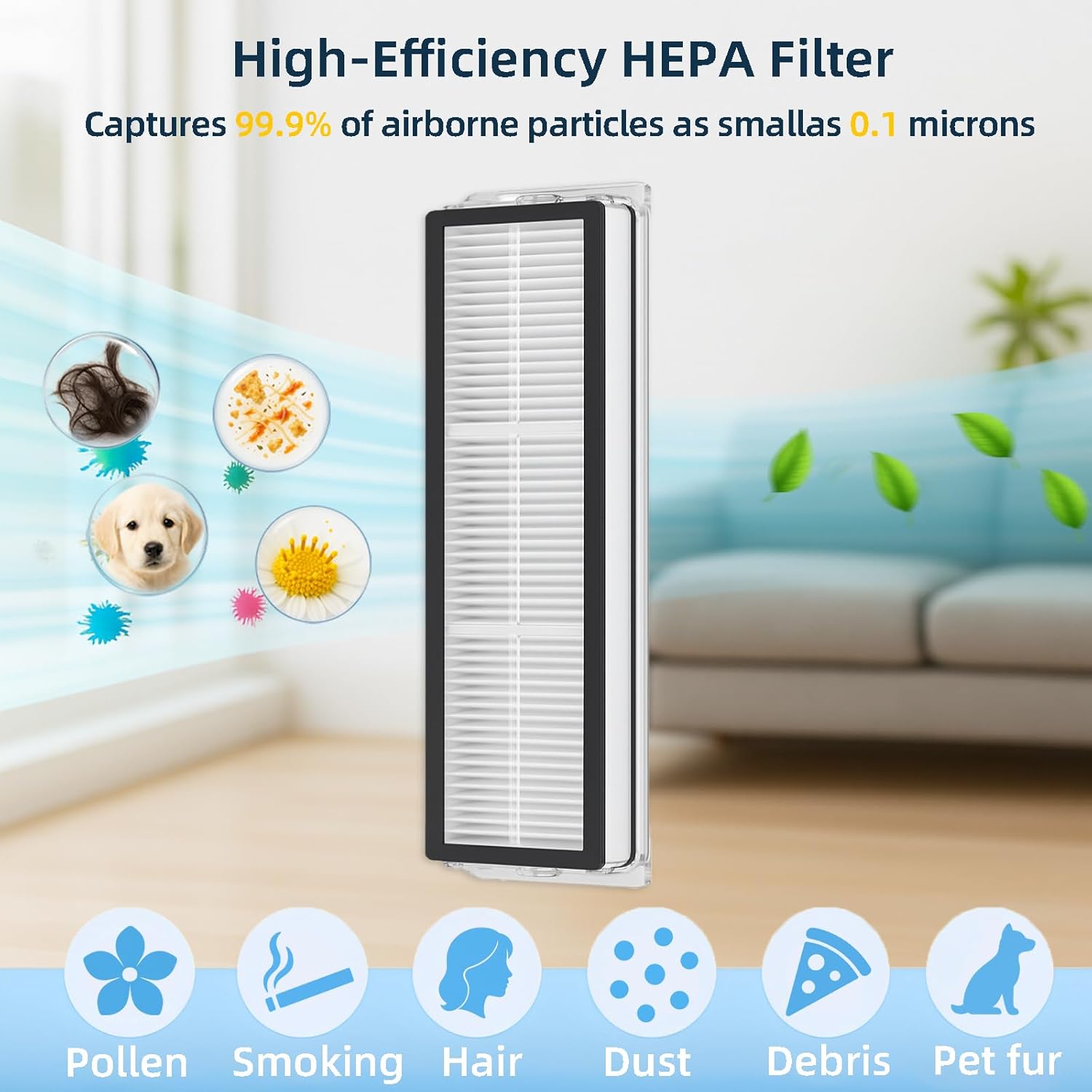
Insert the new HUIZHEN HEPA filter into the dustbin, ensuring it is seated correctly and the sealed edges are properly aligned to prevent dust leakage.
Close the filter compartment, reinsert the dustbin into the vacuum, and close the dustbin cover.
Image: High-Efficiency HEPA Filter designed to capture 99.9% of airborne particles as small as 0.1 microns, including pollen, smoke, hair, dust, debris, and pet fur.
Image: Comparison illustrating the benefit of a sealed-edge filter for better dust containment versus a non-sealed filter which may allow side leakage of fine dust.
4. Mop Pad Installation
Locate the mop pad attachment on your robot vacuum.
Remove the used mop pad, typically attached via Velcro or a sliding mechanism.
Attach a new HUIZHEN microfiber mop pad, ensuring it is securely fastened to the mop attachment.
Image: Microfiber Mop Pad, indicating it is machine washable and reusable, contributing to cost savings and a clean home.
5. Hauts-poltsaren instalazioa
Open the auto-empty station's dustbin compartment.
Carefully remove the full dust bag from the compartment.
Insert a new HUIZHEN 4.0L dust bag into the compartment, ensuring it is fully seated and the opening aligns with the station's suction port. The bag features a 4-layer leak-proof seal to minimize dust leakage.
Close the dustbin compartment cover securely.
Image: Illustration of the dust bag's construction, featuring durable non-woven fabric, a 4-layer leak-proof seal, and a high-precision seal to prevent leakage.
Mantentze-jarraibideak
Regular cleaning and timely replacement of parts are crucial for maintaining your robot vacuum's efficiency.
Eskuila nagusia: Inspect weekly for tangled hair or debris. Use the cleaning tool provided with your vacuum to remove any obstructions. Replace every 6-12 months, or sooner if wear is visible.
Alboko eskuilak: Check weekly for bent bristles or debris. If bristles are bent, soak them in warm water for a few minutes to help them recover their shape. Replace every 3-6 months, or if bristles are significantly worn or damaged.
HEPA iragazkiak: Tap the filter gently to remove loose dust after each cleaning cycle. Do not wash HEPA filters with water unless explicitly stated by the vacuum manufacturer. Replace every 2-3 months, or more frequently if you have pets or allergies.
Fregona-zapiak: Remove and wash after each mopping session. The HUIZHEN mop pads are machine washable and reusable. Allow them to air dry completely before reattaching. Replace every 1-3 months depending on usage and wear.
Dust Bags: Replace the dust bag when the vacuum's auto-empty station indicates it is full, or approximately every 4-8 weeks depending on usage and household dust levels.
Arazoak konpontzea
Side Brushes are Bent or Curled: If side brushes appear bent or curled from shipping or use, soak them in warm water for a few minutes. This can help them return to their original shape.
Vacuum Displays "Dustbin/Filter Error" After Filter Replacement: Ensure the new HEPA filter is correctly and fully seated within the dustbin. Verify that the dustbin itself is properly inserted into the vacuum and its cover is securely closed. Some vacuums have sensors that require precise alignment for detection.
Parts Do Not Fit: Double-check that your robot vacuum model is specifically the Dreame D10 Plus Gen 2 (RLD32GD). These parts are designed for this specific model.
Garbiketa-errendimendu murriztua: This often indicates that brushes are worn, filters are clogged, or the dust bag is full. Refer to the maintenance guidelines for replacement intervals.
Zehaztapenak
Marka
HUIZHEN
Gailu bateragarriak
Dreame D10 Plus Gen 2 Robot Vacuum Cleaner (RLD32GD)
1 Main Brush, 6 Side Brushes, 4 HEPA Filters, 4 Mop Pads, 6 Dust Bags
Hauts poltsaren edukiera
4.0 litro
Berrerabilgarritasuna
Mop Pads are reusable; other components are for replacement.
Bermearen informazioa
Produktu hau a 1 urteko bermeaGorde erosketaren egiaztagiria bermearen erreklamazioetarako.
Bezeroarentzako Arreta
For further assistance, questions, or concerns regarding your HUIZHEN replacement parts, please contact the seller or manufacturer through the platform where the purchase was made. Provide your order details and a clear description of the issue for prompt support.
Ask a question about this manual
Ask about setup, troubleshooting, compatibility, parts, safety, or missing instructions. Manuals+ will review the question and use this page’s manual context to help answer it.