
1. Sarrera
Thank you for choosing the KOORUI N07 27-inch 4K UHD Monitor. This monitor is designed to provide a superior visual experience with its 3840x2160 resolution, IPS panel, 60Hz refresh rate, HDR10 support, and Adaptive Sync technology. This manual provides essential information for setting up, operating, and maintaining your monitor to ensure optimal performance and longevity. Please read this manual thoroughly before using the product.
2. Segurtasun informazioa
- Always place the monitor on a stable, flat surface.
- Ez blokeatu aireztapen baoak.
- Erabili fabrikatzaileak emandako korronte-egokitzailea soilik.
- Mantendu monitoreak uretatik eta gehiegizko hezetasunetik urrun.
- Avoid exposing the monitor to direct sunlight or high temperatures.
- Disconnect the power cable during lightning storms or when unused for long periods.
3. Paketearen edukia
Irekitzean, egiaztatu paketearen edukia. Elementuren bat falta bada edo hondatuta badago, jarri harremanetan zure saltzailearekin.
- KOORUI N07 27-inch 4K UHD Monitor
- Monitorearen euskarria (oinarria eta lepoa)
- Energia egokitzailea eta energia kablea
- HDMI kablea
- DisplayPort kablea
- Erabiltzailearen eskuliburua
4. Monitor Assembly and Setup
4.1 Standa lotzea
- Kontu handiz jarri monitorearen aurpegia behera oihal leun eta garbi baten gainean, marradurak saihesteko.
- Attach the stand neck to the back of the monitor, aligning the mounting points.
- Secure the stand neck with the provided screws.
- Attach the stand base to the stand neck and tighten the thumb screw.

4.1. Irudia: Atzealdea view of the monitor showing VESA mount and tilt adjustment.
4.2 Konektatzeko kableak
The KOORUI N07 monitor offers versatile connectivity options. Ensure your computer is turned off before making any connections.
- Potentzia-konexioa: Connect the power adapter to the monitor's DC input port, then plug the power cable into a power outlet.
- Bideo-konexioa: Connect one end of the HDMI or DisplayPort cable to the corresponding port on your computer's graphics card and the other end to an HDMI (HDMI1 or HDMI2) or DisplayPort (DP) input on the monitor.
- Audio irteera: If desired, connect external speakers or headphones to the 3.5mm audio output port on the monitor.

Figure 4.2: Connectivity options for the KOORUI N07 monitor.
4.3 Piztea
After connecting all necessary cables, press the power button on the monitor to turn it on. The monitor will automatically detect the active input source.
5. Funtzionamendu-argibideak
5.1 Pantailan bistaratzeko (OSD) menua
The OSD menu allows you to adjust various monitor settings. Use the buttons located on the bottom right of the monitor to navigate and select options.
- Pizteko botoia: Monitorea pizten edo itzaltzen du.
- Menuko botoia: OSD menua irekitzen du.
- Nabigazio botoiak: Menuko aukeretan zehar mugitzeko eta balioak doitzeko erabiltzen da.
- Irten botoia: OSD menutik irteten da.
5.2 Key OSD Settings
- Irudiaren ezarpenak: Doitu distira, kontrastea, zorroztasuna eta kolore-tenperatura.
- Kolore moduak: Select from various preset modes like Standard, Movie, Game, and Eye Care.
- Sarrera iturria: Manually select between HDMI1, HDMI2, or DisplayPort inputs.
- Sinkronizazio egokitzailea: Enable or disable Adaptive Sync for smoother gameplay.
- HDR10: Activate HDR10 for enhanced dynamic range with compatible content.
6. Ezaugarriak baino gehiagoview
6.1 4K UHD Resolution (3840x2160)
Experience incredible detail and clarity with a resolution four times higher than Full HD. This monitor provides 8.3 million pixels for a sharper and more colorful image.

Figure 6.1: 4K UHD resolution detail comparison.
6.2 IPS Panel Technology
The IPS panel offers a wide 178° viewing angle and vibrant color reproduction (90% DCI-P3, 99% sRGB), ensuring consistent image quality from almost any perspective. This is ideal for graphic designers, gamers, and movie enthusiasts.

Figure 6.2: IPS panel with 99% sRGB color accuracy.
6.3 HDR10 euskarria
Enjoy content with enhanced dynamic range. HDR10 provides brighter whites, deeper blacks, and more vivid colors, bringing your favorite movies and games to life with greater realism.

Figure 6.3: HDR10 technology for improved image quality.
6.4 Adaptive Sync Technology
Adaptive Sync eliminates screen tearing and stuttering, providing a smoother and more fluid visual experience, especially during fast-paced gaming or video playback.

Figure 6.4: Adaptive Sync in action, preventing screen tearing.
6.5 Begien Zainketa Teknologia
The monitor features a Blue Light Filter and Flicker-Free technology to reduce eye strain during prolonged use. The Eye Care mode optimizes settings to minimize blue light emission, promoting visual comfort.
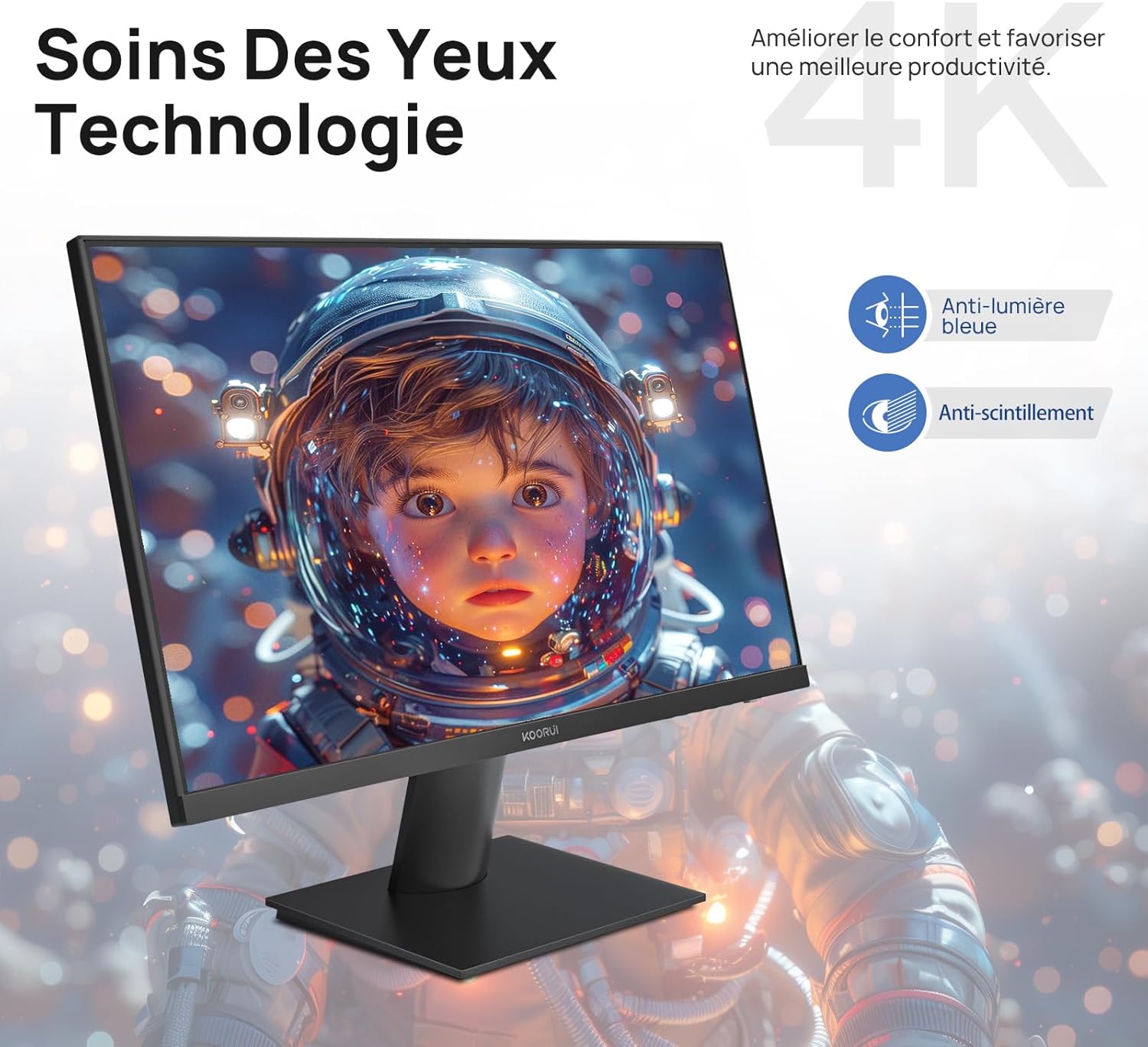
Figure 6.5: Eye Care technology for reduced eye strain.
6.6 Diseinu ergonomikoa
The monitor stand allows for tilt adjustment from -5° to 20°, enabling you to find the most comfortable viewing angle for your posture.
6.7 VESA muntaketaren bateragarritasuna
The KOORUI N07 supports 100x100mm VESA mounting, allowing you to easily attach it to a wall mount or an articulated monitor arm for a flexible and clutter-free workspace.

Figure 6.6: VESA mount compatibility for flexible setup.
7. Produktuaren bideoaview
7.1. bideoa: Over batview of the KOORUI N07 27-inch 4K UHD monitor, highlighting its key features such as 4K resolution, DCI-P3 color gamut, HDR10 support, versatile usage for creation, viewing, and gaming, adjustable tilt, and VESA mounting capabilities.
8. Arazoak
Monitorearekin arazoak badituzu, jo ezazu honako arazo eta irtenbide ohikoenei:
| Arazoa | Irtenbide posiblea |
|---|---|
| Ez dago irudirik pantailan | Ensure power cable is securely connected. Check video cable connection (HDMI/DP) to both monitor and computer. Verify correct input source is selected in OSD. |
| Irudia lausoa edo distortsionatua dago | Check display resolution settings on your computer. Ensure it is set to 3840x2160. Adjust sharpness in the OSD menu. |
| Koloreak oker agertzen dira | Adjust color temperature and color settings in the OSD menu. Try resetting picture settings to factory defaults. |
| Pantaila keinuka | Ensure the video cable is securely connected. Disable Adaptive Sync if enabled, or update your graphics card drivers. |
9. Zehaztapenak
| Ezaugarri | Xehetasuna |
|---|---|
| Marka | KOORUI |
| Modelo zenbakia | N07 |
| Pantailaren tamaina | 27 hazbete |
| Ebazpena | 4K UHD (3840 x 2160 pixel) |
| Panel mota | IPS |
| Freskatze tasa | 60 Hz |
| Erantzun Denbora | 4 milisegundo |
| Aspektu-erlazioa | 16:9 |
| Kontraste-erlazioa | 1000:1 |
| Distira | 300 cd/m² |
| Viewangelua | 178 gradu |
| Konektibitatea | 2x HDMI 2.0, 1x DisplayPort 1.4, 1x Audio Out |
| VESA bateragarritasuna | 100x100mm |
| Ezaugarri bereziak | Blue Light Filter, Tilt Adjustment, Frameless, Flicker-Free, Adaptive Sync, HDR10 |
| Neurriak (L x W x H) | 20.5P x 61L x 45A zentimetro |
| Pisua | 3 kilogramo |
10. Mantentzea
To ensure the longevity and optimal performance of your KOORUI N07 monitor, follow these maintenance guidelines:
- Pantaila garbitzea: Garbitu pantaila astiro-astiro zapi leun eta pelusik gabeko batekin. Orba egoskorrak kentzeko, garbituampen the cloth slightly with water or a specialized screen cleaner. Never spray liquid directly onto the screen.
- C garbiketaasing: Erabili zapi leun eta lehor bat monitorearen garbiketa egiteko.asing. Saihestu garbitzaile edo disolbatzaile urratzaileak.
- Aireztapena: Ziurtatu monitorearen aireztapen-irekidurak ez daudela blokeatuta gehiegi berotzea saihesteko.
- Itzali: Turn off the monitor when not in use for extended periods.
11. Bermea eta Laguntza
The KOORUI N07 monitor comes with a 2 urteko fabrikatzailearen bermea. This warranty covers defects in materials and workmanship under normal use. For warranty claims or technical support, please contact KOORUI customer service or your retailer with your proof of purchase.
For additional support, troubleshooting guides, and driver downloads, please visit the official KOORUI webgunea.


