
1. Produktua amaitu daview
The surmen V300 is a full-size 104-key wired USB keyboard featuring a retro typewriter style with round, backlit keys. Designed for comfortable and quiet typing, it includes dedicated multimedia controls and anti-ghosting capabilities for efficient use across various operating systems.

Image 1: The surmen V300 keyboard, showcasing its full-size layout and retro design.
2. Konfigurazioa
This keyboard is designed for plug-and-play functionality, requiring no additional drivers for most operating systems. Simply connect the USB cable to your device to begin use.
2.1 Teklatua konektatzea
- Locate an available USB port on your computer, laptop, or tablet.
- Sartu teklatuaren kablearen USB konektorea USB atakan.
- The keyboard should be automatically recognized by your operating system. No software installation is typically required.
Video 1: An unboxing video demonstrating the initial setup and appearance of a similar keyboard model.
Video 2: A demonstration highlighting the aesthetic and design of the typewriter-style keyboard, providing context for its physical features.
2.2 Bateragarritasuna
The surmen V300 keyboard is compatible with Windows 2000/XP/7/8/10, Vista, and Mac OS. Please note that multimedia keys may not be fully compatible with Mac OS systems.
3. Funtzionamendu-argibideak
3.1 Idazketa esperientzia
The keyboard features membrane keys that offer a comfortable and relatively quiet typing experience compared to mechanical keyboards. The crater structure ensures a button life of over 50 million presses. While generally quiet, typing hard and fast may produce audible sound.
3.2 Atzeko argiaren kontrola
The keyboard includes a bright LED backlight for improved visibility in low-light conditions. You can adjust the brightness or turn the backlight on/off using the following key combinations:
- FN + Scrlk: Atzeko argia piztu/itzali.
- FN + Orrialdea Gora: Handitu atzeko argiaren distira.
- FN + OrrialdeaBehera: Atzeko argiaren distira txikitu.
- FN + Hasiera: Activate breathing lamp modua.

Image 2: Visual guide for controlling the keyboard's white LED backlight using FN key combinations.
Video 3: A short video demonstrating how to adjust the backlight settings on the keyboard.
Video 4: A demonstration of the keyboard's backlight in action, showing its visual appeal and functionality.
Video 5: Another video showcasing the keyboard's light-up backlit keys.
3.3 Multimedia lasterbideak
The keyboard features 12 multimedia combination keys (Fn+F1 to Fn+F12) for quick access to common functions:
- Fn+F1: Musika
- Fn+F2: Bolumena gutxitu
- Fn+F3: Bolumena handitu
- Fn+F4: Isildu
- Fn+F5: Gelditu
- Fn+F6: Aurreko pista
- Fn+F7: Erreproduzitu/Pausatu
- Fn+F8: Hurrengo pista
- Fn+F9: Ireki posta elektronikoa
- Fn+F10: Ireki hasierako orria
- Fn+F11: Ireki Nire ordenagailua
- Fn+F12: Ireki kalkulagailua
- Fn + Irabazi: Blokeatu/Desblokeatu Windows tekla
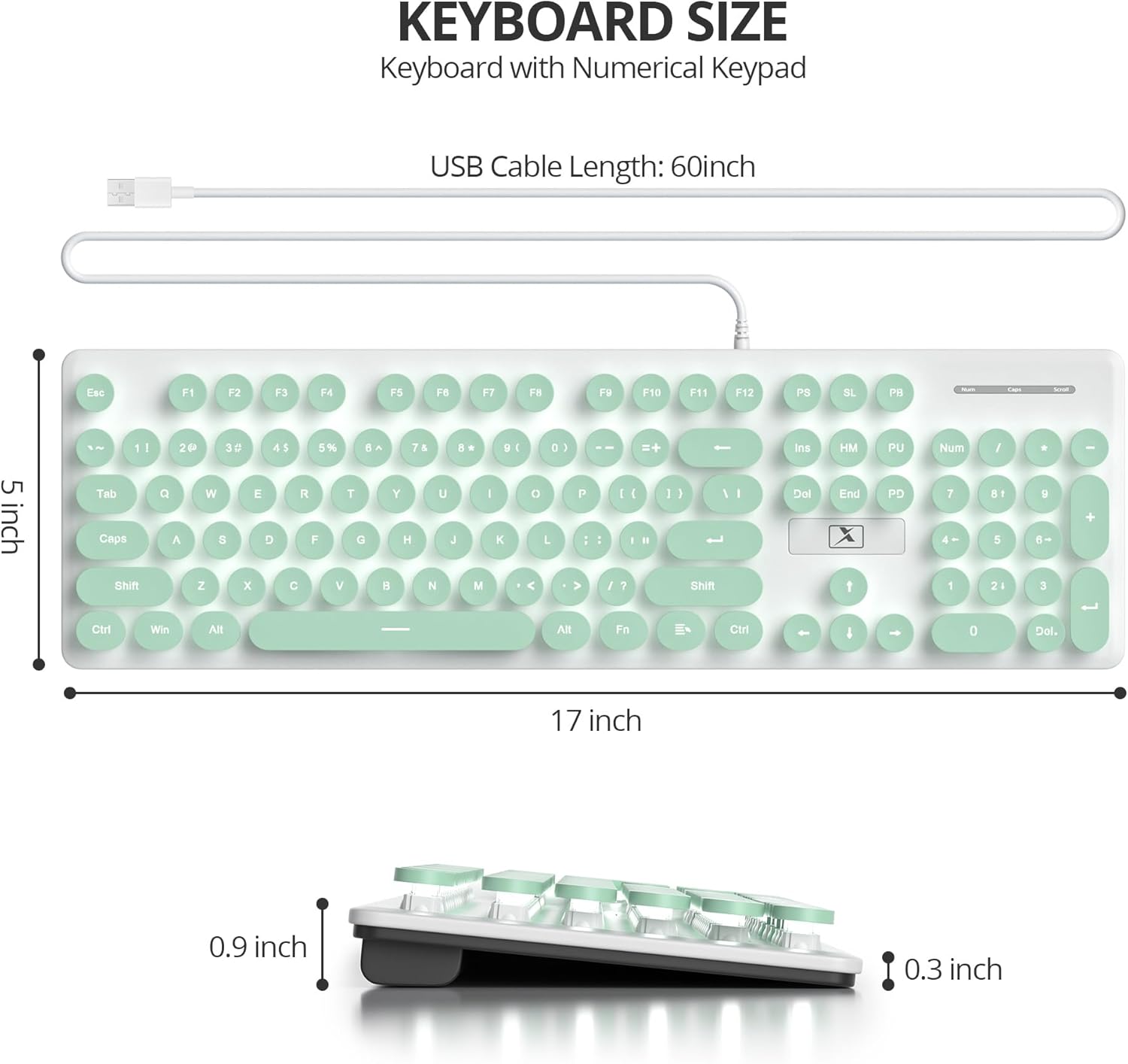
Image 3: Illustration of the 12 convenient multimedia shortcuts available on the keyboard.
3.4 Mamuen aurkakoa
The keyboard features 19 anti-ghosting keys, ensuring that multiple key presses are recognized simultaneously for rapid and accurate input, particularly beneficial during gaming or fast typing.
4. Mantentzea
To ensure the longevity and optimal performance of your surmen V300 keyboard, regular cleaning is recommended.
4.1 Cleaning the Keycaps
The round keycaps are detachable, allowing for easy cleaning underneath. Gently pull the keycaps upwards to remove them. Use a soft brush or compressed air to remove dust and debris from the keyboard base and the underside of the keycaps. Reattach the keycaps by pressing them firmly into place.
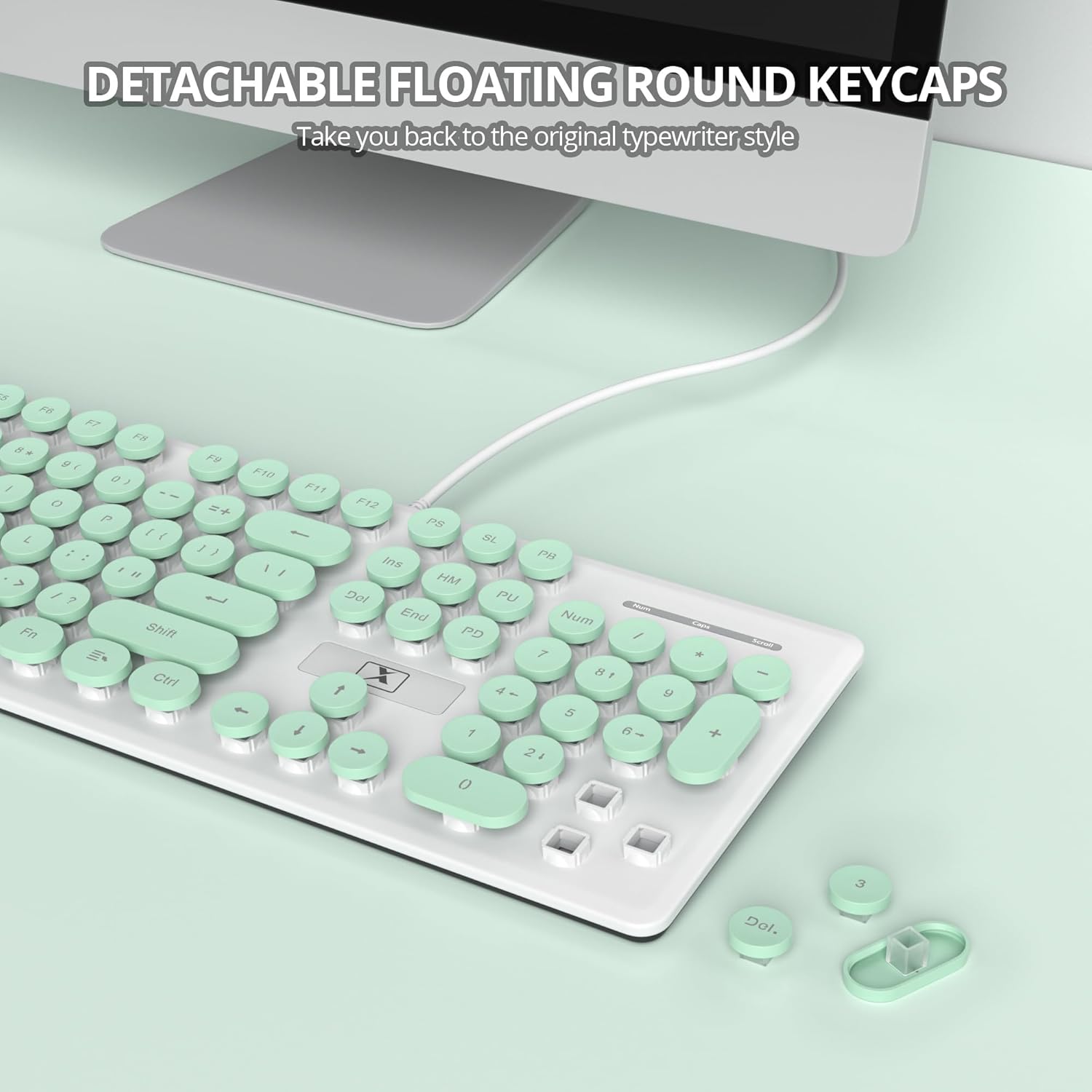
4. irudia: Plano hurbila view demonstrating the detachable floating round keycaps, facilitating easy cleaning and maintenance.
5. Arazoak
If you encounter any issues with your surmen V300 keyboard, please refer to the following common solutions:
- Teklatuak ez du erantzuten: Ensure the USB cable is securely connected to both the keyboard and your device. Try plugging the keyboard into a different USB port.
- Atzeko argia ez dabil: Check if the backlight is turned off using the FN + Scrlk key combination. Adjust brightness with FN + PgUp/PgDn.
- Giltzak ez dira erregistratzen: Clean under the affected keycaps as described in the Maintenance section.
- Multimedia keys not functioning on Mac OS: As noted, some multimedia keys may have limited compatibility with Mac OS. This is expected behavior.
6. Zehaztapenak
| Ezaugarri | Xehetasuna |
|---|---|
| Marka | surmen |
| Eredua | V300 |
| Konektibitate Teknologia | USBa |
| Teklatuaren deskribapena | Mintza |
| Gako kopurua | 104 |
| Teklatuaren diseinua | QWERTY |
| Ezaugarri bereziak | Backlit, Hotkeys and Media Keys, Round Key, Quiet |
| Gailu bateragarriak | Ordenagailu eramangarria, ordenagailua, tableta |
| Sistema Eragile Familia Bateragarria | MacOS, Windows |
| Energia iturria | USB energia |
| Materiala | Plastikoa |
| Kolorea | Berdea |
| Paketearen neurriak | 44.4 x 15.8 x 4.2 cm; 590 g |
7. Bermea
Produktu hau a 30 eguneko bermea erosketa-egunetik aurrera. Mesedez, gorde zure erosketaren froga edozein berme erreklamazioetarako.
8. Laguntza
For further assistance or inquiries regarding your surmen V300 keyboard, please refer to the retailer's customer service or visit the official surmen weblaguntza baliabideen gunea.