
1. Sarrera
The BAANOOL BN-401B-N is a 4G GPS tracker designed for vehicles in North American regions. This device provides real-time location tracking, various alarm functions, and remote control capabilities for enhanced vehicle security and management. It is compatible with a range of vehicles including cars, motorcycles, fleets, scooters, buses, and trucks.
This manual provides essential information for the proper installation, operation, and maintenance of your BN-401B-N GPS tracker. Please read it thoroughly before using the device.
The device operates on 4G bands: B2/B4/B5/B7/B12/B13/B66/B28A. Ensure these bands are suitable for your area before use.
2. Zer dago kutxan
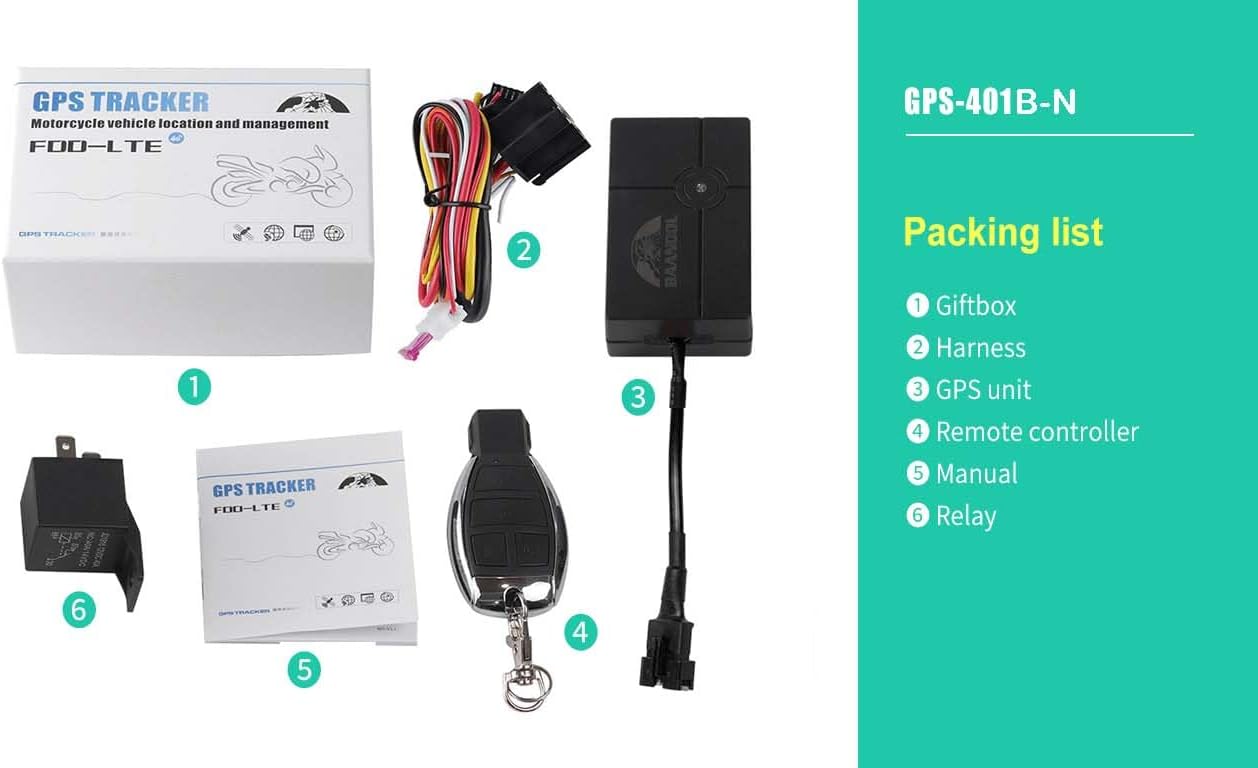
The BAANOOL BN-401B-N GPS tracker package includes the following items:
- GPS Unit (BN-401B-N)
- Kableatu Harness
- Urruneko kontrolagailua
- Erreleboa
- Erabiltzailearen eskuliburua
- Battery (pre-installed or included separately)
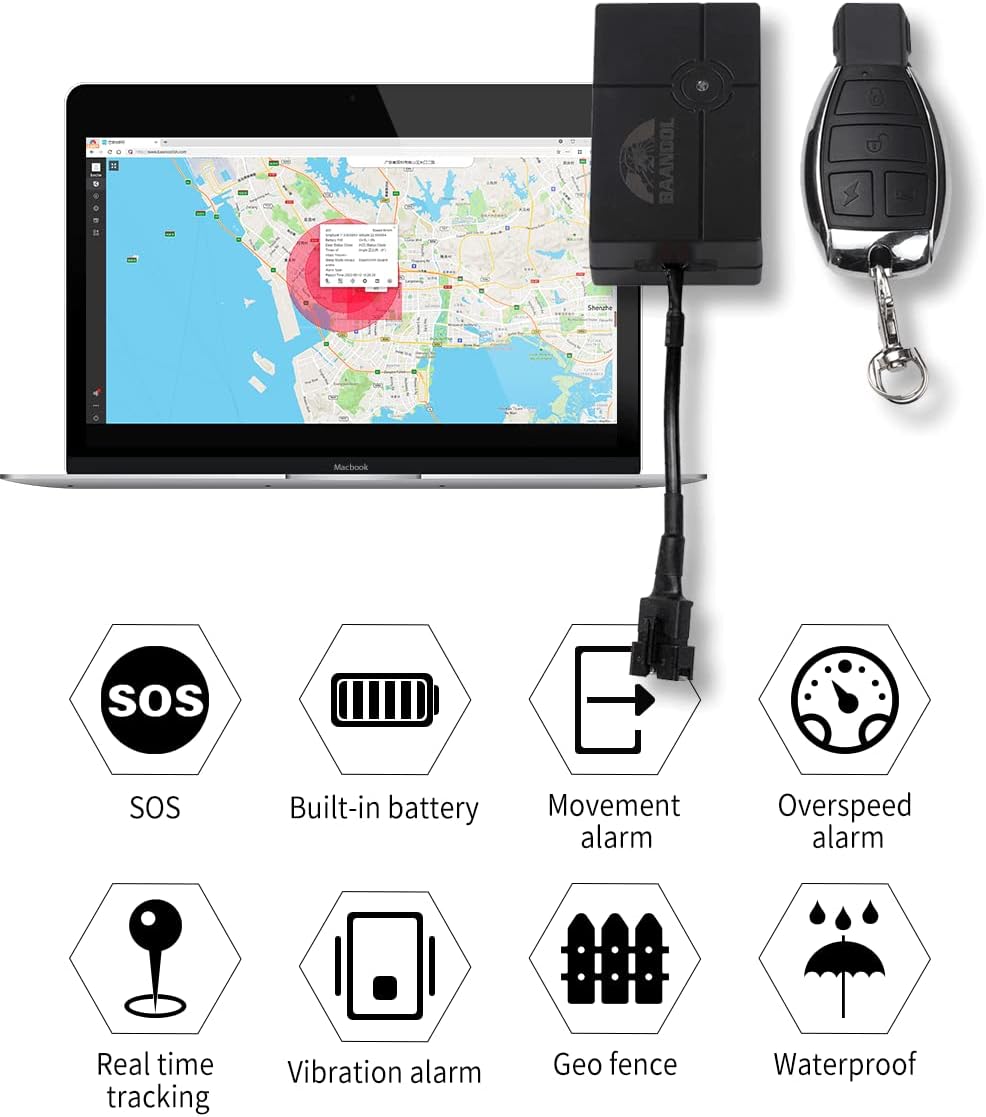
Image: Contents of the BAANOOL BN-401B-N GPS tracker package.
Video: This video demonstrates the unboxing and contents of the BAANOOL BN-401B-N GPS tracker package, including the main unit, wiring harness, remote control, and user manual.
3. Konfigurazioa eta instalazioa
3.1 SIM txartelaren txertatzea
The BN-401B-N requires a 4G SIM card for network communication. Insert a compatible SIM card into the device. Ensure the SIM card is active and has data, SMS, and call services enabled. No subscription fee is required for the platform itself, but a SIM card with a data plan is necessary for the tracker to function.
3.2 Kableatua eta potentzia konexioa
The GPS tracker should be installed on the vehicle's onboard power supply (12-24V). Connect the red wire of the harness to the positive (+) terminal of the vehicle's power supply and the black wire to the negative (-) or vehicle body ground. For advanced functions like remote engine cut-off, consult a professional for proper relay wiring.
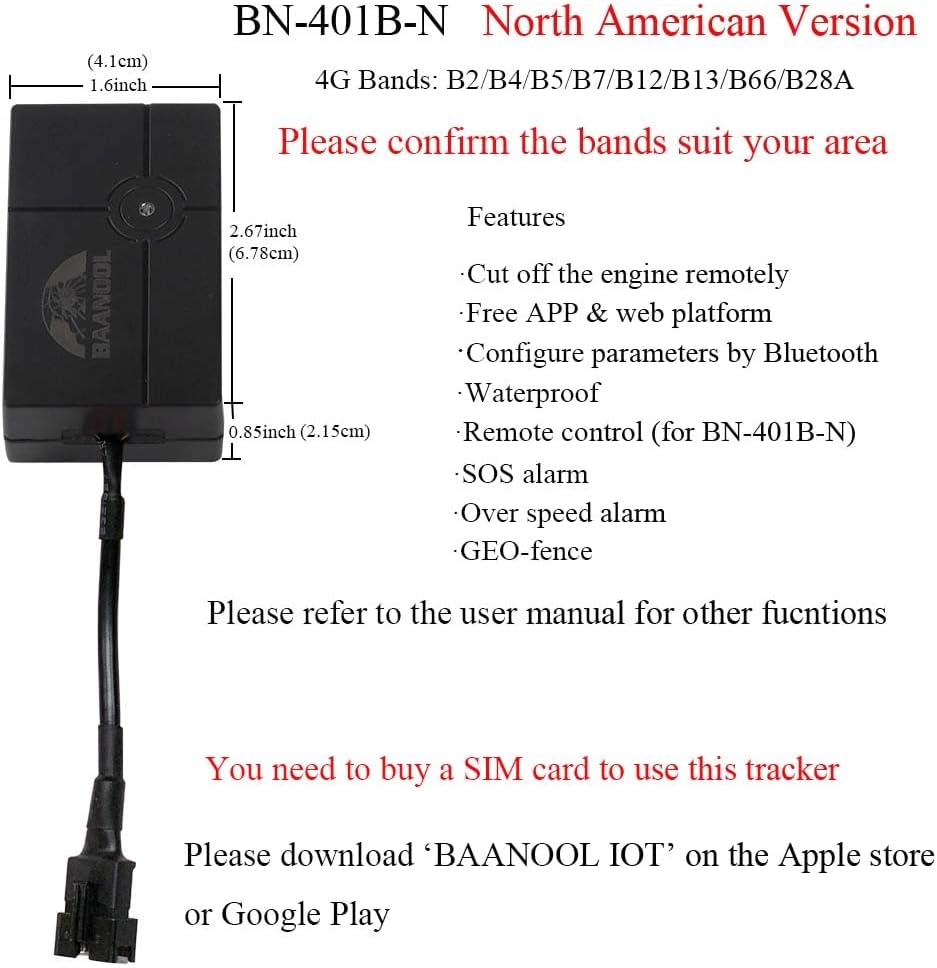
Image: Physical dimensions of the BN-401B-N tracker for installation planning.
3.3 Application Download and Account Setup
Download the official BAANOOL IOT application from the Apple App Store or Google Play Store. Follow the in-app instructions to register your device and set up your account. The device can also be managed via a free web plataforma.
Irudia: Adibample of the BAANOOL tracking application interface.
3.4 Bluetooth konfigurazioa
Parameters can be configured via Bluetooth. Refer to the app or web platform for detailed instructions on connecting and adjusting settings using Bluetooth.
4. Gailuaren funtzionamendua
The BN-401B-N offers various functions for vehicle tracking and security. Control the device using SMS commands, the mobile application, or the web plataforma.
4.1 Ezaugarri nagusiak
- Kokapen zehatza: Obtain accurate GPS location data (accuracy: 5m).
- Denbora errealeko jarraipena: Monitor your vehicle's location continuously.
- Historiaren erreprodukzioa: Review past travel routes and data.
- GEO-Fence: Set up virtual boundaries and receive alerts when the vehicle enters or exits these areas.
- Urruneko kontrolagailua: The BN-401B-N model includes a remote controller for functions like arming/disarming.
- Remote Engine Cut-off: If wired correctly, the device supports remotely cutting off the engine.
- Diseinu iragazgaitza: The device is designed to withstand water exposure.

Image: Visual representation of the tracker's main features.
4.2 Alarma-funtzioak
The tracker is equipped with several alarm features to enhance security:
- ACC Alarm: Triggers when the vehicle's ignition is turned on.
- Shock Alarm: Alerts you to impacts or vibrations.
- Bateria baxuaren alarma: Notifies you when the internal battery is low.
- External Power Disconnection Alarm: Alerts if the main power supply is cut.
- SOS alarma: Activated by an SOS button (if available or configured).
- Mugimenduaren alarma: Triggers if the vehicle moves without authorization.
- Abiadura Gaineko Alarma: Alerts if the vehicle exceeds a predefined speed limit.

Irudia: Adibamples of vehicle types compatible with the tracker.
5. Mantentzea
To ensure the longevity and optimal performance of your BAANOOL BN-401B-N GPS tracker, follow these maintenance guidelines:
- Ohiko egiaztapenak: Periodically inspect the wiring connections to ensure they are secure and free from damage.
- Bateria zaintzea: The device contains a chargeable 3.7V 90mAh Li-ion battery. While designed for vehicle power, ensure the internal battery is charged to maintain functionality during power interruptions.
- Garbiketa: Keep the device clean and free from dust and debris. Use a soft, dry cloth for cleaning. Avoid harsh chemicals.
- Uraren erresistentzia: The device is waterproof, but avoid submerging it in water or exposing it to high-pressure water jets.
6. Arazoak
If you encounter issues with your BN-401B-N GPS tracker, refer to the following common problems and solutions:
| Arazoa | Kausa posiblea | Irtenbidea |
|---|---|---|
| Gailua ez da pizten | Incorrect wiring, no power from vehicle, faulty internal battery. | Check power connections (red to positive, black to negative). Ensure vehicle power is active. Allow internal battery to charge. |
| No GPS signal / Inaccurate location | Poor installation location (e.g., under metal), device indoors, weak satellite signal. | Relocate the device to an area with a clear view of the sky. Test outdoors. |
| No GSM signal / Offline in app | SIM card not inserted correctly, SIM card inactive, no data plan, out of network coverage. | Reinsert SIM card. Verify SIM card is active and has a data plan. Check network coverage in your area. |
| Remote functions not working (e.g., engine cut-off) | Incorrect wiring of relay, app/platform issue, device offline. | Verify relay wiring with a professional. Check device status in the app/platform. Ensure device has GSM signal. |
| Constant red light, no green light (no GSM signal) | SIM card issue, network problem, device fault. | Check SIM card. Try a different SIM card. Contact support if the issue persists. |
For further assistance, please contact BAANOOL customer support.
7. Zehaztapenak
| Parametroa | Balioa |
|---|---|
| Eredua | BN-401B-N (4G) |
| 4G Taldeak | B2/B4/B5/B7/B12/B13/B66/B28A |
| Sarea | LTE |
| Neurriak (L x W x H) | 6.78 x 4.1 x 2.15 cm (2.67 x 1.6 x 0.85 hazbete) |
| GPS Unit Weight | 58 g (2.05 oz) |
| GPS zehaztasuna | 5m |
| liburukiatagBoterearen e | 12-24V |
| Bateria | Chargeable 3.7V 90mAh Li-ion battery (included) |
| Konektibitate Teknologia | Zelularra |
| Ezaugarri bereziak | Geo-Fence, Remote Control (for 401B-N model), Waterproof |
| Onartutako aplikazioak | Car, Motorcycle, Vehicle, Fleet, Scooter, Bus, Taxi, Truck, Free APP & Web Plataforma |
| Erabilera espezifikoak | Ibilgailuen Jarraipena |
8. Bermea eta Laguntza
BAANOOL GPS trackers come with a 15 hilabeteko bermea. As an original manufacturer, BAANOOL provides comprehensive after-sales service.
If you encounter any problems with your device or require technical assistance, please contact BAANOOL customer support. Provide your model number (BN-401B-N) and a detailed description of the issue for efficient resolution.
For support, please visit the official BAANOOL webgunea edo kontsultatu zure produktuaren ontzian emandako harremanetarako informazioa.