
Sarrera
This manual provides comprehensive instructions for the setup, operation, and maintenance of your 16MP 1080P Hunting Trail Camera (Model FH2S). Designed for wildlife monitoring and outdoor security, this camera captures high-quality photos and videos with its 16MP sensor and 1080P video capabilities. Featuring 940nm infrared night vision and a motion-activated trigger, it automatically records activity in natural habitats. Its robust, weather-resistant design ensures reliable performance in various outdoor conditions. Please read this manual thoroughly before using the camera to ensure optimal performance and longevity.

1. irudia: Aurrealdea view of the Hunting Trail Camera, showcasing its compact, camouflage design.
Produktuaren Ezaugarriak
- Trail Camera Functionality: Specifically designed for monitoring wildlife and outdoor environments, capturing high-quality photos and videos.
- Mugimendu-sentsore sentikorra: The camera is activated by a highly sensitive motion sensor, ensuring no important moment is missed.
- Gaueko ikuspegi aurreratua: Equipped with 940nm infrared night vision technology, enabling clear image capture even in low-light conditions.
- Bereizmen handiko irudiak: Offers 16MP resolution for still photos and 1080P for videos, providing detailed and sharp visuals.
- Robust and Weatherproof Design: Features an IP66 weatherproof and shock-resistant body, ensuring perfect operation in adverse outdoor conditions.

Figure 2: Key features of the Hunting Trail Camera, including infrared capability, motion sensing, and waterproof design.
Paketearen edukia
Paketea irekitzean, egiaztatu osagai guztiak daudela eta egoera onean daudela:
- 1 x 16MP 1080P Hunting Trail Camera (Model FH2S)
- 1 x Argibide eskuliburua
- 1 x Mounting Strap (typically included for tree mounting)
- 1 x USB Cable (for data transfer, typically included)
Oharra: Bateriak eta SD txartela ez daude barne eta bereiz erosi behar dira.
Produktua amaituview
Familiarize yourself with the various parts and components of your trail camera:

Figure 3: Detailed diagram of the camera's external and internal components.
- Argi infragorria: Gaueko ikusmenaren argiztapenerako.
- Lentea: Irudiak eta bideoak ateratzen ditu.
- PIR sentsorea: Mugimendua detektatzeko infragorri pasiboko sentsore bat.
- Bistaratzeko pantaila: For menu navigation and viewharrapatutako euskarria erabiltzea.
- Botoiak: Nabigazio eta hautaketa kontrolak.
- Battery Card Slot: Location for inserting batteries.
- Bateriaren estalkia: Bateriaren konpartimentua babesten du.
- Giltza-zuloa: For securing the camera with a lock.
- Uhalaren zuloa: For attaching the mounting strap.
Konfigurazioa
1. Bateriaren instalazioa
The camera operates on batteries (not included). Ensure you use the correct type and number of batteries as specified in the Zehaztapenak atala.
- Ireki bateriaren konpartimenduaren estalkia.
- Sartu bateriak, konpartimentuaren barruan adierazten den polaritate zuzena (+/-) errespetatuz.
- Close the battery compartment cover securely to ensure water resistance.
2. Memoria txartelaren txertatzea
A memory card (SD card, not included) is required to store photos and videos.
- Locate the SD card slot, usually near the battery compartment or on the side when the camera is open.
- Sartu SD txartela metalezko kontaktuak norabide egokian dituela, klik egin arte.
- Txartela kentzeko, bultzatu pixka bat barrurantz, atera arte.
3. Hasierako Konfigurazioa
Before deployment, configure basic settings using the internal display screen and buttons.

4. irudia: Barnekoa view of the camera with display and controls.
- Jarri kamera "TEST" modura.
- Use the navigation buttons to access the menu.
- Ezarri uneko data eta ordua.
- Format the SD card (this will erase all data on the card).
- Select your preferred operating mode (Photo, Video, or Photo+Video).
- Adjust other settings such as resolution, PIR sensitivity, and trigger interval as needed.
4. Kamera muntatzea
The camera is designed for tree mounting.
- Choose a suitable location, typically a tree or post, that provides a clear view kontrolatu nahi duzun eremuarena.
- Thread the mounting strap through the strap holes on the back of the camera.
- Securely fasten the camera to the tree/post, ensuring it is stable and pointed in the desired direction.
- Egokitu kameraren angelua eremua optimizatzeko view and motion detection range.
Funtzionamendu-argibideak
Funtzionamendu moduak
The camera typically offers three main operating modes:
- Argazki modua: Mugimendua detektatzen denean irudi finkoak ateratzen ditu.
- Bideo modua: Bideo-klipak grabatzen ditu mugimendua detektatzen denean.
- Argazki + Bideo modua: Mugimendua detektatzen denean, irudi finko bat eta ondoren bideo-klip bat ateratzen ditu.
Kamera aktibatzea
- After completing the setup and configuration in "TEST" mode, switch the camera to "ON" mode.
- The camera will typically enter a brief countdown period (e.g., 10-30 seconds) before becoming fully active. This allows you to leave the area without triggering the sensor.
- Once active, the camera will automatically capture photos or videos based on your selected mode and settings when motion is detected by the PIR sensor.
ViewHarrapatutako multimedia
To view argazkiak eta bideoak:
- Switch the camera back to "TEST" mode.
- Erabili nabigazio botoiak hartutako irudietan arakatzeko files on the display screen.
- Alternatively, remove the SD card and insert it into a computer or card reader to view files.
- Connect the camera directly to a computer using a USB cable (if supported) to access files.

5. irudia: Adibample of day and 940nm infrared night vision capabilities.
Mantentzea
- Garbiketa: Use a soft, dry cloth to clean the camera lens and PIR sensor. Do not use abrasive cleaners or solvents.
- Bateria ordezkatzea: Ordeztu bateriak bateria baxuaren adierazlea agertzen denean edo errendimendua gutxitzen denean. Ordeztu beti bateria guztiak aldi berean mota bereko berriekin.
- SD Txartela Kudeatzeko: Regularly format the SD card to maintain optimal performance and prevent data corruption. Back up important files formateatu aurretik.
- Biltegiratzea: Denbora luzez erabiltzen ez baduzu, kendu bateriak eta gorde kamera leku fresko eta lehor batean, eguzki-argitik babestuta.
- Uraren erresistentzia: Ensure all covers (battery compartment, USB port) are securely closed to maintain the camera's IP66 waterproof rating.
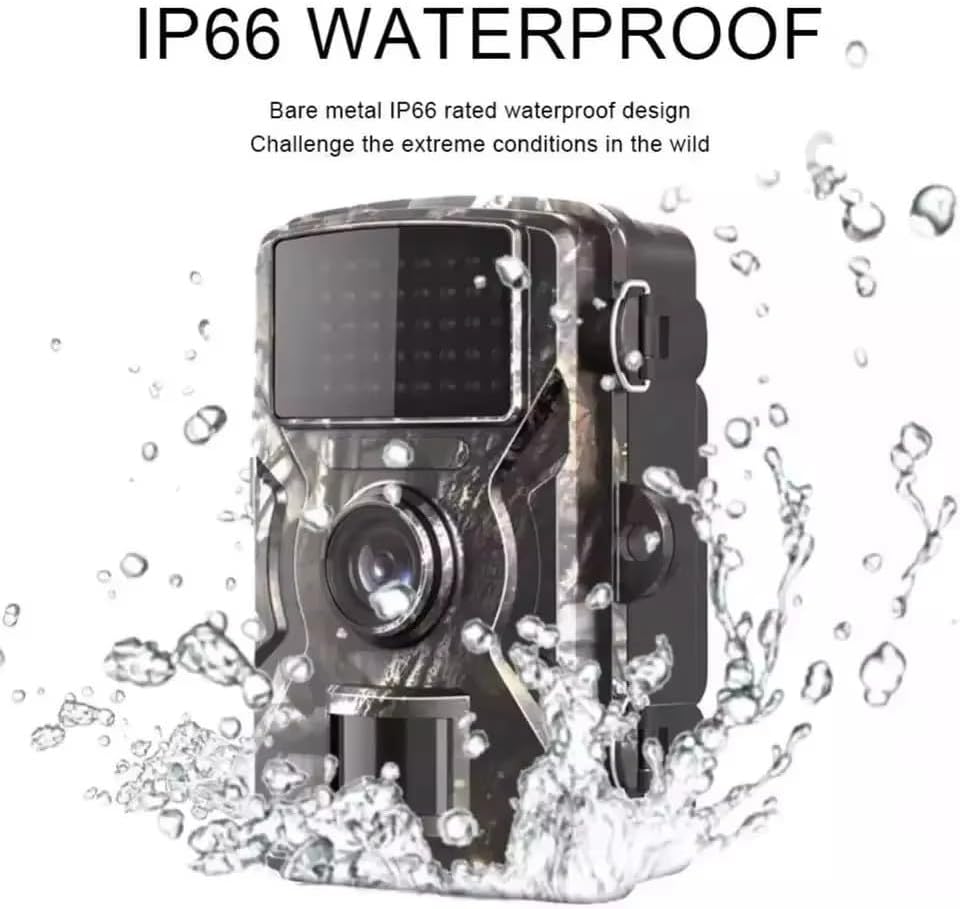
Figure 6: The camera's IP66 waterproof design ensures durability in outdoor conditions.
Arazoak konpontzea
| Arazoa | Kausa posiblea | Irtenbidea |
|---|---|---|
| Kamera ez da pizten. | Low or dead batteries; incorrect battery polarity; faulty batteries. | Replace with fresh, high-quality batteries, ensuring correct polarity. |
| Ez da argazkirik/bideorik atera. | SD card full or corrupted; incorrect mode setting; PIR sensitivity too low; camera not in "ON" mode. | Format or replace SD card; check mode setting; increase PIR sensitivity; ensure camera is in "ON" mode. |
| Irudi/bideo kalitate eskasa. | Dirty lens; low light conditions (without night vision); incorrect resolution setting. | Clean the lens; ensure night vision is active in low light; check resolution settings. |
| Camera records continuously or too frequently. | PIR sensitivity too high; camera facing moving objects (e.g., branches, tall grass). | Decrease PIR sensitivity; reposition camera to avoid false triggers. |
| Recording errors (as reported by users). | SD card compatibility issues; faulty SD card; firmware issue. | Try a different brand/type of SD card (Class 10 or higher recommended); format the SD card; contact support if issues persist. |
Zehaztapenak
| Ezaugarri | Xehetasuna |
|---|---|
| Energia iturria | Bateria (ez dago barne) |
| Konektibitate-protokoloa | Ez dago aplikagarri |
| Kontrolagailu mota | Sentsore |
| Muntatze Mota | Zuhaitz Mendia |
| Bideo Harrapaketa Ebazpena | 1080p |
| Kolorea | Kamuflajea |
| Elementu kopurua | 1 |
| Dakarten osagaiak | Trail Camera, Instruction Manual |
| Forma-faktorea | Trinkoa |
| Bideo Ebazpen eraginkorra | 1080 |
| Instalazio mota | Zuhaitz Mendia |
| Fotograma-tasa | 1080p |
| Materiala | Plastikoa |
| Elementuaren neurriak (L x W x H) | 10 x 5 x 13 cm (3.9 x 2 x 5.1 hazbete) |
| Uraren Erresistentzia Maila | Urarekiko erresistentea (IP66) |
| Fabrikatzailea | XXVII |
| Ziurtagiria | Ez dago aplikagarri |
| Forma | Laukizuzena |
| Lamp Mota | Infrared LED (940nm) |
| Ezaugarri bereziak | Infrared, Motion Sensor, Night Vision, Waterproof |
| Produktuaren erabilera espezifikoak | Night Photography, Wildlife Monitoring, Security |
| Pilak barne? | Ez |
| Battery Operated? | Bai |
| Modelo zenbakia | FH2S |
| ASIN | B0DPNPV539 |
| Available for purchase since | 5ko abenduaren 2024a |
| Irrati-kontrolaren egokitasuna | Nature Photography, Wildlife Monitoring, Outdoor Security |
| Marka | Generikoa |
| Konektibitate Teknologia | Haririk gabekoa |
| Indoor/Outdoor Environment | Kanpo Eremua |
Bermea eta Laguntza
This product is manufactured by XXVII. For specific warranty details, please refer to the warranty card or documentation included with your purchase. Warranty terms may vary by region and retailer.
For technical support, troubleshooting assistance beyond this manual, or warranty claims, please contact the seller or the manufacturer directly. Keep your purchase receipt as proof of purchase.
For general inquiries, you may also refer to the product page on Amazon.com.br: Produktuaren esteka