
1. Produktua amaitu daview
The Smart Security Camera (Model CB201) is a versatile 1080p Full HD PTZ (Pan-Tilt-Zoom) dome camera designed for indoor surveillance. It offers 360° coverage with 355° horizontal and 90° vertical rotation, ensuring no blind spots. Key features include motion detection with smart tracking, full-color night vision, two-way audio communication, and flexible storage options via cloud or local microSD card.

Image 1.1: The Smart Security Camera system, showing two cameras and a smartphone displaying the live feed. These cameras provide comprehensive indoor surveillance with remote viewgaitasunak.
2. Paketearen edukia
Mesedez, egiaztatu elementu guztiak zure paketean daudela:
- 2 x Smart Security Camera
- 2 x Mikro USB kablea
- 1 x Erabiltzailearen eskuliburua (dokumentu hau)
- 2 x Screw Accessories Package (for mounting)
3. Konfigurazio gida
3.1 Instalazio fisikoa
The camera is designed for indoor use and can be placed on a flat surface or wall-mounted using the included screw accessories.
- Aukeratu kokapena: Select an indoor location with a stable 2.4GHz Wi-Fi signal and a power outlet nearby.
- Muntatzea (aukerakoa): If wall-mounting, use the provided screws and anchors to secure the camera base to the desired surface. Ensure the camera is positioned to cover the intended area.
- Potentzia-konexioa: Connect the Micro USB cable to the camera's power port and plug the other end into a standard USB power adapter (not included) or a compatible USB port. The camera will power on and initiate its startup sequence.

3.1 irudia: Adibideaamples of multi-scene applications for the Smart Security Camera, demonstrating its versatility in different indoor environments such as living rooms, bedrooms, and garages.
3.2 Aplikazioaren instalazioa eta parekatzea
The camera operates with the YI IOT App, available for both iOS and Android devices.
- Deskargatu aplikazioa: Bilatu "YI IOT" in your device's app store (Apple App Store for iOS or Google Play Store for Android) and download the application.
- Sortu kontu bat: Open the YI IOT App and follow the on-screen instructions to register a new account or log in if you already have one.
- Gehitu gailua: Tap the "+" icon or "Add Device" option within the app. Select your camera model or scan the QR code on the camera (if available) to begin the pairing process.
- Konektatu wifira: Follow the app's prompts to connect the camera to your 2.4GHz Wi-Fi network. Ensure your smartphone is also connected to the same 2.4GHz network during setup.
- Konfigurazio osoa: Once the camera is successfully connected, you can name your camera and begin live viewing.
4. Funtzionamendu-argibideak
4.1 Pan-Tilt Control
The camera features a 355° horizontal pan and 90° vertical tilt, allowing you to remotely adjust the viewing angle via the YI IOT App.
- Open the YI IOT App and select your camera from the device list.
- Use the directional controls on the live view interface to pan (move horizontally) and tilt (move vertically) the camera lens.
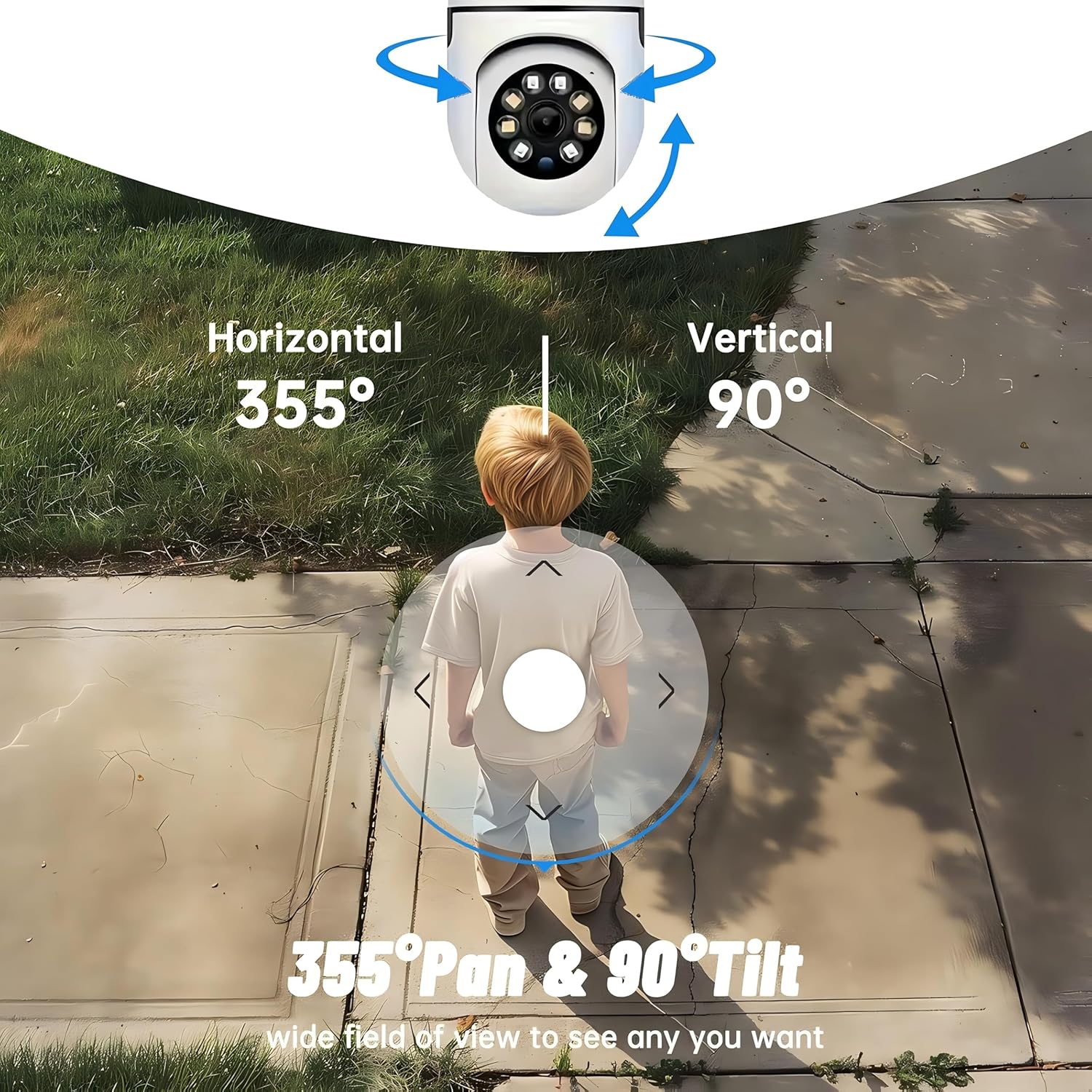
Image 4.1: Illustration of the camera's 355° horizontal pan and 90° vertical tilt functionality, providing a wide field of view.
4.2 Motion Detection and Smart Tracking
The camera can detect movement and automatically track moving objects, sending instant notifications to your smartphone.
- Mugimendu detekzioa gaitu: Navigate to the camera settings in the YI IOT App and enable the motion detection feature. You can often adjust sensitivity levels.
- Jaso alertak: When motion is detected, the app will send a push notification to your phone, often with a short video clip of the event.
- Jarraipen adimenduna: If enabled in settings, the camera will automatically follow the detected moving object within its field of view.

Image 4.2: Visual representation of the motion detection alert system, showing the camera identifying and tracking movement.
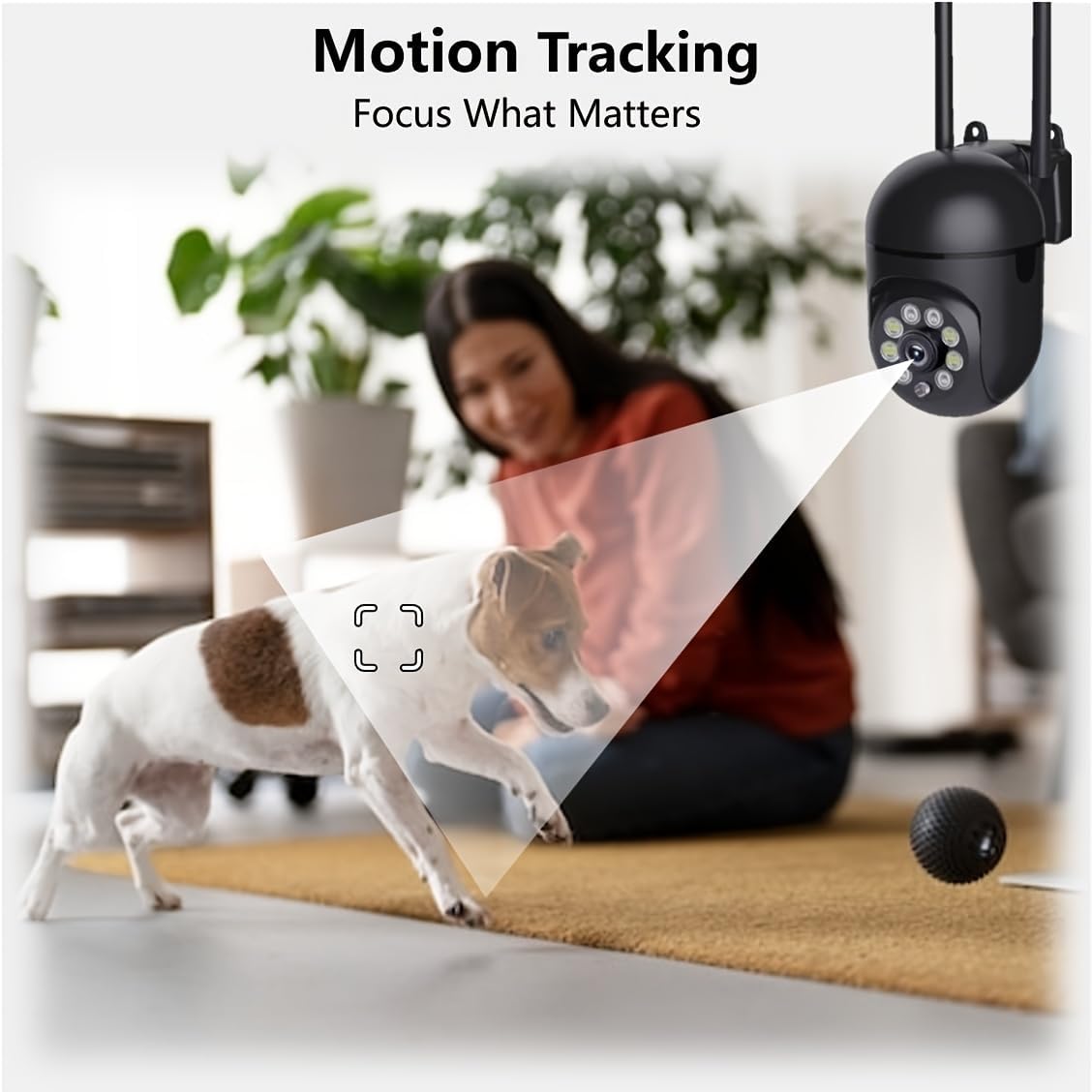
Image 4.3: The camera's motion tracking capability, demonstrating its ability to follow moving subjects.
4.3 Gaueko ikusmen moduak
The camera offers enhanced night vision with multiple modes, including full-color and infrared, for clear monitoring in low-light conditions.
- Gaueko infragorria: Provides clear black-and-white images in complete darkness using built-in infrared LEDs.
- Gaueko ikusmen koloretsua: Utilizes floodlight LEDs to capture color images even in low-light environments.
- Aldaketa moduak: You can switch between normal, intelligent, and full-color night vision modes directly from the YI IOT App.

Image 4.4: Comparison illustrating the difference between standard infrared night vision and enhanced 1080P full-color night vision.
4.4 Bi norabideko audioa
Komunikatu zuzenean kameraren bidez, barneko mikrofonoa eta bozgorailua erabiliz.
- Elkarrizketa-modua: Press and hold the microphone icon in the app to speak, and release to listen.
- Esku libreko modua: Enable this option in the app for continuous two-way conversation.
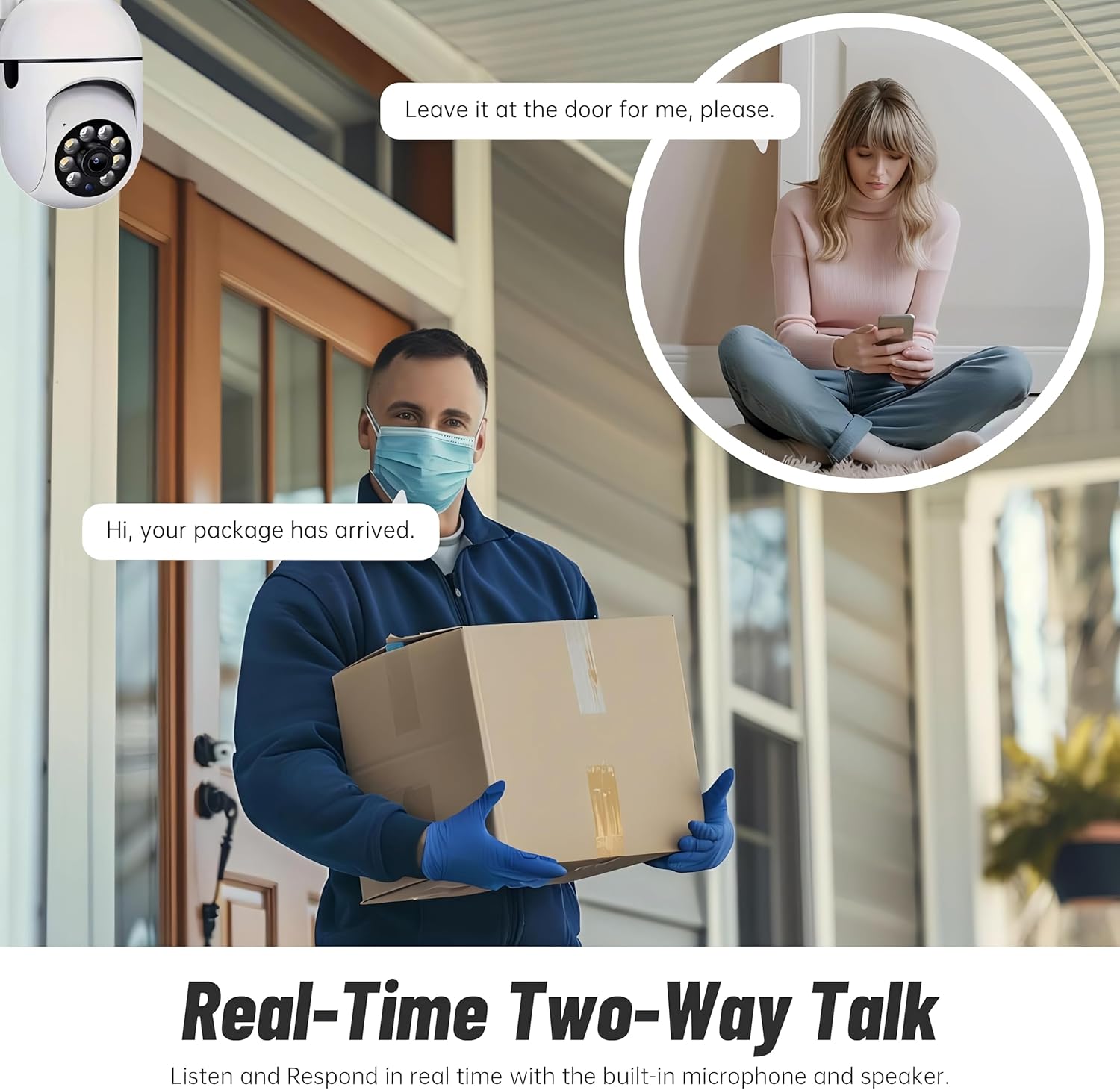
Image 4.5: Demonstration of the real-time two-way talk feature, allowing communication with individuals near the camera.
4.5 Biltegiratze aukerak
The camera supports both cloud storage and local storage via a microSD card (not included).
- Hodeiko biltegiratzea: The YI IOT App offers cloud storage plans to securely save your video footage, protecting it from loss or damage to local storage.
- Tokiko biltegiratzea: Insert a microSD card (up to 128GB) into the camera's designated slot for continuous recording or event-triggered recordings. When the card is full, older footage will be automatically overwritten.
5. Mantentzea
- Garbiketa: Erabili zapi leun eta lehor bat kameraren lentea eta gorputza garbitzeko. Saihestu produktu kimiko gogorrak edo material urratzaileak erabiltzea.
- Firmware eguneraketak: Regularly check the YI IOT App for available firmware updates. Keeping your camera's firmware up-to-date ensures optimal performance and security.
- Biltegiratze kudeaketa: microSD txartel bat erabiltzen baduzu, aldian-aldian berrituview eta egin babeskopia garrantzitsuen janariari buruztage. Consider formatting the card occasionally through the app to maintain performance.
6. Arazoak
Ohiko arazoak eta irtenbideak:
| Arazoa | Kausa posiblea | Irtenbidea |
|---|---|---|
| Kamera konexiorik gabe | No power, Wi-Fi disconnected, incorrect Wi-Fi password. | Check power connection. Ensure Wi-Fi router is on and working. Re-enter Wi-Fi password in app. Move camera closer to router. |
| Irudi kalitate eskasa | Lente zikina, argiztapen eskasa, sareko banda-zabalera arazoak. | Clean the lens. Ensure adequate lighting or enable night vision. Check network speed. |
| Mugimendu-hautemateak ez du funtzionatzen | Feature disabled, sensitivity too low, incorrect detection zone. | Enable motion detection in app settings. Adjust sensitivity. Configure detection zones. |
| Two-way audio unclear | Microphone/speaker obstructed, network interference. | Ensure no obstructions. Check network stability. |
| MicroSD txartelak ez du grabatzen | Txartela beteta, hondatuta edo behar bezala sartuta ez. | Format the card via the app. Reinsert the card. Try a different card. Ensure recording settings are enabled. |
Kamera berrezartzea
If issues persist, you may need to reset the camera to its factory settings. Locate the reset button (usually a small pinhole) on the camera body. Use a pin or paperclip to press and hold the button for approximately 5-10 seconds until you hear a voice prompt or see an indicator light change. After resetting, you will need to re-pair the camera with the YI IOT App.
7. Zehaztapenak

Image 7.1: Detailed dimensions of the Smart Security Camera.
| Ezaugarri | Xehetasuna |
|---|---|
| Modelo zenbakia | CB201 |
| Bideo Harrapaketa Ebazpena | 1080p full HD |
| Konektibitate-protokoloa | Wi-Fi (2.4 GHz bakarrik) |
| Panorama/Tilt barrutia | 355° horizontala, 90° bertikala |
| Gaueko Ikusmenaren barrutia | Gehienez 10 metro (33 oin) |
| Biltegiratze-aukerak | Cloud Storage, MicroSD Card (up to 128GB) |
| Audioa | Bi norabideko audioa (mikrofono eta bozgorailu integratuak) |
| Mugimendu-detekzioa | Yes, with Smart Tracking and Push Notifications |
| Energia iturria | Kable elektrikoa |
| Barruko/Kanpoko erabilera | Barruan |
| Neurriak (L x W x H) | 4 x 3.34 x 7.08 hazbete (102 x 85 x 180 mm) |
| Materiala | Plastikoa |
| Gailu bateragarriak | Smartphone-a (iOS/Android) |
8. Bermea eta Laguntza
This product is manufactured by DZinno. For any setup difficulties, operational questions, or technical support, please contact the seller or manufacturer directly. Refer to your purchase documentation for specific warranty terms and contact information. The manufacturer is committed to providing friendly customer service to ensure your satisfaction.