
1. Sarrera
This manual provides detailed instructions for the installation, operation, and maintenance of your TMEZON MZ-IP-V728TW IP 4-Wire Intercom Monitor. Please read this manual thoroughly before using the product to ensure proper function and to prevent damage.
The TMEZON MZ-IP-V728TW is an advanced IP-enabled 4-wire intercom monitor designed for home and office security systems, offering reliable communication and video monitoring capabilities.
2. Segurtasun informazioa
- Ziurtatu konexio elektriko guztiak elektrizista kualifikatu batek egiten dituela eta tokiko araudi elektrikoak betetzen dituela.
- Ez jarri monitoreari uretan, hezetasunean edo muturreko tenperaturetan.
- Avoid placing the monitor near strong magnetic fields or sources of interference.
- Deskonektatu energia mantentze-lan edo instalazio prozedurak egin aurretik.
- Use only the power adapter and accessories supplied or recommended by TMEZON.
- Mantendu gailua haurren eskura.
3. Paketearen edukia
Egiaztatu behean zerrendatutako elementu guztiak zure paketean daudela:
- TMEZON MZ-IP-V728TW IP 4-Wire Intercom Monitor
- Euskarria muntatzea
- Korronte egokitzailea (AC/DC)
- Connection Cables (4-wire, network cable)
- Muntatzeko torlojuak eta hormako takoak
- Erabiltzailearen eskuliburua (dokumentu hau)
4. Produktua amaitu daview
4.1. Monitor Components
The TMEZON MZ-IP-V728TW monitor features a high-resolution display, touch-sensitive buttons, and various ports for connectivity.
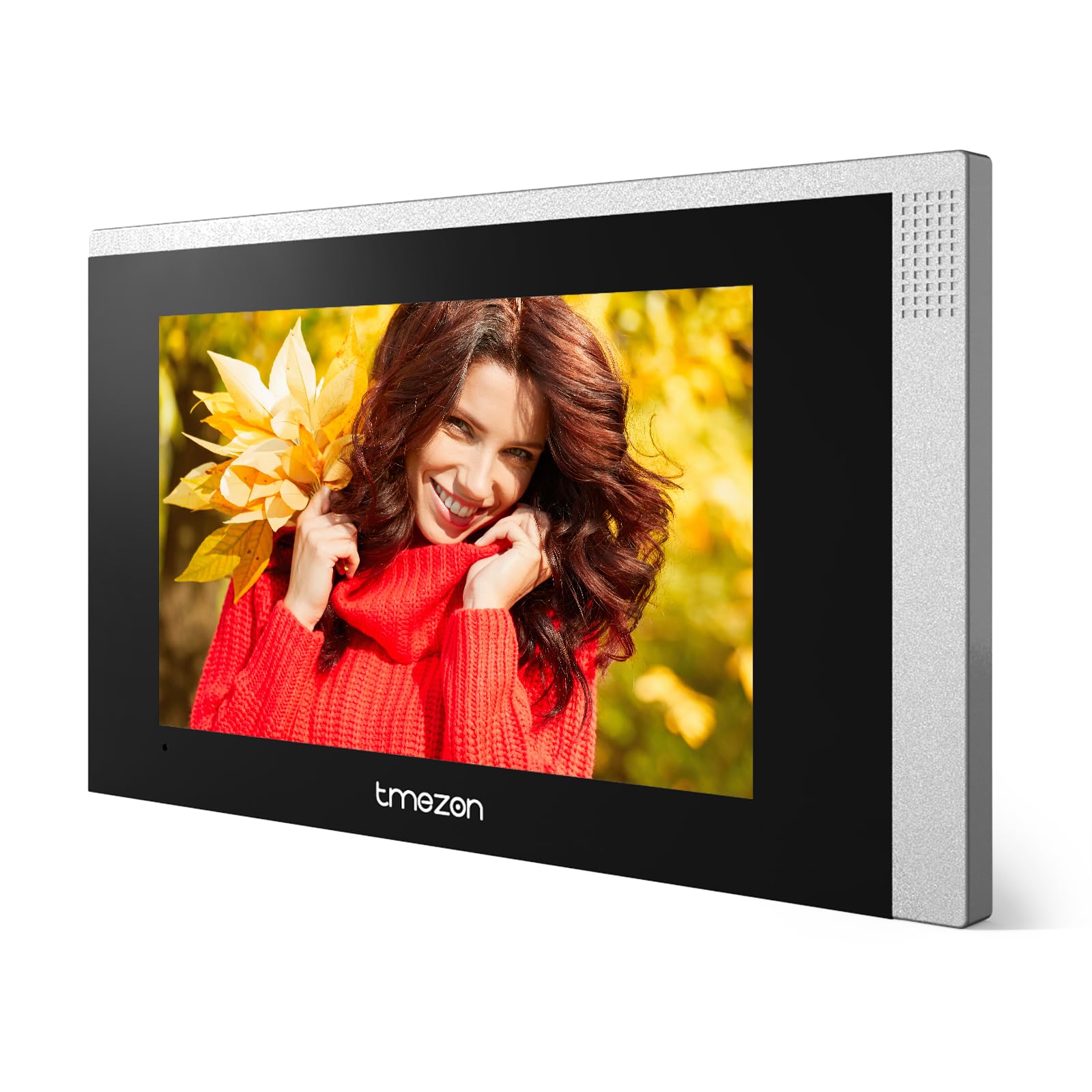
1. irudia: Aurrealdea view of the TMEZON MZ-IP-V728TW IP 4-Wire Intercom Monitor, showing the display and control buttons.
- Bistaratzeko pantaila: Main interface for video and menu navigation.
- Funtzio-botoiak: (e.g., Answer, Door Release, Monitor, Menu, Talk) - specific functions may vary slightly based on firmware.
- Mikrofonoa: Bi norabideko audio komunikaziorako.
- Hizlaria: Audio irteerarako.
- Atzeko atakak: Power input, 4-wire terminal, Ethernet port (RJ45), alarm inputs/outputs (if applicable).
4.2. Ezaugarri nagusiak
- IP-enabled for remote access and integration with smart home systems.
- 4-wire connection for reliable power and data transmission.
- High-resolution color display for clear video.
- Bi norabideko audio komunikazioa.
- Door release function.
- Multiple indoor monitor support.
- Recording and snapshot capabilities (if equipped with storage).
5. Konfigurazioa
5.1. Instalazioaren kokapena
Choose a suitable indoor location for the monitor, typically at eye level, away from direct sunlight, heat sources, and areas with high humidity. Ensure there is sufficient space for wiring and ventilation.
5.2. Monitorea muntatzea
- Markatu nahi duzun muntaketa-posizioa horman.
- Erabili muntatzeko euskarria txantiloi gisa torlojuen zuloak markatzeko.
- Drill holes at the marked positions and insert wall plugs.
- Lotu muntatzeko euskarria horman emandako torlojuak erabiliz.
- Ensure the bracket is level and securely fastened.
5.3. Kableatu konexioak
The MZ-IP-V728TW uses a 4-wire connection system. Proper wiring is crucial for system functionality. Refer to the wiring diagram provided with your outdoor station and other system components.
- Wire 1 (Video): Connects to the video signal output of the outdoor station.
- Wire 2 (Audio): Connects to the audio signal output/input of the outdoor station.
- Wire 3 (Power +): Connects to the positive power supply from the outdoor station or power distributor.
- Wire 4 (Ground -): Connects to the ground/negative power supply.
- Ethernet (RJ45): Connect to your local network router for IP functionality and remote access.
- Potentzia sarrera: Connect the AC/DC power adapter to the monitor's power input port.
Note: A detailed wiring diagram specific to your complete intercom system (including outdoor station, additional monitors, and power supply) should be consulted. If you are unsure, consult a professional installer.
5.4. Hasierako piztea
- After all wiring is complete and secure, plug in the power adapter.
- The monitor will power on and display the TMEZON logo.
- Follow the on-screen prompts for initial setup, including language selection, date/time, and network configuration.
6. Funtzionamendu-argibideak
6.1. Dei bati erantzutea
When a visitor presses the call button on the outdoor station, the monitor will ring and display the visitor's video. Press the Erantzun button to establish two-way audio communication.
6.2. Door Release
Dei batean edo monitorizatzen ari zaren bitartean, sakatu tekla Atearen ateratzea button to unlock the connected electronic lock. Ensure the door is clear before activating the release.
6.3. Jarraipena
Sakatu Monitorea botoia view the live video feed from the outdoor station without an incoming call. Press it again to end monitoring.
6.4. Menuen nabigazioa
Sakatu Menua button to access the monitor's settings. Use the arrow buttons (if physical) or touch screen gestures to navigate through options. Common settings include:
- Sistemaren ezarpenak: Language, Date/Time, Ringtone, Volume.
- Sarearen ezarpenak: Wi-Fi configuration, IP address.
- Grabaketa/erreprodukzioa: View recorded videos or snapshots (if storage is installed).
- Alarma ezarpenak: Configure external alarm sensors (if connected).
7. Mantentzea
- Garbiketa: Use a soft, dry cloth to clean the monitor screen and body. Do not use abrasive cleaners or solvents.
- Firmware eguneraketak: Periodically check the TMEZON official webfirmware eguneratzeetarako gunea errendimendu eta segurtasun optimoa bermatzeko.
- Potentzia-zikloa: If the monitor becomes unresponsive, disconnect the power adapter for 10 seconds and then reconnect it.
8. Arazoak
| Arazoa | Kausa posiblea | Irtenbidea |
|---|---|---|
| Monitorea ez da pizten. | Ez dago energia-iturririk; egokitzaile akastuna; konexio soltea. | Check power adapter connection; ensure outlet has power; try a different adapter if available. |
| Ez dago bideorik kanpoko estaziotik. | Incorrect wiring; faulty outdoor station; damaged cable. | Verify 4-wire connections; check outdoor station power; inspect cable for damage. |
| Ez dago audiorik deian zehar. | Volume too low; incorrect wiring; faulty microphone/speaker. | Adjust monitor volume; check audio wire connection; test with another monitor if possible. |
| Atearen irekigailuak ez du funtzionatzen. | Incorrect wiring to electric lock; faulty lock; insufficient power. | Verify door release wiring; check electric lock functionality; ensure adequate power supply to the lock. |
| Cannot connect to network (IP function). | Incorrect network settings; faulty Ethernet cable; router issue. | Check network cable connection; verify IP settings (DHCP/Static IP); restart router. |
9. Zehaztapenak
| Ezaugarri | Zehaztapena |
|---|---|
| Modelo zenbakia | MZ-IP-V728TW |
| Fabrikatzailea | TMEZON |
| Potentzia Mota | AC/DC |
| Konektibitatea | 4-Wire, IP (Ethernet) |
| Dakarten osagaiak | Monitor (schermo) |
| ASIN | B0DRJJFFP8 |
10. Bermea eta Laguntza
TMEZON products are designed for reliability and performance. This product comes with a standard manufacturer's warranty. Please refer to the warranty card included in your package or visit the official TMEZON webwebgunean bermearen baldintza zehatzak ikusteko.
Laguntza teknikoa, arazoak konpontzeko laguntza edo berme erreklamazioak jasotzeko, jarri harremanetan TMEZON bezeroarentzako arreta-zerbitzuarekin, haien zerbitzu ofizialaren bidez. website or the contact information provided with your purchase. When contacting support, please have your product model number (MZ-IP-V728TW) and purchase details ready.
Informazio gehiagorako, bisitatu TMEZON denda Amazonen.