
Sarrera
This manual provides detailed instructions for the Micool Bluetooth Headset V5.4 (Model DY20PLUS). Please read this manual carefully before using the product to ensure proper operation and to maximize its features and lifespan. This headset is designed for clear communication and comfortable wear, featuring advanced noise cancellation and long battery life.
Segurtasun Informazioa
To ensure safe and proper use of your headset, please observe the following guidelines:
- Do not expose the headset to extreme temperatures, direct sunlight, or high humidity.
- Avoid dropping or subjecting the headset to strong impacts, which may damage internal components.
- Do not attempt to disassemble, repair, or modify the headset. This will void the warranty and may cause harm.
- Keep the headset and its accessories out of reach of children and pets.
- Use only the provided USB-C charging cable or a certified equivalent to prevent damage to the battery.
- Saihestu bolumen maila altuetan entzutea denbora luzez, entzumenaren kalteak saihesteko.
Paketearen edukia
Mesedez, egiaztatu elementu guztiak zure paketean daudela:
- Micool Bluetooth Headset (DY20PLUS)
- USB-C kargatzeko kablea
- Erabiltzailearen eskuliburua
- Additional Eartips (Sizes L, M, S)
- Belarrizko kako

Image: Micool Bluetooth Headset and its accessories, including different sized eartips and a charging cable.
Produktua amaituview
Familiarize yourself with the various components and controls of your Micool Bluetooth Headset:

Irudia: Aurrealdea view of the Micool Bluetooth Headset, highlighting the main call button, volume controls, and the LED battery indicator lights.
- Funtzio anitzeko botoia: Used for power on/off, answering/ending calls, and playing/pausing music.
- Bolumenaren +/- botoiak: Adjust volume, skip tracks, and check battery level.
- LED potentzia pantaila: Indicates the remaining battery level with four segments.
- Mikrofonoa: Equipped with dual-mic noise reduction for clear voice input during calls.
- USB-C kargatzeko ataka: For connecting the charging cable to power the headset.
Konfigurazioa
1. Entzungailua kargatzea
Before initial use, fully charge your headset to ensure optimal battery performance.
- Konektatu USB-C kargatzeko kablea entzungailuen kargatzeko atakara.
- Konektatu kablearen beste muturra USB elikadura-iturri batera (adibidez, ordenagailura, hormako egokigailua).
- The LED power display will illuminate to indicate charging. A full charge typically takes approximately 1.5-2 hours.
2. Gailu batekin parekatzea
The headset utilizes Bluetooth 5.4 for a stable and efficient wireless connection up to 50 meters.
- Ensure the headset is powered off and fully charged.
- Press and hold the Multi-function Button for approximately 3-5 seconds until the LED indicator flashes blue and red alternately. This indicates the headset is in pairing mode.
- On your desired device (smartphone, tablet, laptop), enable Bluetooth and search for available devices.
- Select "DY20PLUS" from the list of found devices.
- Once successfully connected, the LED indicator will flash blue slowly.
3. Connecting to Two Devices Simultaneously (Multi-point Connection)
The DY20PLUS supports connecting to two Bluetooth devices concurrently, allowing seamless switching between them.
- Pair the headset with the first device following the steps above.
- Disable Bluetooth on the first device. The headset will re-enter pairing mode (flashing blue and red).
- Parekatu entzungailuak bigarren gailuarekin.
- Re-enable Bluetooth on the first device. The headset should automatically connect to both devices. You can now receive calls or play audio from either device.
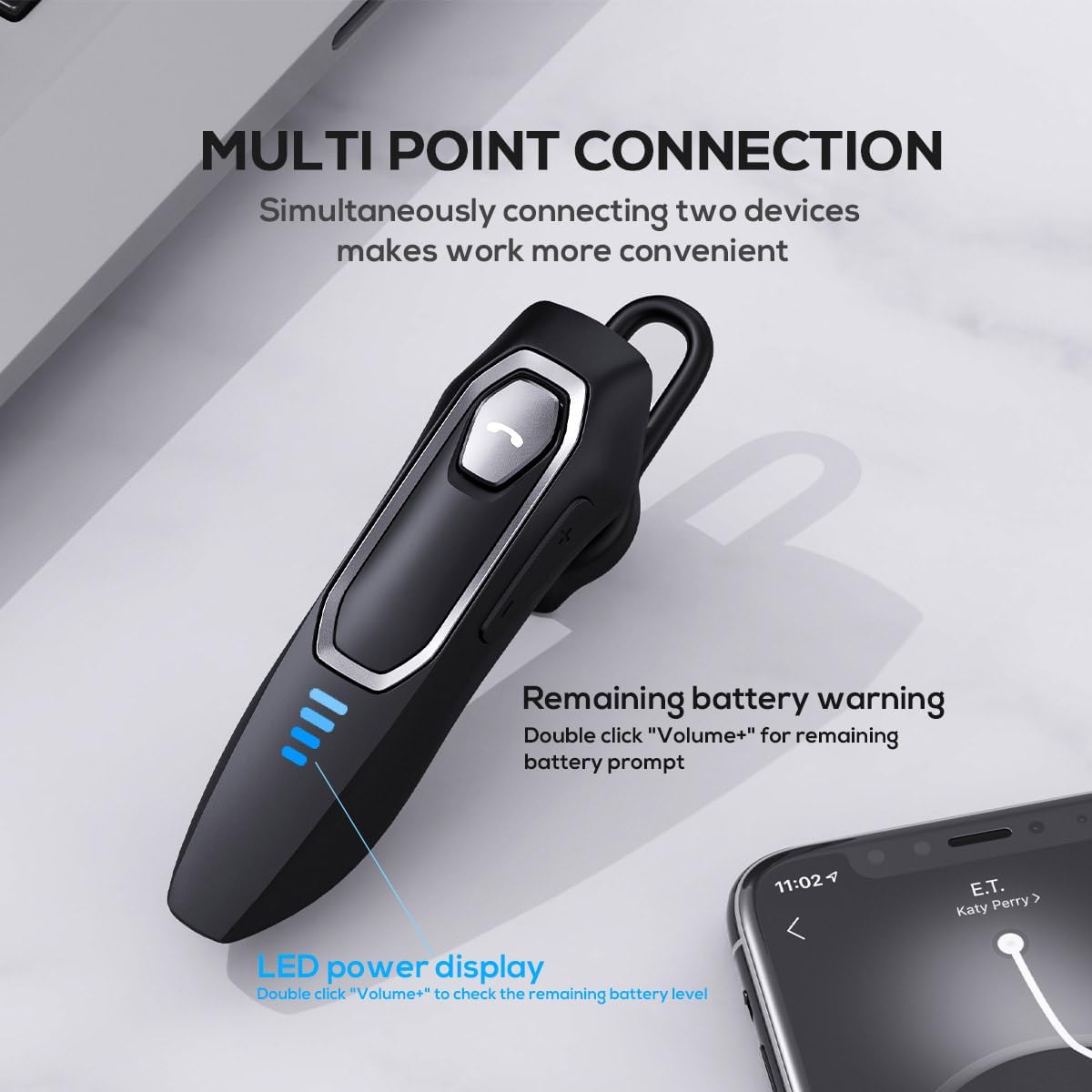
Image: The Micool headset demonstrating its multi-point connection capability, allowing simultaneous connection to two devices.
Funtzionamendu-argibideak
Piztu/Itzali
- Piztu: Eduki sakatuta funtzio anitzeko botoia 3 segundoz.
- Itzali: Eduki sakatuta funtzio anitzeko botoia 5 segundoz.
Deien Kudeaketa
- Deia erantzun/amaitu: Sakatu labur funtzio anitzeko botoia.
- Deia baztertu: Eduki sakatuta funtzio anitzeko botoia 2 segundoz.
- Mikrofonoa desaktibatu/desaktibatu: During a call, press and hold the Volume "-" button for approximately 2 seconds.
- Azken irteerako deia berriro markatu: Triple-tap the Multi-function Button.

Image: Illustration of the mute function, activated by holding the Volume '-' button.
Musika erreproduzitzea
- Erreproduzitu/Pausatu: Sakatu labur funtzio anitzeko botoia.
- Hurrengo ibilbidea: Press and hold the Volume "+" button for 2 seconds.
- Aurreko pista: Press and hold the Volume "-" button for 2 seconds.
Bolumen kontrola
- Handitu bolumena: Short press the Volume "+" button.
- Murriztu bolumena: Short press the Volume "-" button.
Ahots Laguntzailea
- Aktibatu ahots-laguntzailea (Siri, Google Assistant, etab.): Egin klik bikoitza Funtzio anitzeko botoian.
LED potentzia bistaratzea
- The four LED lights indicate the remaining battery level, with each light representing approximately 25% charge.
- To check the remaining power, double-click the Volume "+" button.
Image: The LED power display on the headset, indicating battery level.
Mantentzea
Proper maintenance will help extend the life of your Micool Bluetooth Headset:
- Clean the headset regularly with a soft, dry, lint-free cloth.
- Do not use abrasive cleaners, solvents, or strong chemicals, as these may damage the surface or internal components.
- Gorde entzungailuak leku fresko eta lehor batean, eguzki-argitik eta muturreko tenperaturetatik babestuta.
- Ensure the USB-C charging port is free of dust and debris to maintain proper charging connection.
- If the headset gets wet, wipe it dry immediately. Do not charge it until it is completely dry.
Arazoak konpontzea
If you encounter any issues with your headset, please refer to the following common problems and solutions:
| Arazoa | Kausa posiblea | Irtenbidea |
|---|---|---|
| Aurikularrak ez dira pizten. | Bateria baxua edo agortuta. | Charge the headset fully using the provided USB-C cable. |
| Ezin da gailuarekin parekatu. | Aurikularrak ez daude parekatze moduan; Bluetooth-a desgaituta dago gailuan; gailua urrunegi dago. | Ensure headset is in pairing mode (flashing red/blue); enable Bluetooth on your device; move device closer (within 50m). Clear previous Bluetooth connections if necessary. |
| Soinurik ez edo soinu kalitate eskasa. | Volume too low; headset not connected; audio source issue; interference. | Adjust headset and device volume; re-pair headset; check audio source; move away from other wireless devices. |
| Mikrofonoa ez dabil. | Mute function active; microphone blocked; device settings. | Deactivate mute function (hold Volume "-" for 2s); ensure microphone is clear; check microphone settings on your device. |
| Bateriaren iraupen laburra. | Headset not fully charged; high volume usage; aging battery. | Ensure full charge before use; reduce volume; if issue persists after full charge, contact support. |
Zehaztapenak
- Ereduaren izena: DY20PLUS
- Konektibitate Teknologia: Haririk gabeko (Bluetooth)
- Bluetooth bertsioa: 5.4
- Bluetooth barrutia: Gehienez 50 metro
- Battery Life (Talk Time): Gehienez 36 ordu
- Bateriaren iraupena (musika erreprodukzioa): Gehienez 45 ordu
- Kargatzeko denbora: Gutxi gorabehera 1.5-2 ordu
- Kargatzeko ataka: USB-C
- Zarata kontrola: Zarata aktiboa ezeztatzeko sistema (mikrofono bikoitza)
- Gailu bateragarriak: Smartphones, Tablets, Smart Speakers
- Pisua: 2.08 ontza (59 gramo inguru)
- Materiala: Akrilonitrilo Butadieno Estirenoa (ABS)
- Uraren erresistentzia maila: Urarekiko erresistentea
- Maiztasun-tartea: 20 Hz - 20,000 Hz
Bermea eta Laguntza
Micool products are designed for reliability and performance. For detailed warranty information, including coverage and terms, please refer to the warranty card included with your product or visit the official Micool webgunea.
For technical support, troubleshooting assistance, or any inquiries regarding your Micool Bluetooth Headset, please contact our customer service team through the contact information provided on your product packaging or via the Micool Amazon Store:
Micool Amazon Store: Bisitatu denda
Our support team is available to assist you with any questions or concerns you may have.