
1. Sarrera
This manual provides essential information for the installation, operation, and maintenance of your ARENTI O3 4MP Wi-Fi IP65 Weatherproof Surveillance Camera. The ARENTI O3 camera is designed to offer a comprehensive security solution for both home and business environments. It features 2K 4MP resolution for clear and detailed imaging, innovative color night vision for visibility in low-light conditions, and two-way audio for real-time communication. The camera supports continuous 24/7 recording, zone intrusion detection, and offers flexible storage options including SD card and cloud services. Its IP65 weather resistance ensures reliable outdoor performance. Please read this manual thoroughly before using the product to ensure proper setup and functionality.
2. Paketearen edukia
Egiaztatu behean zerrendatutako elementu guztiak zure paketean sartuta daudela:
- ARENTI O3 Surveillance Camera
- Elikatze-moldagailua
- Elikatze-kablea
- Hasierako gida azkarra
- Mounting Material (screws, wall anchors)
- Silikonazko estalkia
3. Produktua amaitu daview
Familiarize yourself with the components of your ARENTI O3 camera.
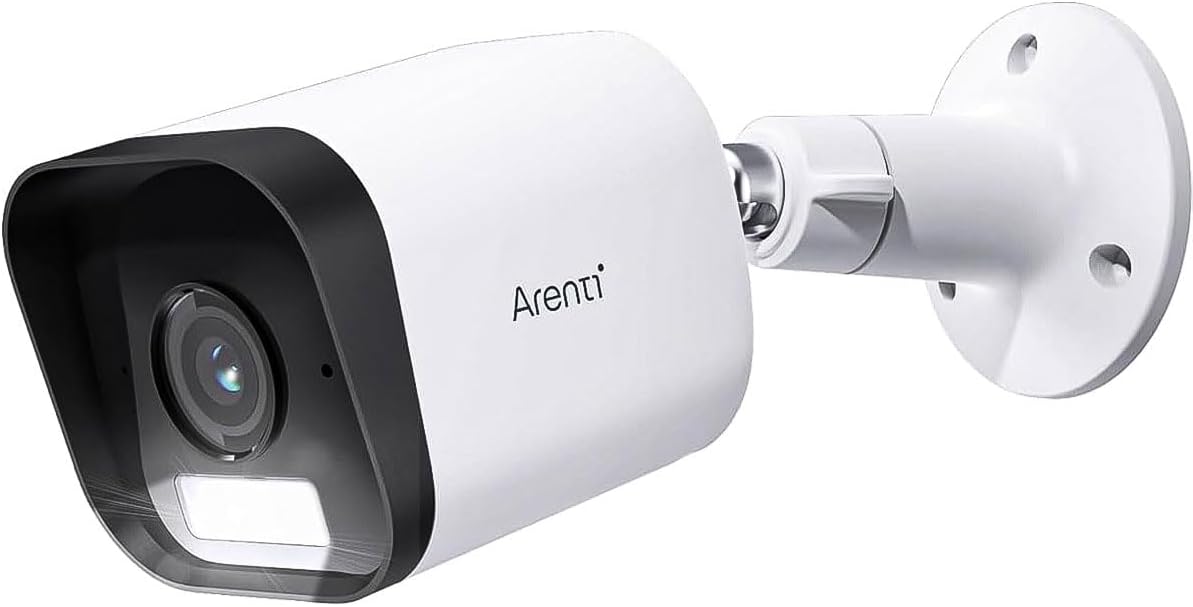
Figure 3.1: ARENTI O3 Surveillance Camera with Mounting Bracket

3.2. irudia: Aurrealdea view of the ARENTI O3 camera, highlighting the lens, infrared LEDs, and light sensor.
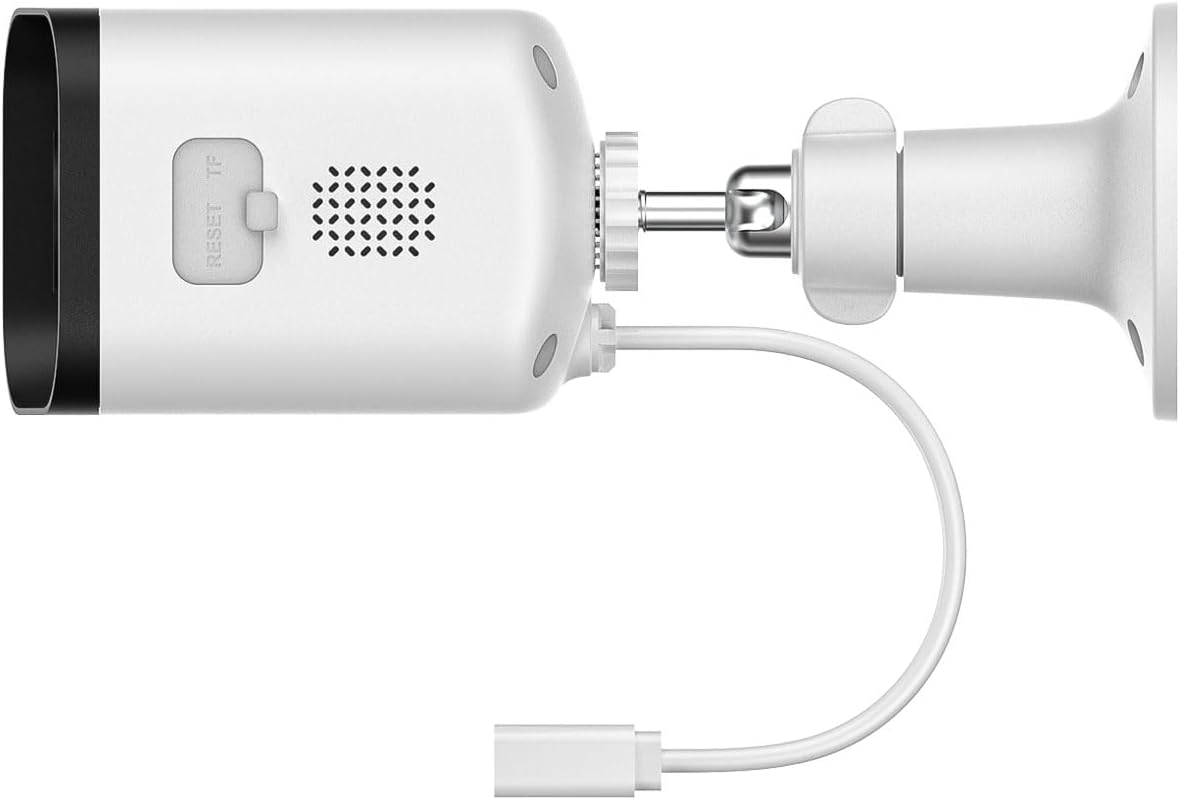
3.3 irudia: Atzealdea eta albokoa view of the ARENTI O3 camera, showing the reset button, TF (microSD) card slot, speaker, and power cable connection.
4. Konfigurazioa
Follow these steps to set up your ARENTI O3 camera:
- Deskargatu aplikazioa: Bilatu the 'Arenti' app on your smartphone's app store (iOS or Android) and install it.
- Sortu kontu bat: Open the Arenti app and follow the on-screen instructions to create a new user account or log in if you already have one.
- Kamera piztu: Connect the power cable to the camera and plug the power adapter into an electrical outlet. The camera will power on, and an indicator light will show its status.
- Gehitu gailua: In the Arenti app, tap the '+' icon to add a new device. Select the ARENTI O3 camera from the list of available devices.
- Konektatu wifira: Follow the app's instructions to connect the camera to your 2.4 GHz Wi-Fi network. Ensure your Wi-Fi password is correct.
- Muntatu kamera: Choose a suitable outdoor location for mounting. Use the provided mounting material to securely attach the camera to a wall or desired surface. Ensure the camera has a clear field of view and is within range of your Wi-Fi signal.
- Egokitu Angelua: Egokitu kameraren viewing angle using the adjustable bracket to cover the desired surveillance area.

Figure 4.1: ARENTI O3 camera mounted on an outdoor wall, providing surveillance of a backyard area.
5. Funtzionamendu-argibideak
Once your ARENTI O3 camera is set up, you can utilize its various features through the Arenti app.
- Zuzenean View: Access the live video feed from your camera anytime, anywhere via the Arenti app.
- 24/7 etengabeko grabaketa: The camera supports continuous recording. Footage can be stored on a microSD card (up to 256GB, not included) or via optional cloud storage services.
- Kolore Gaueko Ikusmena: The camera automatically switches to color night vision in low-light conditions, providing clear, detailed color images even in darkness.
- Bi norabideko audioa: Use the built-in microphone and speaker to communicate with individuals near the camera in real-time.
- Mugimendu-detekzioa eta alertak: The camera detects people, pets, vehicles, and luggage. Configure motion detection zones and sensitivity settings in the app to receive relevant alerts.
- Ikusmen eta entzunezko alarmak: When motion is detected, the camera can trigger integrated audible and visual alarms to deter intruders. These can be configured in the app.
- Erreprodukzioa: Review foo grabatuatage stored on your microSD card or cloud service through the app's playback feature.
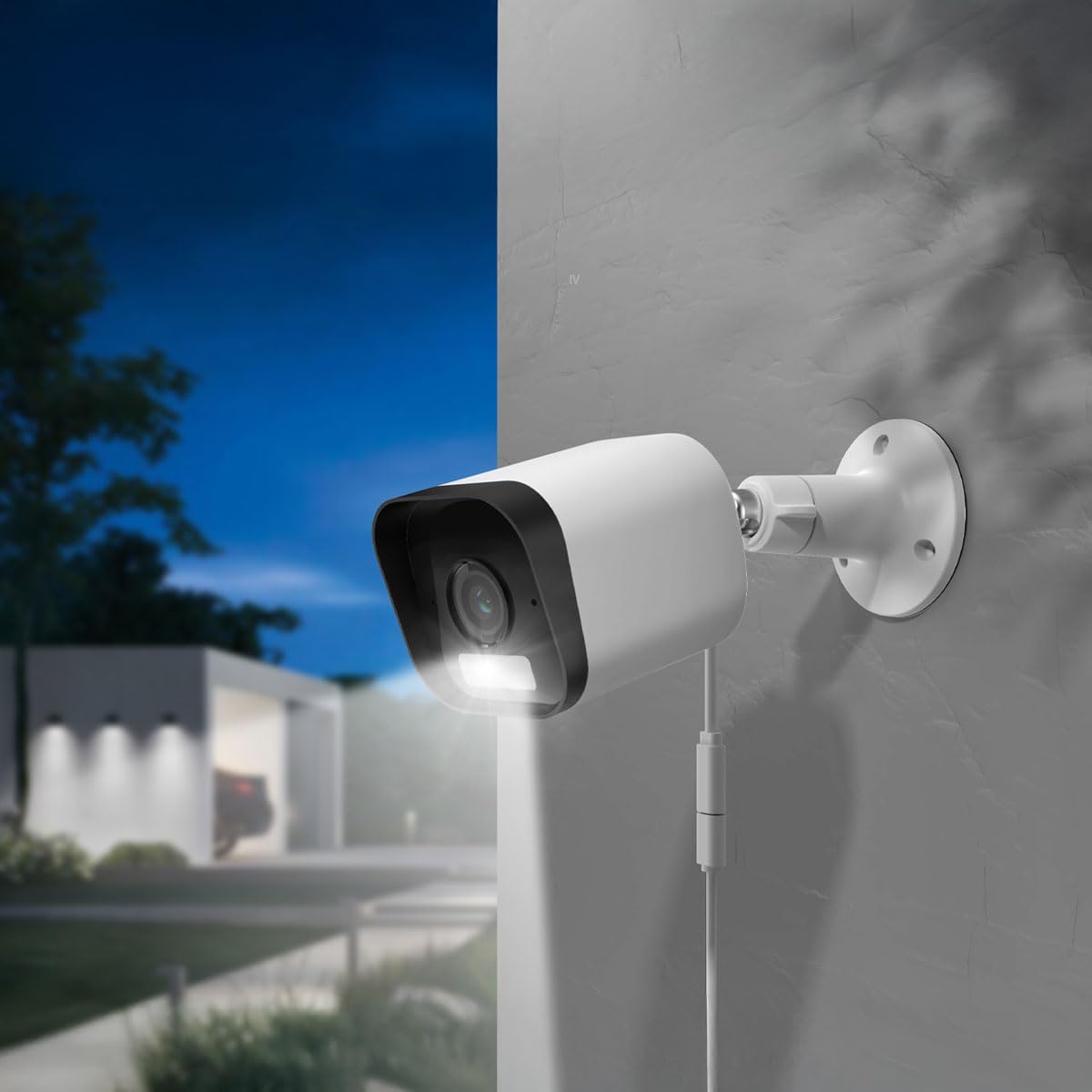
Figure 5.1: The ARENTI O3 camera installed outdoors, demonstrating its color night vision capability in a low-light environment.
6. Mantentzea
Mantentze-lan erregularrak zure kameraren errendimendu optimoa eta iraupena bermatzen ditu.
- Garbiketa: Aldian-aldian garbitu kameraren lentea eta karkasa zapi leun eta lehor batekinamp oihal. Saihestu garbitzaile edo disolbatzaile urratzaileak.
- Firmware eguneraketak: Check the Arenti app regularly for firmware updates. Keeping your camera's firmware updated ensures access to the latest features and security enhancements.
- Elikatze-iturria: Ensure the power cable and adapter are free from damage and properly connected.
- Wi-Fi konexioa: Monitor your Wi-Fi signal strength in the app to ensure a stable connection.

Figure 6.1: The ARENTI O3 camera installed outdoors during rainfall, showcasing its IP65 weatherproof design.
7. Arazoak
If you encounter issues with your ARENTI O3 camera, refer to the following common problems and solutions:
- Kamera ez pizten:
- Ziurtatu korronte-egokitzailea ondo konektatuta dagoela funtzionatzen duen entxufe elektriko batera.
- Egiaztatu korronte-kablea kalterik dagoen.
- Ezin da Wi-Fira konektatu:
- Confirm your Wi-Fi network is 2.4 GHz. The camera does not support 5 GHz Wi-Fi.
- Egiaztatu Wi-Fi pasahitza zuzena dela.
- Ziurtatu kamera zure Wi-Fi bideratzailearen irismenean dagoela.
- Saiatu zure bideratzailea eta kamera berrabiarazten.
- Irudiaren kalitate eskasa:
- Garbitu kameraren lentea.
- Egiaztatu zure Interneteko konexioaren abiadura. Konexio motel batek streamingaren kalitatea eragin dezake.
- Ziurtatu kameraren ikuspegia blokeatzen duen oztoporik ez dagoela view.
- Mugimendu detektatzeko alertarik ez:
- Verify motion detection is enabled in the Arenti app.
- Adjust motion detection sensitivity and detection zones.
- Egiaztatu aplikazioaren jakinarazpenen ezarpenak zure telefonoan.
- Bi norabideko audioa ez dabil:
- Ensure microphone and speaker permissions are granted to the Arenti app on your smartphone.
- Egiaztatu bolumenaren ezarpenak bai telefonoan bai aplikazioan.
If these steps do not resolve the issue, please contact ARENTI customer support.
8. Zehaztapenak
| Ezaugarri | Zehaztapena |
|---|---|
| Ereduaren izena | Arenti O3 |
| Modelo zenbakia | MS240702010 |
| Bideo Grabaketa Ebazpena | 4 Megapixel (2K) |
| Kolorea | Zuria |
| Haririk gabeko Komunikazio Teknologia | Wi-Fi (2.4 GHz, Wi-Fi 6 support) |
| Forma-faktorea | Bala |
| Viewangelua | 85 gradu |
| Gaueko Ikusmenaren barrutia | 10 metro |
| liburukiatage | 5 Volt |
| Energia-kontsumoa | 2.5 Watt |
| Elementuaren neurriak (L x W x H) | 15.6 x 5.8 x 5.8 cm |
| Pisua | 124 gramo |
| Uraren Erresistentzia Maila | IP65 (eguraldiarekiko erresistentea) |
| Barruan/Kanpoan erabilera | Kanpoan |
| Energia iturria | Kable elektrikoa |
| Muntatze Mota | Hormako Muntaia |
| Biltegiratze-aukerak | MicroSD txartela (256 GB arte), hodeiko biltegiratzea |
| Ezaugarri bereziak | Audible and Visual Alarms, Color Night Vision, Two-Way Audio, Zone Detection |
9. Bermea eta Laguntza
For warranty information and technical support, please refer to the official ARENTI webwebgunera edo jarri harremanetan bezeroarentzako arreta-zerbitzura zuzenean. Gorde erosketa-agiria erosketaren frogagiri gisa berme-erreklamazioetarako.


