
Sarrera
Thank you for choosing the Gawfolk GF270K 27-inch Curved 180Hz Gaming Monitor. This manual provides essential information for setting up, operating, maintaining, and troubleshooting your new monitor. Please read it carefully before use and keep it for future reference.
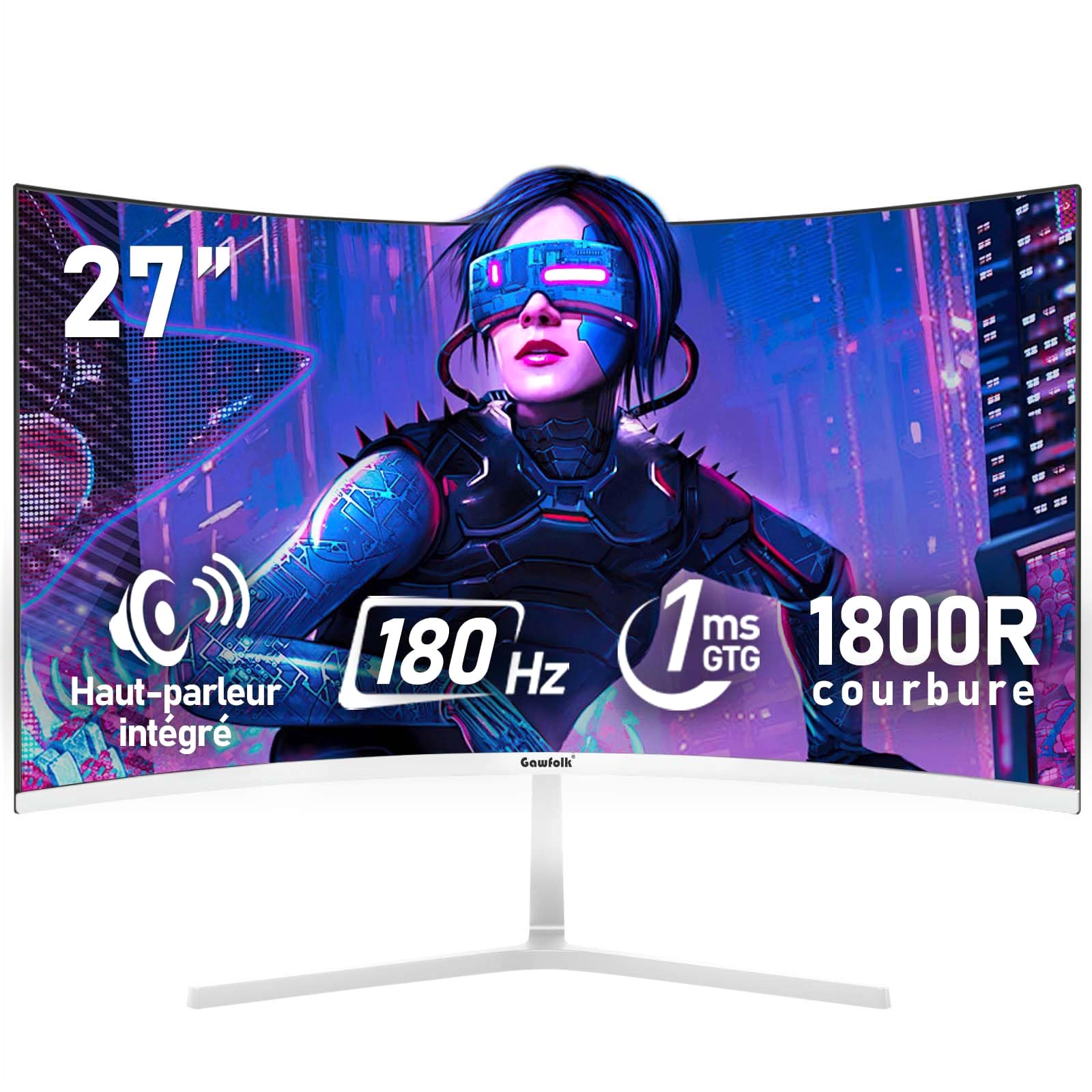
Irudia: Aurrealdea view of the Gawfolk GF270K 27-inch curved gaming monitor.
Segurtasun informazio garrantzitsua
- Deskonektatu beti elikadura-kablea entxufetik monitorearen garbiketa egin aurretik.
- Ez jarri monitoreari euri edo hezetasun eraginpean sute edo deskarga elektrikoen arriskuak saihesteko.
- Ez ireki monitorearen casing. Ez dago erabiltzaileak konpondu beharreko piezarik barruan. Konponketa guztiak zerbitzu-langile kualifikatuei eskatu.
- Jarri monitoreak gainazal egonkor eta lau batean, eror ez dadin.
- Ziurtatu monitorearen inguruan behar bezala aireztatuta dagoela. Ez blokeatu aireztapen-irekidurak.
- Erabili monitorearekin batera datozen korronte-egokitzailea eta kableak soilik.
Paketearen edukia
Irekitzean, egiaztatu paketearen edukia. Elementuren bat falta bada edo hondatuta badago, jarri harremanetan bezeroarentzako arreta-zerbitzuarekin.
- Gawfolk GF270K Monitor
- Monitorearen euskarria (oinarria eta lepoa)
- Elikatze-moldagailua
- HDMI kablea
- Erabiltzailearen eskuliburua
Konfigurazio Argibideak
1. Standa muntatzea
Carefully remove the monitor from its packaging. Attach the stand neck to the monitor panel, then secure the base to the neck. Ensure all screws are tightened securely.

Irudia: Atzealdea view Monitorearen irudia, euskarria lotzeko eremua eta VESA muntatzeko puntuak erakusten dituena.
The monitor stand allows for a tilt adjustment range of -5° to 15°.
2. VESA Wall Mounting (Optional)
The monitor is compatible with a 100x100mm VESA wall mount. Remove the stand before attaching a VESA mount. Ensure the wall mount can support the monitor's weight (3.3 kg).

Image: Detailed diagram of the monitor's rear, showing dimensions, VESA 100x100mm compatibility, and port locations.
3. Ordenagailu batera konektatzea
Connect the monitor to your computer using the provided HDMI cable or a VGA cable (not included). Ensure the cables are securely plugged into both the monitor and your computer's graphics card.
- HDMI: For optimal performance, use the HDMI 2.0 port to achieve up to 180Hz refresh rate.
- VGA: 60Hz-ko freskatze-tasa onartzen du.
- Audio irteera: Connect external speakers or headphones to the 3.5mm audio jack.
Image: Illustration of multiple interfaces (HDMI, VGA, Audio) and their connection to various devices.
4. Energia-konexioa
Connect the power adapter to the monitor's DC input port, then plug the power adapter into a wall outlet.
Funtzionamendu-argibideak
1. Piztu/Itzaltzea
Press the power button, usually located on the back or bottom right of the monitor, to turn it on or off. The power indicator light will illuminate when the monitor is on.
2. Pantailako pantaila (OSD) menua
The OSD menu allows you to adjust various monitor settings. Typically, buttons on the back or bottom of the monitor are used to navigate and select options within the OSD. Common settings include:
- Distira/Kontrastea: Irudiaren luminantzia doitzea.
- Kolore ezarpenak: Aldatu kolore-tenperatura, gamma eta saturazioa.
- Sarrera iturria: Manually select HDMI or VGA input.
- Irudi modua: Select preset modes for gaming, movies, or standard use.
- Audioa: Adjust volume for integrated speakers or connected headphones.
3. Ezaugarri nagusiak
- 180Hz-ko freskatze-tasa eta 1ms-ko erantzun-denbora: Experience smooth, fluid visuals with minimal motion blur, crucial for fast-paced gaming.

Image: Visual comparison demonstrating the difference between 60Hz and 180Hz refresh rates in motion clarity.
- FreeSync Teknologia: Synchronizes the monitor's refresh rate with your GPU's frame rate to eliminate screen tearing and stuttering, providing a seamless gaming experience. Supports G-Sync compatibility.

Image: Side-by-side comparison illustrating the effect of FreeSync technology on screen tearing.
- 1800R pantaila kurbatua: The 1800R curvature provides an immersive viewing experience, drawing you into the content and making the virtual world feel more realistic.

Image: Diagram explaining the 1800R curvature and its benefit for immersive viewing.
- FHD 1080p Resolution: Enjoy crisp and clear visuals with a Full HD (1920x1080) resolution, making details stand out.

Image: A gaming scene displayed on the monitor, emphasizing the clarity of FHD resolution.
- Rich Colors & High Contrast: With 98% sRGB color gamut and a 4000:1 contrast ratio, the monitor delivers vibrant colors and deep blacks for a lifelike image.

Image: Visual representation of the monitor's rich color capabilities with 98% sRGB.

Image: Comparison demonstrating the enhanced detail and depth provided by a 4000:1 contrast ratio.
- Argi urdin baxua eta keinurik gabe: DC dimming technology and a low blue light mode reduce eye strain during prolonged use, ensuring comfortable viewing.

Image: Visual explanation of flicker-free technology and low blue light mode for eye protection.
- Bozgorailu integratuak: The monitor includes built-in speakers for basic audio output. For higher quality audio, external speakers or headphones are recommended via the 3.5mm audio jack.

Irudia: Aurrealdea view of the monitor, highlighting the integrated speakers and their sound output.
Mantentzea
- Pantaila garbitzea: Garbitu pantaila astiro-astiro zapi leun eta pelusik gabeko batekin. Orba egoskorrak kentzeko, garbituampen the cloth slightly with water or a specialized screen cleaner. Never spray liquid directly onto the screen.
- C garbiketaasing: Erabili zapi leun eta lehor bat monitorearen c garbitzeko.asing. Saihestu garbitzaile edo disolbatzaile urratzaileak.
- Biltegiratzea: If storing the monitor for an extended period, disconnect it from power, pack it in its original packaging if possible, and store it in a cool, dry place.
Arazoak konpontzea
| Arazoa | Kausa posiblea | Irtenbidea |
|---|---|---|
| Botererik ez | Kable elektrikoa ez dago konektatuta; Entxufea ez dabil. | Ziurtatu kablea ondo konektatuta dagoela. Probatu entxufea beste gailu batekin. |
| Seinalerik ez | Bideo kablea ez dago konektatuta; Sarrera iturri okerra hautatu da. | Check video cable connections (HDMI/VGA). Use the OSD menu to select the correct input source. |
| Irudi keinukaria edo desitxuratua | Loose video cable; Incorrect resolution/refresh rate; Graphics card issue. | Ensure video cable is secure. Adjust display settings on your computer to match monitor's native resolution (1920x1080) and refresh rate (180Hz for HDMI). Update graphics drivers. |
| No sound from integrated speakers | Bolumena baxuegia; Isilarazita; Ordenagailuan audio irteera okerra hautatu da. | Doitu monitorearen bolumena OSD bidez. Egiaztatu ordenagailuaren audio ezarpenak monitorearen irteera gailu gisa hautatuta dagoela ziurtatzeko. |
Produktuaren zehaztapenak
| Marka | Gawfolk |
| Modelo zenbakia | GF270K |
| Pantailaren tamaina | 27 hazbete |
| Ebazpena | FHD 1080p (1920 x 1080 pixel) |
| Aspektu-erlazioa | 16:9 |
| Kurbadura | 1800R |
| Panel mota | VA |
| Freskatze tasa | 180 Hz (HDMI), 60 Hz (VGA) |
| Erantzun Denbora | 1 ms (GTG) |
| Kontraste-erlazioa | 4000:1 |
| Distira | 300 cd/m² |
| Kolore gama | %98 sRGB |
| Viewangelua | 178° |
| Sinkronizazio egokitzailea | FreeSync (G-Sync Compatible) |
| Konektibitatea | 1x HDMI 2.0, 1x VGA, 1x 3.5mm Audio Out |
| VESA bateragarritasuna | 100 x 100 mm |
| Neurriak (L x W x H) | 18.3 x 61.3 x 47.3 cm |
| Pisua | 3.3 kilogramo |
| Kolorea | Zuria |
Bermea eta Laguntza
This Gawfolk monitor comes with a 1-year after-sales service warranty. If you encounter any problems during the use of your monitor, please do not hesitate to contact our customer support team for assistance.
For support, please refer to the contact information provided with your purchase or visit the official Gawfolk webgunea.