
1. Sarrera
The GOBOULT Crown R Pro 2 Smartwatch is designed to enhance your daily life with advanced features and health monitoring capabilities. It features a 1.43-inch HD AMOLED display, Bluetooth Calling 5.2, and a comprehensive health suite. This manual provides instructions for setup, operation, and maintenance of your smartwatch.

Image: The GOBOULT Crown R Pro 2 Smartwatch, showcasinbere diseinu dotorea eta pantaila bizia ditu.
2. Zer dago kutxan
Mesedez, egiaztatu paketearen edukia kutxa irekitzean:
- GOBOULT Crown R Pro 2 Smartwatch
- Kargatzeko kablea
- Erabiltzailearen eskuliburua
- Berme Txartela
3. Hasteko
3.1. Gailua kargatzea
Lehenengo aldiz erabili aurretik, kargatu guztiz zure erloju adimenduna. Konektatu kargatzeko kable magnetikoa erlojuaren atzealdeko kargatzeko puntuetara eta konektatu USB muturra korronte-egokitzaile batera (ez dago barne) edo ordenagailuaren USB ataka batera.
- Kargatzeko denbora: Gutxi gorabehera 150 minutu karga oso bat egiteko.
- Battery Life: Up to 7 days on a single charge, depending on usage.
3.2. Piztu/Itzaltzea
- Piztu: Press and hold the side button for a few seconds until the GOBOULT logo appears.
- Itzali: Sakatu eta eutsi alboko botoiari, eta ondoren hautatu pantailan 'Itzali' aukera.
3.3. Aplikazioaren instalazioa eta parekatzea
Zure erloju adimendunaren potentzial osoa aprobetxatzeko, deskargatu eta instalatu aplikazioa zure telefonoan.
- Scan the QR code in the manual or search for the 'BoultFit' app (or similar, as specified in the included manual) on your smartphone's app store (Google Play Store or Apple App Store).
- Instalatu aplikazioa eta sortu kontu bat edo hasi saioa.
- Ziurtatu Bluetootha gaituta dagoela zure telefonoan.
- Open the app, navigate to 'Device' or 'Add Device', and select 'GOBOULT Crown R Pro 2' from the list of available devices.
- Berretsi parekatze eskaera zure telefonoan eta erloju adimendunean.
4. Smartwatch Features and Operation
4.1. Display and Watch Faces
The smartwatch features a 1.43-inch HD AMOLED display with 600 Nits brightness for clear visibility in various lighting conditions.
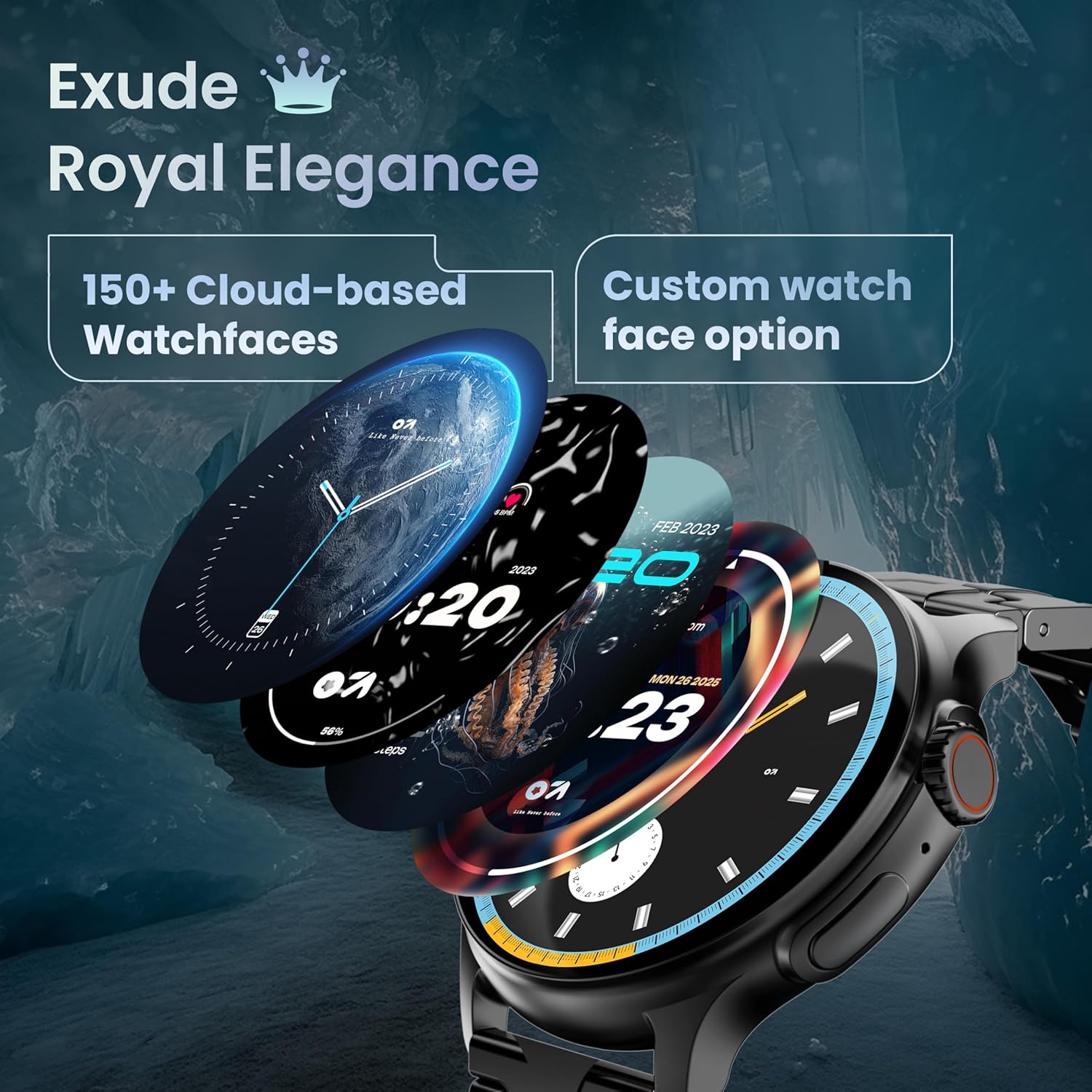
Image: A selection of over 150 watch faces available for customization.
- Erlojuaren aurpegiak aldatzea: Long-press the home screen to access watch face options. Swipe left or right to browse and tap to select. More watch faces are available through the companion app.
4.2. Nabigazioa eta Kontrolak
Navigate the smartwatch interface using touch gestures and the functional 'Working Crown'.

Image: Detail of the working crown, used for navigation and customization.
- Irristatu hatza behera: Sartu ezarpen azkarretara (adibidez, distira, DND, bateria aurrezlea).
- Irristatu gora: View jakinarazpenak.
- Irristatu ezkerrera/eskuinera: Access widgets and main features (e.g., activity, heart rate, weather).
- Laneko Koroa: Rotate to scroll through menus or lists. Press to return to the home screen or confirm selections.
4.3. Bluetooth bidezko deiak
The smartwatch supports Bluetooth Calling v5.2, allowing you to make and receive calls directly from your wrist.

Image: Illustration of the smartwatch's Bluetooth calling capabilities with integrated microphone and speaker.
- Deiak erantzutea: Tap the green phone icon on the screen when a call comes in.
- Deiak egitea: Access the dial pad or contacts list from the smartwatch menu.
- Deiak ukatzea: Tap the red phone icon.
4.4. Kirol Moduak
Track over 120 sports and fitness activities with detailed analytics.

Image: The smartwatch interface showing active sports tracking and various sports icons.
- Access the 'Sports' menu to select your desired activity.
- The watch will record data such as duration, calories burned, and heart rate during your workout.
4.5. Osasunaren jarraipena
Monitor key health metrics in real-time.

Image: The health suite features, including heart rate, SpO2, and sleep monitoring.
- Bihotz-taupadak: Provides 24x7 heart rate tracking.
- SpO2 Blood Oxygen Saturation Monitor: Odoleko oxigeno mailak neurtzen ditu.
- Loaren jarraipena: Loaren ereduak eta kalitatea kontrolatzen ditu.
- Emakumezkoen hilekoaren zikloaren jarraipena: Helps track and predict menstrual cycles.
- Jardueren jarraipena: Egun osoan zehar erretako pausoak, distantzia eta kaloriak erregistratzen ditu.
- Arnasa entrenatzea: Erlaxaziorako arnasketa ariketa gidatuak.
4.6. IA Ahots Laguntzailea
Control your smartwatch hands-free using voice commands.

Image: The AI voice assistant feature, activated by pressing a button for 3 seconds.
- Press the dedicated button (or specified gesture) for 3 seconds to activate the AI voice assistant.
- Use voice commands to ask questions, set reminders, or manage tasks.
4.7. Notifications and Utilities
Receive SMS and push notifications directly on your wrist. The smartwatch also includes useful utilities.

Image: The 'Find My Phone' feature, which causes the connected phone to ring or vibrate.
- Jakinarazpenak: Ensure notification permissions are enabled in the companion app for your desired applications.
- Kalkulagailua: Access the calculator from the app menu for quick calculations.
- Aurkitu nire telefonoa: Use this feature from the smartwatch to make your connected phone ring or vibrate, helping you locate it.
4.8. Urarekiko eta hautsarekiko erresistentzia (IP67)
The smartwatch is IP67 rated, providing protection against dust and temporary immersion in water.
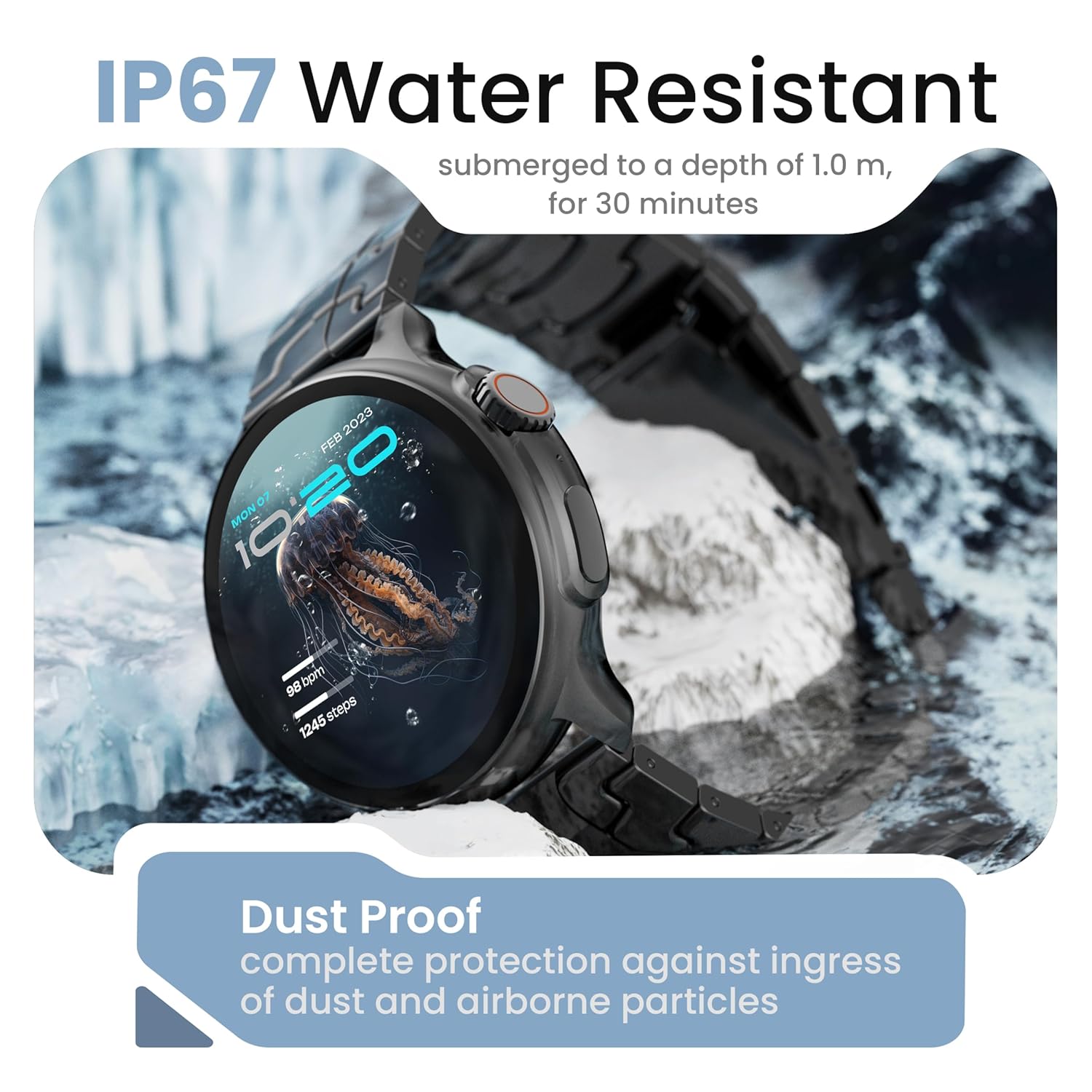
Image: The smartwatch demonstrating its IP67 water resistance, capable of being submerged up to 1 meter for 30 minutes.
- The device is resistant to sweat, splashes, and brief immersion in water up to 1 meter for 30 minutes.
- Avoid using the watch in hot water, saunas, or steam rooms.
- Do not press buttons while the watch is submerged.
5. Zainketa eta Mantentzea
- Garbiketa: Garbitu erlojua eta uhala aldizka zapi leun eta lehor batekin. Beharrezkoa bada, erabili zapi apur bat lehorra.amp zapi eta ondo lehortu.
- Saihestu produktu kimikoak: Ez erabili produktu kimiko gogorrik, garbiketa-disolbatzailerik edo detergente sendorik, hauek erlojuaren akabera eta zigiluak kaltetu ditzaketelako.
- Biltegiratzea: Gorde erloju adimenduna leku fresko eta lehor batean erabiltzen ez duzunean.
- Kargatzen: Erabili emandako kargatzeko kablea soilik.
6. Arazoak
6.1. Smartwatch Not Turning On
- Ziurtatu erlojua guztiz kargatuta dagoela. Konektatu kargagailura gutxienez 30 minutuz.
- Press and hold the side button for an extended period (10-15 seconds) to force a restart.
6.2. Unable to Pair with Smartphone
- Ziurtatu Bluetooth gaituta dagoela zure telefonoan eta erloju adimendunean.
- Make sure the smartwatch is within the Bluetooth range of your phone (typically 10 meters).
- Berrabiarazi zure telefonoa eta erloju adimenduna.
- Garbitu telefonoaren Bluetooth cachea (hala badagokio) eta saiatu berriro parekatzen.
- Ziurtatu aplikazio osagarria azken bertsiora eguneratuta dagoela.
6.3. Osasun-datu zehaztugabeak
- Ziurtatu erlojua eskumuturrean ondo eramaten duzula, ez gehiegi estutzen ez gehiegi soltetzen.
- Garbitu erlojuaren atzealdeko sentsoreak.
- Saihestu mugimendu gehiegi neurketak egiten diren bitartean.
- Note that smartwatch health data is for reference only and should not be used for medical diagnosis.
6.4. Notifications Not Appearing
- Check if notification permissions are granted for the companion app and individual applications on your smartphone.
- Ensure the smartwatch is connected to your phone via Bluetooth.
- Disable 'Do Not Disturb' mode on both your phone and smartwatch.
7. Zehaztapenak
| Marka | GOBOULT |
| Ereduaren izena | R Pro 2 |
| Bistaratzeko tamaina | 1.43 hazbete |
| Bistaratzeko mota | HD AMOLED |
| Distira | 600 nit |
| Bluetooth bertsioa | 5.2 |
| Uraren Erresistentzia | IP67 |
| Bateriaren iraupena (batez bestekoa) | 7 Egun |
| Bateria kargatzeko denbora | 150 minutu |
| Sistema eragilea | Android (bateragarria) |
| Elementuaren pisua | 56.5 g |
| Dakarten osagaiak | Smartwatch, Charging Cable, User Manual, Warranty Card |
8. Bermea eta Laguntza
8.1. Bermearen informazioa
Your GOBOULT Crown R Pro 2 Smartwatch comes with a standard manufacturer's warranty. Please refer to the included Warranty Card for specific terms, conditions, and duration of the warranty.
8.2. Bezeroarentzako arreta
For any product-related queries, technical assistance, or warranty claims, please contact GOBOULT customer support through the following channels:
- Webgunea: Visit the official GOBOULT webmaiz egiten diren galderen eta laguntza-baliabideen gunea.
- Posta elektronikoa: Refer to your warranty card or the official webbezeroarentzako arreta-zerbitzuko helbide elektronikoen gunea.
- Telefonoa: Contact numbers may be available on the official GOBOULT webgunea edo berme-txartela.
Please have your product model number (R Pro 2) and purchase details ready when contacting support.