
1. Sarrera
Thank you for choosing the FLEXISPOT L-Shaped Electric Standing Desk. This manual provides essential information for the safe assembly, operation, and maintenance of your new desk. Please read it thoroughly before use and retain it for future reference.
The FLEXISPOT L-Shaped Electric Standing Desk offers a spacious 63.0" x 55.1" work surface with electric height adjustment, allowing seamless transitions between sitting and standing positions. It features a robust 3-legged frame, a preset controller for personalized height settings, and a versatile orientation to fit various office layouts.
2. Segurtasun informazioa
Always ensure the desk is properly assembled and anchored to the floor to prevent tipping. Do not exceed the maximum weight capacity of 220 lbs (100 kg) to maintain stability. Be cautious when adjusting the desk height to avoid injury. Keep children and pets away from the desk during operation. Ensure all cables are managed to prevent tripping hazards or damage during height adjustments.
3. Paketearen edukia
Your FLEXISPOT L-Shaped Electric Standing Desk ships in two separate packages, which may arrive on different days. Please verify all components against the included packing list before beginning assembly. If any parts are missing or damaged, contact FLEXISPOT customer support immediately.
4. Konfigurazioa eta Muntaketa
Assembly of the FLEXISPOT L-Shaped Electric Standing Desk requires careful attention to detail. It is recommended to have two people for certain steps, especially when handling the desktop and flipping the assembled unit. The desk features a flexible design, allowing the wider desktop section to be positioned on either the left or right side to best suit your workspace.
4.1 Desontziratzea eta prestatzea
- Kontu handiz deskonprimitu osagai guztiak bi kaxetatik.
- Lay out all parts on a clean, soft surface (e.g., a blanket or carpet) to prevent scratches.
- Identify all components using the provided parts list.
4.2 Markoen Muntaketa
Follow the detailed instructions in the separate assembly guide provided with your desk. Ensure all screws are tightened securely. The robust industrial-grade steel frame provides stability for your workstation.
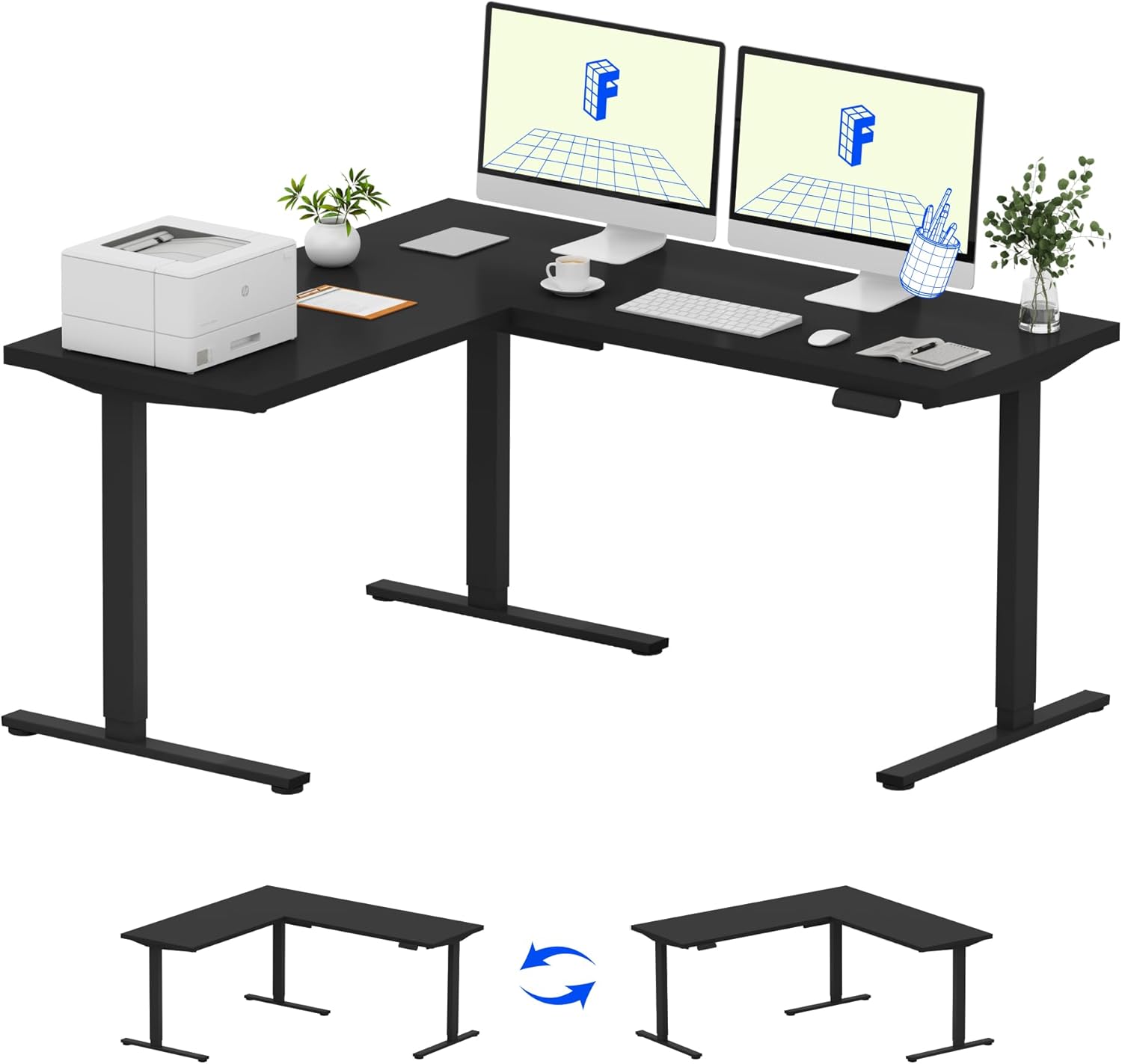
Image: Assembled FLEXISPOT L-Shaped Electric Standing Desk.
4.3 Desktop Attachment and Orientation
The expansive L-shaped desktop can be configured for either a left-hand or right-hand setup. Decide on your preferred orientation before attaching the desktop to the frame. The desktop is crafted from environmentally sourced splice board, measuring 63.0" x 55.1".

Image: Flexible right/left orientation options for the L-shaped desk.
4.4 Kableen kudeaketa
Utilize the included cable management tools to keep your workspace tidy and prevent cables from interfering with the desk's movement.

Image: The desk ships in two packages and has a 220 lbs weight capacity.
5. Funtzionamendu-argibideak
Your FLEXISPOT L-Shaped Electric Standing Desk is equipped with an intuitive LED control panel for easy height adjustments and memory presets.
5.1 Mahaiaren altuera doitzea
- Erabili Gora (▲) eta Behera (▼) kontrol-paneleko botoiak mahaia nahi duzun altuerara eskuz doitzeko.
- The desk offers a large adjustable range, from a minimum height of 28.3 inches to a maximum height of 45.9 inches.

Image: Large adjustable height range of the desk.
5.2 Memoria aurrezarpenak erabiltzea
The LED control panel allows you to save up to four preferred height settings for quick transitions.
- Egokitu mahaia nahi duzun altuerara Gora/Behera botoiak erabiliz.
- Sakatu M button (Memory) followed by one of the numbered preset buttons (1, 2, 3 edo 4) uneko altuera gordetzeko.
- To recall a saved height, simply press the corresponding numbered preset button.

Image: Smart LED control panel with memory presets.
5.3 Talkaren aurkako funtzioa
The desk is equipped with an anti-collision system. If the desk encounters an obstacle during height adjustment, it will automatically stop and rebound slightly to prevent damage or injury.

Image: Anti-collision feature in action.
6. Mantentzea
Mantentze-lan erregularrak zure zutikako mahaiaren iraupena eta errendimendu optimoa bermatzen ditu.
- Garbiketa: Garbitu mahaigaina eta markoa zapi leun batekinamp oihal. Saihestu akabera kaltetu dezaketen produktu kimiko gogorrak edo garbitzaile urratzaileak.
- Ikuskapenak: Aldian-aldian egiaztatu torloju eta azkoin guztiak ondo estututa daudela ziurtatzeko. Beharrezkoa bada, berriro estutu.
- Kableen kudeaketa: Ensure power cords and other cables are not pinched or tangled, especially during height adjustments.
- Pisu-gaitasuna: Do not exceed the maximum weight capacity of 220 lbs to prevent strain on the motor and frame.
7. Arazoak
If you encounter issues with your FLEXISPOT L-Shaped Electric Standing Desk, refer to the following common troubleshooting steps:
- Mahaia ez da mugitzen:
- Check if the power cord is securely plugged into both the desk and a working power outlet.
- Ziurtatu objekturik ez dagoela mahaiaren mugimendua oztopatzen.
- Try resetting the desk by unplugging it for 30 seconds and then plugging it back in.
- Mugimendu irregularra/dardarka:
- Ziurtatu muntaketa-torloju guztiak estutu direla.
- Ensure the desk is on a level surface. Adjust the leveling feet if necessary.
- Confirm that the weight distribution on the desktop is balanced and within the maximum capacity.
- Kontrol panelak ez du erantzuten:
- Egin pizteko eta berriro konektatzeko prozesua (deskonektatu eta berriro konektatu).
- Check for any visible damage to the control panel or its cable.
If these steps do not resolve the issue, please contact FLEXISPOT customer support.
8. Zehaztapenak
| Marka | FLEXISPOT |
| Eredua | B0DV54QLX4 |
| Produktuaren neurriak | 55.1" L x 63" W x 45.9" H |
| Kolorea | Marko beltza + Goiko aldea beltza |
| Estiloa | Modernoa |
| Oinarrizko materiala | Altzairu aleazioa |
| Goiko material mota | Egurra |
| Mahaiaren lodiera | 1 hazbeteko |
| Gutxieneko Altuera | 28 hazbete |
| Gehienezko Altuera | 45.9 hazbete |
| Gehienezko pisuaren gomendioa | 220 kilo |
| Ezaugarri Berezia | Corded, Preset Controller, Anti-collision |
| Beharrezko muntaia | Bai |
| UPC | 840460438384 |
9. Bermea eta Laguntza
9.1 Bermearen informazioa
FLEXISPOT provides the following warranty coverage for your L-Shaped Electric Standing Desk:
- 5 Urteko Estaldura: Mahaiaren markoari eta motorrari aplikatzen zaio.
- 2 Urteko Babesa: Kontrol-panelean eta elektronikan aplikatzen da.
Please retain your proof of purchase for warranty claims. The warranty covers manufacturing defects under normal use.
9.2 Bezeroarentzako laguntza
For any questions, assistance with assembly, troubleshooting, or warranty inquiries, please contact FLEXISPOT customer support. You can find contact information on the official FLEXISPOT webgunea edo zure erosketa plataformaren bidez.