
1. Sarrera
Thank you for choosing the Angrox Universal Remote Control. This manual provides essential information for setting up, operating, and maintaining your new remote control. Please read it carefully to ensure optimal performance and longevity of your device.
This remote control is designed specifically for Roku Built-in TVs from brands such as TCL, ONN, Hisense, Sharp, Element, Westinghouse, and Philips. It is an infrared remote control and does EZ work with external Roku streaming players (e.g., Roku Box, Roku Stick, Roku Express, Roku Player) or Roku audio devices.
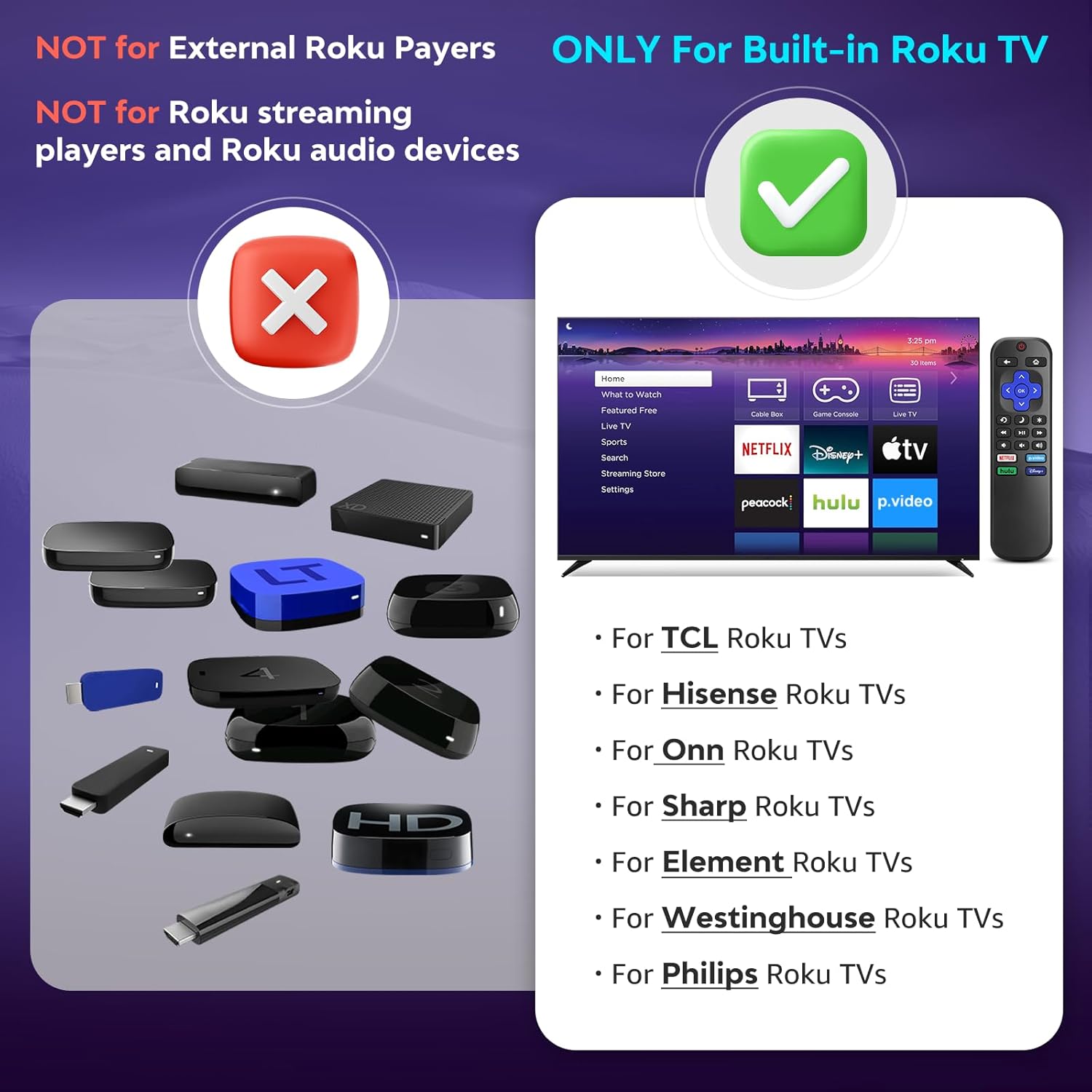
Image 1.1: Compatibility overview. The remote is compatible with TVs that have Roku built-in, but not with standalone Roku streaming devices.
2. Konfigurazioa
2.1 Bateriaren instalazioa
- Kokatu bateriaren konpartimendua urrutiko agintearen atzealdean.
- Irristatu bateriaren estalkia behera irekitzeko.
- Sartu bi (2) AAA pila alkalino, ziurtatu terminal positiboak (+) eta negatiboak (-) konpartimentuaren barruko diagramen araberakoak direla.
- Lerratu bateriaren estalkia berriro lekuan klik egin arte.
Oharra: Bateriak ez daude urrutiko agintearekin batera.
2.2 Hasierako Erabilera
This Angrox Universal Remote Control requires no programming or pairing. Once batteries are correctly installed, it is ready for immediate use with your compatible Roku Built-in TV.

Image 2.1: Battery installation guide. The remote requires two AAA batteries and no setup.
3. Funtzionamendu-argibideak
The remote control features a standard layout for intuitive navigation and control of your Roku Built-in TV.
3.1 Botoien funtzioakview

Image 3.1: Detailed button layout and functions of the Angrox Universal Remote Control.
- TV Power (Red Button): Telebista pizten edo itzaltzen du.
- Itzuli: Aurreko pantailara edo menura itzultzen da.
- Hasiera: Navigates to the Roku home screen.
- Directional Pad (Up, Down, Left, Right) & OK: Menuetan nabigatzeko eta hautatzeko erabiltzen da.
- Lo egiteko modua: Activates the TV's sleep timer function.
- Berehalako erreprodukzioa: Bideoaren erreprodukzioan segundo batzuk atzera egiten du.
- Aukerak: Accesses context-sensitive options or settings.
- Rewind Scan (RWD Scan): Bideo erreprodukzioa atzeratzen du.
- Erreproduzitu/Pausatu: Bideo edukia erreproduzitzen edo pausatzen du.
- Fast Forward Scan (FWD Scan): Bideo erreprodukzioa aurrera azkar egiten du.
- Bolumenaren kontrola (+/-): Telebistaren bolumena doitzen du.
- Ezkutatu: Telebistaren audioa desaktibatu edo aktibatzen du.
3.2 Lasterbide-botoiak
The remote includes four dedicated shortcut buttons for quick access to popular streaming services:
- NETFLIX
- p.video (Prime Video)
- hulu
- Disney+
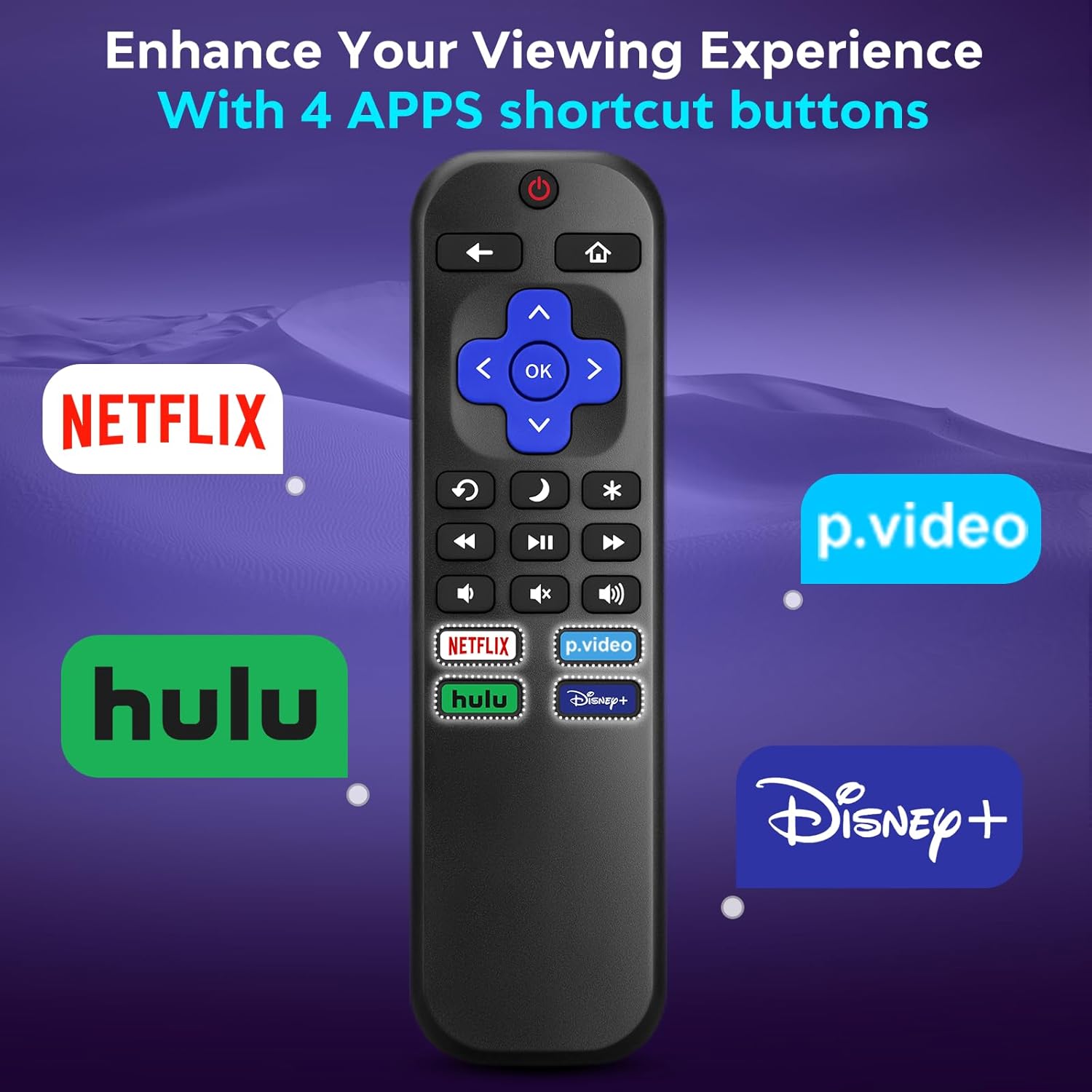
Image 3.2: The remote features dedicated shortcut buttons for popular streaming services.
3.3 Errendimendua
The remote operates using infrared technology, providing a sensitive response and precise control. It has an effective transmission distance of up to 10 meters (32 feet).

Image 3.3: The remote offers fast response and a wide transmission range.
4. Mantentzea
4.1 Garbiketa
Urrutiko agintea garbitzeko, astiro-astiro zapi leun eta lehor batekin garbitu. Zikinkeria egoskorra bada, apur bat garbitu.ampen the cloth with water. Avoid using harsh chemicals, abrasive cleaners, or solvents, as these can damage the remote's surface or internal components.
4.2 Bateria ordezkatzea
Aldatu pilak urrutiko agintearen erantzuna motela denean edo funtzionatzeari uzten dionean. Ordeztu beti bi AAA pilak aldi berean berriekin. Ez nahastu pila zaharrak eta berriak, edo pila mota desberdinak.
4.3 Biltegiratzea
When not in use for extended periods, it is recommended to remove the batteries to prevent leakage, which could damage the remote. Store the remote in a cool, dry place away from direct sunlight and extreme temperatures.
The remote is constructed from high-quality ABS plastic and silicone for durability.
5. Arazoak
- Urrunekoek ez dute erantzuten:
- Ziurtatu bateriak polaritate zuzenarekin behar bezala sartuta daudela.
- Ordeztu pila zaharrak AAA pila alkalino berriekin.
- Check for any obstructions between the remote and the TV's infrared sensor. Ensure a clear line of sight.
- Egiaztatu urrutiko agintea telebistara zuzenean zuzenduta dagoela.
- Remote only controls some functions:
- This remote is designed for Roku Built-in TVs. Ensure your TV has Roku integrated and is not an external Roku player connected to a standard TV.
- Some advanced TV functions not directly related to Roku may not be supported by this universal remote.
- TV does not turn on/off:
- Confirm the TV is plugged into a power source and is not in a deep sleep mode that requires a manual power button press on the TV itself.
6. Zehaztapenak
| Ezaugarri | Xehetasuna |
|---|---|
| Marka | Angrox |
| Eredua | B0DW7SW5C4 |
| Ezaugarri bereziak | Ergonomic, No Programming Required, Universal |
| Kolorea | Beltza |
| Onartutako gailuen gehienezko kopurua | 1 (Roku Built-in TV) |
| Gailu bateragarriak | Television (Roku Built-in TVs: TCL, ONN, Hisense, Sharp, Element, Westinghouse, Philips, etc.) |
| Energia iturria | 2 x AAA bateria (ez daude barne) |
| Teknologia | Infragorriak (IR) |
| Distantzia eragilea | Gehienez 10 metro (32 oin) |
| Materiala | High-quality ABS plastic and silicone |
7. Bermea eta Laguntza
For warranty information, please refer to the documentation provided with your purchase or contact your retailer. Angrox is committed to providing quality products and customer satisfaction.
For further assistance or inquiries, please visit the official Angrox store on Amazon: Angrox Store.

