
Sarrera
This manual provides comprehensive instructions for the installation, operation, and maintenance of your HXVIEW 4K PTZ Security Camera. Please read this manual thoroughly before using the product to ensure proper setup and optimal performance. Keep this manual for future reference.
Produktua amaituview eta Ezaugarriak
The HXVIEW 4K PTZ Security Camera is an advanced outdoor surveillance solution designed for comprehensive monitoring. It features high-resolution imaging, extensive zoom capabilities, and intelligent detection functions.
Ezaugarri nagusiak:
- 4K Ultra HD and 30X Optical Zoom: Equipped with a 1/2.8-inch IMX415 CMOS sensor and wide-angle lens, this camera captures stunning 4K Ultra HD images. The 30X optical zoom and autofocus lens allow for clear viewing of distant details without compromising image quality.
- Advanced Night Vision and Motion Tracking: Super IR lights provide clear color night vision up to 1,000 feet. Auto cruise and human tracking features enable the camera to automatically follow detected motion and adjust its position.
- Intelligent Detection and Alerts: Features smart person/vehicle detection and real-time alerts. Users can customize detection areas, sensitivities, and schedules to minimize false alarms.
- Continuous Recording and Weatherproof Design: Supports up to 128GB microSD card storage for 24/7 continuous recording without additional cloud fees. The rugged aluminum casing and IP66 waterproof rating ensure reliable performance in various weather conditions.
- Seamless Connectivity and Control: Offers 2.4/5GHz dual-band Wi-Fi connectivity and remote viewing via the CamHipro app. The camera feed can be shared with multiple users for comprehensive monitoring.

Figure 1: HXVIEW 4K PTZ Security Camera, showcasing its robust design and dual antenna setup.

Figure 2: Illustration of 4K Super HD resolution, 30X optical zoom, and the camera's 355° pan and 90° tilt range.
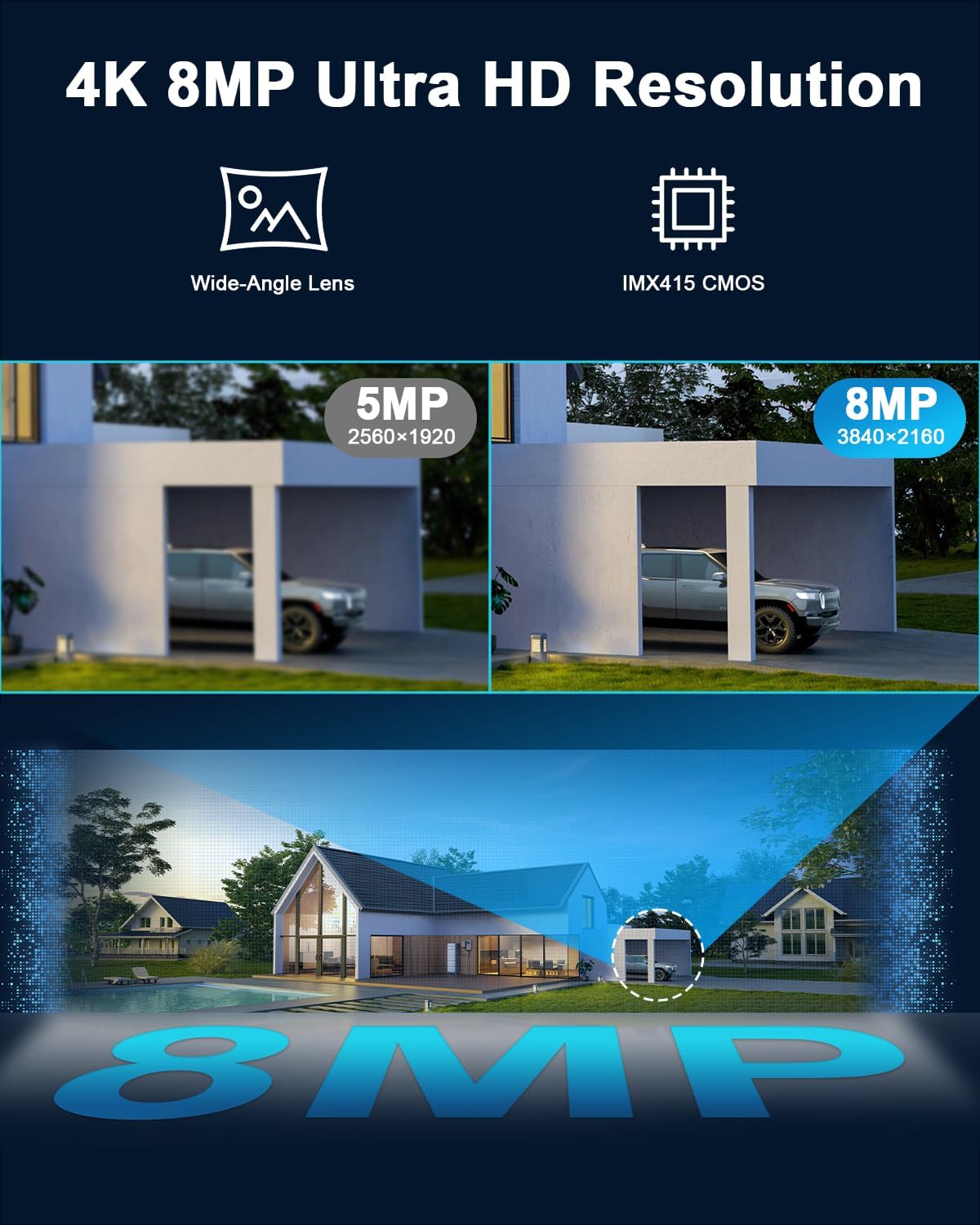
Figure 3: Visual comparison demonstrating the clarity of 4K 8MP Ultra HD resolution compared to 5MP, highlighting the IMX415 CMOS sensor.
Konfigurazio Gida
1. Kutxa irekitzea eta hasierako ikuskapena:
- Kontu handiz kendu osagai guztiak ontzitik.
- Egiaztatu zerrendatutako osagarri guztiak daudela.
- Inspect the camera and accessories for any signs of damage. Do not proceed with installation if damage is found.
2. Choosing an Installation Location:
- Select a location that provides a clear, unobstructed view kontrolatu nahi duzun eremuarena.
- Ensure the location is within range of your Wi-Fi network (2.4GHz or 5GHz).
- The camera is IP66 weatherproof, but installing it under an overhang or sheltered area can provide additional protection and extend its lifespan.
- Ensure access to a power outlet for the camera's power adapter.
3. Kamera muntatzea:
- Use the provided mounting template (if included) or mark the drill holes on the wall/surface.
- Drill pilot holes using an appropriate drill bit for your surface type.
- Insert wall anchors (if necessary) into the drilled holes.
- Secure the camera mounting bracket to the surface using the provided screws.
- Lotu kamera ondo finkatuta muntatzeko euskarriari.
4. Powering On and Initial Configuration:
- Konektatu korronte-egokitzailea kamerara eta entxufe batera.
- The camera will power on and perform a self-test, indicated by movement and LED lights.
- Download the "CamHipro" app from your smartphone's app store (iOS or Android).
- Open the app and follow the on-screen instructions to add your new camera. This typically involves scanning a QR code on the camera or manually entering its ID.
- Connect the camera to your Wi-Fi network within the app. Ensure you select the correct 2.4GHz or 5GHz network and enter the password accurately.
- Konektatu ondoren, egin dezakezu view the live feed and adjust initial settings.
Funtzionamendu-argibideak
1. Bizi View eta PTZ Kontrola:
- Open the CamHipro app and select your camera from the device list.
- The live video feed will appear.
- Use the on-screen controls to pan (horizontal movement), tilt (vertical movement), and zoom (optical zoom) the camera.
- Tap to focus or use the autofocus feature.

Figure 4: Depiction of the camera's auto cruise function, covering a 360° viewing angle with up to 30 preset guard points.
2. Grabaketa eta biltegiratzea:
- MicroSD txartela: Insert a microSD card (up to 128GB, not included) into the designated slot on the camera. The camera will automatically begin 24/7 continuous recording or motion-triggered recording based on your settings.
- App Recording: You can manually record video clips directly to your phone via the app during live view.
- Erreprodukzioa: Sartu grabatutako footage through the app's playback feature, selecting specific dates and times.
3. Mugimenduen detekzioa eta alertak:
- Navigate to the "Detection Settings" or "Alarm Settings" within the CamHipro app.
- Enable Person/Vehicle Detection for intelligent filtering of alerts.
- Adjust sensitivity levels to reduce false alarms.
- Set up detection zones to monitor specific areas of interest.
- Configure push notifications to receive real-time alerts on your smartphone.
- Enable siren and police light functions for deterrence, if desired.

Figure 5: Illustration of the camera's smart detection capabilities, including automatic tracking of people, vehicles, and animals.
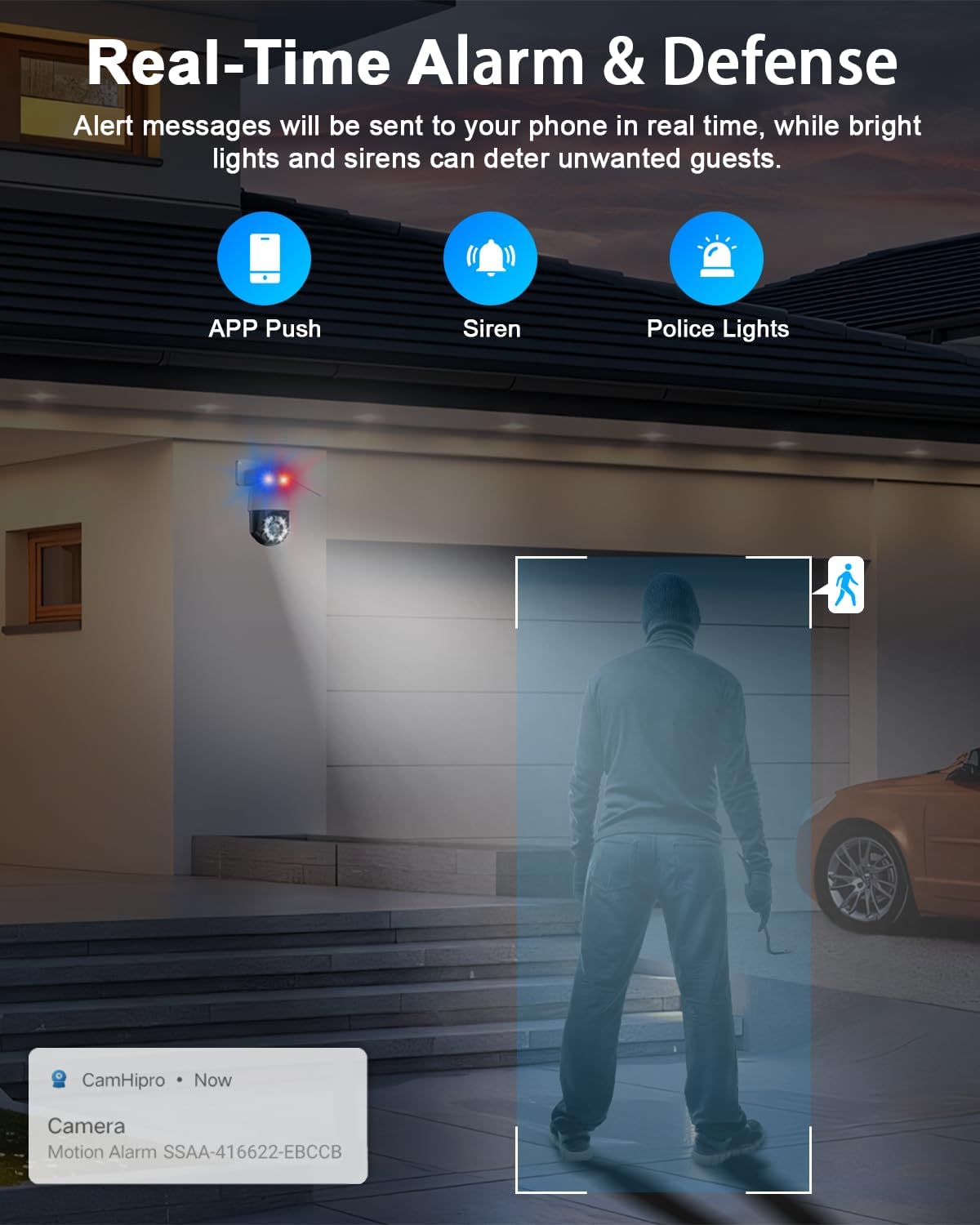
6 Irudia: Gainetikview of real-time alarm and defense features, including app push notifications, siren, and police lights for deterring intruders.
4. Bi norabideko audioa:
- Zuzenean zehar view, sakatu aplikazioko mikrofonoaren ikonoa kameraren bozgorailutik hitz egiteko.
- The camera's built-in microphone will pick up audio from the monitored area.
Mantentzea
- Garbiketa: Aldian-aldian garbitu kameraren lentea eta karkasa zapi leun eta lehor batekinamp oihal. Saihestu garbitzaile edo disolbatzaile urratzaileak.
- Firmware eguneraketak: Check the CamHipro app regularly for firmware updates. Keeping your camera's firmware up-to-date ensures optimal performance, security, and access to new features.
- Potentzia-zikloa: If the camera becomes unresponsive, try power cycling it by unplugging and re-plugging the power adapter.
- Ingurumena babestea: While IP66 rated, extreme weather conditions (e.g., prolonged heavy rain, snow, or direct sunlight) can still impact performance over time. Consider additional physical shielding if installed in highly exposed areas.

Figure 7: The camera's durable metal housing and IP66 waterproof rating, ensuring reliable operation in severe weather conditions from -14°F to 115°F (-10°C to 50°C).
Arazoak konpontzea
| Arazoa | Kausa posiblea | Irtenbidea |
|---|---|---|
| Kamera lineaz kanpo / Ezin da Wi-Fi sarera konektatu | Weak Wi-Fi signal; Incorrect Wi-Fi password; Router issues; Camera too far from router. |
|
| Ez dago SD txartelean grabaziorik | SD card full or faulty; Incorrect recording settings; SD card not formatted. |
|
| Alarma faltsuak maiz | Motion sensitivity too high; Unwanted detection zones. |
|
| Irudiaren kalitate eskasa gauez | IR lights obstructed; Lens dirty; Insufficient ambient light. |
|
Zehaztapenak
| Ezaugarri | Xehetasuna |
|---|---|
| Ebazpena | 4K Ultra HD (8MP) |
| Irudi-sentsorea | 1/2.8-inch IMX415 CMOS |
| Zoom optikoa | 30X |
| Pan Range | 355° |
| Inklinazio barrutia | 90° |
| Gaueko Ikusmenaren barrutia | Up to 1,000 feet (IR lights) |
| Konektibitatea | 2.4/5GHz Dual-Band Wi-Fi, Wireless |
| Biltegiratzea | MicroSD txartela (128 GB arte, ez dago barne) |
| Eguraldi Erresistentearen Balorazioa | IP66 |
| Audioa | 2 moduko audioa |
| Detekzioa | Person/Vehicle Detection, Auto Tracking |
| Erabilera gomendatua | Kanpoko Segurtasuna |
| Energia iturria | Kable bidezkoa (energia egokitzailea) |
Bermea eta Laguntza
HXVIEW products are designed for reliability and performance. For specific warranty details, please refer to the warranty card included with your product or visit the official HXVIEW website. In most regions, a standard limited warranty covers manufacturing defects for a specified period from the date of purchase.
For technical support, troubleshooting assistance, or warranty claims, please contact HXVIEW bezeroarentzako arreta honako kanal hauen bidez:
- Posta elektronikoa: Refer to your product packaging or the HXVIEW ofiziala webwebgunean laguntza-helbide elektroniko eguneratuena lortzeko.
- Lineako laguntza: Visit the HXVIEW support page on their official website for FAQs, guides, and contact forms.
- Aplikazioen euskarria: Some support features may be available directly within the CamHipro app.
When contacting support, please have your product model and purchase information ready to expedite assistance.