
iCarsoft MB V2.0 2025
iCarsoft MB V2.0 OBD2 Scanner User Manual
Model: MB V2.0 2025 | Brand: iCarsoft
1. Produktua amaitu daview
The iCarsoft MB V2.0 is a comprehensive OBD2 diagnostic scan tool designed specifically for Mercedes Benz, Sprinter, Smart, and Maybach vehicles manufactured from 1996 to 2023. This advanced device provides in-depth full system diagnosis, automatic VIN detection, and complete OBD2 functions, including reading and clearing diagnostic trouble codes (DTCs) and displaying live data streams. It is equipped with 9 professional-level reset functions to facilitate precise vehicle maintenance and repair.
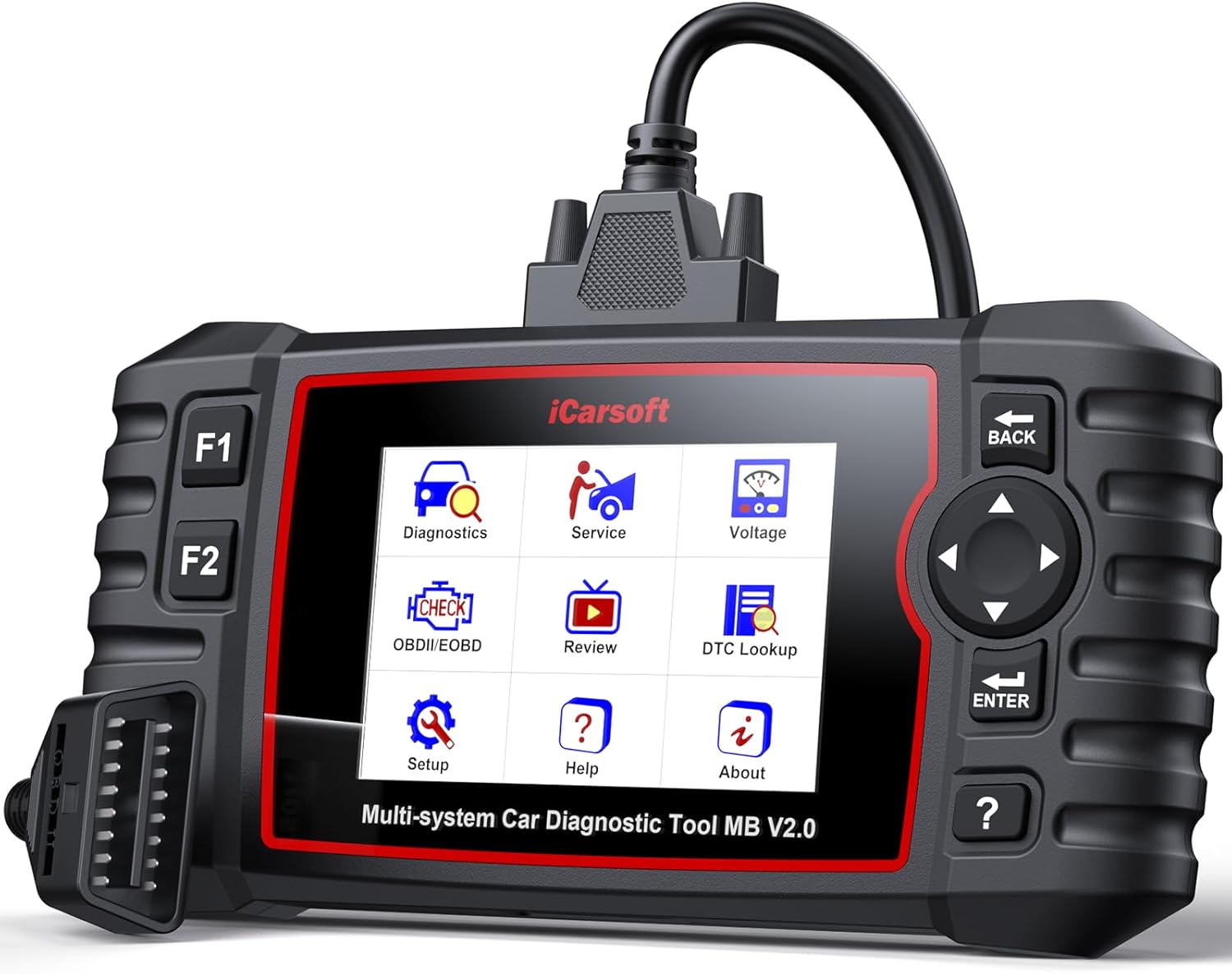
1. irudia: Aurrealdea view of the iCarsoft MB V2.0 diagnostic tool, showing its color display with various menu icons and the OBD2 connector cable.
2. Zer dago kutxan
- iCarsoft MB V2.0 Car Scanner
- Nylonezko zorroa
- Erabiltzailearen eskuliburua
- PC Connecting Cable
- Main OBD2 Cable
- TF Card (included in the scanner)
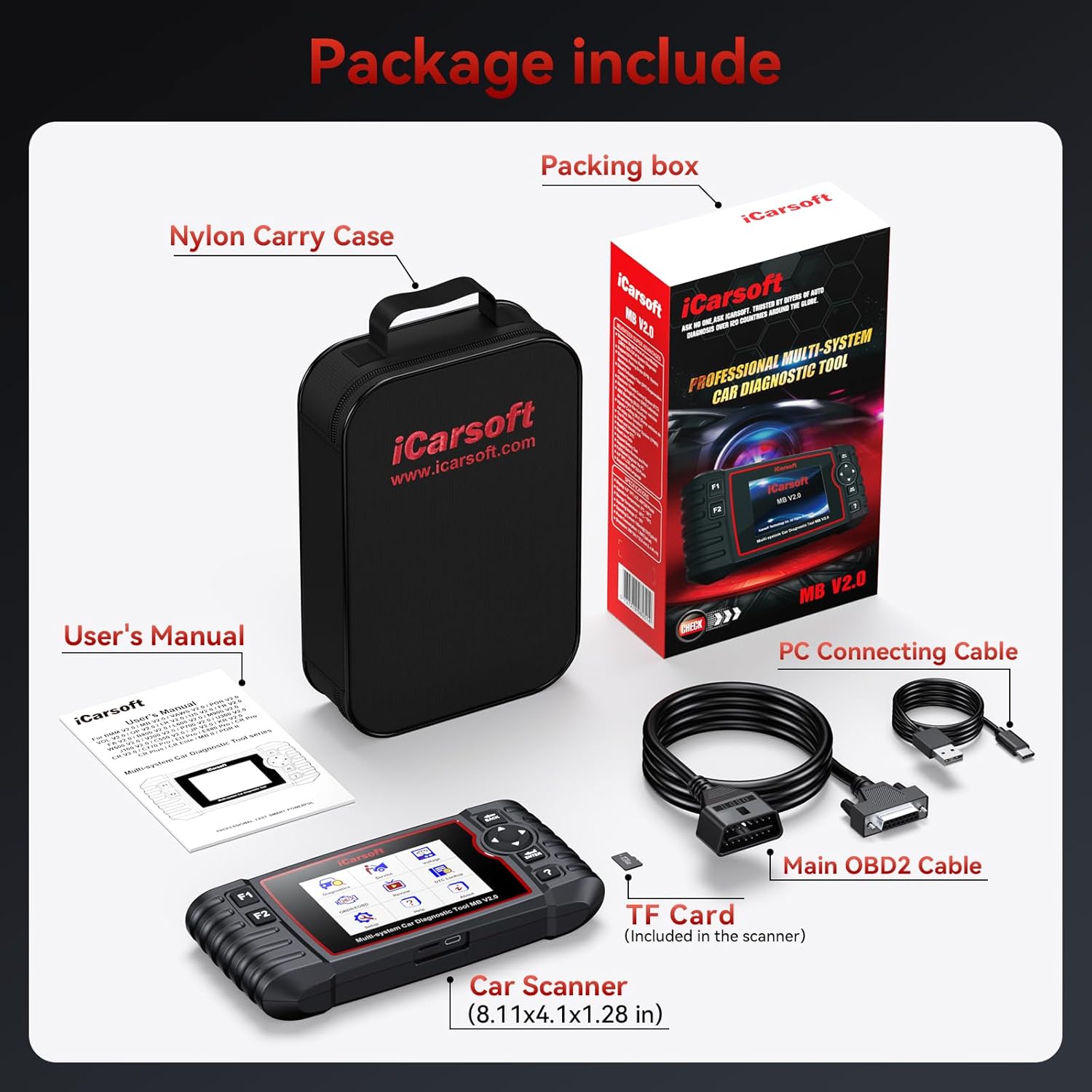
Figure 2: Contents of the iCarsoft MB V2.0 package, including the car scanner, nylon carry case, user's manual, PC connecting cable, main OBD2 cable, and TF card.
3. Ezaugarri eta funtzio nagusiak
3.1 Full Systems In-depth Diagnosis
The MB V2.0 is designed for comprehensive diagnosis of deeper systems and sub-systems across various vehicle models. It covers approximately 650 systems for Benz, 286 for Sprinter, 71 for Maybach (240), and 58 for Smart vehicles (from 1996-2023). This includes critical systems such as SRS, ECM, TCM, suspension, AC, TPMS, instrument cluster, ESP, door modules, and more. The tool supports multiple communication protocols including CAN, ISO9141, KWP2000, J1850 VPW, and J1850 PWM, providing live data, freeze frame data, and module information for effective repair.

Figure 3: An illustration showing the iCarsoft MB V2.0 scanner connected to a car, highlighting its ability to diagnose various systems like Engine, ABS, SRS, Brake, Transmission, Battery, Suspension, and Air Conditioning.
3.2 Auto VIN & Full OBD2 Functions
This scanner offers automatic VIN detection, simplifying vehicle identification. It provides all standard OBD2 diagnostic modes for Benz, Sprinter, Smart, and Maybach vehicles, enabling users to read and clear diagnostic trouble codes (DTCs). Key OBD2 functions include enhanced I/M readiness (misfire monitor, fuel system, component monitor, EVAP system, O2 sensor heater), on-board monitoring, O2 sensor tests, freeze frame review, live graphic data display, and VIN/CVN verification. This ensures accurate troubleshooting and helps identify intermittent issues.

Figure 4: A graphic depicting a car's dashboard with a check engine light, surrounded by icons representing the full OBD2 diagnostic functions.
3.3 Professional-Level Reset Functions
The MB V2.0 includes 9 advanced service functions for comprehensive maintenance:
- Olioaren berrezarpena: Resets oil service light, general maintenance, and reinitializes ASSYST.
- EPB Service: Electronic Parking Brake service, including calibration and function tests.
- ABS odoljarioa: Performs ABS bleeding procedures to remove air from the brake system.
- SAS Kalibrazioa: Steering Angle Sensor calibration for precise wheel alignment.
- BMS Service: Battery Management System service, including isolation measurement and battery capacity determination.
- Injektorearen kodeketa: Adjusts injector injection quantity and teaches in used fuel injectors.
- TPMS berrezarri: Tire Pressure Monitoring System reset, including activating functions and writing sensor IDs.
- DPF berrezartzea: Diesel Particulate Filter reset, including regeneration and learned value resets.
- ETC Relearn: Electronic Throttle Control relearn, including teach-in of throttle valve stop and actuator replacement.
Note: The availability and specific sub-functions of these resets depend on the vehicle model. Please contact iCarsoft for compatibility verification with your specific vehicle's VIN.

Figure 5: A collage illustrating the 8 professional-level reset services available on the iCarsoft MB V2.0.
4. Konfigurazio gida
- Piztu: Ensure the diagnostic tool is fully charged or connected to a power source if applicable.
- OBD2 ataka aurkitu: Identify the 16-pin OBD2 diagnostic port in your vehicle. This is typically located under the dashboard on the driver's side.
- Connect Scanner: Plug the main OBD2 cable from the iCarsoft MB V2.0 scanner into the vehicle's OBD2 port. Ensure a secure connection.
- Piztea piztuta: Jarri ibilgailuaren piztea "ON" posizioan (motorra itzalita).
- Tool Initialization: The scanner will power on automatically and begin initializing. Follow the on-screen prompts.
- Ibilgailuen komunikazioa: The tool will attempt to establish communication with the vehicle's ECU. If prompted, confirm the vehicle's VIN or manually enter it.
Ohar garrantzitsua: For certain older Mercedes models (e.g., C Class: W202, W203 (before 2000); E Class: W210, W211 (before 2002); S Class: W140, W220 (before 1998); CLK Class: 208 (before 2003); SLK Class: 170; SL Class: 129 (before 2002)), a separate iCarsoft 38-pin adapter for Mercedes is required and is NOT included with this product.
5. Funtzionamendu-argibideak
Once the scanner is connected and initialized, navigate through the menu using the directional buttons and the ENTER key.
5.1 Diagnostikoak
- Select "Diagnostics" from the main menu.
- Choose "Auto Scan" for a comprehensive scan of all available systems or select a specific system (e.g., Engine, ABS, SRS).
- The tool will display any detected Diagnostic Trouble Codes (DTCs). Select a DTC to view its detailed description.
- To clear codes, select the "Clear Codes" option. Ensure you understand the cause of the DTCs before clearing them.
- Access "Live Data" to view real-time sensor readings and operating parameters in numerical or graphical format. This is useful for monitoring vehicle performance and identifying intermittent issues.
- Review "Freeze Frame" data, which captures vehicle conditions at the moment a DTC was set.
5.2 Service Functions (Resets)
- Select "Service" from the main menu.
- Choose the desired reset function (e.g., Oil Reset, EPB Service, ABS Bleeding).
- Follow the on-screen instructions carefully for each specific service function. Some procedures may require specific vehicle conditions (e.g., engine off, ignition on).
5.3 Bateria Voltage Monitorea
- Select "Voltage" from the main menu to monitor the vehicle's battery voltage in real-time. This helps in assessing battery health and preventing starting issues.
6. Mantentzea
- Software eguneraketak: The iCarsoft MB V2.0 offers lifetime free software updates. Regularly visit the official iCarsoft website to download and install the latest software to ensure compatibility with new vehicle models and access to updated functions. Use the provided PC connecting cable for updates.
- Garbiketa: Garbitu gailua leun batekin, damp oihal. Ez erabili garbitzaile edo disolbatzaile urratzailerik.
- Biltegiratzea: Store the scanner in its nylon carry case in a dry, cool environment when not in use to protect it from dust and physical damage.
- Kableen zainketa: Handle the OBD2 cable and PC connecting cable with care. Avoid bending or twisting them excessively to prevent internal damage.
7. Arazoak
- Ibilgailuarekin komunikaziorik ez:
- Ziurtatu OBD2 kablea eskanerrera eta ibilgailuaren OBD2 atakara ondo konektatuta dagoela.
- Egiaztatu ibilgailuaren piztea "ON" posizioan dagoela (motorra itzalita).
- Check if your vehicle requires a specific adapter (e.g., 38-pin for older Mercedes models) which is not included.
- Some vehicle systems operate independently from the ECU. Contact iCarsoft support to confirm product communication compatibility for your specific car model and system.
- Reset Function Not Working:
- Confirm that the specific reset function is supported for your vehicle's exact model and year. Compatibility varies.
- Ensure all prerequisites for the reset procedure (e.g., engine temperature, ignition status) are met as per the on-screen instructions.
- Update the scanner's software to the latest version.
- Screen Freezes or Device Unresponsive:
- Disconnect the scanner from the vehicle and restart it.
- Ensure the device's battery is adequately charged.
For any persistent issues or specific technical inquiries, please contact iCarsoft customer support. Their engineers are available to provide step-by-step assistance and customized solutions.
8. Zehaztapenak
| Atributua | Xehetasuna |
|---|---|
| Marka | iCarsoft |
| Eredua | MB V2.0 2025 |
| Elementuaren pisua | 1.61 kilo |
| Paketearen neurriak | 9.29 x 5.59 x 2.72 hazbete |
| Sistema eragilea | WIN PE (Professional Automotive Inspection OS) |
| Automozio Fit Mota | Vehicle Specific Fit (Mercedes-Benz, Sprinter, Smart, Maybach) |
| Onartutako protokoloak | CAN, ISO9141, KWP2000, J1850 VPW, J1850 PWM |
9. Bermea eta Laguntza
iCarsoft provides comprehensive support for the MB V2.0 diagnostic tool:
- Lifetime Free Software Update: Ensure your device is always up-to-date with the latest vehicle models and diagnostic functions.
- Lifetime Free Hardware Repair: Hardware repairs are free, with the customer only responsible for shipping fees.
- 1 urteko bermea: Produktuak 1 urteko bermea du erosketa-datatik aurrera.
- Bezeroarentzako laguntza: For any technical assistance, compatibility questions, or troubleshooting, please contact iCarsoft directly via Amazon or their official support channels. Their engineers are ready to provide detailed help and customized solutions.
Erlazionatutako dokumentuak - MB V2.0 2025
 |
iCarsoft CR MAX User Manual - Comprehensive Automotive Diagnostic Tool Guide Explore the capabilities of the iCarsoft CR MAX with this comprehensive user manual. Learn about its advanced diagnostics, special service functions, and how to effectively maintain and troubleshoot various vehicle systems. Includes detailed guides on ABS bleeding, oil resets, EPB service, and more for professional automotive technicians and enthusiasts. |
 |
iCarsoft V3.0 Series Multi-system Car Diagnostic Tool User's Manual Comprehensive user's manual for the iCarsoft V3.0 Series multi-system car diagnostic tool, detailing product descriptions, specifications, features, operation, and troubleshooting. |
 |
iCarsoft V2.0 Serieko Sistema Anitzeko Autoen Diagnostiko Tresnaren Erabiltzaile Eskuliburua iCarsoft V2.0 Serieko sistema anitzeko autoen diagnostiko tresnen erabiltzailearen eskuliburua, funtzionamendu zehatza, diagnostikoa eta zerbitzu funtzio bereziak, hala nola olioaren berrezarpena, EPB, BMS, DPF, etab. eta SAS, hainbat ibilgailu markatarako. |
 |
iCarsoft CR Max P User Manual: Professional Multi-System Car Diagnostic Tool Guide Explore the comprehensive user manual for the iCarsoft CR Max P, a professional multi-system car diagnostic tool. This guide covers setup, operation, advanced diagnostics, service functions, technical specifications, and troubleshooting for automotive professionals. |
 |
iCarsoft CR Unicorn: Advanced Automotive Diagnostic Tool User Manual Explore the capabilities of the iCarsoft CR Unicorn, a professional-grade automotive diagnostic tool. This user manual details its advanced features, including intelligent diagnostics, comprehensive maintenance functions, and system-specific procedures, designed to assist automotive technicians. |
 |
Jaguar Vehicle Diagnostic Function List - iCarsoft CR Genius Detailed compatibility and function list for the iCarsoft CR Genius diagnostic tool, covering Jaguar XE, XF, XJ, XK, F-Pace, and E-Pace models. Includes supported diagnostic functions like Read Codes, Erase Codes, and Live Data for various engines and model years. |