
FreedConn LUS-HERO BLACK
FreedConn Hero Motorcycle Intercom User Manual
Model: LUS-HERO BLACK
Marka: FreedConn
1. Produktua amaitu daview
The FreedConn Hero Motorcycle Intercom is a communication system designed for motorcyclists, offering advanced features for group communication, music sharing, and hands-free calling. It boasts a robust design with IP67 waterproofing and a long-lasting battery.
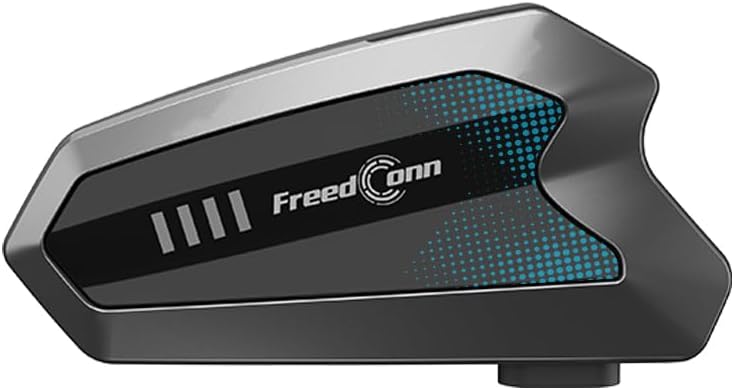
Image: The main FreedConn Hero intercom unit, showcasinbere diseinu dotorea.
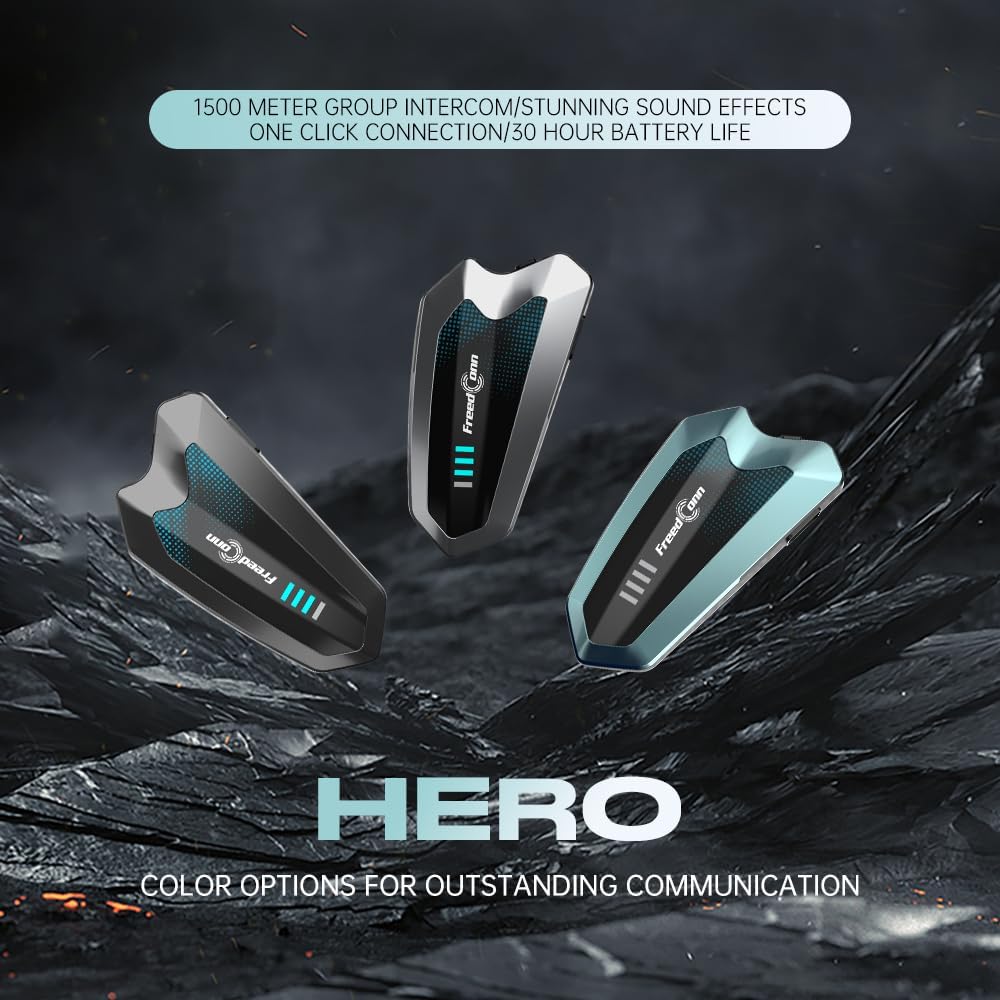
Image: Multiple FreedConn Hero intercom units in different color variations, highlighting design aesthetics.
2. Ezaugarri nagusiak
- Taldeko interfonoa: Supports up to 6 riders simultaneously with a communication distance of up to 1500 meters (1 mile).
- Bluetooth 5.1: Equipped with Qualcomm dual chips for stable connection, strong signal, and compatibility with 99% of mobile phones and Bluetooth devices.
- One-Click Pairing: Simplifies the pairing process without requiring an app.
- Intelligent Noise Canceling: Combines ENC, DSP, and CVC triple noise suppression technology with a high-density microphone sponge to eliminate over 95% of environmental noise.
- Bateriaren iraupen luzea: 1100mAh capacity provides up to 30 hours of continuous use. Fully charges in 1.5 hours via USB Type-C.
- Music Sharing & FM Radio: Allows sharing music with other riders and includes an FM radio function.
- Ahots kontrola: Eskurik gabeko funtzionamendua ahalbidetzen du.
- IP67 Iragazgaitza: Hainbat eguraldi-baldintza jasateko diseinatua.

Image: Diagram illustrating the advanced Bluetooth 5.1 chip, emphasizing low energy consumption and stable connection.

Image: Visual representation of the 1100mAh battery capacity, highlighting 30 hours of intercom time and 26 hours of music time.

Image: Graphic demonstrating the 95% deep noise reduction capability of the headset, ensuring clear communication.

Image: Illustration showing the FreedConn Hero connecting to various Bluetooth devices like smartphones, TWS earphones, and GPS units.

Irudia: Lehertua view of the 42mm high-definition speaker unit, emphasizing its professional sound calibration for immersive audio.
3. Paketearen edukia
Paketea irekitzean, egiaztatu honako osagai guztiak daudela:

Image: A visual guide to the package contents and an overview of the function keys on the FreedConn Hero unit.
- 1 x Bluetooth Host (Main Unit)
- 1 x 2-in-1 High Quality Headset (Speakers with Microphone)
- 1 x Argibide eskuliburua (Dokumentu hau)
- 3 x 3M Velcro Clip
- 5 x Screw Clip
- 6 x Headphones Velcro Tape
- 7 x C motako kargatzeko kablea
4. Instalazio gida
Follow these steps to properly install the FreedConn Hero intercom system into your motorcycle helmet:
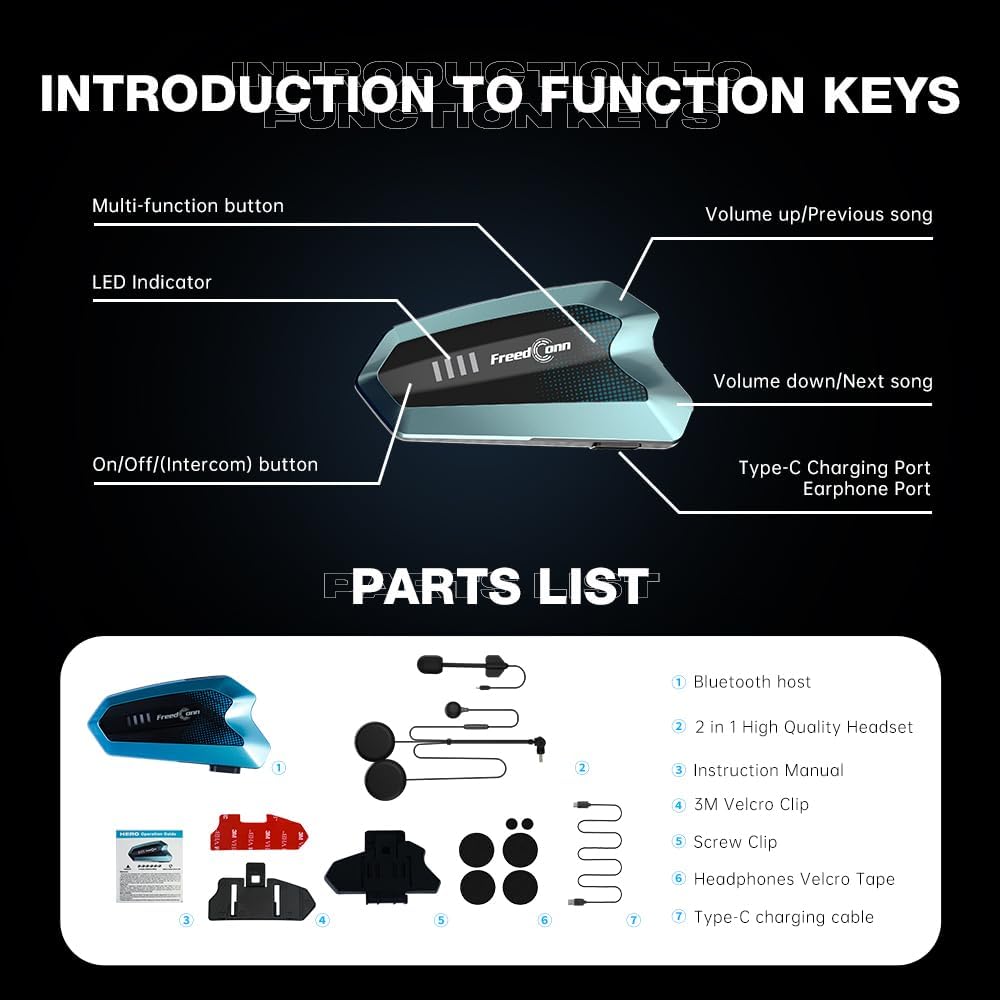
Image: Step-by-step visual instructions for installing the intercom unit and speakers inside a motorcycle helmet.
- Hizlarien kokapena: Attach the earphone units (speakers) to the left and right sides of the helmet's interior, ensuring they align with your ears. Use the provided Velcro tape for secure placement.
- Kableen kudeaketa: Neatly route the earphone cables and microphone cable within the helmet's padding to avoid discomfort or interference.
- Mikrofonoaren eranskina: Secure the microphone to the helmet's chin bar area. Ensure it is positioned close to your mouth but does not obstruct your vision or movement.
- Main Unit Mounting: Choose a suitable position on the left side of your helmet for the main unit. Use either the 3M Velcro clip or the screw clip to firmly attach the unit.
- Konektatu entzungailuak: Plug the headset cable into the Type-C earphone port on the main unit.
- Azken doikuntza: After installation, adjust the microphone position for optimal voice pickup and ensure all components are securely fastened.
The system is compatible with various helmet types, including full-face, open-face, and modular helmets.
5. Funtzionamendu-argibideak
5.1 Botoien funtzioak
Ikusi beheko diagrama informazio gehiago lortzekoview of the main unit's buttons and ports:
Image: Detailed diagram showing the Multi-function button, LED Indicator, On/Off/(Intercom) button, Volume up/Previous song, Volume down/Next song, Type-C Charging Port, and Earphone Port.
- Funtzio anitzeko botoia: Used for various controls such as answering/ending calls, playing/pausing music, and activating voice assistant.
- LED adierazlea: Displays device status (power, pairing, charging).
- On/Off/(Intercom) Button: Powers the device on/off and initiates/ends intercom communication.
- Volume Up/Previous Song: Bolumena igotzen du edo aurreko abestira nabigatzen du.
- Volume Down/Next Song: Bolumena jaisten du edo hurrengo abestira nabigatzen du.
- C motako kargatzeko ataka: Gailua kargatzeko.
- Entzungailuen ataka: Connects the speaker and microphone unit.
5.2 Piztu/Itzali
- Piztu: Press and hold the On/Off/(Intercom) button for approximately 3 seconds until the LED indicator lights up.
- Itzali: Press and hold the On/Off/(Intercom) button for approximately 3 seconds until the LED indicator turns off.
5.3 Bluetooth Pairing (with Phone/GPS)
- Ensure the FreedConn Hero is powered off.
- Press and hold the Multi-function button for 5-7 seconds until the LED indicator flashes red and blue alternately, indicating pairing mode.
- On your mobile phone or GPS device, enable Bluetooth and search for "FreedConn Hero".
- Select "FreedConn Hero" from the list of available devices to connect. Once connected, the LED indicator will flash blue slowly.
5.4 Intercom Pairing (Group Communication)
The FreedConn Hero supports one-click pairing for group intercoms (up to 6 riders). Ensure all units are within range (up to 1500 meters).
- Ensure all FreedConn Hero units are powered on and not connected to any other Bluetooth devices.
- On the first unit, press the On/Off/(Intercom) button once to initiate intercom pairing. The LED will flash rapidly.
- On the second unit, press the On/Off/(Intercom) button once. Both units will connect automatically.
- To add more units, repeat step 3 with each additional unit. The system will automatically form a group.
- To end intercom, press the On/Off/(Intercom) button once.
5.5 Phone Calls & Music
- Erantzun deia: Sakatu funtzio anitzeko botoia behin.
- Amaitu deia: Sakatu funtzio anitzeko botoia behin dei batean zehar.
- Deia baztertu: Eduki sakatuta funtzio anitzeko botoia 2 segundoz.
- Erreproduzitu/Pausatu musika: Sakatu funtzio anitzeko botoia behin.
- Hurrengo abestia: Press the Volume Down/Next Song button once.
- Aurreko abestia: Press the Volume Up/Previous Song button once.
- Bolumenaren doikuntza: Use the Volume Up/Previous Song and Volume Down/Next Song buttons.
- Ahots laguntzailea: Double-press the Multi-function button to activate your phone's voice assistant (e.g., Siri, Google Assistant).
6. Mantentzea eta Zainketa
- Garbiketa: Erabili biguna, damp cloth to clean the unit. Do not use harsh chemicals or abrasive cleaners.
- Uraren erresistentzia: The device is IP67 waterproof, meaning it is protected against dust and can be submerged in up to 1 meter of water for 30 minutes. However, avoid prolonged submersion or high-pressure water jets.
- Kargatzen: Charge the device using the provided USB Type-C cable and a 5V2A charger. Avoid using chargers with higher voltage edo korronte.
- Biltegiratzea: Gorde gailua leku fresko eta lehor batean erabiltzen ez duzunean. Saihestu tenperatura altuetatik.
- Bateria: For optimal battery life, charge the device fully before first use and at least once every three months if not used regularly.
7. Arazoak
| Arazoa | Kausa posiblea | Irtenbidea |
|---|---|---|
| Gailua ez da pizten. | Bateria baxua; pizteko prozedura okerra. | Charge the device fully. Press and hold the On/Off button for 3 seconds. |
| Ezin da telefonoarekin/GPSarekin parekatu. | Device not in pairing mode; Bluetooth off on phone; device already paired. | Ensure device is in pairing mode (flashing red/blue). Turn phone Bluetooth off/on. Forget device on phone and re-pair. |
| Intercom connection unstable or disconnects. | Out of range; signal interference; low battery. | Move closer to other intercom users. Avoid areas with strong electromagnetic interference. Charge devices. |
| Poor audio quality (noise, low volume). | Microphone not positioned correctly; excessive wind noise; volume too low. | Adjust microphone closer to mouth. Ensure wind noise reduction is active. Increase volume. |
| No FM radio (as reported by some users). | Feature may not be present in all versions or firmware. | Verify product specifications or contact customer support for clarification on FM radio functionality. |
8. Zehaztapen Teknikoak
- Ereduaren izena: HERO BLACK (LUS-HERO BLACK)
- Konektibitate Teknologia: Haririk gabekoa (Bluetooth 5.1)
- Zarata kontrola: Adaptive Noise Cancellation (ENC, DSP, CVC)
- Bateriaren edukiera: 1100mAh
- Kargatzeko denbora: Approximately 1.5 hours (with 5V2A charger)
- Interfono distantzia: Up to 1500 meters (1 mile) for 6 persons
- Uraren erresistentzia maila: IP67 Iragazgaitza
- Bozgorailuaren tamaina: 42mm High-Definition Speaker Unit
- Maiztasun-tartea: 20 Hz eta 20,000 Hz artean
- Kontrol mota: Botoien kontrola, ahots-kontrola
- Materiala: Akrilonitrilo Butadieno Estirenoa (ABS)
- Elementuaren pisua: 12.3 ontza
- Paketearen neurriak: 7.87 x 5.91 x 3.15 hazbete
9. Produktuaren bideo ofiziala
Watch the official unboxing video for a closer look at the FreedConn Hero and its components:
Video: Unboxing the FreedConn Hero, showing the contents of the gift box and a demonstration of its appearance on a helmet. (Duration: 0:43)
10. Bermea eta Laguntza
The FreedConn Hero comes with a standard manufacturer's warranty. For specific warranty details, technical support, or service inquiries, please refer to the warranty card included in your package or visit the official FreedConn webgunea.
For further assistance, you may also contact the seller, Luvin Tech, through the Amazon platform.
Ask a question about this manual
Ask about setup, troubleshooting, compatibility, parts, safety, or missing instructions. Manuals+ will review the question and use this page’s manual context to help answer it.