
1. Sarrera
This manual provides essential instructions for the safe operation, setup, maintenance, and troubleshooting of your ARRIS WPL C24-1 RC Rock Crawler. Please read this manual thoroughly before using the product to ensure proper function and longevity.

Image: The ARRIS WPL C24-1 RC Rock Crawler, showcasing its detailed design and robust tires.
2. Segurtasun informazioa
Always operate the RC vehicle in a safe and responsible manner. Failure to follow these safety guidelines may result in injury or damage to the product or property.
- Mantendu eskuak, ilea eta arropa solteak zati mugikorretatik urrun.
- Do not operate near people, pets, or obstacles.
- Avoid operating in wet conditions or near water unless the product is specifically designed for it.
- Ziurtatu bateriak behar bezala kargatzen direla eta kontuz maneiatzen direla.
- Helduen gainbegiratzea gomendatzen da 15 urtetik beherako erabiltzaileentzat.
3. Paketearen edukia
Egiaztatu behean zerrendatutako elementu guztiak zure paketean sartuta daudela:
- ARRIS WPL C24-1 RC Rock Crawler (1 unit)
- Remote Control Transmitter (1 unit)
- Rechargeable Battery (1 unit, 7.4V 500mAh)
- Kargatzeko kablea (unitate 1)
- Argibide eskuliburua (dokumentu hau)
4. Konfigurazio gida
4.1. Ibilgailuaren bateria kargatzea
The vehicle battery (7.4V 500mAh) requires charging before first use. A full charge takes approximately 2 hours and provides about 30 minutes of operation.
- Locate the battery compartment on the underside of the RC crawler.
- Connect the rechargeable battery to the provided charging cable.
- Plug the charging cable into a suitable USB power source (e.g., computer USB port, USB wall adapter).
- The indicator light on the charging cable will show the charging status (refer to charger instructions for specific light patterns).
- Once fully charged, disconnect the battery from the charger and install it into the vehicle's battery compartment.
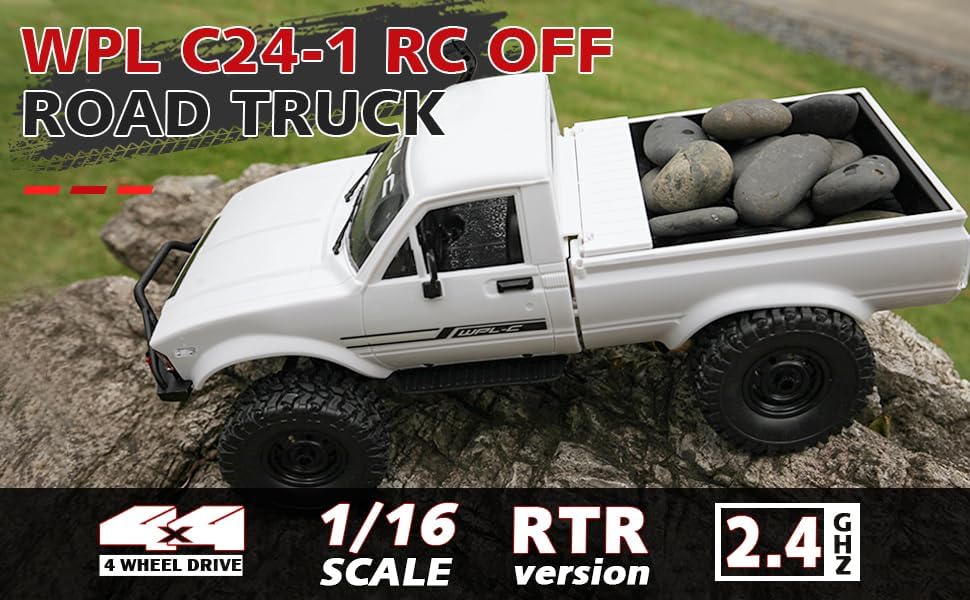
Image: Underside of the RC crawler, highlighting the battery and chassis components.
4.2. Urruneko kontroleko bateriak instalatzea
The remote control requires 1 C battery (included). Ensure correct polarity when installing.
- Ireki urrutiko agintearen atzealdeko bateriaren estalkia.
- Insert the C battery according to the polarity markings (+/-).
- Itxi bateriaren estalkia ongi.
4.3. Urruneko agintea parekatzea
The RC crawler and remote control are typically pre-paired. If re-pairing is necessary:
- Turn on the RC crawler using the switch located on the chassis.
- Piztu urruneko kontrola.
- The indicator light on the remote control should stop flashing and remain solid, indicating a successful connection.
- If the connection fails, turn both devices off and repeat the process.
5. Funtzionamendu-argibideak
5.1. Oinarrizko Kontrolak
- Throttle Trigger: Tira aurrera egiteko, bultzatu balaztatzeko/atzera egiteko.
- Bolantea: Ezkerrera biratu ezkerrera gidatzeko, eskuinera biratu eskuinera gidatzeko.
- Mozketa doikuntzak: Use the trim dials on the remote to fine-tune steering and throttle if the vehicle pulls to one side or moves without input.
5.2. Gidatzeko aholkuak
The ARRIS WPL C24-1 is designed for off-road crawling. Its 4WD system and independent suspension allow it to navigate various terrains.
- For optimal crawling, use slow and controlled throttle inputs.
- Experiment with steering angles to overcome obstacles.
- The vehicle features highlight LED lights for improved visibility in low-light conditions.

Image: The RC crawler navigating a challenging rocky path, demonstrating its off-road capabilities.

Image: The RC crawler traversing sandy terrain, showcasing its 4WD design.
6. Mantentzea
6.1. Garbiketa
After each use, especially in dusty or dirty conditions:
- Use a soft brush or compressed air to remove dirt and debris from the chassis, wheels, and suspension.
- Garbitu gorputza iragarkiarekinamp oihal. Ez erabili produktu kimiko gogorrak.
- Ensure no moisture enters electronic components.
6.2. Bateriaren zaintza eta biltegiratzea
- Deskonektatu beti bateria ibilgailutik erabiltzen ez duzunean.
- Gorde bateriak leku fresko eta lehor batean, eguzki-argitik eta muturreko tenperaturetatik babestuta.
- Ez kargatu edo gehiegi deskargatu bateriak.
6.3. Osagaien ikuskapena
Regularly inspect the following components for wear or damage:
- Wheels and tires for damage or excessive wear.
- Suspension components (shocks, springs, linkages).
- Steering mechanism for smooth operation.
- All screws and fasteners for tightness.
7. Arazoak
| Arazoa | Kausa posiblea | Irtenbidea |
|---|---|---|
| Vehicle does not respond. | Low vehicle battery; Low remote control battery; Not paired. | Charge vehicle battery; Replace remote control battery; Re-pair remote control. |
| Ibilgailua poliki edo modu irregularrean mugitzen da. | Low vehicle battery; Obstruction in drivetrain; Motor issue. | Charge vehicle battery; Clear obstructions; Contact support if motor issue persists. |
| Direkzioa irregularra da edo ez du erantzuten. | Steering trim incorrect; Damaged servo; Obstruction. | Adjust steering trim; Inspect servo for damage; Clear obstructions. |
| Funtzionamendu-eremu laburra. | Interference; Low remote control battery. | Move to an area with less interference; Replace remote control battery. |
8. Produktuaren zehaztapenak
| Ezaugarri | Xehetasuna |
|---|---|
| Modelo zenbakia | WPL C24-1 |
| Marka | ARRIS |
| Eskala | 1:16 |
| Produktuaren neurriak | 12.2 x 5.78 x 4.44 hazbete |
| Elementuaren pisua | 2.4 kilo |
| Materiala | ABS + Metala |
| Motorra | 180 Eskuiladun Motorra |
| Bateria (Ibilgailua) | 7.4V 500mAh (included) |
| Kargatzeko Denbora | Gutxi gorabehera. 2 ordu |
| Funtzionamendu Denbora | Gutxi gorabehera. 30 minutu |
| Urruneko kontrolaren maiztasuna | 2.4 GHz |
| Kontrol Distantzia | 35 metrotik gora |
| Gehienezko Abiadura | 20 km/h |
| Gomendatutako Adina | 15 urtetik gora |
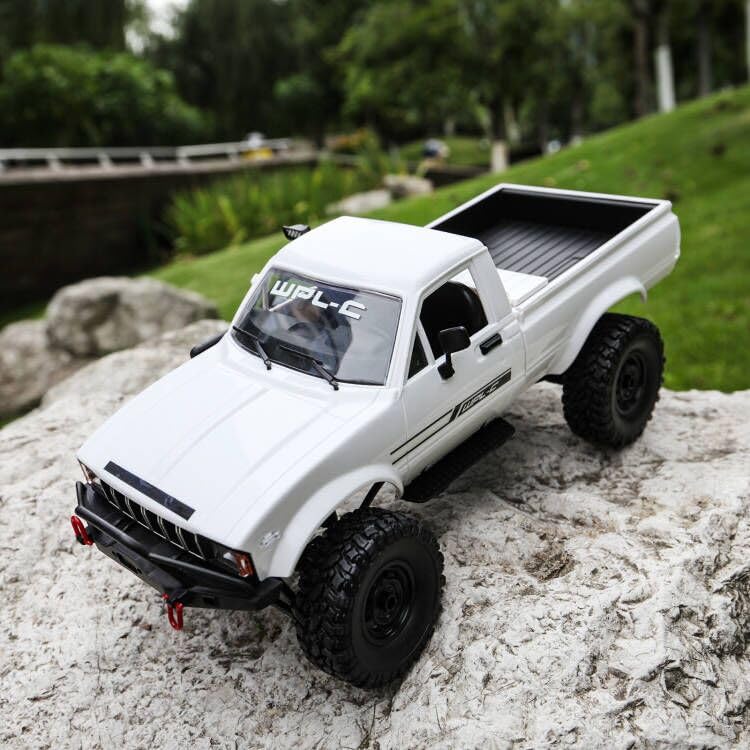
Irudia: Albokoa view of the RC crawler with key dimensions indicated.

Irudia: Xehetasun handikoa view of the RC crawler's chassis, showing components like the motor, suspension, and drive shafts.
9. Bermea eta Laguntza
ARRIS products are manufactured to high-quality standards. For warranty information or technical support, please refer to the official ARRIS webgunea edo jarri harremanetan bezeroarentzako arreta-zerbitzuarekin zure erosketa plataformaren bidez.
Gorde erosketa-agiria erosketaren frogagiri gisa, berme-erreklamazioetarako.
Laguntza gehiago behar baduzu, bisitatu ARRIS denda Amazonen.