
1. Sarrera
The MARVO KG955W Shogo 63 is a compact 60% mechanical gaming keyboard designed for versatility and performance. It features tri-mode connectivity (wired, 2.4GHz wireless, and Bluetooth), yellow linear pre-lubed switches, customizable RGB backlighting, and full-key anti-ghosting. This manual provides instructions for setting up, operating, and maintaining your keyboard.
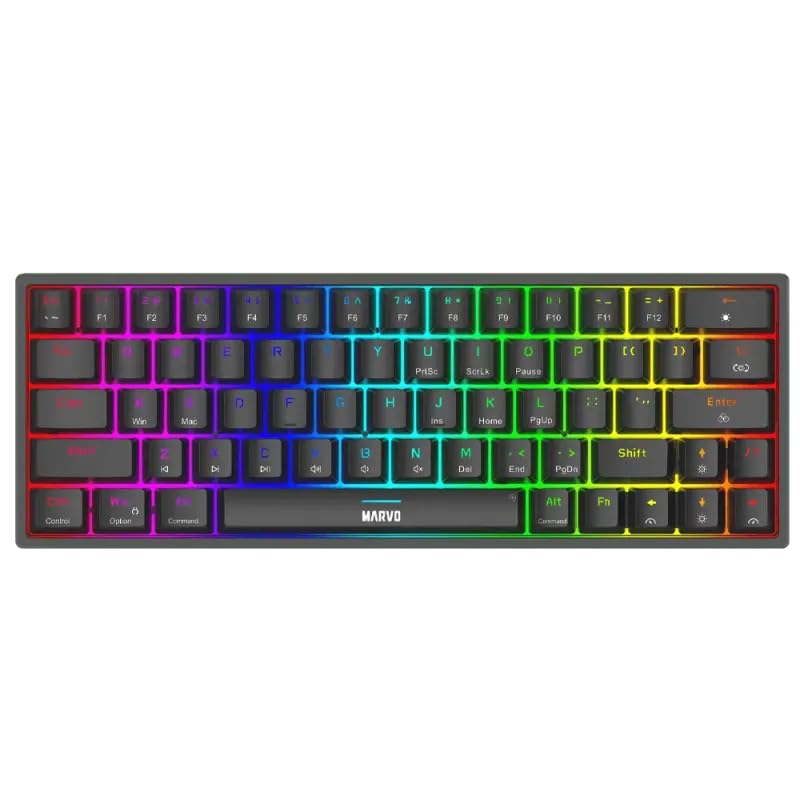
1.1 irudia: Goitik behera view of the MARVO KG955W keyboard showcasinbere % 60ko diseinu trinkoa eta RGB atzeko argiztapen bizia.
2. Paketearen edukia
Mesedez, egiaztatu paketea elementu hauek dituen:
- MARVO KG955W Shogo 63 Wireless Mechanical Gaming Keyboard
- Detachable 1.6m braided Type-C USB Cable
- 2.4GHz Wireless Receiver (USB dongle)
- Erabiltzailearen eskuliburua (dokumentu hau)
3. Konfigurazioa eta Konektibitatea
The KG955W keyboard offers three connectivity modes: Wired, 2.4GHz Wireless, and Bluetooth.
3.1. Kable bidezko konexioa
- Connect the detachable Type-C USB cable to the keyboard's USB-C port.
- Konektatu USB kablearen beste muturra ordenagailuko USB ataka erabilgarri batera.
- The keyboard will automatically be detected and ready for use. The keyboard will also charge in wired mode.
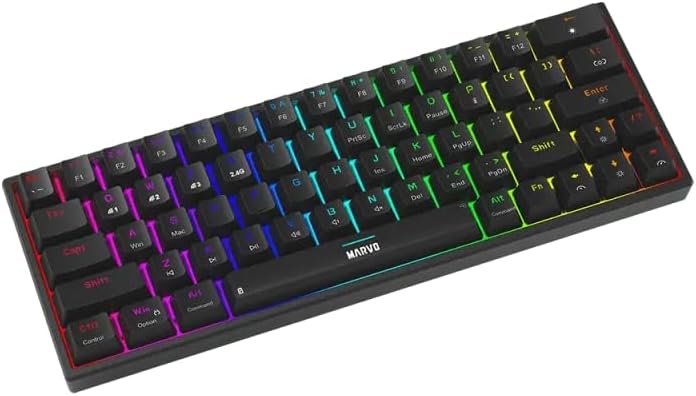
3.1 irudia: Albokoa view of the keyboard showing the USB-C port for wired connection and charging.
3.2. 2.4 GHz-ko haririk gabeko konexioa
- Locate the 2.4GHz USB receiver (dongle) in the package.
- Konektatu 2.4 GHz-ko USB hargailua zure ordenagailuko USB ataka erabilgarri batean.
- On the keyboard, switch the mode selector (usually on the back or side) to the 2.4G wireless mode.
- The keyboard should connect automatically. If not, press Fn + R parekatzeari ekiteko.
3.3. Bluetooth konexioa
- Teklatuan, aldatu modu hautatzailea Bluetooth modura.
- Luze sakatu Fn + Q, Fn + W, edo Fn + E Sakatu 3-5 segundoz 1, 2 edo 3 Bluetooth gailuaren parekatze moduan sartzeko, hurrenez hurren. Adierazle-argia azkar keinuka hasiko da.
- Zure ordenagailuan edo gailuan, gaitu Bluetooth-a eta bilatu gailu berriak.
- Select "MARVO KG955W" (or similar name) from the list of available devices to pair.
- Behin parekatuta, teklatuko adierazle-argia keinu egiteari utziko dio eta piztuta geratuko da.
The keyboard can store up to three Bluetooth profiles, allowing quick switching between devices using Fn + Q/W/E.
4. Funtzionamendu-argibideak
The KG955W is a 60% compact keyboard, meaning some functions are accessed via the Fn tekla konbinazioak.
4.1. Function Key Combinations (Fn Key)
Eutsi sakatuta Fn key and press the corresponding key for secondary functions:
- Fn + 1-0, -, =: F1-F12 functions (check keycaps for specific mappings).
- Fn + P: Pantaila inprimatu
- Fn + [ {: Hasiera
- Fn + ] }: Amaiera
- Fn + ; :: Orria gora
- Fn + ' ": Orria behera
- Fn + Gezi-teklak: Media controls (e.g., volume up/down, play/pause, next/previous track). Refer to keycap legends.
- Fn + Irabazi: Windows tekla blokeatu/desblokeatu.
4.2. RGB atzeko argiztapenaren kontrola
The keyboard features customizable RGB backlighting. Use the following combinations to control the lighting effects:
- Fn + \ |: Change lighting mode.
- Fn + ↑: Distira handitu.
- Fn + ↓: Distira txikitu.
- Fn + ←: Txikitu argiztapenaren abiadura.
- Fn + →: Argiztapenaren abiadura handitu.
- Fn + Zuriune-barra: Atzeko argiaren kolorea aldatu (modu estatikoetarako).
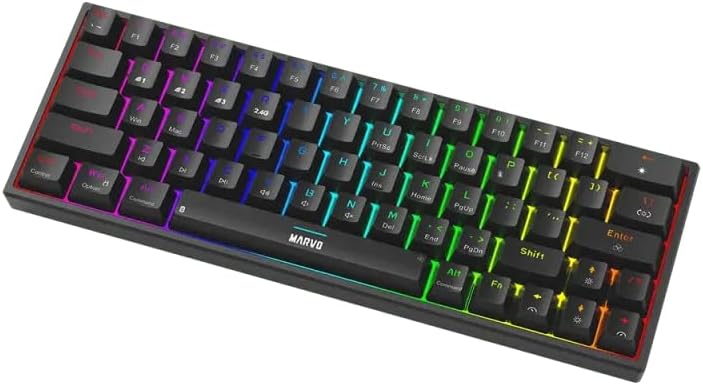
Image 4.1: The keyboard displaying its customizable RGB backlighting in a dynamic pattern.
4.3. Bateriaren egoera
The keyboard has an integrated battery for wireless operation. An indicator light will typically show low battery status or charging status. Refer to the specific LED indicators on your keyboard for details.
5. Mantentzea
Mantentze egokiak zure teklatuaren iraupena eta errendimendua bermatzen ditu.
- Garbiketa: Erabili zapi leun eta lehor bat teklatuaren gainazala garbitzeko. Garbiketa sakonago bat egiteko, erabili aire konprimatua teklatuen arteko hautsa eta hondakinak kentzeko. Saihestu produktu kimiko gogorrak edo material urratzaileak erabiltzea.
- Biltegiratzea: Gorde teklatua leku fresko eta lehor batean, eguzki-argitik eta muturreko tenperaturetatik babestuta.
- Kableen zainketa: Handle the detachable USB-C cable carefully. Avoid bending or twisting it excessively.

Image 5.1: Illustration of a hot-swappable switch, demonstrating the ease of maintenance and customization for individual key switches.
6. Arazoak
If you encounter issues with your MARVO KG955W keyboard, refer to the following common solutions:
| Arazoa | Irtenbidea |
|---|---|
| Teklatuak ez du erantzuten (kable bidez) |
|
| Keyboard not responding (2.4GHz Wireless) |
|
| Teklatuak ez du erantzuten (Bluetooth) |
|
| RGB argiztapena ez dabil edo ez dabil ondo |
|
| Giltzak ez dira erregistratzen edo bi aldiz idazten ari dira |
|
7. Zehaztapenak
| Ezaugarri | Xehetasuna |
|---|---|
| Ereduaren izena | MARVO KG955W Shogo 63 |
| Teklatu mota | Mechanical, 60% TKL (Tenkeyless) |
| Etengailuak | Yellow Linear, Pre-lubed, Hot-swappable |
| Konektibitatea | Wired (USB-C), 2.4GHz Wireless, Bluetooth (Tri-mode) |
| Ghostingaren aurkakoa | Full-key Anti-Ghosting |
| Atzeko argiztapena | Customizable RGB |
| Kablea | Detachable 1.6m braided Type-C USB |
| Materiala | Plastikoa |
| Pisua | 460 gramo |
| OS bateragarria | Windows (also compatible with other systems via Bluetooth/2.4G) |
| Gako kopurua | 63 |
8. Bermearen informazioa
The MARVO KG955W Shogo 63 Wireless Mechanical Gaming Keyboard comes with a 6 hilabeteko bermea erosketa-datatik aurrera. Berme honek erabilera normalaren ondoriozko fabrikazio-akatsak eta matxurak estaltzen ditu. Ez ditu estaltzen erabilera okerrak, istripuek, baimenik gabeko aldaketek edo higadura normalak eragindako kalteak. Gorde erosketaren egiaztagiria berme-erreklamazioetarako.
9. Laguntza
For technical support, troubleshooting assistance beyond this manual, or warranty inquiries, please contact MARVO customer service through their official website or the retailer where the product was purchased. Please have your product model number (KG955W) and proof of purchase ready when contacting support.


