
1. Sarrera
This manual provides detailed instructions for the safe and effective operation of your HWWR Karaoke Machine T22-T. Please read this manual thoroughly before using the product and retain it for future reference. This portable karaoke system is designed to deliver high-quality audio and entertainment for various occasions.

Figure 1: HWWR Karaoke Machine T22-T
2. Paketearen edukia
Ziurtatu behean zerrendatutako elementu guztiak zure paketean daudela:
- 1x HWWR Karaoke Speaker
- 2x Haririk gabeko mikrofonoak
- 1x USB-C kargatzeko kablea
- 1x AUX kablea
- 1x Shoulder Carrying Strap
- 1x Erabiltzailearen eskuliburua

2. irudia: paketearen edukia
3. Produktua amaitu daview
3.1 Unitate nagusiaren ezaugarriak
The HWWR Karaoke Machine T22-T is equipped with dual 3-inch subwoofers and dual 3-inch tweeters for powerful 40W HiFi sound (80W peak). It features 12 dynamic LED light modes and multiple connection options.
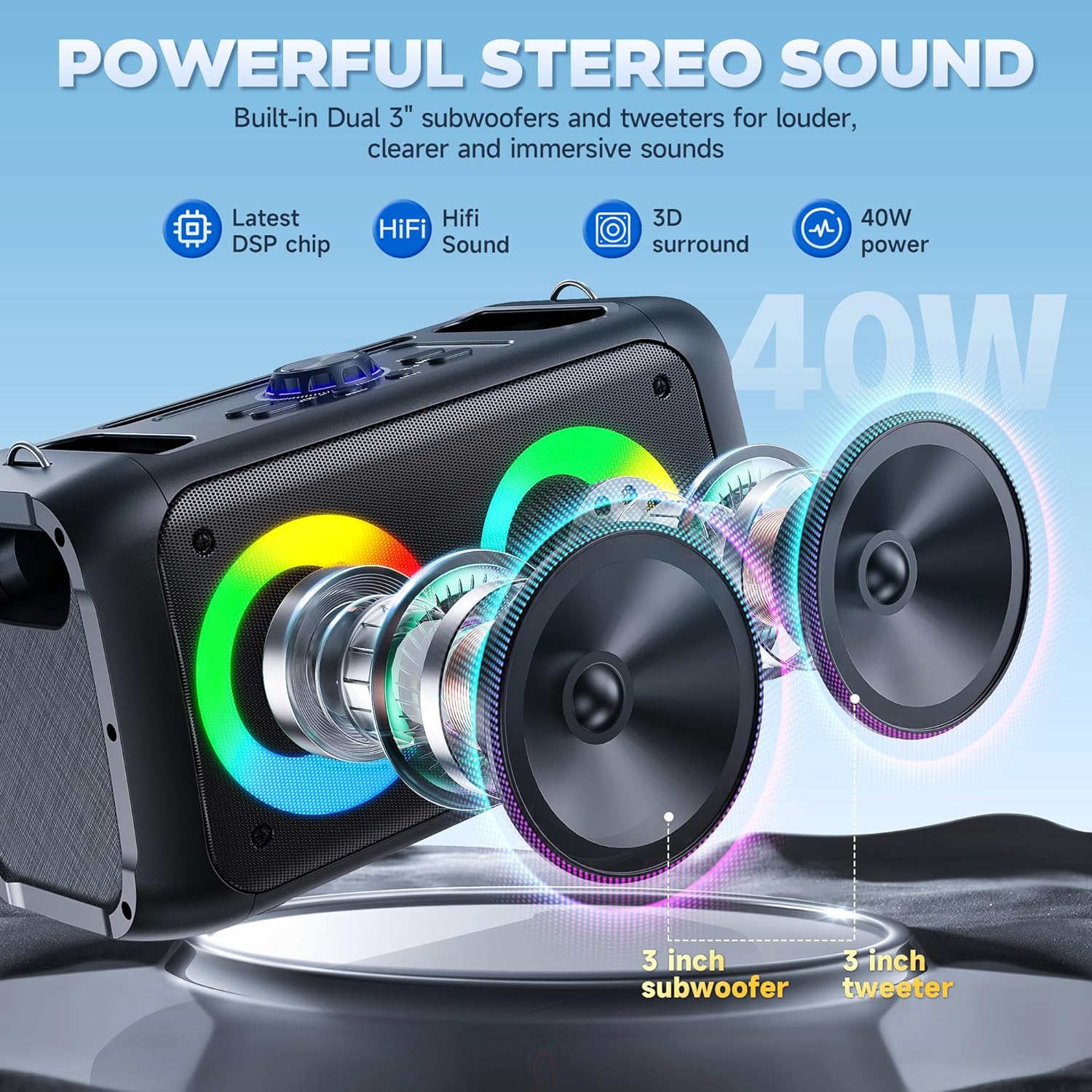
Figure 3: Powerful Stereo Sound
3.2 Kontrol-panela
The top panel of the speaker provides various controls and ports:
- Mikrofono/Instrumentu sarrera: For connecting wired microphones or instruments.
- Mikrofonoa: Mikrofonoaren bolumena doitzen du.
- Oihartzuna: Mikrofonoaren oihartzun efektua doitzen du.
- Master bolumena: Controls overall speaker volume.
- 5V korronte zuzena (C motakoa): Bozgorailuarentzako kargatzeko ataka.
- USB ataka: USB unitateetatik musika erreproduzitzeko.
- TF txartelaren zirrikitua: For playing music from TF cards.
- AUX ataka: Kanpoko audio gailuak AUX kablearen bidez konektatzeko.
- LED botoia: Cycles through LED light modes.
- Mode/Loop Button: Switches between input modes (Bluetooth, AUX, TF, USB).
- EQ botoia: Berdintzailearen ezarpenak doitzen ditu.
- REC botoia: Audioa grabatzen du.
- M TWS Button: Activates TWS (True Wireless Stereo) pairing.
- Erreproduzitu/Pausatu, Aurrekoa/Hurrengo botoiak: Multimedia erreprodukzio-kontrolak.

4. irudia: Kontrol panela gaineanview
Haririk gabeko 3.3 mikrofono
The system includes two wireless microphones with individual power buttons and volume controls. They automatically connect to the speaker when powered on.

Figure 5: Dual Wireless Microphones
4. Konfigurazioa
4.1 Mikrofonoaren bateriaren instalazioa
- Unscrew the microphone base.
- Insert two AA batteries into the microphone, ensuring correct polarity.
- Screw the microphone base back on securely.
- Repeat for the second microphone.

Figure 6: Microphone Battery Installation
4.2 Speaker Power On
Turn the 'Power/Master' knob on the control panel clockwise to power on the speaker. The LED lights will illuminate, and a voice prompt will indicate 'Bluetooth mode'.
Video 1: Easy Setup for T22-T Karaoke Machine (demonstrates power on and Bluetooth mode)
4.3 Bluetooth parekatzea
- Ziurtatu zure gailuaren Bluetooth-a piztuta dagoela.
- On your device, search for available Bluetooth devices and select 'T22' (or similar model name).
- Confirm pairing if prompted. A voice prompt will announce 'Bluetooth connected' upon successful pairing.
The speaker will automatically reconnect to the last paired device when powered on.
4.4 TWS (Benetako Haririk gabeko Estereoa) Funtzioa
To connect two HWWR T22-T speakers for a stereo experience:
- Ziurtatu bi bozgorailuak piztuta eta Bluetooth moduan daudela.
- Press the 'M TWS' button on one of the speakers. It will search for another speaker.
- Once connected, a voice prompt will confirm TWS pairing.
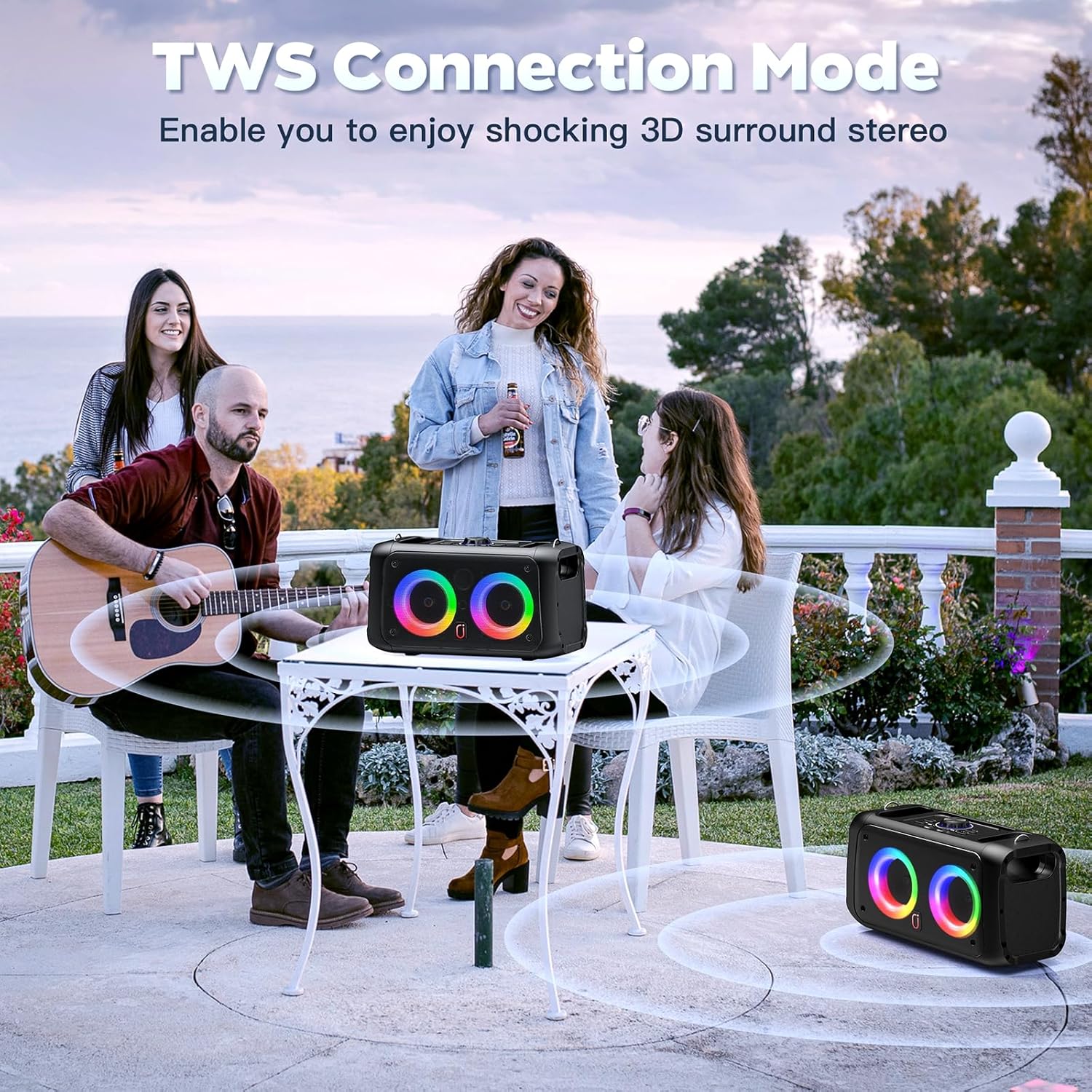
Figure 7: TWS Connection Mode
5. Funtzionamendu-argibideak
5.1 Modu hautaketa
Press the 'Mode/Loop' button on the control panel to cycle through available input modes: Bluetooth, AUX, TF Card, and USB. A voice prompt will indicate the current mode.
Video 2: Karaoke Machine with 2 Microphones, Great for Home Party (demonstrates mode switching)
5.2 Mikrofonoaren erabilera
Press the power button on each microphone to turn it on. The microphone will automatically connect to the speaker. Adjust microphone volume using the 'Mic Vol' knob and echo effect using the 'Echo' knob on the speaker's control panel or via the remote control.
5.3 LED argi-modu
The speaker features 12 dynamic LED light modes. Press the 'LED' button on the control panel or the remote control to cycle through the different lighting effects.

Figure 8: Colorful Disco Lights
Video 3: T22 Karaoke Machine for Adults & Kids (demonstrates LED light modes)
5.4 Urruneko kontrolaren erabilera
The included remote control allows for convenient operation of the karaoke machine from a distance. Functions include:
- Piztu/Itzali
- Volume adjustment for speaker and individual microphones.
- Echo and EQ adjustments.
- Media playback controls (Play/Pause, Previous/Next).
- LED light mode selection.
- Built-in sound effects (e.g., applause, whistle).

9. irudia: Urruneko kontrola
6. Kargatzea
Connect the USB-C charging cable to the DC 5V port on the speaker and to a suitable USB power adapter (not included). The charging indicator light will show red while charging and turn off when fully charged.
The speaker offers 8-10 hours of continuous playback on a full charge, with a charging time of 4-6 hours.
7. Mantentzea
- Mantendu gailua uretatik eta gehiegizko hezetasunetik urrun.
- Clean the speaker and microphones with a soft, dry cloth. Do not use harsh chemicals.
- Gorde gailua leku fresko eta lehor batean erabiltzen ez duzunean.
- Saihestu gailua erortzea edo kolpe gogorrak jasan.
8. Arazoak
- Potentziarik gabe: Ensure the speaker is charged and the power knob is turned on.
- Soinurik ez: Check volume levels on both the speaker and your connected device. Ensure the correct input mode is selected.
- Mikrofonoa ez dabil: Check microphone batteries and ensure they are powered on. Verify microphone volume is not muted.
- Bluetooth deskonexioa: Ensure the speaker and your device are within the 20-meter transmission range. Re-pair the device if necessary.
9. Zehaztapenak
| Ezaugarri | Zehaztapena |
|---|---|
| Modelo zenbakia | T22-T |
| Neurriak | 12.6 x 5.51 x 13.78 hazbete |
| Elementuaren pisua | 5.37 kilo |
| Irteera Wattage | 40 W (80 W gailurra) |
| Hizlari kopurua | 2 (Dual 3-inch subwoofers, Dual 3-inch tweeters) |
| Bluetooth bertsioa | 5.3 |
| Energia iturria | Bateriaren bidez |
| liburukiatage | 5 voltio (DC) |
| Ezaugarri bereziak | Echo Effect, Light Up Speaker, PA System, Rechargeable, Stereo Pairing |
10. Bermea eta laguntza
The HWWR Karaoke Machine T22-T comes with a 1 urteko bermea. For any product inquiries or support, please contact our 7/24 Bezeroarentzako Arreta. We also offer an US Local After-sales Center for convenient service.