1. Segurtasun-argibide garrantzitsuak
Before operating your new microwave oven, please read all instructions carefully. Keep this manual for future reference. Failure to follow these instructions may result in electric shock, fire, or other hazards.
- Ez saiatu labea atea irekita dagoela erabiltzen, mikrouhin-energiaren eraginpean egon baitaiteke kaltegarria.
- Ez jarri objekturik labearen aurrealdearen eta atearen artean, ezta zigilatzeko gainazaletan lurra edo garbigarrien hondakinak pilatzen utzi.
- Ez erabili labea hondatuta badago. Bereziki garrantzitsua da labearen atea ondo ixten dela eta kalterik ez gertatzea: (1) atea (tolestua), (2) bisagrak eta sarrailak (hautsita edo askatuta), (3) atearen zigiluak eta estankotasun gainazalak.
- Inork ez du labea doitu edo konpondu behar behar bezala kualifikatutako langileek izan ezik.
- Always ensure proper ventilation around the microwave. Do not block air vents.
2. Konfigurazioa eta instalazioa
Proper installation is crucial for safe and efficient operation.
2.1 Paketatzea
- Kendu ontziratzeko material guztiak labearen barrunbetik.
- Check the microwave for any damage, such as a misaligned door or dents. Do not operate if damaged.
2.2 Jartzea
- Place the microwave on a flat, stable surface, such as a countertop, that can support its weight (approximately 23.4 lbs).
- Ensure adequate space for ventilation: at least 3 inches (7.5 cm) of clearance on the top, sides, and rear of the oven.
- Do not place the microwave near heat sources or in areas with high humidity.
2.3 Energia-konexioa
- Plug the microwave into a standard 120 Volt AC, 60 Hz grounded electrical outlet.
- Ez erabili luzapen-kablerik edo egokitzailerik.
2.4 Turntable instalazioa
Place the roller ring in the center of the oven floor. Position the glass turntable securely on top of the roller ring. Ensure it rotates freely.

Image: Interior of the microwave showing the glass turntable and roller ring.
3. Funtzionamendu-argibideak
This section details how to use your Frigidaire microwave for various cooking tasks.
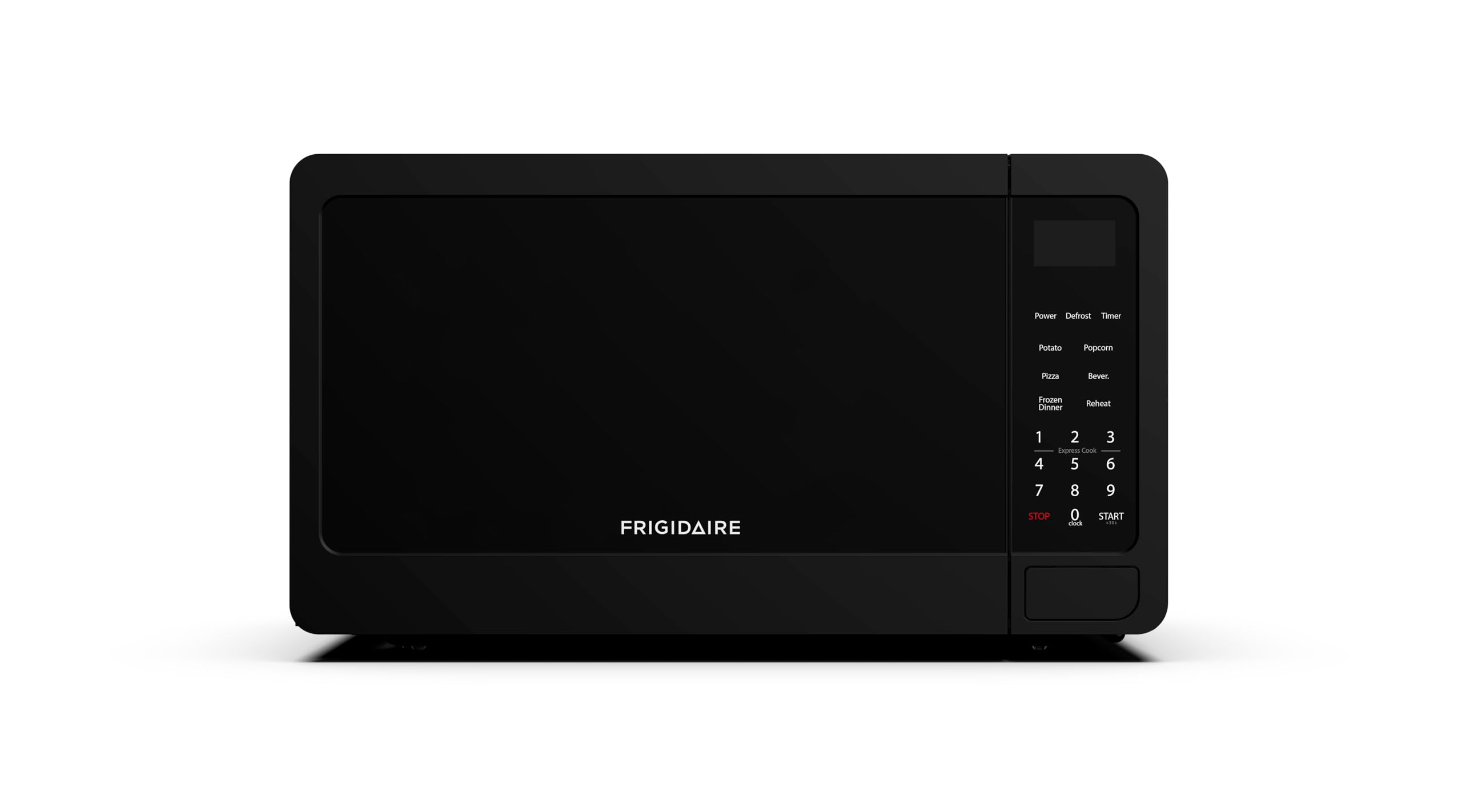
Irudia: Aurrealdea view of the Frigidaire EMW736BLK microwave.
3.1 Erlojua ezartzea
- When the oven is first plugged in, the display will show "12:00" or "0:00".
- Press the "CLOCK" button once.
- Erabili zenbaki-teklak uneko ordua sartzeko.
- Press the "CLOCK" button again to confirm.
3.2 Basic Microwave Cooking (Time Cook)
- Jarri janaria mikrouhin-laberako ontzi batean birakari-plataforman.
- Sartu nahi duzun sukaldaritza denbora zenbaki-teklak erabiliz.
- Press the "POWER" button to select a power level (default is 100%). Press repeatedly to cycle through 10 power levels.
- Sakatu "HASI" sukaldaritza hasteko.
3.3 Express Cook (30-Second Start)
For quick heating, simply press the "START" button to cook for 30 seconds at 100% power. Each subsequent press of "START" will add 30 seconds to the cooking time.
3.4 Pre-Programmed Settings
The microwave includes six one-touch cooking menus for common items:
- Popcorn: Krispetak egiteko poltsen tamaina desberdinetarako.
- Patata: Patatak labean egiteko.
- Pizza: Pizza xerrak berriro berotzeko.
- Barazki izoztuak: Barazki izoztuak prestatzeko.
- Edaria: Edariak berotzeko.
- Berotu: For reheating prepared meals.
To use, press the corresponding button once, then press "START". Some settings may require you to select a quantity using the number pads before pressing "START".
3.5 Desizozteko funtzioa
The microwave offers two defrost timers for precise control:
- Pisuaren arabera desizoztu: Press the "DEFROST" button, then enter the weight of the food using the number pads. Press "START".
- Denboraren arabera desizoztu: Press the "TIMER" button, then enter the desired defrost time. Press "START".
3.6 Haurren Segurtasuneko blokeoa
To activate the child safety lock, press and hold the "STOP/CANCEL" button for 3 seconds. The display will show "LOCK". To deactivate, press and hold the "STOP/CANCEL" button again for 3 seconds.

Image: Control panel with various cooking options and number pad.
3.7 Ateen funtzionamendua
To open the microwave door, pull the door handle. If the microwave is in operation or has just completed a cycle, it is recommended to press the "STOP/CANCEL" button before opening the door to pause or clear the current operation.
4. Mantentzea eta Garbiketa
Mikrouhin-labearen garbiketa eta mantentze-lan erregularrak iraupena eta errendimendu optimoa bermatuko ditu.
4.1 Kanpoko garbiketa
- Garbitu kanpoaldea iragarkiarekinamp oihala eta xaboi leuna.
- Saihestu garbitzaile urratzaileak edo estropajolak, gainazala urra dezaketelako.
4.2 Barnealdeko garbiketa
- Garbitu barneko barrunbea iragarkiarekinamp oihal bat erabili ondoren, janaria pilatzea saihesteko.
- Orban egoskorretarako, jarri ur ontzi bat limoi xerra barruan dituela eta mikrouhinean berotu 2-3 minutuz. Lurrunak janari partikulak askatuko ditu, errazago garbitu ahal izateko.
- Ensure the door seals and surrounding areas are clean to maintain proper sealing.
4.3 Biraketa-plataforma eta errodadura-eraztuna
- Kristalezko birakari-plataforma eta arrabol-eraztuna kendu daitezke garbitzeko.
- Garbitu itzazu ur epel eta xaboitsuarekin edo ontzi-garbigailuan.
- Ziurtatu guztiz lehor daudela labean berriro sartu aurretik.
5. Arazoak
If you encounter any issues with your microwave, refer to the following common problems and solutions.
| Arazoa | Kausa posiblea | Irtenbidea |
|---|---|---|
| Labea ez da martxan jarriko | Atea ez dago ondo itxita; Kable elektrikoa deskonektatuta; Fusiblea erreta edo etengailu magnetotermikoa jauzi egin du. | Ziurtatu atea ondo itxita dagoela; egiaztatu korronte-kablearen konexioa; egiaztatu etxeko fusiblea/zirkuitu-etengailua. |
| Janaria ez berotzen | Sukaldaritza denbora/potentzia maila okerra; Mikrouhin-laberako ontzirik ez da erabili. | Adjust cooking time/power; Use only microwave-safe cookware. |
| Plater birakaria ez da biratzen | Biragailu-plataforma edo arrabol-eraztuna ez dago behar bezala kokatuta; Hondakinak biragailu-plataformaren azpian. | Re-position turntable and roller ring; Clean under the turntable. |
| Ezohiko zarata funtzionamenduan | Janari-ontzia labearen paretak ukitzen; Biraketa-plataforma ez dago erdian. | Ensure proper clearance for food; Re-center turntable. |
| Door difficult to open after cooking | Safety mechanism requires 'STOP' command. | Press the 'STOP/CANCEL' button before attempting to open the door. |
6. Zehaztapenak
Detailed technical specifications for the Frigidaire EMW736BLK microwave oven.
- Eredua: EMW736BLK
- Edukiera: 0.7 Oin kubikoa
- Potentzia irteera: 700 Watt
- liburukiatage: 120 voltio (AC)
- Maiztasuna: 60 Hz
- Produktuaren neurriak (S x Z x A): 12.3" x 17.8" x 10.2"
- Elementuaren pisua: 23.4 kilo
- Materiala: Plastikoa
- Instalazio mota: Gailua
7. Produktuaren bideo ofiziala
Watch the official product video from Frigidaire for an overview of the microwave's features and benefits.
Video: Microwaves from Frigidaire. This video provides a general overview of Frigidaire microwaves, highlighting key features and design.
8. Bermea eta Laguntza
For detailed warranty information, please refer to the warranty card included with your product or visit the official Frigidaire website. If you require technical assistance or have questions about your microwave, please contact Frigidaire customer support.
- Fabrikatzailea: CURTIS INTERNATIONAL LTD
- Marka: Frigidaire
- Lineako laguntza: Bisitatu Frigidaire ofiziala webmaiz egiten diren galderen eta laguntza-baliabideen gunea.