
PROVISION ISR DI-340IPS-MVF-G
PROVISION ISR 4MP IP PoE Camera User Manual
Model: DI-340IPS-MVF-G
1. Sarrera
Thank you for choosing the PROVISION ISR 4MP IP PoE Camera. This manual provides essential information for the proper installation, operation, and maintenance of your security camera. Please read this manual thoroughly before using the product to ensure optimal performance and safety. This camera is designed for both indoor and outdoor surveillance, offering high-definition video, advanced night vision, and robust weather protection.
2. Segurtasun informazioa
- Ensure the power supply meets the camera's specifications (PoE or 12V DC).
- Ez jarri kamera bere funtzionamendu-eremutik kanpo dauden tenperatura altuetan (-30 °C eta 60 °C artean).
- Avoid direct exposure to strong light sources, which may affect image quality.
- Ez saiatu kamera desmuntatzen edo aldatzen. Mantendu konponketa guztiak langile kualifikatuen esku.
- Clean the camera lens with a soft, dry cloth. Avoid harsh chemicals.
3. Paketearen edukia
Egiaztatu elementu guztiak paketean daudela:
- PROVISION ISR 4MP IP PoE Camera Body
- Argibide eskuliburua
4. Konfigurazioa
4.1. Instalazioa
The PROVISION ISR 4MP IP PoE Camera is designed for ceiling mount installation. Ensure the mounting surface is strong enough to support the camera's weight.
- Aukeratu zaintza-estaldura optimoa lortzeko kokapen egokia.
- Erabili emandako muntaketa-txantiloia (aplikagarria bada) sabaian zuloak markatzeko.
- Beharrezkoa bada, zulatu zuloak eta sartu hormako aingurak.
- Lotu kameraren oinarria muntatzeko gainazalean torlojuak erabiliz.
- Egokitu kameraren viewangelua behar den moduan.

Image: Simple Installation. This image shows a person installing the camera on a ceiling, demonstrating the ease of physical setup.
4.2. Konektibitatea
This camera supports Power over Ethernet (PoE) for simplified installation, allowing both power and data transmission over a single Ethernet cable. Alternatively, it can be powered via a 12V DC power adapter (not included).
- PoE konexioa: Connect an Ethernet cable from a PoE-enabled NVR or PoE switch to the camera's Ethernet port.
- Konexio estandarra: Connect an Ethernet cable to the camera's Ethernet port and a 12V DC power adapter to the camera's power input.

Image: Easy Integration with PoE. This diagram illustrates how the camera integrates with an NVR system using PoE, highlighting its plug-and-play capability.
4.3. Hasierako Konfigurazioa
After physical installation and connection, configure the camera via its web interface or an NVR system.
- Sartzea Web Interfazea: Use a network scanner tool to find the camera's IP address. Enter the IP address into a web browser to access the camera's login page.
- NVR integrazioa: Refer to your NVR's manual for instructions on adding IP cameras. The camera supports ONVIF for broad compatibility.
5. Funtzionamendua
5.1. Ezaugarri nagusiak
- 4MP High Resolution: Provides clear and detailed video at 2560x1440 resolution.
- IR 40m Night Vision: Ensures clear imaging up to 40 meters in complete darkness.
- Mikrofono integratua: Captures audio alongside video for comprehensive surveillance.
- AI mugimenduaren detekzioa: Utilizes advanced algorithms to accurately detect human movement and reduce false alarms.
- H.265+ Konpresioa: Efficiently compresses video to save storage space without compromising quality.
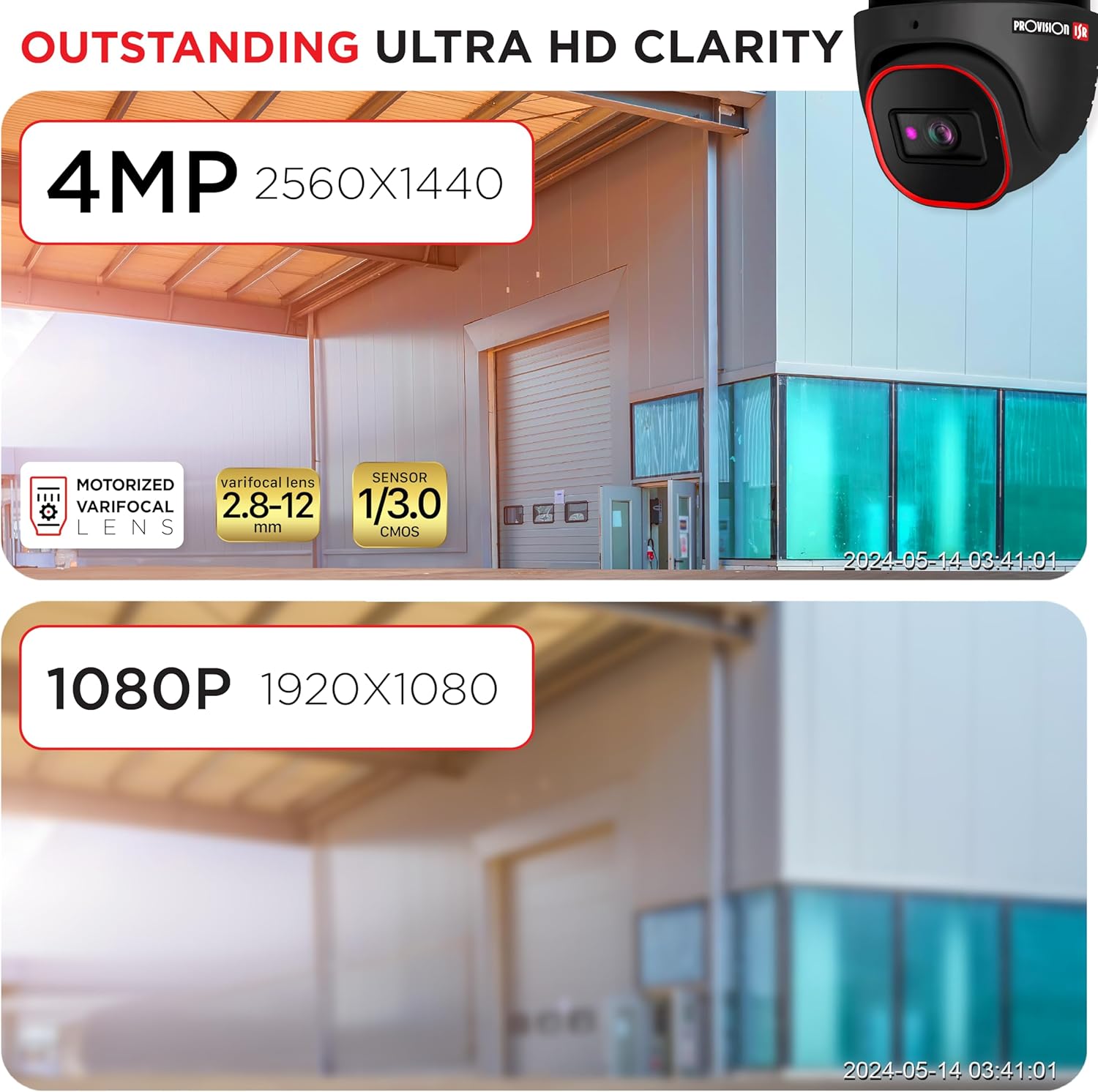
Image: Outstanding Ultra HD Clarity. This image visually compares the superior clarity of 4MP resolution (2560x1440) against 1080P (1920x1080).

Image: Built-in Microphone & Audio. This image highlights the camera's integrated microphone and audio input feature, enabling sound recording.
5.2. Urruneko sarbidea
Sartu zuzeneko footage and recordings remotely via mobile devices or PCs.
- Mugikorreko aplikazioa: Download the official PROVISION ISR mobile app from your device's app store. Follow the in-app instructions to add and view zure kamera.
- PC Access: Use the IP camera web interface or dedicated VMS (Video Management Software) for comprehensive monitoring and management.

Image: Remote Access with AI-Powered Detection. This image shows a smartphone displaying multiple live camera feeds, demonstrating remote monitoring capabilities and AI detection.
5.3. Grabaketa moduak
The camera supports various recording modes to suit your surveillance needs:
- Eskuzko grabaketa: Start and stop recording manually through the web interfazea edo NVR.
- Programatutako grabazioa: Set specific times or days for continuous recording.
- Line-Crossing Recording: Trigger recording when an object crosses a predefined virtual line.
- Mugimendua detektatzeko grabazioa: Record only when motion is detected, saving storage space.
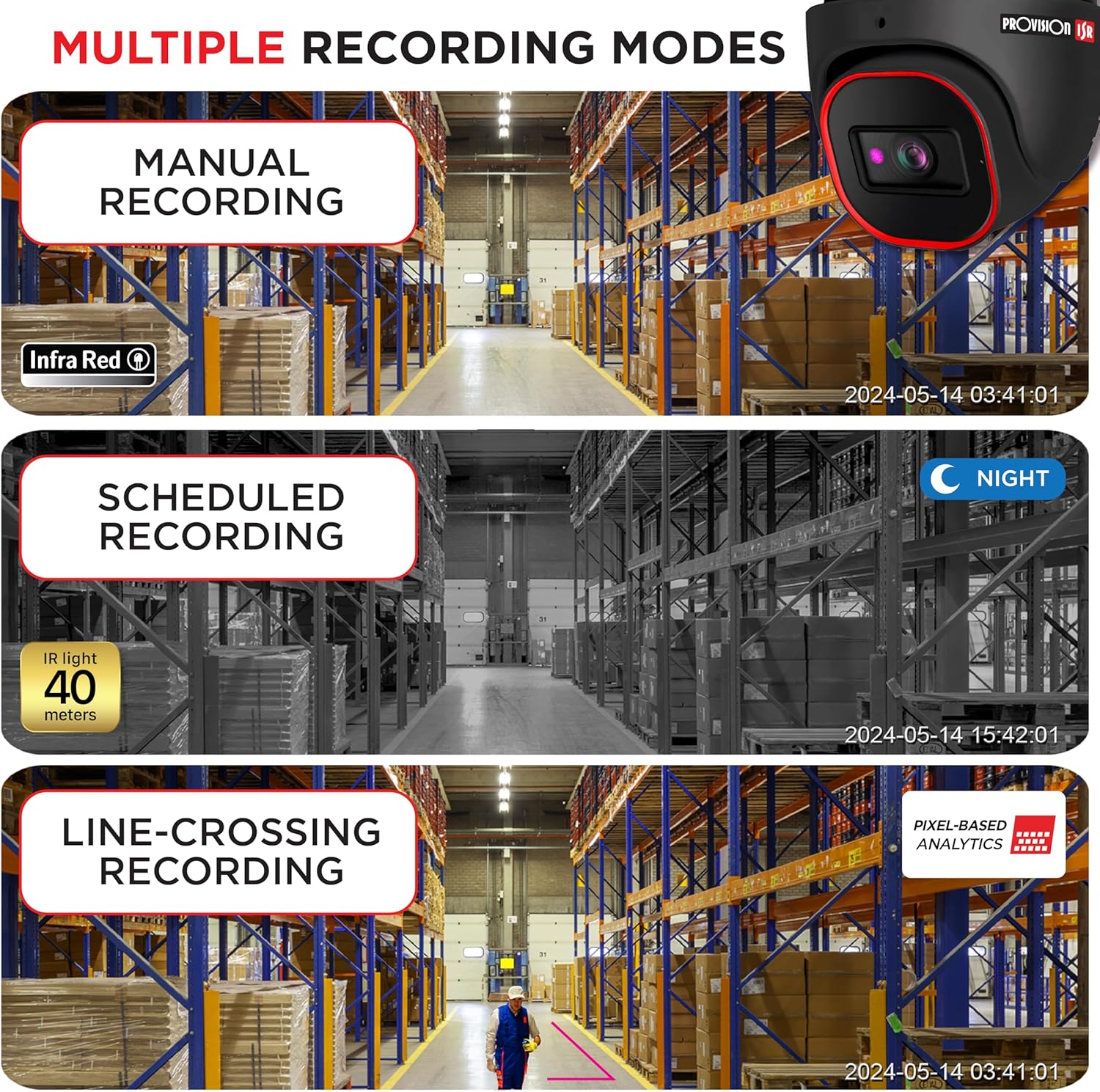
Image: Multiple Recording Modes. This image illustrates different recording options: manual, scheduled (night vision), and line-crossing triggered recording.

Image: Pixel Based Analytics. This diagram demonstrates the camera's ability to detect line crossing and sterile area intrusions using pixel-based analytics, providing real-time alerts.
6. Mantentzea
Mantentze-lan erregularrak zure kameraren iraupena eta errendimendu optimoa bermatzen ditu.
- Garbiketa: Aldian-aldian garbitu kameraren lentea eta karkasa zapi leun eta lehor batekinamp oihal. Ez erabili garbitzaile urratzaileak.
- Firmware eguneraketak: Check the PROVISION ISR website for the latest firmware updates. Keeping your firmware updated ensures access to new features and security enhancements.
- Ingurumena babestea: The camera has an IP67 waterproof rating, protecting it from dust and water ingress. Ensure all cable connections are properly sealed to maintain this rating.

Image: Durable Design & Waterproof. This image highlights the camera's IP67 rating, indicating its durability and resistance to water and dust, along with its operational temperature range.
7. Arazoak
Kamerarekin arazoak badituzu, jo ezazu honako arazo eta irtenbide ohikoenei:
| Arazoa | Kausa posiblea | Irtenbidea |
|---|---|---|
| No image/video output | No power; Network cable issue; Incorrect IP address | Check power connection; Verify Ethernet cable integrity; Ensure correct IP configuration |
| Irudi kalitate eskasa | Dirty lens; Insufficient lighting; Incorrect resolution settings | Clean the lens; Ensure adequate lighting or enable IR; Adjust resolution settings in web interfazea |
| Ezin da kamerara urrunetik sartu | Network configuration; Firewall settings; Incorrect port forwarding | Verify network settings (router, port forwarding); Check firewall rules; Ensure stable internet connection |
| Mugimendu-hautemateak ez du funtzionatzen | Sensitivity too low; Detection area not configured; Firmware outdated | Adjust motion detection sensitivity; Configure detection zones; Update camera firmware |
8. Zehaztapenak
Detailed technical specifications for the PROVISION ISR 4MP IP PoE Camera:
| Ezaugarri | Zehaztapena |
|---|---|
| Ereduaren izena | Segurtasun Kamera |
| Barruko/Kanpoko erabilera | Kanpoan, Barruan |
| Bideo Harrapaketa Ebazpena | 4MP (2560x1440) |
| Gaueko Ikusmenaren barrutia | 40 metro |
| Konektibitate Teknologia | Kablea (Ethernet) |
| Energia iturria | Corded Electric (PoE supported) |
| IP balorazioa | IP67 Iragazgaitza |
| Forma-faktorea | Kupula |
| Muntatze Mota | Sabaiko Muntaia |
| Viewangelua | 94 gradu |
| Neurriak (L x W x H) | 6.25 x 5.5 x 5.5 hazbete |
| Kolorea | Beltza |
| Gailu bateragarriak | Desktop, NVR, Smartphone |
| Kontrolagailu mota | NVR, Android |
| UPC | 619317412736 |
| Elementuaren eredu-zenbakia | DI-340IPS-MVF-G |
9. Bermea eta Laguntza
For warranty information and technical support, please contact PROVISION ISR directly or refer to their official webgunea. Babes-planak eskuragarri egon daitezke estaldura luzagarrirako.
Manufacturer: Provision ISR
Erlazionatutako dokumentuak - DI-340IPS-MVF-G
 |
Provision-ISR IP Kameraren Erabiltzailearen Eskuliburua: Eye-Sight v2 Seriea Provision-ISR Eye-Sight v2 IP kameretarako erabiltzailearen eskuliburu osoa, konfigurazioa, urruneko sarbidea eta zuzeneko aurrebista barne hartzen dituena.view, analisiak eta 320IPE 2MP eta 340IPE 4MP bezalako modeloetarako arazoak konpontzea. |
 |
PROVISION ISR IP Kameraren Erabiltzailearen Eskuliburua: DW-320FR-MVF2, TW-320FR-MVF2, BX-321FR Konfigurazioa eta Ezarpena PROVISION ISR IP kameretarako erabiltzailearen eskuliburu osoa, DW-320FR-MVF2, TW-320FR-MVF2 eta BX-321FR modeloak barne. Instalazioa, sarearen konfigurazioa eta zuzeneko aurrebistak biltzen ditu.view, aurpegi-ezagutza bezalako analisi aurreratuak eta arazoak konpontzea. |
 |
Provision ISR IP Kameraren Erabiltzailearen Eskuliburua: Konfigurazioa, Konfigurazioa eta Funtzionamendua Provision ISR IP kameretarako (IP seriea, Eye-Sight, Dark-sight) erabiltzailearen eskuliburu osoa. Ikasi zure kamera nola konfiguratu, erabili eta erabili errendimendu handiko CCTV irtenbideetarako. |
 |
Provision ISR NVR8-8200N: 8MP 8CH NVR Check Point eta NDAA betetzearekin Provision ISR NVR8-8200N-ren zehaztapen zehatzak, 8MP-ko 8 kanaleko sareko bideo-grabagailu bat, Check Point Quantum IoT Nano agentea duena, ziberbabes aurreraturako eta NDAA betetze-mailarako. Bideo, audio, analisi, biltegiratze eta sarearen zehaztapenak barne hartzen ditu. |
 |
PROVISION ISR SMART PLATE License Plate Recognition Cameras Installation Guide Comprehensive installation guide for PROVISION ISR SMART PLATE License Plate Recognition Cameras, covering setup, configuration, and application examples for gate control and street monitoring. Includes technical specifications and NVR integration details. |
 |
Provision-ISR I5PT-390AX4/X10 1080P AHD IR Bullet PTZ Kamera Erabiltzailearen Eskuliburua Provision-ISR I5PT-390AX4/X10 1080P AHD IR Bullet PTZ kameraren instalazio gida azkarra eta erabiltzailearen eskuliburua, konfigurazioa, segurtasuna, zehaztapenak eta komandoak biltzen dituena. |