
Huidun Huidun H30 N150 mini computer
Huidun Mini PC User Manual
Model: Huidun H30 N150 mini computer
1. Sarrera
This user manual provides comprehensive instructions for the Huidun Mini PC, Model H30 N150. This compact and powerful mini PC is equipped with the Intel Twin Lake N150 processor, 16GB DDR4 RAM, and a 512GB M.2 SSD, designed for efficient daily work, office tasks, and home entertainment. It supports 4K dual display output, features 5G WiFi and Bluetooth connectivity, and comes with Windows 11 Pro pre-installed. Please read this manual thoroughly before operating your device to ensure optimal performance and longevity.

Irudia: Aurrealdea view of the Huidun Mini PC H30 N150, showcasing its compact design and Intel Inside branding.
2. Zer dago kutxan
Paketea irekitzean, egiaztatu osagai guztiak daudela:
- 1 x Huidun Mini PC H30
- 1 x korronte egokitzailea
- 1 x HDMI kablea
- 1 x Erabiltzailearen eskuliburua (dokumentu hau)
- 1 x VESA Mount with Screws
3. Konfigurazio gida
3.1 Zure Mini PCa konektatzea
- Potentzia-konexioa: Connect the power adapter to the DC-in port on the mini PC and then plug it into a power outlet.
- Bistaratzeko konexioa: Connect your monitor(s) to the HDMI ports on the mini PC using the provided HDMI cable. The mini PC supports dual 4K displays.
- Konexio periferikoa: Connect your keyboard, mouse, and other USB devices to the available USB 2.0 or USB 3.0 ports.
- Sare-konexioa: For wired internet, connect an Ethernet cable to the RJ45 LAN port. For wireless internet, the mini PC supports 5G WiFi.
- Audio konexioa: Connect speakers or headphones to the 3.5mm audio jack if desired.

Irudia: Xehetasun handikoa view of the Huidun Mini PC's versatile ports, including USB, HDMI, LAN, and audio jack.
3.2 Hasierako abiaraztea
After connecting all necessary peripherals, press the power button located on the front of the mini PC. The system will boot into Windows 11 Pro. Follow the on-screen instructions to complete the initial Windows setup, including language, region, and network settings.

Image: The Huidun Mini PC connected to dual monitors, displaying the Windows 11 Pro interface, highlighting its pre-installed operating system.
3.3 VESA Mount Installation
The included VESA bracket allows you to mount the mini PC to the back of a compatible monitor or to a wall, saving desk space. Secure the VESA bracket to the mini PC using the provided screws, then attach the bracket to your monitor's VESA mounting holes or a wall mount.
4. Funtzionamendu-argibideak
4.1 Erabilera orokorra
The Huidun Mini PC is designed for a wide range of applications, from everyday computing and office tasks to educational and entertainment purposes. Its Intel Twin Lake N150 processor ensures smooth performance for multitasking, web browsing, document editing, and media consumption.

Image: A desktop setup showing the Huidun Mini PC facilitating multiple open applications on a single monitor, demonstrating its multitasking capabilities.
4.2 Dual Display Setup
Utilize the two HDMI ports to connect two monitors simultaneously. This feature enhances productivity by allowing for extended desktop space or mirrored displays. To configure dual displays in Windows 11, right-click on the desktop, select "Display settings," and adjust the display arrangement and resolution as needed.
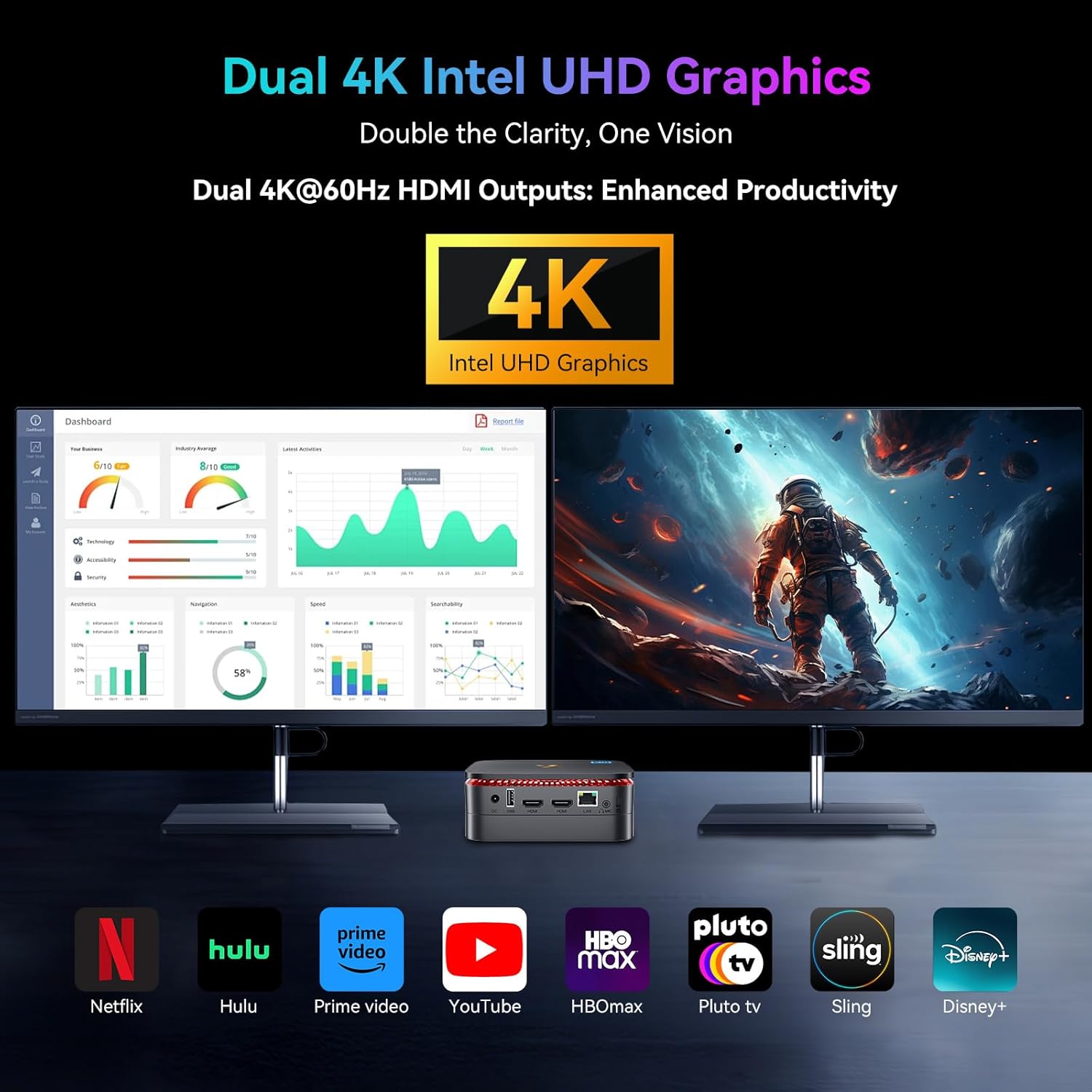
Image: The Huidun Mini PC connected to two 4K monitors, illustrating its dual display capability for enhanced productivity and visual clarity.
4.3 Biltegiratze-hedapena
The mini PC comes with a 512GB M.2 SSD. For additional storage, it supports an expandable 2.5" SATA HDD/SSD up to 2TB. To install an additional drive, refer to the detailed instructions in the "Maintenance" section or consult the online support resources.

Irudia: Leherketa bat view of the Huidun Mini PC showing the compartment for an additional 2.5" SATA HDD/SSD, demonstrating its storage expansion capability.
4.4 Konektibitatea
The mini PC offers robust connectivity options:
- WiFi: Supports dual-band 5G WiFi for fast and stable wireless internet.
- Bluetooth 4.2: Connect wireless peripherals such as keyboards, mice, and headphones.
- RJ45 Gigabit Ethernet: Provides a reliable wired network connection for high-speed data transfer.
5. Mantentzea
5.1 Garbiketa
To maintain optimal performance, regularly clean the exterior of the mini PC with a soft, dry cloth. Ensure the ventilation grilles are free from dust and debris to prevent overheating. Do not use liquid cleaners or aerosols directly on the device.
5.2 Software eguneraketak
Keep your Windows 11 Pro operating system and drivers updated to ensure security, stability, and optimal performance. Windows updates can be managed through the "Settings" app under "Windows Update."
5.3 Hozte-sistema eraginkorra
The Huidun Mini PC features an optimized cooling solution with a copper tube, aluminum heat sink, and a fan operating at 4,500 RPM. This system is designed to dissipate heat quickly, ensuring stable operation and extending the CPU's lifespan. Avoid blocking the ventilation openings to allow for proper airflow.

Irudia: Barneko bat view of the Huidun Mini PC highlighting its efficient cooling system components, including the copper tube, aluminum heat sink, and fan.
6. Arazoak
| Arazoa | Kausa posiblea | Irtenbidea |
|---|---|---|
| Argirik ez / Ez da pizten | Power adapter not connected properly; Power outlet issue. | Ensure power adapter is securely connected to the mini PC and a working power outlet. Try a different outlet. |
| Ez dago pantailarik monitorean | HDMI cable loose or faulty; Incorrect input source on monitor. | Check HDMI cable connections. Ensure monitor is set to the correct HDMI input. Try a different HDMI port or cable. |
| Errendimendu motela | Too many applications running; Insufficient storage space; Outdated drivers. | Itxi beharrezkoak ez diren aplikazioak. Askatu diskoan lekua. Eguneratu Windows eta kontrolatzaileak. |
| Ez dago Wi-Fi konexiorik | Wi-Fi adapter disabled; Router issue; Driver problem. | Check Wi-Fi settings in Windows. Restart your router. Update Wi-Fi drivers. |
| Audiorik ez | Incorrect audio output selected; Volume too low; Driver issue. | Check audio output settings in Windows. Increase volume. Update audio drivers. |
7. Zehaztapenak
| Ezaugarri | Xehetasuna |
|---|---|
| Eredua | Huidun H30 N150 mini computer |
| Prozesadorea | Intel Twin Lake N150 (up to 3.6GHz, 6W) |
| RAM | 16 GB DDR4 RAM |
| Biltegiratzea | 512GB M.2 2280 SSD (Expandable up to 2TB 2.5" SATA HDD/SSD) |
| Grafikoak | Integrated Intel Graphics (up to 1000MHz), supports 4K dual display |
| Sistema eragilea | Windows 11 Pro, Linux compatible |
| Haririk gabeko konexioa | 5G WiFi (802.11a/b/g/n/ac), Bluetooth 4.2 |
| Portuak | 2x USB 3.0, 2x USB 2.0, 2x HDMI (4K@60Hz), 1x RJ45 LAN, 1x 3.5mm Audio Jack, 1x DC-in |
| Hozte Sistema | Optimized solution with copper tube, aluminum heat sink, and 4,500 RPM fan |
| Neurriak | 9.37 x 7.28 x 2.48 hazbete |
| Pisua | 1.63 kilo |
| Kolorea | Beltza |
8. Produktuaren bideo ofiziala
Bideoa: Produktu ofizial baten bideo-erakustaldiaasing the Huidun Mini PC N150, highlighting its features and compact design.
9. Bermea eta Laguntza
Huidun provides a 24 hilabeteko berme mugatua for the Mini PC H30 N150. Additionally, lifetime technical support is available for all microcomputers.
For any inquiries, technical assistance, or warranty claims, please contact our dedicated customer service team. You can find contact information on the Huidun official website or through your purchase platform. Our computer specialists are ready to provide professional and free services.

Image: Visual representation of Huidun's commitment to customer satisfaction, including 24-month warranty and lifetime technical support.
Ask a question about this manual
Ask about setup, troubleshooting, compatibility, parts, safety, or missing instructions. Manuals+ will review the question and use this page’s manual context to help answer it.