
Sarrera
Thank you for choosing the Belkin Portable 20,000 mAh Power Bank. This device is designed to provide reliable and fast charging for your mobile devices, featuring an integrated USB-C cable and 30W Power Delivery. Its compact and lightweight design makes it ideal for travel, ensuring your devices stay powered wherever you go. This manual provides essential information on how to set up, operate, maintain, and troubleshoot your power bank.

Image: The Belkin Portable 20,000 mAh Power Bank in blue, showcasinbere diseinu dotorea.
Ezaugarri nagusiak
- USB-C kable integratua: For convenient charging on the go.
- 30W potentzia-ematea: Enables fast charging for smartphones, tablets, and even some laptops like the MacBook Air.
- 20,000 mAh edukiera: Provides up to 87 hours of additional battery life for an iPhone 16 Pro, charging 0-50% in approximately 25 minutes.
- Aldibereko karga: Charge up to three devices concurrently using the integrated USB-C cable, USB-C port, and USB-A port, with a shared output of 30W.
- LED adierazlea: Displays the power bank's charging status.
- Transmisio bidezko karga: Charge your devices while the power bank itself is being recharged.
- Lightweight and Travel-Friendly: Weighing less than 395 grams, it meets aviation safety standards for carry-on luggage.
- Diseinu jasangarria: Made from 72% post-consumer recycled materials with 100% plastic-free packaging.
Konfigurazioa
Power Bank-aren hasierako kargatzea
Before first use, fully charge your Belkin Power Bank. Connect the power bank to a wall charger using a compatible USB-C cable (not included for recharging the power bank itself, only the integrated cable is for output). The LED indicators will show the charging progress. A full charge typically takes up to 12 hours.

Image: The power bank connected to a wall outlet for recharging, simultaneously charging a smartphone via its integrated cable. This illustrates pass-through charging.
Funtzionamendu-argibideak
Zure gailuak kargatzen
- USB-C kable integratua erabiliz: Extend the integrated USB-C cable from the power bank and connect it directly to your USB-C compatible device.
- USB-C ataka erabiliz: Connect your device's USB-C charging cable to the power bank's USB-C output port.
- USB-A ataka erabiliz: Connect your device's USB-A charging cable to the power bank's USB-A output port.

Image: The Belkin power bank connected to an iPhone via its integrated USB-C cable, demonstrating seamless high-speed charging.
Hainbat gailu kargatzea
The power bank supports charging up to three devices simultaneously with a combined output of 30W. You can use the integrated USB-C cable, the USB-C port, and the USB-A port at the same time.
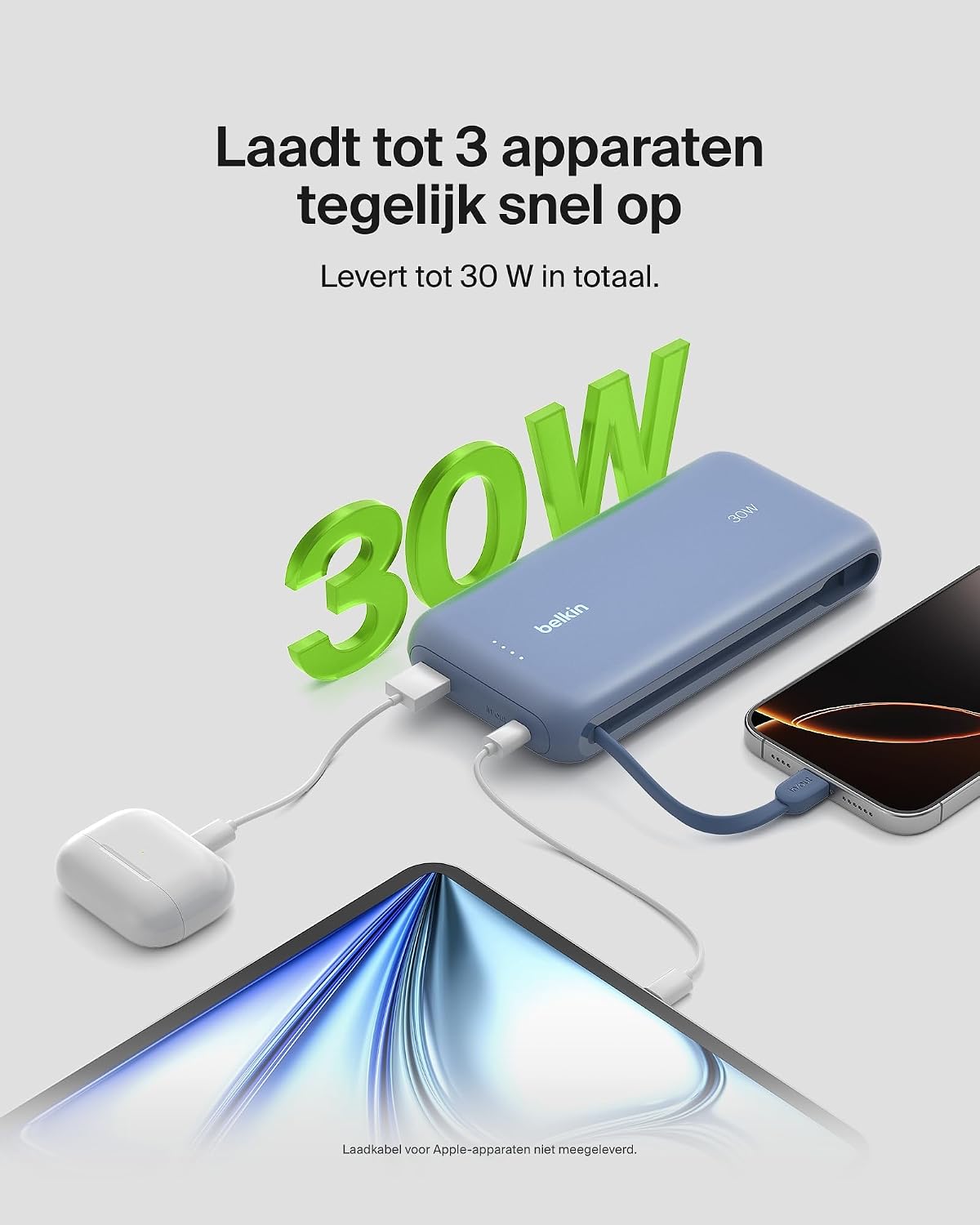
Image: The power bank simultaneously charging a smartphone, a tablet, and wireless earbuds, illustrating its capability to charge up to three devices with a total output of 30W.
LED bateriaren egoera adierazlea
The power bank features LED lights that indicate the remaining battery level and charging status. Refer to the table below for interpretation:
| LED Egoera | Esanahia |
|---|---|
| LED guztiak solidoak | Guztiz kargatuta |
| LEDs blinking sequentially | Kargatzen ari da |
| Fewer LEDs solid | Gainerako bateriaren edukiera |
Mantentzea
- Garbiketa: Erabili zapi leun eta lehor bat bateria eramangarria garbitzeko. Saihestu produktu kimiko gogorrak edo material urratzaileak erabiltzea.
- Biltegiratzea: Gorde bateria eramangarria leku fresko eta lehor batean, eguzki-argitik eta muturreko tenperaturetatik babestuta.
- Bateria zaintzea: Bateriaren iraupena luzatzeko, saihestu bateria guztiz deskargatzea aldizka. Kargatu berriro bateriaren maila baxua denean.
- Integrated Cable Care: When not in use, ensure the integrated USB-C cable is properly stowed to prevent damage.
Arazoak konpontzea
Ohiko arazoak eta irtenbideak
- Gailua ez da kargatzen:
- Ensure the power bank is charged. Check the LED indicators.
- Egiaztatu kargatzeko kablea ondo konektatuta dagoela bai bateria eramangarrira bai zure gailura.
- Saiatu beste kargatzeko kable edo ataka bat erabiltzen power bank-ean.
- Confirm your device is compatible with the power bank's charging specifications.
- Karga motela:
- Ensure your device supports fast charging (Power Delivery) to utilize the 30W output.
- If charging multiple devices, the total 30W output is shared, which may result in slower charging for individual devices.
- Check if the cable used supports fast charging.
- Energia-bankua ez da berriro kargatzen:
- Ensure the wall adapter and cable used for recharging the power bank are functional and properly connected.
- Try a different wall adapter or cable.
Belkin SmartProtect Safety Features
The Belkin Power Bank is equipped with SmartProtect technology, which includes multiple safety features to protect your devices and the power bank itself:
- Gainkargaren babesa
- Gainkorrontearen babesa
- Gainditzeko babesa
- Zirkuitu laburren babesa
- Irteera gainvoltage Babesa
- Output High/Low Temperature Protection
- Input High/Low Temperature Protection
- Seinaleen interferentziaren aurkako babesa
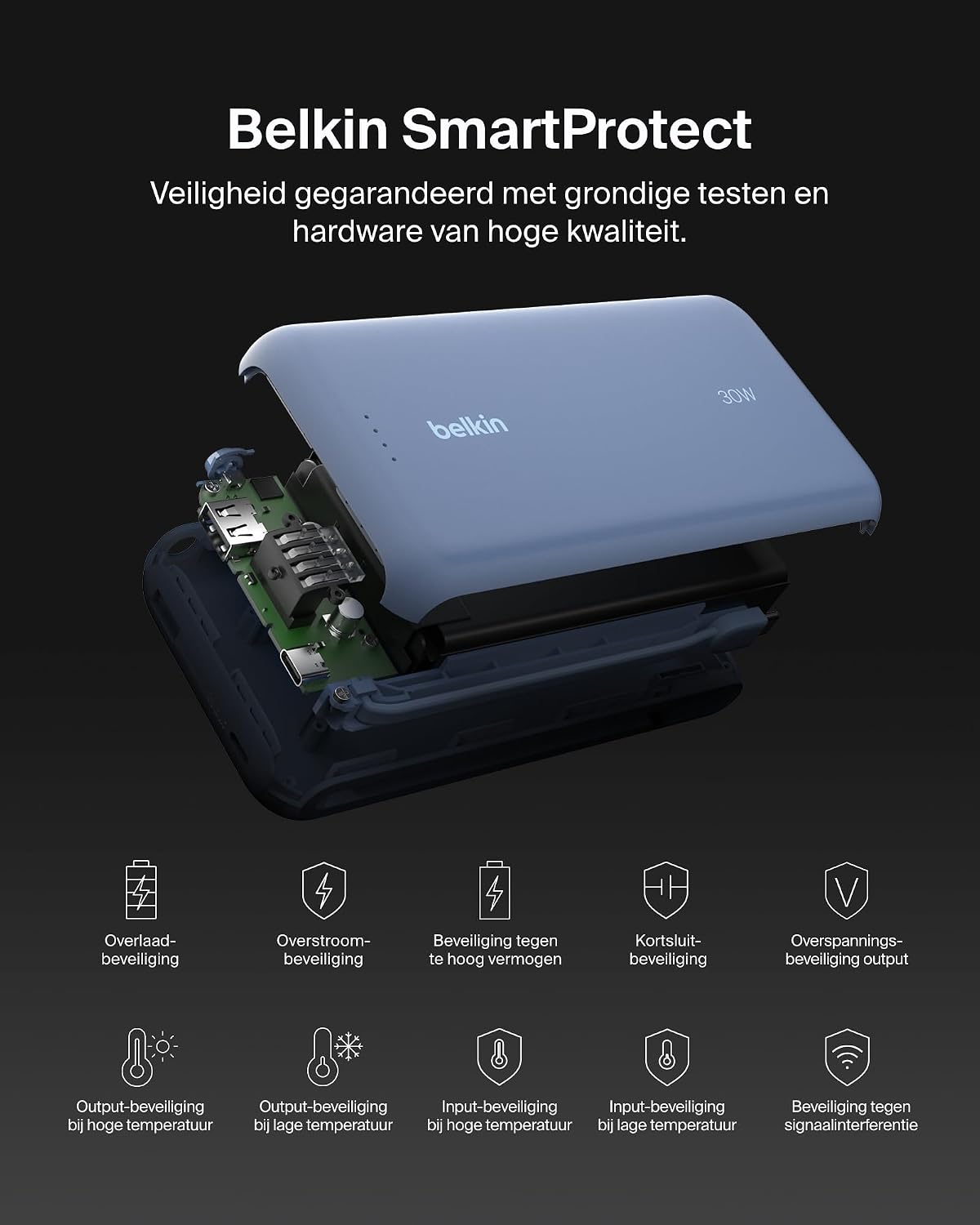
Irudia: Leherketa bat view of the Belkin Power Bank, highlighting its internal components and the comprehensive Belkin SmartProtect safety features, including protection against overcharge, overcurrent, and short-circuits.
Zehaztapenak
| Ezaugarri | Xehetasuna |
|---|---|
| Modelo zenbakia | BPB024hqBL |
| Bateria Edukiera | 20,000 mAh |
| Irteera Potentzia | Up to 30W Power Delivery (shared) |
| Konektore mota | Integrated USB-C cable, 1x USB-C port, 1x USB-A port |
| liburukiatage | 5 Volt |
| Amparoa | 3 Ampere |
| Kargatzeko denbora (Power Bank) | Gutxi gorabehera. 12 ordu |
| Produktuaren neurriak | 15.4 x 7.62 x 2.51 cm |
| Elementuaren pisua | 395 gramo |
| Bateriaren zelulen konposizioa | Litio-ioi |
| Gailu bateragarriak | Apple iPhone 16 series, iPhone 15 series, iPhone 14 series, iPhone 13 series, Samsung Galaxy S22/S23/S24/S25 series, iPad Pro, iPad Air, iPad, iPad Mini, and other USB-C/USB-A compatible devices. |
Bermea eta Laguntza
Bermearen informazioa
This Belkin Portable Power Bank comes with a 2 urteko fabrikatzailearen bermea. Additionally, it includes a Connected Equipment Warranty, providing peace of mind for your connected devices. Please retain your proof of purchase for warranty claims.
Bezeroarentzako Arreta
Laguntza gehiago, laguntza teknikoa edo bermeari buruzko kontsultak egiteko, bisitatu Belkinen laguntza ofiziala. webwebgunean edo jarri harremanetan bezeroarentzako arreta-zerbitzuan. Informazio gehiago aurki dezakezu hemen: www.belkin.com/support.


