
DARAN NEO
DARAN Portable Power Station User Manual
Model: NEO
Sarrera
This manual provides essential information for the safe and efficient operation of your DARAN Portable Power Station. Please read it thoroughly before use and retain it for future reference. This power station is designed to provide reliable power for various applications, including outdoor activities, RV use, and emergency home backup.
1. Konfigurazioa
1.1 Paketearen edukia
Egiaztatu elementu guztiak paketean daudela:
- 1 × NEOS Power Station
- 1 × AC Charging Cable
- 1 × Erabiltzailearen eskuliburua
1.2 Hasierako karga
Before first use, it is recommended to fully charge the power station. The unit supports multiple charging methods:
- AC hormako entxufea: Connect the provided AC charging cable to the power station's AC input port and then to a standard wall outlet. The unit can recharge to 80% in approximately 2 hours.
- Eguzki-panelak (aukerakoak): Connect a compatible solar panel (not included) to the DC input port. The power station supports solar input for charging.
- Car Charger (Optional): The unit can be charged via a car charging cable (not included) through the DC input port.
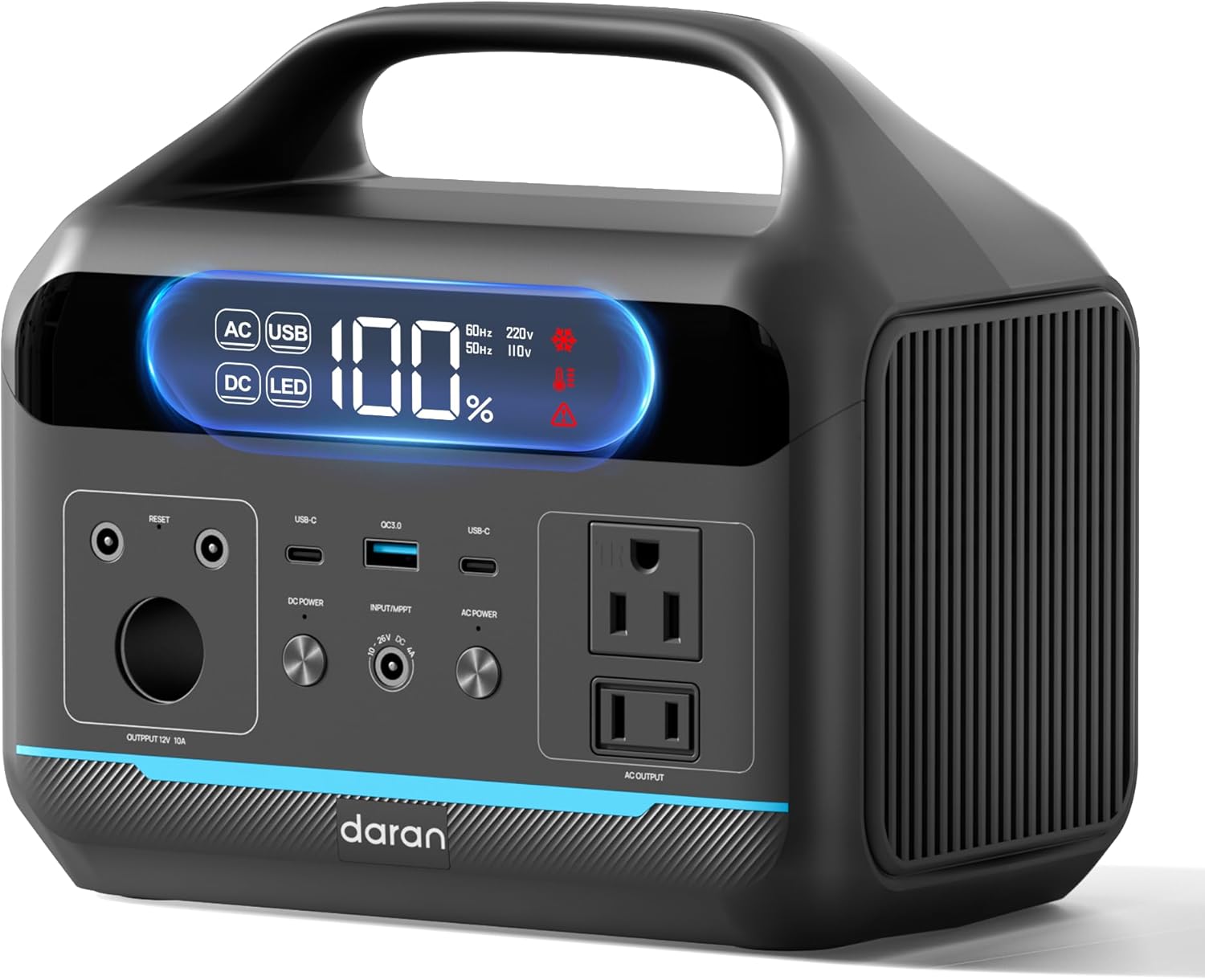
1. irudia: Aurrealdea view of the DARAN Portable Power Station NEO, showing the display and various output ports.
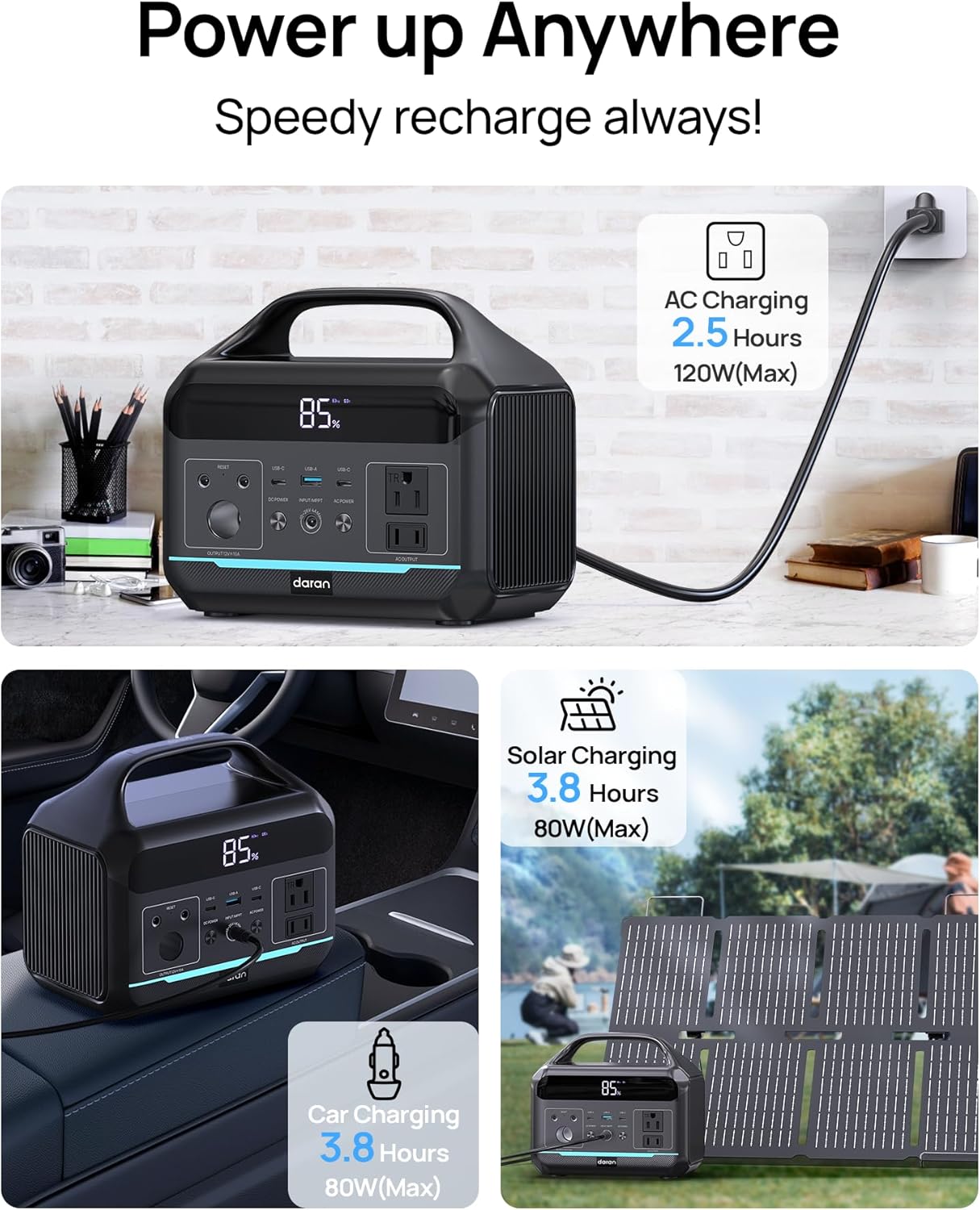
Figure 2: Illustration of the various charging methods for the power station, including AC wall charging, solar charging, and car charging.
2. Funtzionamendua
2.1 Piztu/Itzaltzea
To power on the unit, press and hold the main power button. The digital display will illuminate, showing the battery status and output information. To power off, press and hold the main power button again.
2.2 Irteera Portuak
The DARAN Portable Power Station features multiple output ports to power various devices:
- Korronte alternoko entxufeak (x2): Provides 600W continuous power (1200W surge). Suitable for appliances like car refrigerators and CPAP machines.
- USB-C PD60W (x1): USB-C gailu bateragarriak azkar kargatzeko.
- USB-A (x2): Provides 18W output for charging smartphones, tablets, and other USB-powered devices.
- DC irteera: For devices requiring DC power.
Oharra: Ensure that the total power consumption of connected devices does not exceed 600W to prevent overload.

Figure 3: The power station connected to various devices, demonstrating its multi-port functionality for camperabilera eta kanpoko erabilera.
2.3 LED argi integratua
The power station includes an integrated LED light with multiple modes:
- Normal Illumination: Provides steady light for general use.
- SOS modua: Activates a flashing SOS signal for emergency situations.
To activate the LED light, press the dedicated LED button. Press again to cycle through modes or turn off.
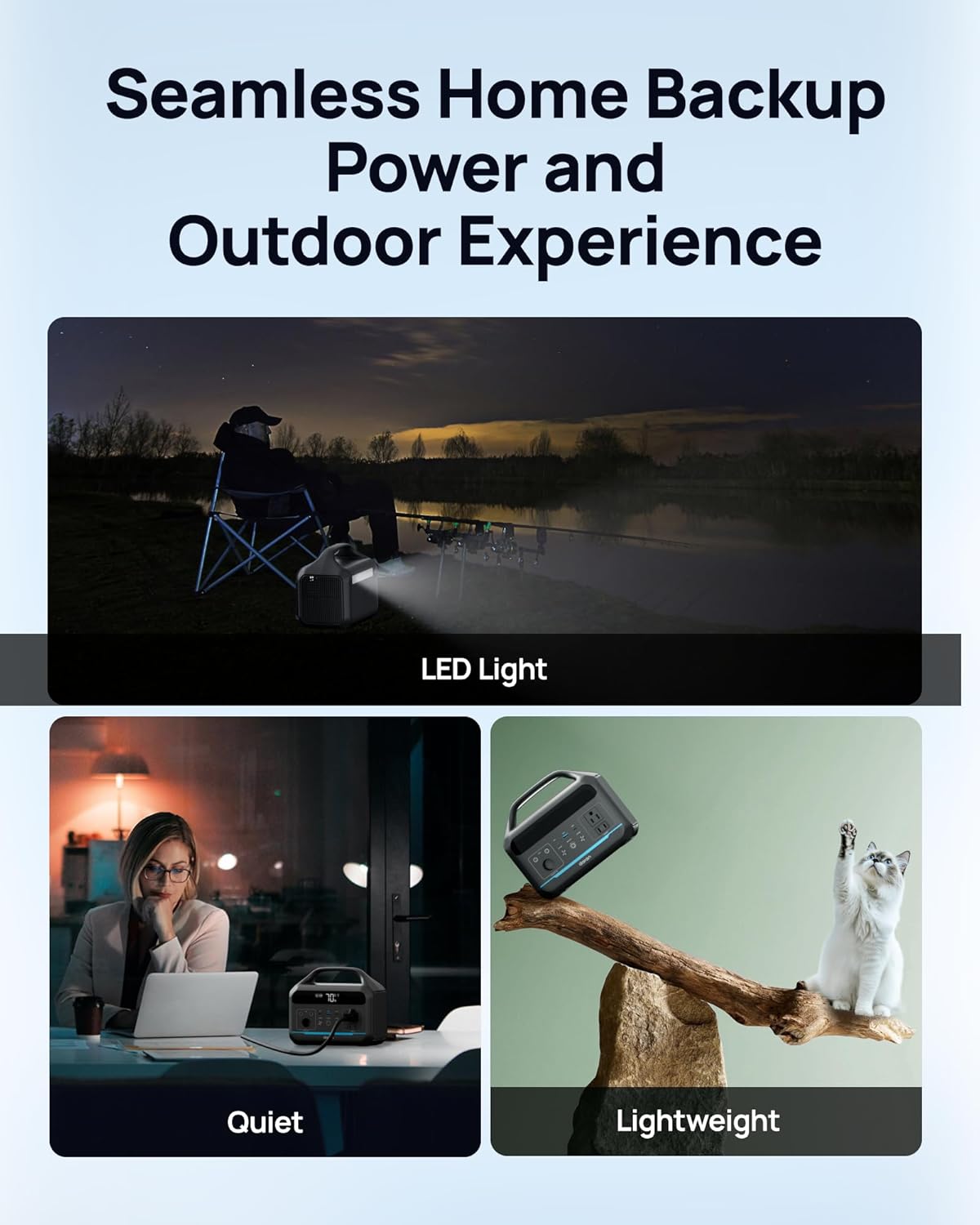
Figure 4: The power station providing illumination via its integrated LED light during an outdoor evening setting.
3. Mantentzea
3.1 Bateria zaintzea
The power station uses a LiFePO4 battery, known for its long lifespan and safety. It is designed for 3500+ charge cycles, maintaining approximately 80% of its original capacity after this period.
- For optimal battery health, avoid completely draining the battery frequently.
- Gorde unitatea leku fresko eta lehor batean, eguzki-argitik eta muturreko tenperaturetatik babestuta.
- Denbora luzez gordetzen baduzu, kargatu bateria % 50-80ra arte gutxi gorabehera 3-6 hilabetero.

5. irudia: Barneko bat view illustration highlighting the LiFePO4 battery technology and its long cycle life.
3.2 Garbiketa
Erabili zapi leun eta lehor bat energia-zentralaren kanpoaldea garbitzeko. Ez erabili garbitzaile urratzailerik eta ez murgildu unitatea uretan.
4. Arazoak
4.1 Gai arruntak
- Unitatea ez pizten:
Ensure the battery is charged. Connect to an AC outlet for at least 30 minutes to see if it powers on.
- AC Output Not Working:
If the battery level is below 10%, the AC port will automatically turn off to prevent battery damage. DC/USB ports will remain available. Check if the connected device exceeds the 600W output limit.
- Karga motela:
Ensure the charging cable is securely connected. If using solar, verify the solar panel is in direct sunlight and correctly oriented. Check the input wattage pantailan bistaratzen da.
- Gainkarga babesa:
The unit has built-in overload protection. If an overload occurs, the unit may shut down. Disconnect the overloaded device, wait a few minutes, and then restart the power station.
4.2 Jarri harremanetan laguntzarekin
If you encounter issues not covered in this section, or if troubleshooting steps do not resolve the problem, please contact DARAN customer service for assistance. Refer to the "Warranty & Support" section for contact information.
5. Zehaztapenak
| Ezaugarri | Xehetasuna |
|---|---|
| Modelo zenbakia | NEO |
| Edukiera | 288 Wh (90,000 mAh, 3.2 V) |
| AC Irteera | 600W (1200W-ko igoera) |
| Bateria mota | LiFePO4 (litio burdina fosfatoa) |
| Bizitza Zikloa | 3500 ziklo baino gehiago % 80ko edukierara arte |
| Produktuaren neurriak | 8 x 3 x 12 hazbete |
| Elementuaren pisua | 13.77 kilo |
| Kargatzeko denbora (AC) | Approx. 2 hours to 80% |
| Fabrikatzailea | Dongguan Menche Electronics Co., Ltd. |
| Eskuragarri dagoen lehen data | 28ko uztailaren 2025a |
6. Bermea eta laguntza
6.1 Bermearen informazioa
For detailed warranty terms and conditions, please refer to the warranty card included with your product or visit the official DARAN webgunea. Bermeak normalean fabrikazio akatsak eta erabilera normalaren ondoriozko matxurak estaltzen ditu.
6.2 Bezeroarentzako laguntza
If you have any questions, require technical assistance, or need to report an issue, please contact DARAN customer service. Contact information can typically be found on the product packaging, the official DARAN webgunea, edo barneko dokumentazioaren barruan.
When contacting support, please have your product model number (NEO) and purchase date available.
Ask a question about this manual
Ask about setup, troubleshooting, compatibility, parts, safety, or missing instructions. Manuals+ will review the question and use this page’s manual context to help answer it.