
1. Sarrera
This manual provides detailed instructions for the setup, operation, maintenance, and troubleshooting of your SGIN 17.3 Inch Laptop Computer (Model M17S). Please read this manual thoroughly before using your laptop to ensure proper functionality and to maximize its lifespan. Keep this manual for future reference.

Figure 1.1: SGIN 17.3 Inch Laptop Computer Overview
The SGIN M17S laptop is designed for a wide range of applications, including study, work, entertainment, and internet browsing, offering a balance of performance and portability.
2. Paketearen edukia
Verify that all items listed below are included in your package. If any items are missing or damaged, please contact SGIN customer support.
- SGIN 17.3 Inch Laptop Computer (M17S) x 1
- Power Adapter/Charger x 1
- Erabiltzailearen eskuliburua x 1
3. Produktuaren Ezaugarriakview
3.1 Bistaratzea
The laptop features a 17.3-inch Full HD (1920x1080) IPS screen. This display technology provides sharp, clear text and vivid colors, along with wide viewangeluak.

Figure 3.1: High-Definition IPS Display
3.2 Prozesadorea
Equipped with an Intel Core i3-5005U processor, operating at 2.4GHz Turbo Boost. This dual-core, four-thread processor is designed for efficient multitasking and handling various workloads.

Figure 3.2: Intel Core i3-5005U Processor
3.3 Memoria eta biltegiratzea
The laptop comes with 4GB DDR4 RAM and a 128GB SSD for fast boot times and application loading. Storage can be expanded with an additional SSD (up to 1TB) and a MicroSD card (up to 512GB).

Figure 3.3: Memory and Storage Configuration
3.4 Bateria
A 8000 mWh (60Wh) lithium-ion battery provides extended usage time, with an estimated 8 hours of typical use on a single charge.

3.4. irudia: Bateria iraunkorra
3.5 Portuak eta Konexioa
Ordenagailu eramangarriak hainbat ataka eskaintzen ditu konexio moldakorra lortzeko:
- USB 3.2 ataka (x2)
- HDMI Port (for external monitors/projectors)
- C motako ataka
- 3.5 mm-ko aurikularretarako konektua
- MicroSD txartelaren zirrikitua
- DC potentzia sarrera
Wireless connectivity includes 5G Wi-Fi (802.11ac) and Bluetooth 4.2.

Figure 3.5: Available Ports
3.6 Audioa eta Webkamara
The laptop includes stereo speakers and a digital microphone for audio input and output. A 0.3MP webcam is integrated for video calls and conferencing.

Figure 3.6: Audio and Webcam ezaugarriak
4. Getting Started (Setup Guide)
4.1 Paketatzea
Carefully remove the laptop and all accessories from the packaging. Retain the packaging materials for future transport or storage.
4.2 Bateria kargatzea
Before first use, fully charge the laptop battery. Connect the power adapter to the DC-in port on the laptop and then plug the adapter into a power outlet. The charging indicator light will illuminate.
4.3 First Power On and Initial Setup
Press the power button to turn on the laptop. The system will guide you through the initial Windows 11 setup process. This includes selecting your region, language, connecting to a Wi-Fi network, and setting up your user account.
5. Oinarrizko Funtzionamendua
5.1 Power On/Off/Sleep
- Piztu: Sakatu teklatuaren plataforman dagoen pizteko botoia.
- Itzali: Egin klik Hasi botoian, ondoren Pizteko botoian eta hautatu 'Itzali'.
- Lo egiteko modua: Click the Start button, then Power, and select 'Sleep', or close the laptop lid.
5.2 Teklatua eta ukipen-panela erabiltzea
The laptop features a full-size keyboard with a numeric keypad and a multi-touch touchpad. Refer to Windows 11 settings for customizing touchpad gestures and keyboard shortcuts.
5.3 Wi-Fira konektatzea
Hari gabeko sare batera konektatzeko:
- Egin klik sistemaren erretiluan dagoen Wi-Fi ikonoan (pantailaren beheko eskuineko izkinan).
- Hautatu nahi duzun sarea zerrendatik.
- Enter the network password if prompted, then click 'Connect'.
5.4 Bluetooth gailuak konektatzea
Bluetooth gailu bat parekatzeko:
- Go to 'Settings' > 'Bluetooth & devices'.
- Ensure Bluetooth is turned 'On'.
- Click 'Add device' and select 'Bluetooth'.
- Choose your device from the list and follow the on-screen pairing instructions.
5.5 Using External Displays (HDMI)
Connect an external monitor or projector to the laptop's HDMI port. Press Windows tekla + P to select display mode (e.g., Duplicate, Extend, Second screen only).
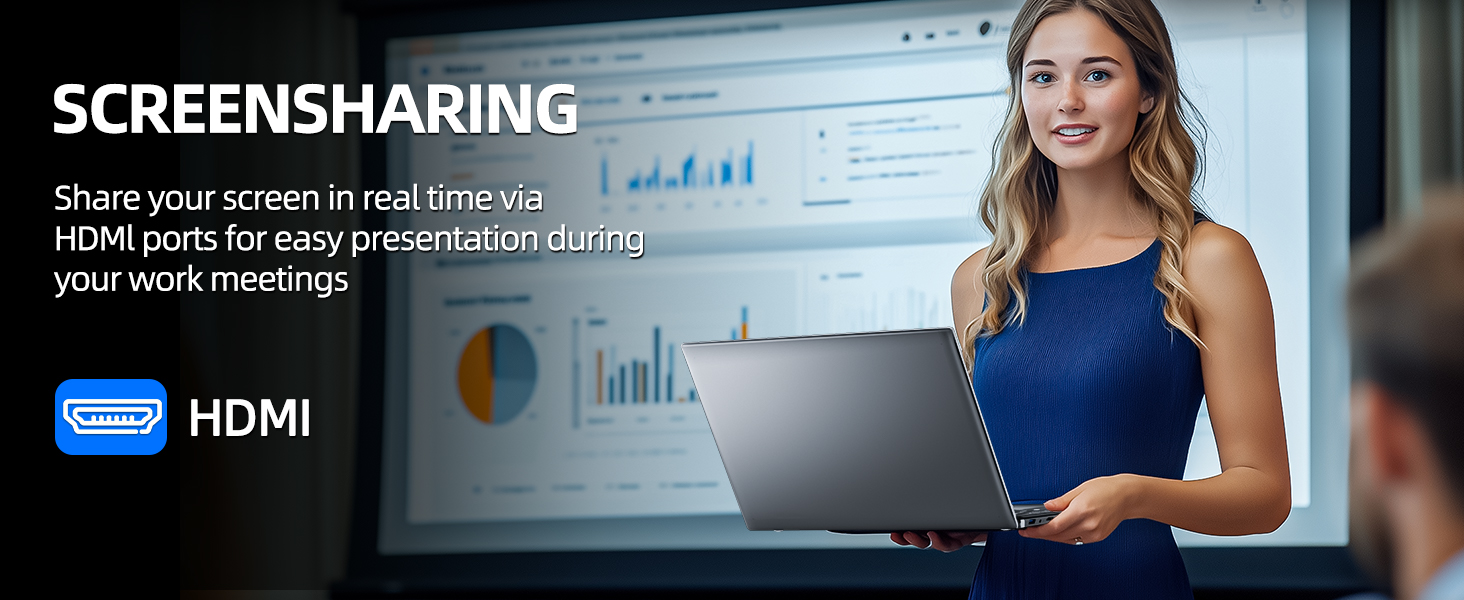
Figure 5.1: Screen Sharing via HDMI
5.6 Using USB Devices
Connect USB devices such as external hard drives, keyboards, or mice to the available USB 3.2 ports. The laptop will automatically detect and install necessary drivers.
6. Storage and Memory Management
6.1 Biltegiratzea zabaltzea
Your SGIN laptop supports storage expansion:
- Additional SSD: An extra slot is available for installing an M.2 SSD, supporting up to 1TB. Consult a qualified technician for installation.
- MicroSD txartela: Insert a MicroSD card into the dedicated slot for up to 512GB of additional storage.
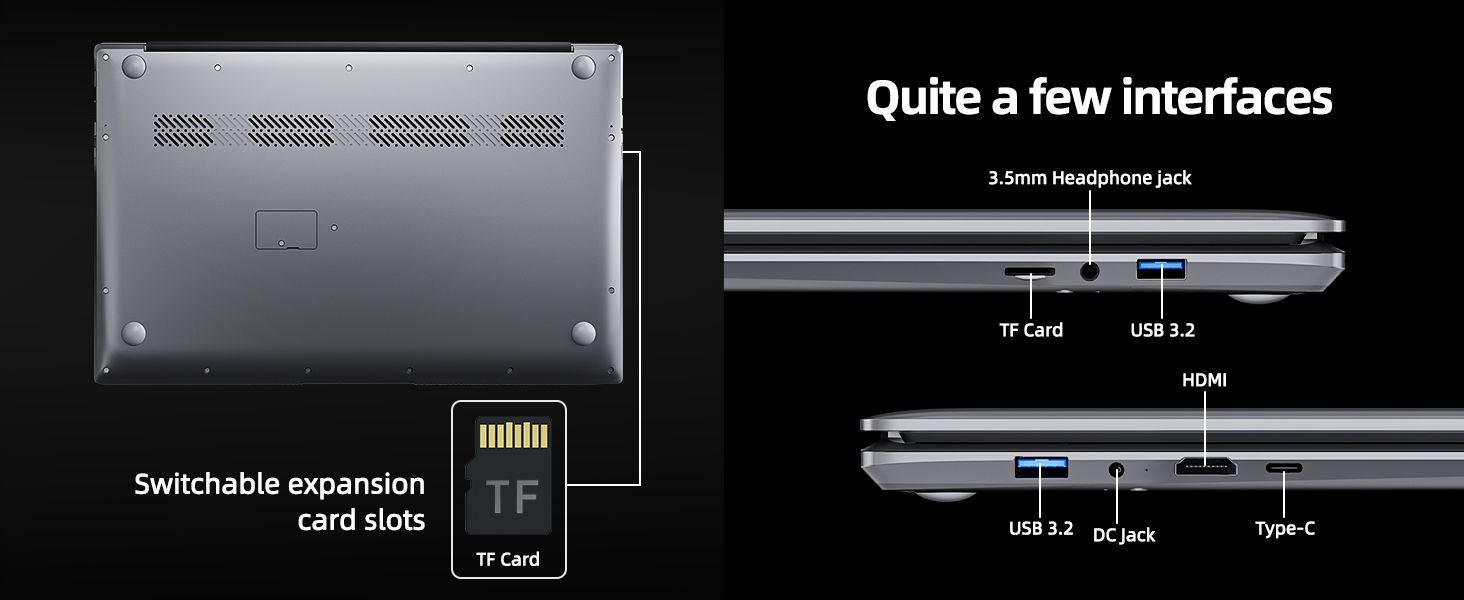
Figure 6.1: Expansion Card Slots
7. Bateria zaintzea
7.1 Kargatzeko jarraibideak
Always use the original SGIN power adapter provided with your laptop. Avoid using third-party chargers that may not meet the required specifications.
7.2 Bateriaren iraupena optimizatzea
Bateriaren iraupena luzatzeko:
- Adjust screen brightness to a comfortable but lower level.
- Close unused applications and browser tabs.
- Disconnect external peripherals when not in use.
- Enable Windows Battery Saver mode.
- Saihestu muturreko tenperaturak.
8. Mantentzea eta Zainketa
8.1 Ordenagailu eramangarria garbitzea
Erabili lipurrik gabeko zapi leun bat dampPantaila garbitzeko, garbitu urarekin edo pantaila-garbitzaile batekin. Teklatuarentzat eta xasisarentzat, erabili zapi leun eta lehor bat. Saihestu produktu kimiko gogorrak edo material urratzaileak.
8.2 Software eguneraketak
Regularly check for and install Windows updates to ensure system stability, security, and optimal performance. Go to 'Settings' > 'Windows Update'.
8.3 Kudeaketa Orokorra
Handle your laptop with care. Avoid dropping it or exposing it to liquids, extreme temperatures, or direct sunlight. Do not place heavy objects on the laptop.
9. Arazoak
This section addresses common issues you might encounter with your SGIN laptop.
| Arazoa | Kausa posiblea | Irtenbidea |
|---|---|---|
| Laptop won't turn on | Bateria baxua; Energia-egokitzailearen arazoa; Hardwarearen matxura | Ensure battery is charged. Check power adapter connection. Try a different outlet. If problem persists, contact support. |
| Wi-Fi ez da konektatzen | Wi-Fi disabled; Incorrect password; Router issue | Ensure Wi-Fi is enabled in settings. Verify password. Restart router and laptop. |
| Errendimendu motela | Too many applications running; Low storage space; Malware | Close unnecessary programs. Free up disk space. Run a virus scan. Consider adding more RAM or upgrading SSD if frequently slow. |
| Soinurik ez | Volume muted; Incorrect audio output; Driver issue | Check volume levels and mute status. Ensure correct output device is selected. Update audio drivers. |
| Webkamerak ez du funtzionatzen | Privacy settings; Driver issue; Application access | Check Windows privacy settings for camera access. Update webcam drivers. Ensure the application has permission to use the camera. |
10. Zehaztapen Teknikoak
Detailed specifications for the SGIN M17S Laptop Computer:
| Ezaugarri | Zehaztapena |
|---|---|
| Ereduaren izena | M17S |
| Pantaila zutik bistaratzeko tamaina | 17.3 hazbete |
| Pantailaren bereizmena | 1920 x 1080 pixel (Full HD IPS) |
| Prozesadorea | Intel Core i3-5005U (2.4 GHz, 2 Cores, 4 Threads) |
| RAM | 4 GB DDR4 |
| Disko gogorra | 128 GB SSD |
| Koprozesadore grafikoa | Integratua |
| Haririk gabeko mota | 802.11ac (5G WiFi) |
| Bluetootha | Bluetooth 4.2 |
| Sistema eragilea | Windows 11 Home |
| Elementuaren pisua | 5.89 kilo |
| Produktuaren neurriak | 17.3 x 10 x 0.6 hazbete |
| Bateria | 8000 mWh Lithium Ion (60Wh) |
| Kolorea | Beltza |
| Ezaugarri Berezia | Memory Card Slot (MicroSD) |
11. Bermea eta Laguntza
Your SGIN laptop includes a 1-year comprehensive after-sales warranty covering essential components. For technical assistance, warranty claims, or any product-related inquiries, please contact SGIN customer service. Our professional customer service team aims to respond within 12 hours.
For more information and support, please visit the official SGIN webgunea edo kontsultatu zure produktuaren ontzian emandako harremanetarako datuak.