
1. Sarrera
This manual provides essential information for setting up, operating, and maintaining your new SAMSUNG Galaxy A26 5G Ai smartphone. Designed for a smooth and seamless experience, this device combines a stylish design with robust performance and advanced camera capabilities.
Key features include a vibrant 6.6-inch 120Hz display, a versatile 50MP triple camera system with optical image stabilization, and a long-lasting 5000 mAh battery. The device supports 5G connectivity and offers ample storage with expandability options.
2. Hasierako konfigurazioa
2.1. Unboxing and First Power On
Carefully remove your device and included accessories from the packaging. Press and hold the Power button (located on the right side of the device) until the Samsung logo appears to power on your phone for the first time. Follow the on-screen prompts to complete the initial setup, including language selection, Wi-Fi connection, and Google account setup.
2.2. SIM txartelaren eta MicroSD txartelaren instalazioa
Locate the SIM tray on the side of your device. Use the provided SIM ejector tool to open the tray. Insert your Nano-SIM card(s) and/or a microSD card into the designated slots on the tray. Ensure the cards are correctly oriented. Gently push the tray back into the device until it clicks into place.

Figure 2.2.1: SIM card tray with slots for SIM and microSD cards.
3. Gailuaren osagaiak
3.1. Aurrealdea View

Figure 3.1.1: The front of the device features a large display with a small notch for the front camera at the top center.
3.2. Atzekoa View
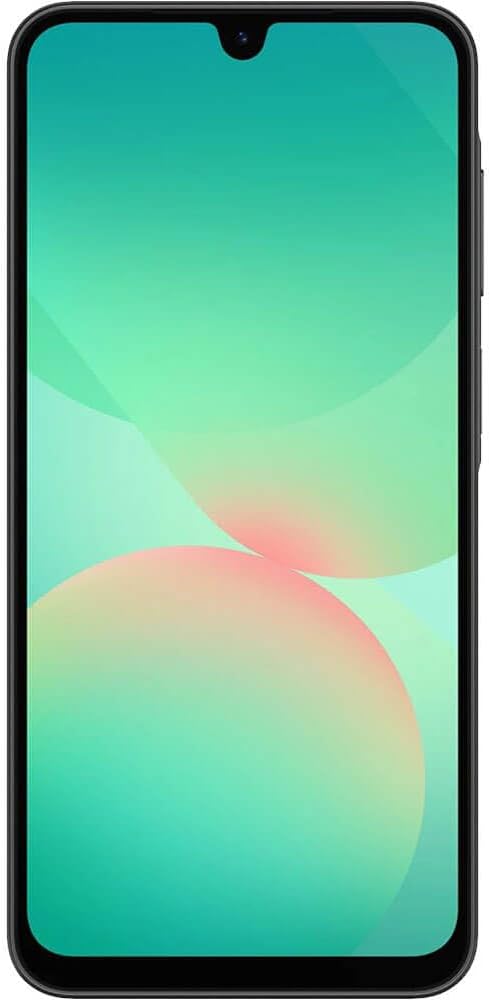
Figure 3.2.1: The rear of the device showcases the triple camera module vertically aligned on the top left, along with the Samsung branding at the bottom.
3.3. Aldea Views
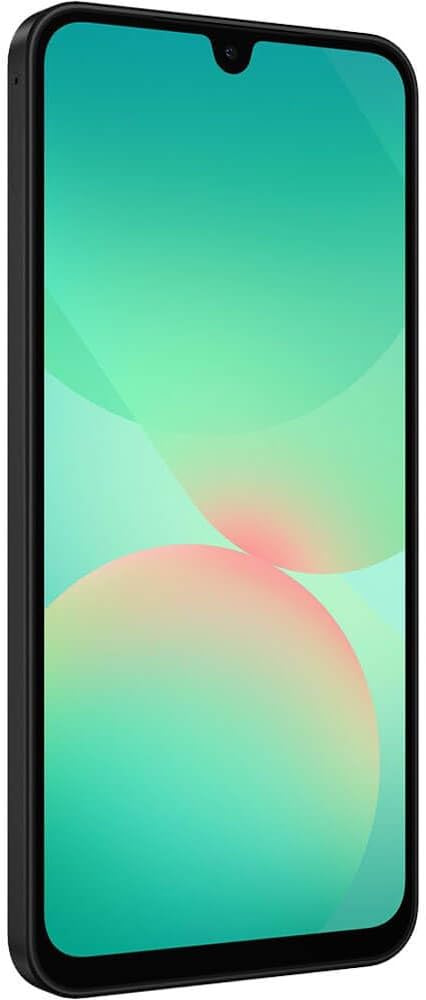
Figure 3.3.1: The right side of the device features the power button (which also integrates the fingerprint sensor) and volume rocker buttons.

Figure 3.3.2: The bottom edge of the device includes the USB-C charging port and a speaker grille.
4. Zure gailua funtzionatzea
4.1. Pantaila eta nabigazioa
The Galaxy A26 5G features a 6.6-inch Super AMOLED display with a 120Hz refresh rate, providing smooth scrolling and vibrant colors. Navigate the interface using touch gestures: swipe up/down for app drawer, swipe left/right for home screens, tap to select, and pinch to zoom.
4.2. Kameraren erabilera
Your device is equipped with a 50MP Triple Camera system, including an Ultra-wide lens and a Macro lens, allowing for diverse photography. The main camera features Optical Image Stabilization (OIS) for sharper photos and stable videos.
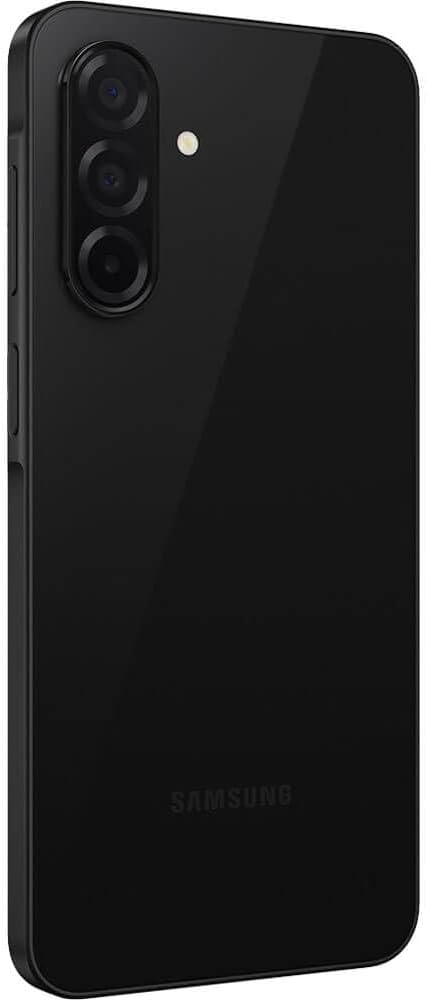
Figure 4.2.1: The triple camera module on the rear of the device.
To open the camera, tap the Camera app icon. Select PHOTO for still images, VIDEO for recording, or explore other modes like PORTRAIT for depth effects. Use the on-screen toggles to switch between the main, ultra-wide, and macro lenses, or to apply digital zoom.
4.3. Baterien kudeaketa
The device is powered by a 5000 mAh battery, designed to provide long-lasting usage. To optimize battery life, adjust screen brightness, close unused apps, and enable power-saving modes through the Settings menu. The phone supports fast charging (25W) via its USB-C port.
5. Zehaztapenak
| Ezaugarri | Zehaztapena |
|---|---|
| Ereduaren izena | A26 5G (SM-A266M/DS) |
| Bistaratzeko tamaina | 6.6 hazbete (170.1 milimetro) |
| Bistaratzeko ebazpena | 1080 x 2340 pixel |
| Sistema eragilea | Android |
| CPU Abiadura | 2.4 GHz |
| RAM Memoria | 6 GB |
| Barne Biltegiratzea | 128 GB |
| Bateria Edukiera | 5000 milioiamp Orduak |
| Kamera Nagusia | 50 MP kamera hirukoitza |
| Konektibitatea | 2G, 3G, 4G, 5G, NFC |
| Haririk gabeko garraiolaria | Unlocked (for T-Mobile, Mint, Tello & Global GSM) |
| Neurriak | 6.4 x 3.3 x 1.2 hazbete |
| Elementuaren pisua | 9.6 ontza |
| Kolorea | Beltza |
| Kutxan dagoena | Erabiltzailearen eskuliburua |
6. Mantentzea
6.1. Zure gailua garbitzea
To clean your device, gently wipe the screen and body with a soft, lint-free cloth. Avoid using harsh chemicals or abrasive materials, as these can damage the screen or finish. For stubborn smudges, slightly dampGarbitu oihal bat urarekin edo elektronikarako bereziki diseinatutako pantaila-garbitzaile batekin.
6.2. Software eguneraketak
Regularly check for and install software updates to ensure your device has the latest features, security patches, and performance improvements. You can usually find software update options in the device's Settings menu under 'Software update'.
7. Arazoak
7.1. Arazo arruntak eta irtenbideak
- Gailua ez da pizten: Ziurtatu bateria kargatuta dagoela. Konektatu gailua kargagailu batera eta itxaron minutu batzuk berriro pizten saiatu aurretik.
- Aplikazioak izozten edo huts egiten ari dira: Close the problematic app and reopen it. If the issue persists, restart your device. Ensure all apps and the operating system are up to date.
- Bateriaren iraupen eskasa: Reduce screen brightness, disable unused features like Bluetooth or GPS, close background apps, and consider enabling power-saving mode.
- Konexio arazoak (Wi-Fi/5G): Toggle Wi-Fi or mobile data off and on. Restart your device. If the issue is with Wi-Fi, try restarting your router.
- Hatz-marken sentsorea ez dabil: Ensure your finger is clean and dry. Re-register your fingerprints in the device settings if the problem continues.
8. Bermea eta Laguntza
8.1. Produktuen bermea
The SAMSUNG Galaxy A26 5G Ai typically comes with a 1-year US warranty. Please refer to the warranty card included in your product packaging or visit the official Samsung webwebgunean bermearen estaldurari eta zerbitzuari buruzko baldintza zehatzak ikusteko.
8.2. Bezeroarentzako arreta
Laguntza gehiago, laguntza teknikoa edo zerbitzu-kontsultak egiteko, bisitatu Samsung-en laguntza ofiziala. website or contact their customer service hotline. You can find contact information and FAQs on the Samsung webgunea.