
1. Sarrera
The GHome Smart KD30B Deadbolt Lock offers advanced security and convenience for your home, rental property, or apartment. This smart lock provides multiple unlocking methods and smart features designed to enhance your security and simplify access management.

1 Irudia: Gainetikview of the 4-in-1 Smart Access methods.
2. Produktuaren ezaugarriak
- Multi-function Smart Lock: Offers 6-in-1 unlocking options including up to 50 fingerprints, 50 PIN codes, temporary passwords, one-time passwords, app control, and 2 physical keys.
- Fast Fingerprint Recognition: Utilizes advanced third-generation fingerprint technology for identification in less than 0.2 seconds. The anti-counterfeiting algorithm ensures only authorized users can unlock the device.
- Temporary Password Generation: Generate temporary access codes for guests or service staff via the app, ideal for short-term rentals and property management.
- Auto Lock & One-touch Lock: Configure the deadbolt to auto-lock within 1-1800 seconds. Alternatively, use the one-touch lock feature by pressing the lock button from the outside or turning the knob from the inside.
- Enhanced Security & Durability: Triggers an alarm upon abnormal opening behavior. Operates within a temperature range of -4°F to 122°F (-20°C to 50°C) and is IP54 waterproof rated.
- Aplikazioen kontrola: Manage your lock settings, users, and access logs directly from your smartphone.
3. Instalatu aurretik
Instalazioa hasi aurretik, ziurtatu ateak honako zehaztapen hauek betetzen dituela:
- Gurutze-zuloaren diametroa: 1½" or 2⅛" (38mm or 54mm)
- Atearen lodiera: 1⅜" or 1⁵⁄₁₆" (35mm-33mm)
- Aurrealdea: 2⅜" or 2¾" (60mm or 70mm)
- Atearen zuloaren diametroa: 1" (25 mm)
- Gutxieneko distantzia: 2³⁄₁₆" (55mm)

Figure 2: Door compatibility measurements.
4. Instalazio gida
The GHome Smart KD30B Deadbolt Lock is designed for quick and easy installation, typically within 15 minutes. Follow these general steps:
- Atea prestatu: Ensure your door meets the specifications outlined in Section 3.
- Zehaztu entrega: Identify if your door is left-handed or right-handed. The lock can be adjusted accordingly.
- Instalatu Latch-a: Sartu giltza atearen ertzean.
- Kanpoko Muntaketa Instalatu: Place the exterior keypad assembly onto the door.
- Instalatu barruko muntaia: Attach the interior assembly, ensuring proper cable connection.
- Segurtatu giltzarrapoa: Fasten all screws to secure both assemblies.
- Sartu bateriak: Sartu 4 AA bateria (ez daude barne) barneko muntaketan.
- Berrezarri eta probatu: Press the reset button (usually located on the interior assembly) and follow the voice prompts to set the lock direction and test functionality.

Figure 3: Installation steps for left and right-hand doors.

Figure 4: Simple installation process.
5. Funtzionamendu-argibideak
5.1 Desblokeatzeko metodoak
The KD30B offers multiple ways to unlock your door:
- Hatz-marka desblokeatzea: Jarri erregistratutako hatz-marka sentsorean. Blokeoa 0.2 segundo baino gutxiagoan desblokeatuko da.
- Pasahitza desblokeatzea: Enter your 6-10 digit PIN code on the keypad.
- Aplikazioen kontrola: Use the GHome app on your smartphone to unlock the door via Bluetooth within 15 meters.
- Giltza mekanikoa: Use the provided physical keys as an emergency backup.
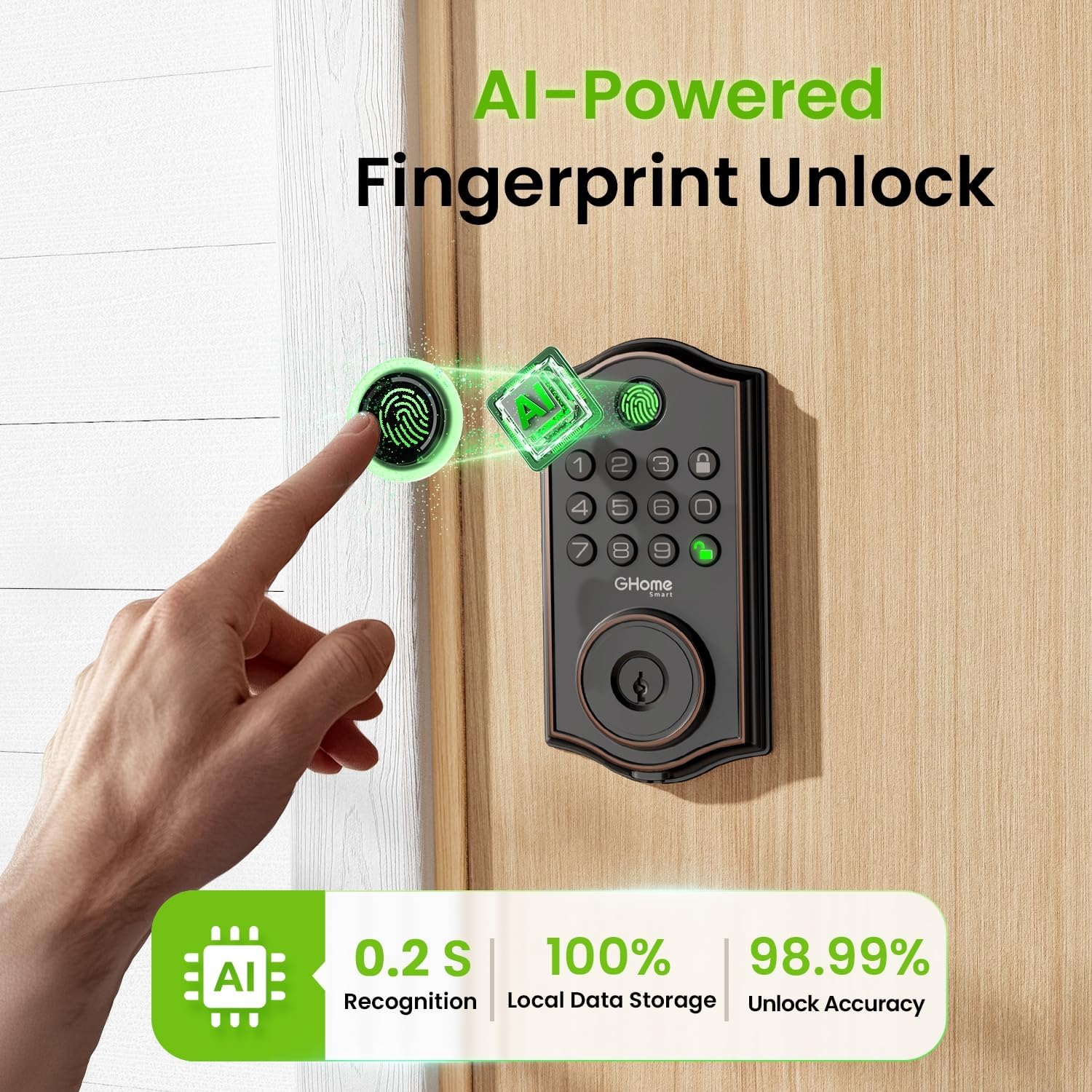
Figure 5: AI-Powered Fingerprint Unlock.

Figure 6: Smarter Fingerprint Unlocks Over Time.

Figure 7: Reliable Passcode Access.
5.2 App Control and Management
Download the GHome app to manage your lock:
- Bluetooth desblokeatzea: Connect your phone via Bluetooth for one-tap unlocking within 15 meters.
- Urruneko kontrola (gateway-arekin): For unlocking beyond Bluetooth range, a separate gateway (sold separately) is required to enable Wi-Fi remote control.
- Erabiltzaileen kudeaketa: Easily add or remove users, customize access permissions, and assign administrator or regular user roles.
- Aldi baterako pasahitzak: Generate time-limited, one-time, or dynamic passwords for visitors, deliveries, or services.
- Sarbide-erregistroak: Monitor who enters and exits your property with detailed access logs and alerts.
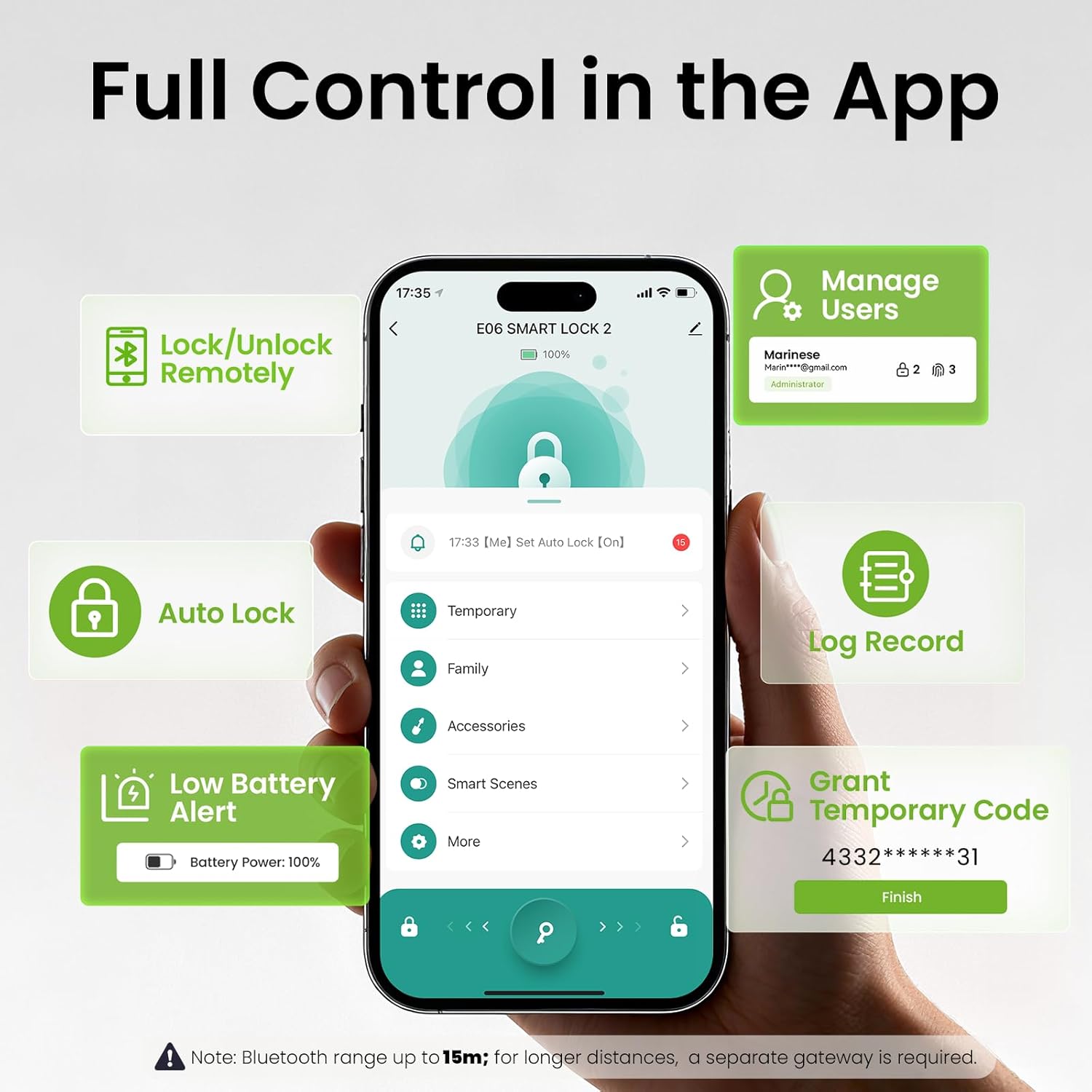
Figure 8: Full Control in the GHome App.
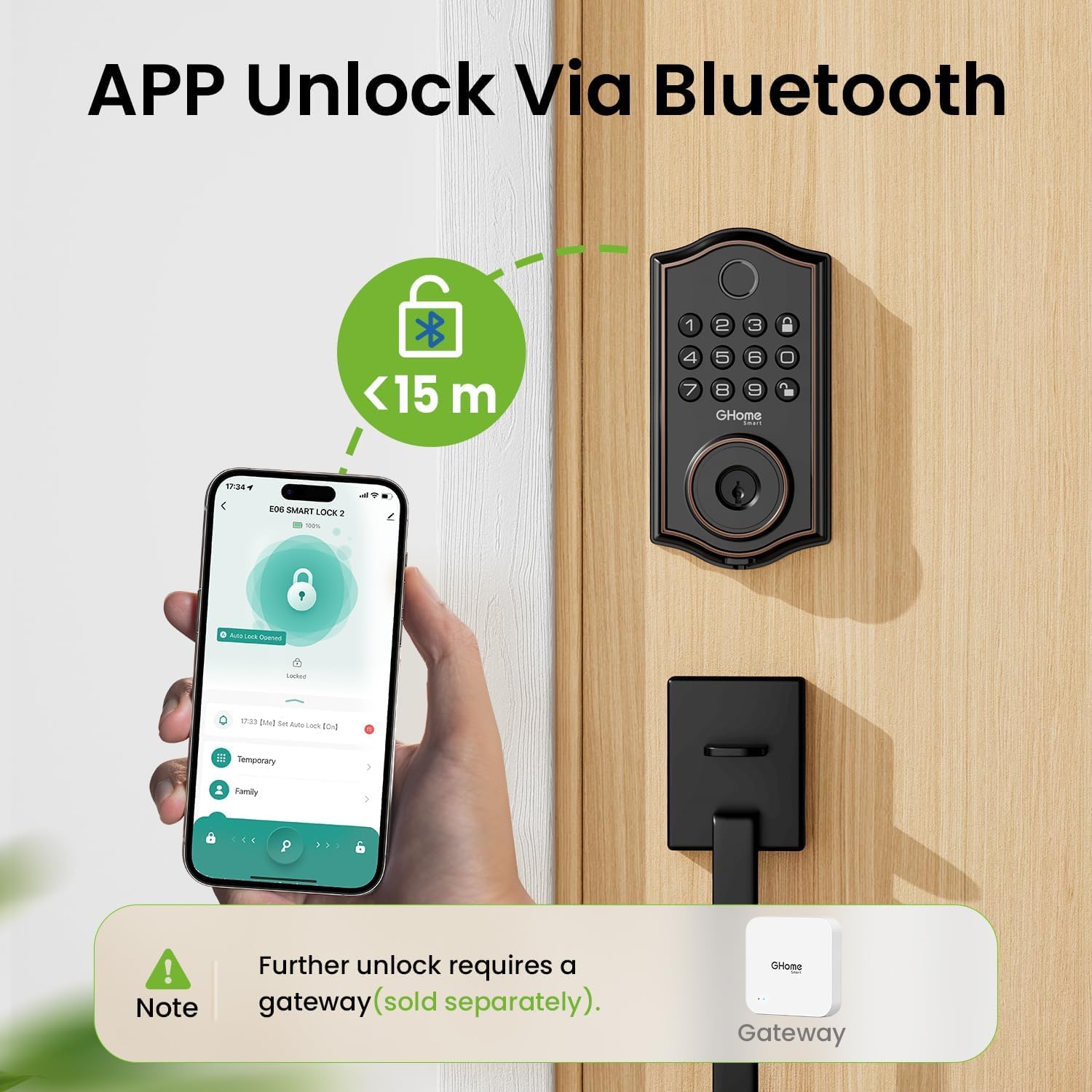
Figure 9: App Unlock via Bluetooth.

Figure 10: Remote Control via a Gateway (Sold Separately).

Figure 11: Flexible User Management.

Figure 12: Access Logs for Monitoring.
5.3 Auto-Lock and Security Features
- Blokeo automatikoa: Set the lock to automatically engage after a specified time (1-1800 seconds).
- Ukitu bakarreko blokeoa: Press the lock button on the keypad or turn the interior knob to instantly lock the door.
- Peeping-aren aurkako pasahitza: Add random digits before or after your actual passcode (up to 16 total digits) to prevent others from guessing your code.
- Built-In Lockout Alerts: The lock will trigger an alarm and lock for 60 seconds after 5 failed passcode attempts or 10 failed fingerprint attempts. Alerts are sent to your app.
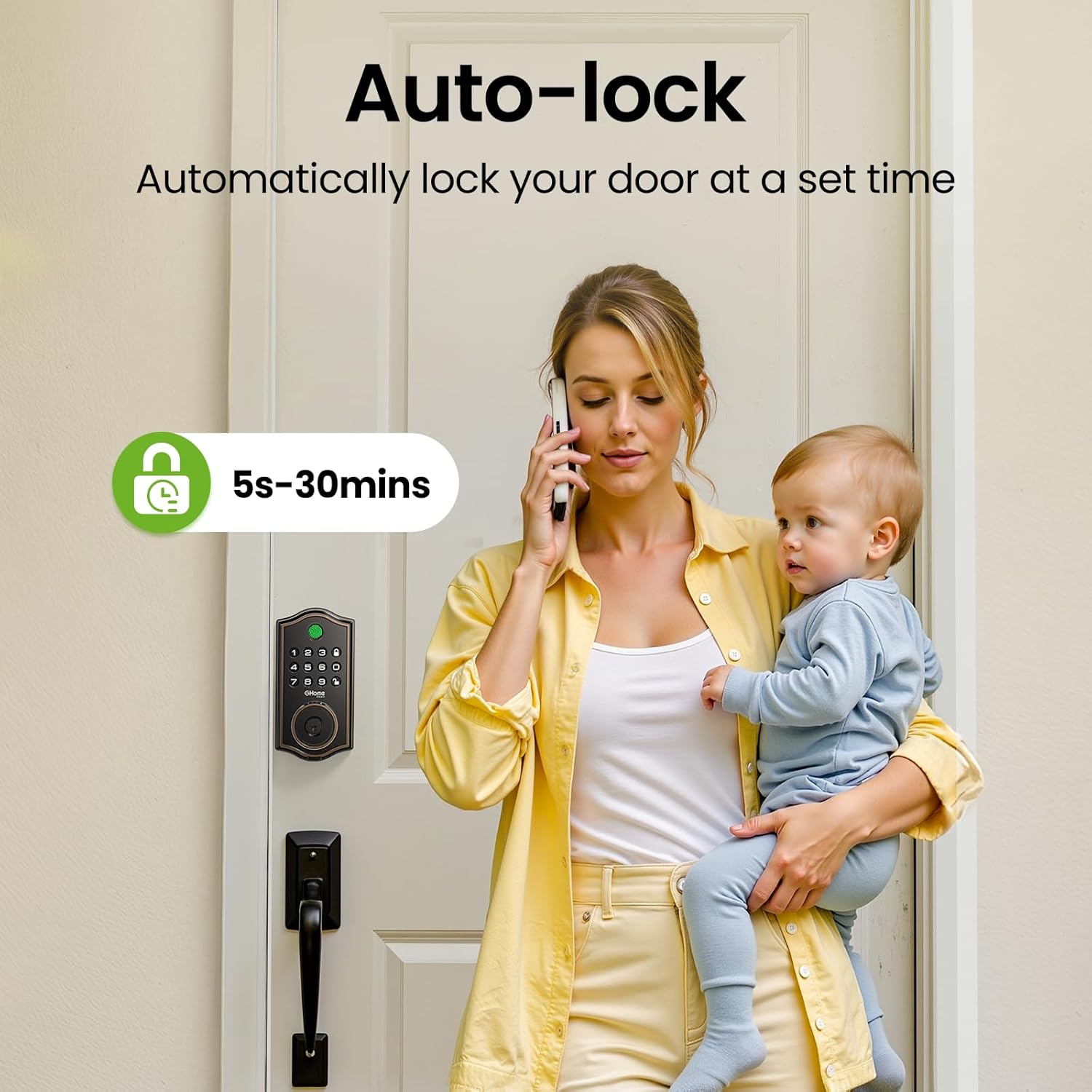
Figure 13: Auto-Lock feature for automatic security.

Figure 14: Anti-Peeping Password Protection.

Figure 15: Built-In Lockout Alerts.
6. Mantentzea
6.1 Bateria ordezkatzea
The KD30B Deadbolt Lock operates on 4 AA batteries (not included). It is recommended to use AAA Alkaline Batteries for optimal performance. The lock provides a low battery alert (4-beep alert and flashing keypad light) and sends notifications to your app when battery levels are low. Replace batteries promptly to ensure continuous operation.

Figure 16: Battery compartment and emergency power port.

Figure 17: Battery power and alerts.
7. Zehaztapenak
| Ezaugarri | Zehaztapena |
|---|---|
| Marka | GHome Smart |
| Ereduaren izena | KD30B |
| Blokeo mota | Deadbolt biometrikoa |
| Materiala | Metala |
| Elementuaren neurriak (L x W x H) | 9 x 7 x 2.99 hazbete |
| Elementuaren pisua | 2.33 libra (1.06 kilogramo) |
| Kontrol-metodoa | Aplikazioa |
| Ezaugarri bereziak | Anti-Peeping Password |
| Funtzionamendu-tenperatura-tartea | -4°F eta 122°F (-20°C eta 50°C) |
| Hezetasun-barrutia | %0 - %95 |
| Iragazgaitzaren balorazioa | IP54 |
| Beharrezko bateriak | Yes (4 AA, not included) |
| GTIN / UPC | 199874906782 |

Figure 18: Built to withstand various environmental conditions.
8. Arazoak
- Blokeoak ez du erantzuten: Check battery levels. If low, replace the 4 AA batteries. Use the Type-C emergency power port if batteries are completely drained.
- Hatz-marka ez da ezagutzen: Ensure your finger is clean and dry. Re-register your fingerprint if issues persist. Note that calloused or cold fingers may affect recognition.
- Teklatua ez dabil: Verify battery levels. If multiple incorrect attempts occur, the lock may enter a lockout state (60 seconds).
- Aplikazioen konexio-arazoak: Ensure Bluetooth is enabled on your phone and you are within 15 meters of the lock. For remote access, confirm your gateway (if used) is properly connected to Wi-Fi and the lock.
- Abnormal Opening Behavior: The lock is designed to trigger an alarm. Check access logs in the app for details.
9. Laguntza
For technical assistance or further inquiries, please contact GHome Smart customer service:
- Online Tech Support: Available Monday to Friday, 9am to 5pm (PST).
- After-Sales Email Service: Eskuragarri 24/7.
You can also download the GHome app for easy management and updates:

Figure 19: Download the GHome App.
10. Produktuaren bideoaview
1. bideoa: Ikuspegi osoaview of the GHome Smart KD30B Deadbolt Lock's features and functionality.