
Sarrera
Thank you for choosing the GOBOULT Flex On-Ear Bluetooth Headphones. This manual provides essential information for setting up, operating, and maintaining your headphones to ensure optimal performance and longevity. Please read this manual thoroughly before using the product.
Kutxan dagoena
- GOBOULT Flex On-Ear Bluetooth Headphones
- C motako kargatzeko kable azkarra
- Erabiltzailearen eskuliburua
- Berme Txartela
Produktua amaituview
The GOBOULT Flex headphones are designed for comfort and high-quality audio. They feature 40mm bass-boosted drivers, Bluetooth 5.4 connectivity, and an adjustable, foldable design.

Irudia: Gainetikview of GOBOULT Flex features including 40mm drivers, Bluetooth 5.4, 4 EQ modes, 60ms low latency, 80-hour battery, and ENC calling.
Funtsezko osagaiak:
- Belarritakoak: Soft, cushioned earcups for comfort.
- Buruko banda erregulagarria: Allows for a customized fit.
- Kontrol-botoiak: Located on the earcups for power, volume, playback, and call management.
- C motako kargatzeko ataka: Entzungailuak kargatzeko.
- AUX sarrera: Kable bidezko audio konexiorako.
- Mikrofonoa: Integrated Zen™ ENC mic for clear calls.

Image: The adjustable headband and earcups of the GOBOULT Flex headphones, designed for a comfortable fit.
Konfigurazioa
1. Entzungailuak kargatzea
Before first use, fully charge your GOBOULT Flex headphones. Use the provided Type-C charging cable.
- Connect the Type-C cable to the charging port on the headphones.
- Konektatu kablearen beste muturra USB elikatze-iturri batera (adibidez, hormako egokitzailea, ordenagailuko USB ataka).
- The LED indicator will show charging status (refer to product for specific light patterns).
- A full charge takes approximately 60 minutes and provides up to 80 hours of playtime.
- Fast charging provides 5 hours of playtime with just 10 minutes of charging.
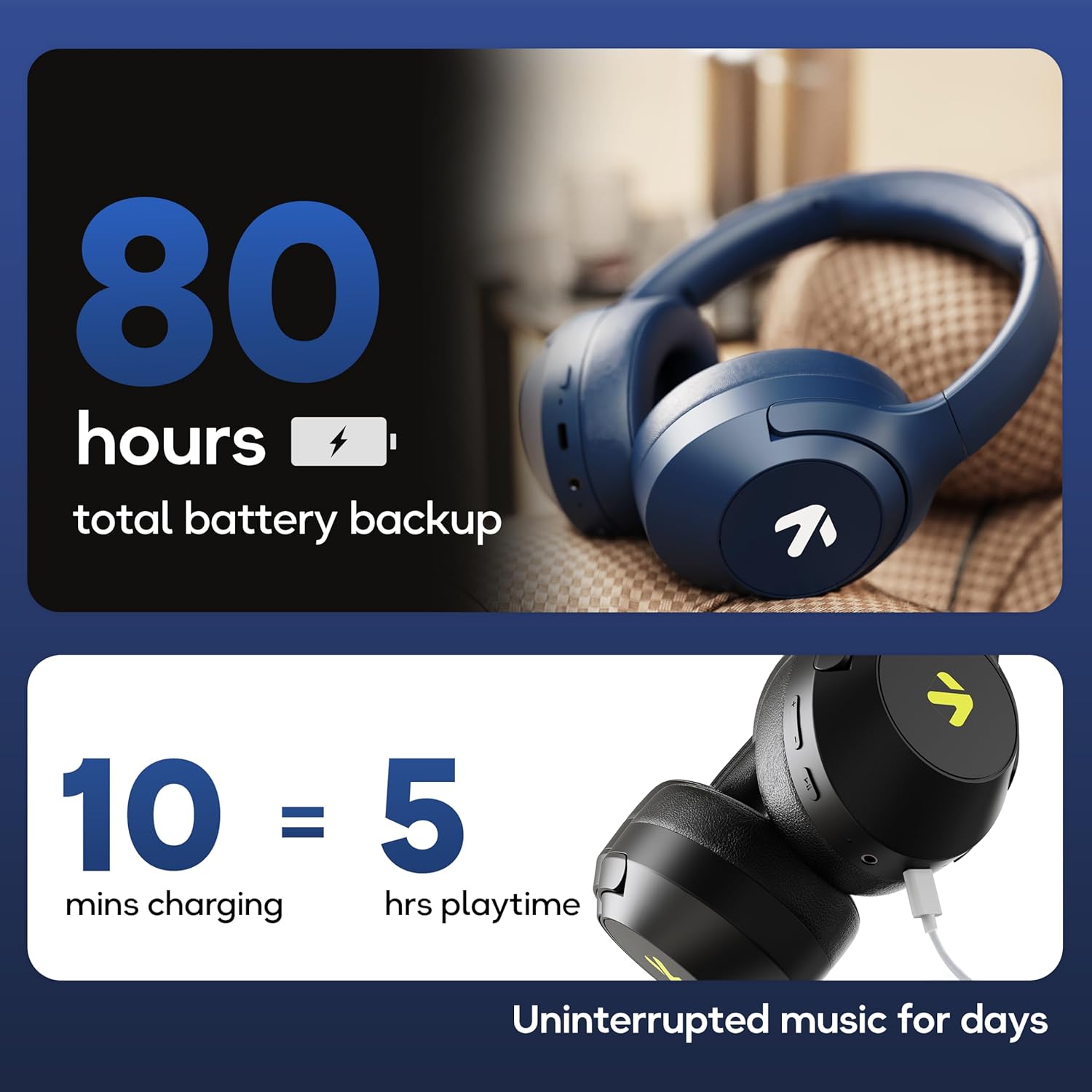
Image: Visual representation of the 80-hour battery life and fast charging capability (10 minutes charge for 5 hours playback).
2. Bluetooth parekatzea
Konektatu entzungailuak zure gailuarekin haririk gabeko audioa lortzeko.
- Ziurtatu entzungailuak kargatuta eta itzalita daudela.
- Press and hold the Power button until the LED indicator flashes (usually blue and red alternately), indicating pairing mode.
- Zure gailuan (smartphone-a, tableta, ordenagailu eramangarria), gaitu Bluetooth-a eta bilatu eskuragarri dauden gailuak.
- Select "GOBOULT Flex" from the list of devices.
- Behin konektatuta, LED adierazleak normalean argi urdin finko bat erakutsiko du edo poliki keinuka arituko da.
- The headphones feature Bluetooth 5.4 and Blink & Pair™ technology for fast and stable connections.

Image: The headphones connected via Bluetooth 5.4, highlighting the Blink & Pair feature for quick device connection.
Funtzionamendu-argibideak
Piztu/Itzali
- Piztu: Sakatu eta eutsi pizteko botoia 3 segundo inguru.
- Itzali: Sakatu eta eutsi pizteko botoia 5 segundo inguru.
Musika Kontrola
- Erreproduzitu/Pausatu: Sakatu funtzio anitzeko botoia behin.
- Hurrengo ibilbidea: Sakatu eta eutsi bolumena igotzeko botoiari.
- Aurreko pista: Eduki sakatuta bolumena jaisteko botoia.
- Bolumena igo: Sakatu labur bolumena igotzeko botoia.
- Bolumena jaitsi: Sakatu labur Bolumena Jaisteko botoia.
Deien Kontrola
The Zen™ ENC mic ensures clear communication by reducing environmental noise.

Irudia: Xehetasun handikoa view of the Zen™ ENC microphone technology for effective environmental noise cancellation during calls.
- Deia erantzun/amaitu: Sakatu funtzio anitzeko botoia behin.
- Deia baztertu: Eduki sakatuta funtzio anitzeko botoia 2 segundoz.
- Berriz markatu azken zenbakia: Sakatu birritan funtzio anitzeko botoia.
Ahots Laguntzailea
Activate your device's voice assistant (e.g., Google Assistant) directly from the headphones.
- Aktibatu Ahots Laguntzailea: Sakatu hiru aldiz funtzio anitzeko botoia.

Image: The headphones featuring voice assistant compatibility and IPX5 water resistance for protection against sweat and splashes.
Joko modua (60ms-ko latentzia baxua)
Engage Combat™ Gaming Mode for ultra-low latency audio, ideal for gaming.
- Aktibatu joko modua: Refer to the specific button combination in your quick start guide (often a dedicated button or a long press of a volume button).
- This mode reduces audio latency to 60ms for a synchronized gaming experience.
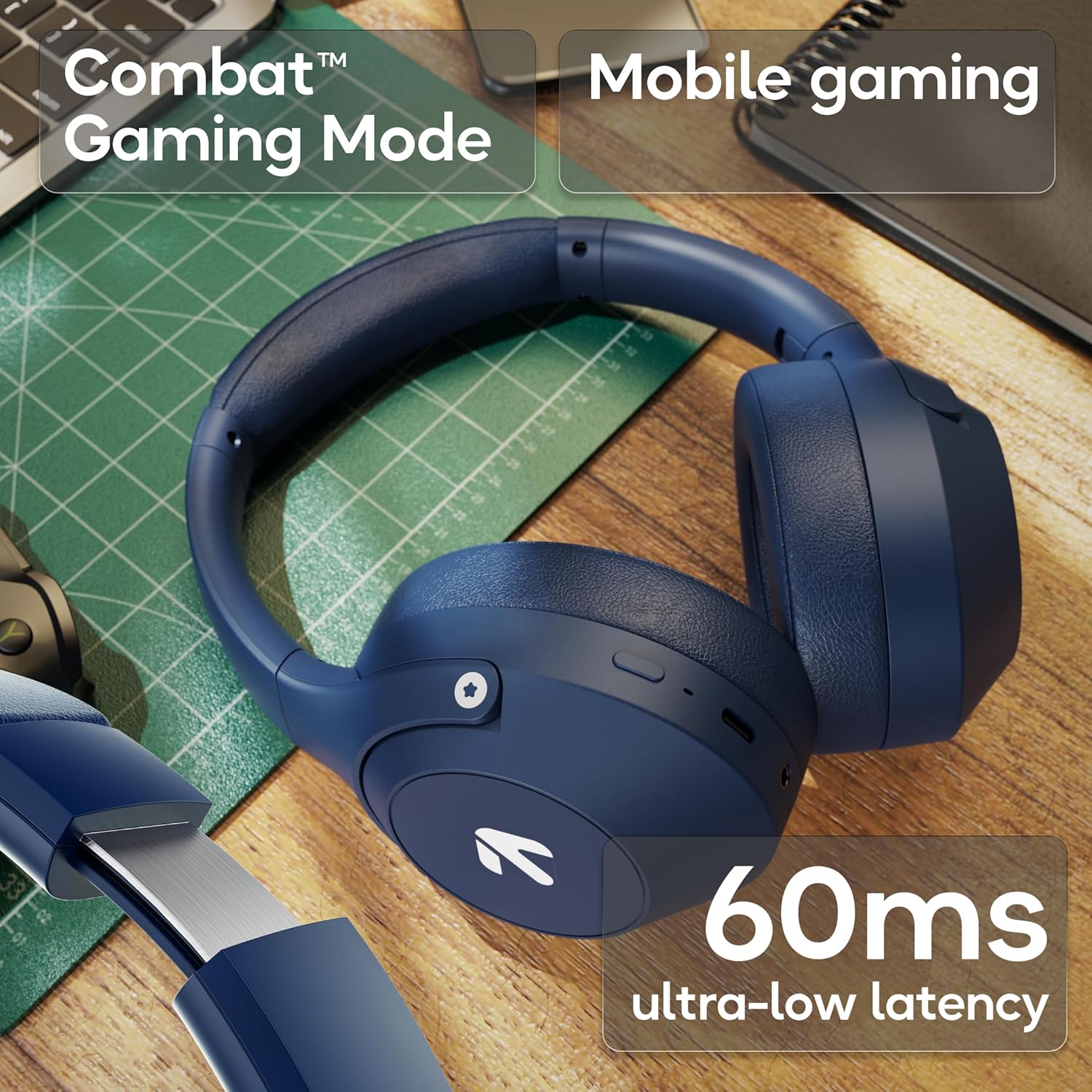
Image: The headphones highlighting the Combat™ Gaming Mode with 60ms ultra-low latency for an enhanced gaming experience.
Kable modua
Use the included AUX cable for a wired connection when wireless is not preferred or the battery is low. Note that the microphone is typically off in wired mode.
- Connect one end of the 3.5mm AUX cable to the headphone's AUX port.
- Konektatu beste muturra zure audio iturriaren 3.5 mm-ko konektorera.
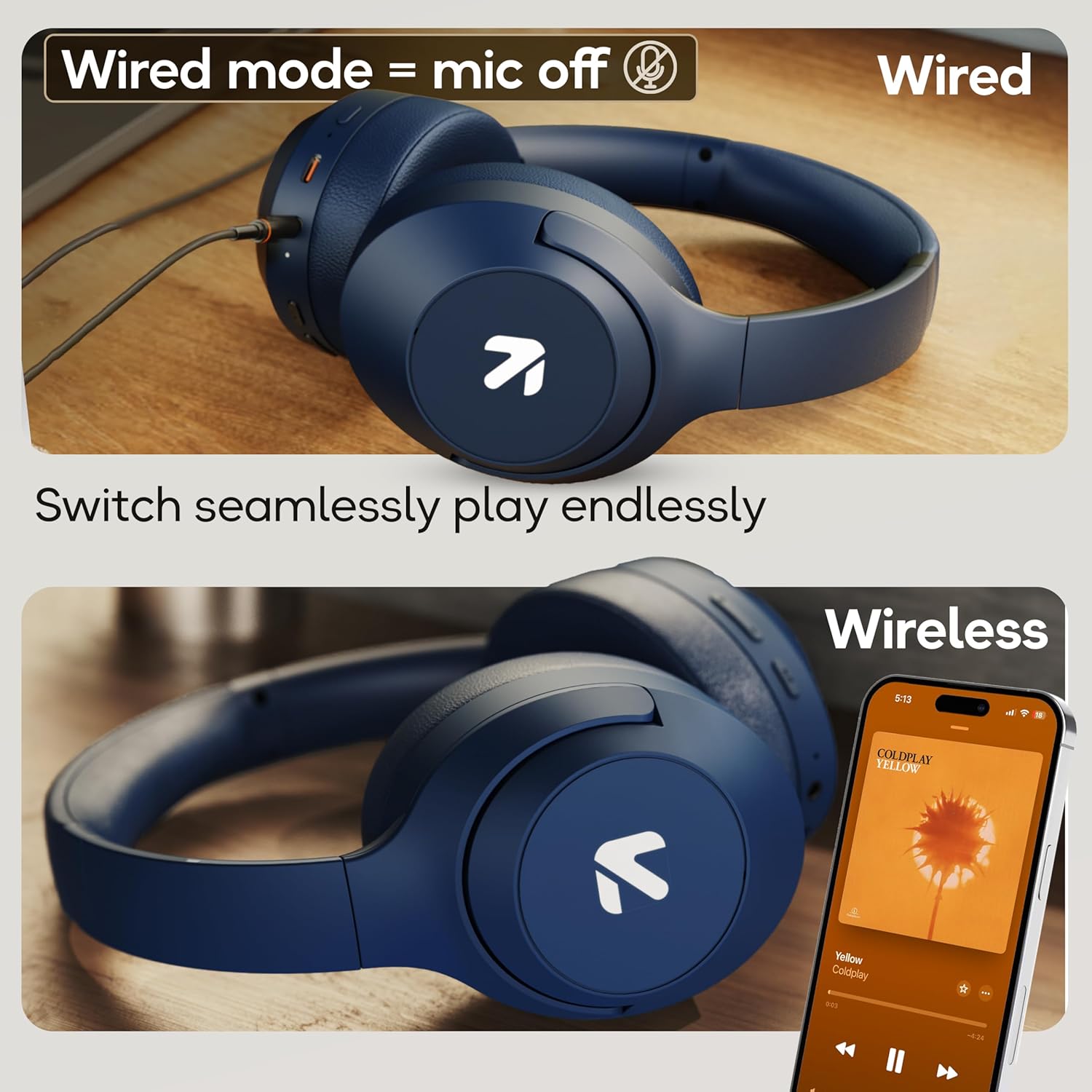
Image: Comparison of wired mode (with mic off) and wireless mode, demonstrating the flexibility of connection options.
EQ moduak
The headphones offer 4 Equalizer (EQ) modes to customize your audio experience.
- Eskuragarri dauden moduak: Bass, Rock, Pop, Vocal.
- Aldaketa moduak: Refer to the specific button combination in your quick start guide (often a dedicated EQ button or a combination press).

Image: The headphones emphasizing powerful bass delivered by 40mm boosted drivers with Boomx™ technology, and support for AAC/SBC codecs.

Irudia: Barnekoa view of the headphones showing the DSP processor, indicating features like seamless VoIP calls, adaptive audio equalization, and 16-bit dual-audio processing.
Mantentzea
Proper maintenance ensures the longevity of your headphones.
- Garbiketa: Garbitu entzungailuak oihal leun eta lehor batekin. Ez erabili produktu kimiko gogorrik edo material urratzailerik.
- Biltegiratzea: Gorde entzungailuak leku fresko eta lehor batean, eguzki-argitik eta muturreko tenperaturetatik babestuta. Tolestu daitekeen diseinuari esker, biltegiratze trinkoa egin daiteke.
- Uraren erresistentzia: The headphones are IPX5 rated, meaning they are resistant to sweat and light splashes. Do not submerge them in water or expose them to heavy rain.
Arazoak konpontzea
Botererik ez
- Ziurtatu entzungailuak guztiz kargatuta daudela.
- Egiaztatu kargatzeko kablea eta energia iturria.
Ezin da Bluetooth bidez parekatu
- Ziurtatu entzungailuak parekatze moduan daudela (LEDa urdin/gorri keinuka).
- Make sure Bluetooth is enabled on your device and it is within 10 meters of the headphones.
- Forget "GOBOULT Flex" from your device's Bluetooth list and try pairing again.
- Berrabiarazi entzungailuak eta gailua.
Soinurik ez
- Egiaztatu entzungailuen eta konektatutako gailuaren bolumen-mailak.
- Ziurtatu entzungailuak behar bezala parekatuta eta konektatuta daudela.
- If using wired mode, ensure the AUX cable is fully inserted into both the headphones and the audio source.
Deiaren kalitate eskasa
- Ziurtatu mikrofonoa ez dagoela oztopatzen.
- Move to a quieter environment to allow the ENC mic to function optimally.
- Egiaztatu zure gailuaren dei-ezarpenak.
Zehaztapenak
| Ezaugarri | Zehaztapena |
|---|---|
| Ereduaren izena | Flex |
| Marka | GOBOULT |
| Konektibitate Teknologia | Bluetooth, Haririk gabekoa |
| Bluetooth bertsioa | 5.4 (Product Title says 5.4, Specs say 5.3, using 5.4 as per title) |
| Bluetooth barrutia | 10 metro |
| Audio kontrolatzailearen tamaina | 40 milimetro |
| Audio kontrolatzaile mota | Gidari dinamikoa |
| Bateriaren iraupena | 80 ordu (joko-denbora) |
| Kargatzeko Denbora | 60 minutu |
| Karga azkarra | 10 minutu 5 ordu jolasteko |
| Aurikularretarako Jack | Type-C Fast Charging Jack, 3.5mm AUX |
| Mikrofonoa | Zen™ ENC Mic |
| Latentzia baxuko modua | 60ms (Combat™ Gaming Mode) |
| Uraren Erresistentzia Maila | IPX5 (Sweatproof, Water-resistant, Splashproof) |
| Zarata Kontrola | Zarata Ezeztapen Pasiboa |
| Elementuaren pisua | 214 gramo |
| Produktuaren neurriak | 5 x 19 x 20 cm |
| Dakarten osagaiak | Cable, Headphone, Type-C Fast Charging Cable, User Manual, Warranty Card |
Bermea eta Laguntza
The GOBOULT Flex On-Ear Bluetooth Headphones come with a 1 Urteko Bermea.
For warranty registration, technical support, or customer service inquiries, please visit the official GOBOULT website or contact their customer support team using the information provided on the warranty card.