
1. Sarrera
Thank you for choosing the GOBOULT Flex On-Ear Bluetooth Headphones. This manual provides essential information for setting up, operating, and maintaining your headphones. Please read it carefully before use to ensure optimal performance and longevity of your device.

Image: GOBOULT Flex On-Ear Bluetooth Headphones in Jet Black, showcasindiseinu dotorea g.
2. Zer dago kutxan
Egiaztatu elementu guztiak zure paketean daudela:
- GOBOULT Flex On-Ear Bluetooth Headphones
- C motako kargatzeko kable azkarra
- AUX Cable (for wired connection)
- Erabiltzailearen eskuliburua (dokumentu hau)
- Berme Txartela
3. Produktua amaitu daview
The GOBOULT Flex headphones feature an adjustable headband and soft earcups designed for comfort during extended use. Key components include:
- Buruko banda erregulagarria: For a customized fit.
- Belarritakoak: Padded for comfort, housing the 40mm audio drivers.
- Kontrol-botoiak: Power, Volume Up/Down, Multi-function Button.
- C motako kargatzeko ataka: Barneko bateria berriro kargatzeko.
- AUX ataka: Kable bidezko audio konexiorako.
- Mikrofonoa: Integrated Zen™ ENC mic for clear calls.

Image: Close-up of the GOBOULT Flex headphones highlighting the adjustable headband and earcups for comfortable wear.
4. Konfigurazioa
4.1 Entzungailuak kargatzea
Before first use, fully charge your headphones. Connect the provided Type-C charging cable to the headphone's charging port and the other end to a USB power source (e.g., wall adapter, computer USB port).
- Karga oso batek 60 minutu inguru behar ditu.
- 10 minutuko kargatzeak 5 orduko erreprodukzio-denbora eskaintzen du.
- LED adierazleak kargatze-egoera erakutsiko du (adibidez, gorria kargatzen ari bada, urdina guztiz kargatuta dagoenean).
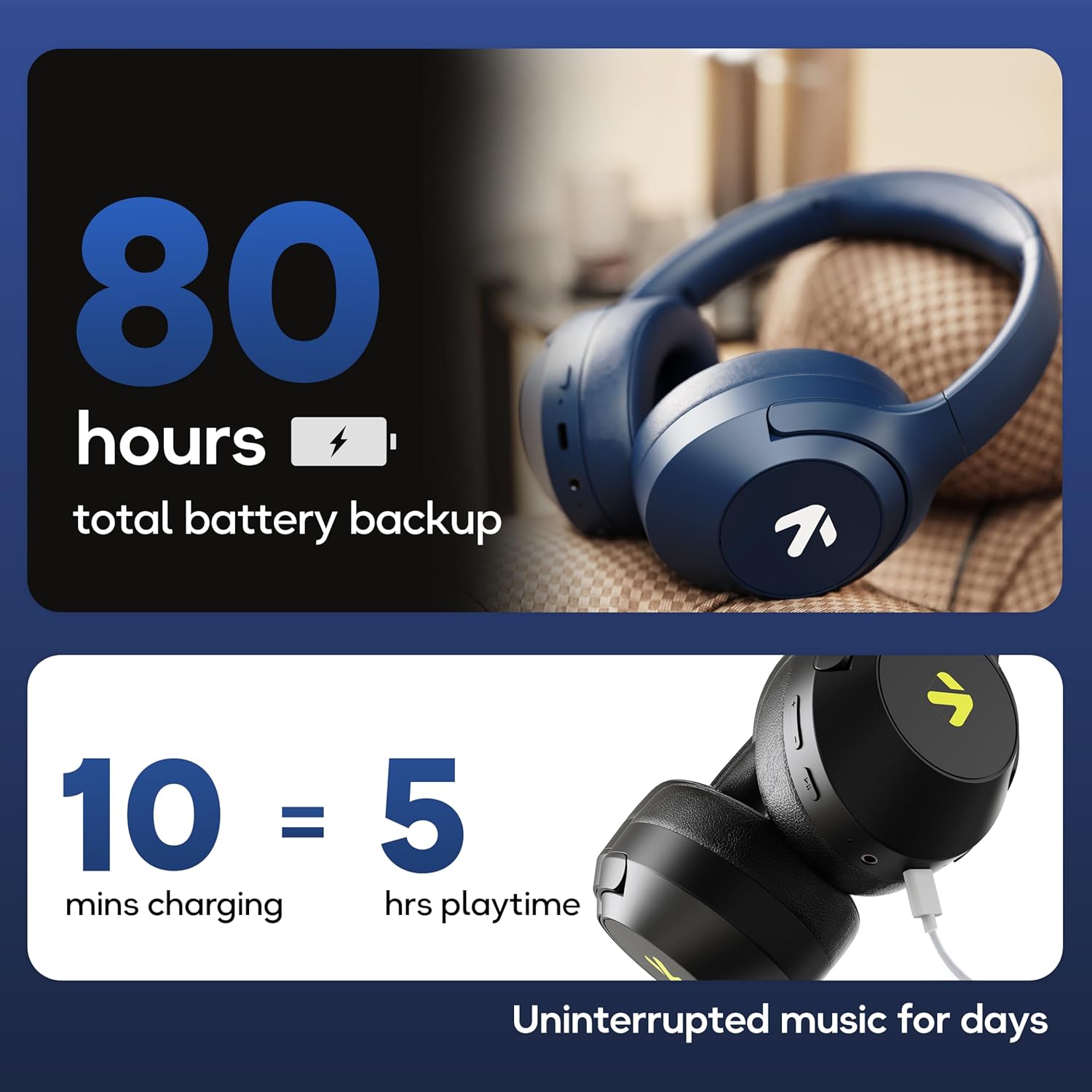
Image: Visual representation of the GOBOULT Flex headphones' battery life and fast charging capability.
4.2 Piztu/Itzaltzea
- Pizteko: Press and hold the Power button for 3 seconds. The LED indicator will flash.
- Itzaltzeko: Sakatu eta eutsi pizteko botoia 5 segundoz. LED adierazlea itzali egingo da.
4.3 Bluetooth parekatzea
The GOBOULT Flex headphones utilize Bluetooth 5.4 for stable and fast connections.
- Ziurtatu entzungailuak itzalita daudela.
- Sakatu eta eutsi pizteko botoia 5-7 segundo inguru, LED adierazlea txandaka gorriz eta urdinez keinuka hasi arte, parekatze modua adieraziz.
- Zure gailuan (smartphone-a, tableta, ordenagailu eramangarria), gaitu Bluetooth-a eta bilatu eskuragarri dauden gailuak.
- Select "GOBOULT Flex" from the list of devices.
- Konektatu ondoren, LED adierazlea urdin argituko da poliki-poliki.

Image: Illustration of the GOBOULT Flex headphones connecting via Bluetooth 5.4, highlighting the fast pairing feature.
4.4 AUX konexioa
You can use the headphones with a wired connection when the battery is low or for devices without Bluetooth. Connect one end of the 3.5mm AUX cable to the headphone's AUX port and the other end to your audio source's 3.5mm jack.
5. Funtzionamendu-argibideak
5.1 Oinarrizko kontrolak
| Funtzioa | Ekintza |
|---|---|
| Erreproduzitu/Pausatu | Sakatu funtzio anitzeko botoia behin. |
| Bolumena igo | Sakatu bolumena igotzeko (+) botoia. |
| Bolumena jaitsi | Sakatu Bolumena Jaisteko (-) botoia. |
| Hurrengo Pista | Sakatu eta eutsi bolumena igotzeko (+) botoiari. |
| Aurreko Pista | Sakatu eta eutsi Bolumena Jaisteko (-) botoiari. |
5.2 Deien kudeaketa
The integrated Zen™ ENC (Environmental Noise Cancellation) microphone ensures clear communication during calls.

Irudia: Xehetasun handikoa view of the GOBOULT Flex headphones highlighting the Zen™ ENC mic for noise-reduced calls.
| Funtzioa | Ekintza |
|---|---|
| Erantzun/Amaitu deia | Sakatu funtzio anitzeko botoia behin. |
| Deia baztertu | Eduki sakatuta funtzio anitzeko botoia 2 segundoz. |
5.3 Ahots laguntzailea
Activate your device's voice assistant (e.g., Google Assistant, Siri) directly from your headphones.
- Aktibatu Ahots Laguntzailea: Sakatu bi aldiz funtzio anitzeko botoia.

Image: GOBOULT Flex headphones showing compatibility with voice assistants and IPX5 water resistance.
5.4 Joko Modua (Latentzia Baxua)
For an optimized gaming experience, activate the 60ms ultra-low latency Combat™ Gaming Mode.
- Aktibatu joko modua: Refer to your device's specific instructions or the product's quick start guide for the button combination to toggle gaming mode.

Image: GOBOULT Flex headphones illustrating the Combat™ Gaming Mode with 60ms ultra-low latency for mobile gaming.
5.5 EQ moduak
The headphones feature 4 EQ modes to customize your audio experience:
- Baxua
- Harkaitza
- Pop
- Ahotsa
To switch between EQ modes, refer to the specific button press sequence in your quick start guide or product packaging. This functionality allows you to tailor the sound profile zure hobespenera.

Irudia: Gainetikview of GOBOULT Flex features, including the 4 EQ modes for sound customization.
6. Mantentzea
6.1 Garbiketa
Wipe the headphones with a soft, dry cloth. Do not use abrasive cleaners or solvents. For earcups, gently wipe with a damp oihal bat eta utzi airean guztiz lehortzen erabili aurretik.
6.2 Biltegiratzea
Gorde entzungailuak leku fresko eta lehor batean, eguzki-argitik eta muturreko tenperaturetatik babestuta. Tolestu daitekeen diseinuari esker, biltegiratze trinkoa egin daiteke.
6.3 Urarekiko Erresistentzia (IPX5)
The GOBOULT Flex headphones are rated IPX5, meaning they are resistant to sweat and light splashes of water. They are not designed for submersion in water. Avoid exposing them to heavy rain or showering.
7. Arazoak
| Arazoa | Irtenbide posiblea |
|---|---|
| Entzungailuak ez dira pizten. | Ziurtatu entzungailuak kargatuta daudela. Konektatu energia-iturri batera C motako kablea erabiliz. |
| Ezin da Bluetooth bidez parekatu. | Ensure headphones are in pairing mode (flashing red/blue). Turn off and on your device's Bluetooth. Move closer to the device. |
| Soinurik ez. | Egiaztatu entzungailuen eta konektatutako gailuaren bolumen mailak. Ziurtatu entzungailuak behar bezala parekatuta daudela edo AUX kablea guztiz sartuta dagoela. |
| Deiaren kalitate eskasa. | Ziurtatu mikrofonoa ez dagoela oztoporik. Joan zaitez ingurune lasaiago batera. |
8. Zehaztapenak
| Ezaugarri | Xehetasuna |
|---|---|
| Ereduaren izena | Flex (ProBass) |
| Konektibitatea | Bluetooth 5.4, AUX |
| Audio kontrolatzailearen tamaina | 40 mm |
| Jolas-ordua | Gehienez 80 ordu |
| Kargatzeko ataka | C motakoa |
| Kargatzeko Denbora | Gutxi gorabehera. 60 minutu |
| Mikrofonoa | Zen™ ENC Mic |
| Latentzia baxuko modua | 60ms (Combat™ Gaming Mode) |
| Uraren Erresistentzia | IPX5 |
| Maiztasun Erantzuna | 20 Hz |
| Sentikortasuna | 118 dB |
| Inpedantzia | 32 Ohm |
| Elementuaren pisua | 214 gramo |
9. Bermea eta Laguntza
The GOBOULT Flex headphones come with a 1-year warranty. To avail of the extended warranty and for any support inquiries, please register your product on the official GOBOULT website. For technical assistance or customer service, refer to the contact information provided on your warranty card or the GOBOULT official webgunea.
Manufacturer: Exotic Mile Private Limited
Jatorri herrialdea: Txina